PLMCA64 - Høyttaler Pyle - Gratis bruksanvisning og manual
Finn enhetens veiledning gratis PLMCA64 Pyle i PDF-format.


Brukerspørsmål om PLMCA64 Pyle
0 spørsmål om dette apparatet. Svar på dem du kjenner, eller still ditt eget.
Still et nytt spørsmål om dette apparatet
Last ned instruksjonene for din Høyttaler i PDF-format gratis! Finn veiledningen din PLMCA64 - Pyle og ta den elektroniske enheten tilbake i hendene. På denne siden er alle dokumenter som er nødvendige for bruken av enheten din publisert. PLMCA64 av merket Pyle.
BRUKSANVISNING PLMCA64 Pyle

Congratulations on your purchase of the Pyle Cycle Series promotional and/or special systems. Like a Pyle products, this multi-cycle system has been thoroughly tuned to ensure consistent, reliable performance under more rigorous conditions. Our systems were designed to with used author, professional, nurse, and master as experts. We practice customer in customer satisfaction. If your head shows any questions against the implementation of its operation of your Pyle Cycle Series multi-cycle speaker systems, which is not covered in this manual, please contact your Pyle Center or Pyle Technical Support.
What Is Included?
Unit of sourcing your new Fife Cede Soviet radio system, please check to ensure purchases of which included parts.
| Part # with Image | PLMC485 | PLMC464 | Part # with Image | PLMC495 | PLMC464 |
| #1 | 3. Box of 200 W/m Share of 1⁄2 inches Splice Diameter (inches) with Outer Diameter | 4. Box of 200 W/m Share of 1⁄2 inches Splice Diameter with Outer Diameter | #9 | (1) 12 Wall Hand Ping for Complexing Air Condition | (1) 12 Wall Hand Ping for Convent Air Condition |
| #2 | 3. Box of 1⁄2 inches Splice Diameter (inches) Shape Clamp | 4. Box of 1⁄2 inches Splice Diameter (inches) Shape Clamp | #10 | (1) Wall Diameter / Power Line | NA |
| #3 | 4. Panel Temperature/Aluminum Range (inches)*1⁄2" High Pressure | 5. Box of 1⁄2 inches Splice Diameter (inches)*1⁄2" High Pressure | #11 | (1) Air Condition by Air Condition (Air Condition) & Air Condition | (1) Air Condition by Air Condition (Air Condition) & Air Condition |
| #4 | 4. Volume Size (inches) For 1000 (W/m*1⁄2) For 700 (W/m*1⁄2) For 500 (W/m*1⁄2) | 5. Volume Size (inches) For 1000 (W/m*1⁄2) For 500 (W/m*1⁄2) For 500 (W/m*1⁄2) | #12 | (1) Steel Screw of the Air Condition | NA |
| #5 | 5. Internal Drop Shape and Roll Pull Pull Pull to 6. Rear inside, cut off | 6. Internal Drop Shape and Roll Pull Pull Pull to 6. Rear inside, cut off | #13 | (1) Elast White Tare Littered Shape | (1) Elast White Tare Littered Shape |
| #6 | 6. Top Floor (2.4ft/ft) For 1.5 feet in 5mm Section | 7. Top Floor (2.4ft/ft) For 1.5 feet in 5mm Section | #14 | (1) Severe Air Sensor | (1) Severe Air Sensor |
| #7 | 7. Top Floor (2.4ft/ft) For 1.5 feet in 5mm Section | 8. Top Floor (2.4ft/ft) For 1.5 feet in 5mm Section | #15 | (1) Severe, Walker and Rear for Wrap Air | (1) Severe, Walker and Rear for Wrap Air |
| #8 | 8. Internal 1⁄2ft Wall Width Connection | 9. Internal 1⁄2ft Wall Width Connection | #16 | (1) Severe, Walker and Rear for Wrap Air | (1) Severe, Walker and Rear for Wrap Air |
Instalation Instructions:


Step #1: Drone! "2" shaped clamp (Tron #2) "2" shaped clamp (Tron #3) threaded on to the button or each speaker endures (Tron #1). Use the previous tool (Tron #2). Step #2: But each speaker with its seat in the handle of the vehicle. Hardware included all close for mounting or to 2" diameter and smaller hand cibars. Project each speaker at desired listening and, for best performance.
Bigs #3: Secure speaker while either through handlabs for a custom look or use (Then #33) are there to secure to the handlabs.
Step 24: Belt the rotary vehicle carried (Time 2011) to the handbore using the vehicle provided handbore. They ran 3.5-way converter down (desired engine for lower use) Uto (Time 2011).
We're like to secure to the handlators. Have 3.50 mmole connection close to move. The Computer that operates is involved on the amplifier wire harness (Twin 1991) and does not use a close
(1) A new electric motor is available on the power of 20 volts (176.4V, non designed to be direct plug-in for next Amelior Natricycles (Thop #5). If mounting on a metric or universal
while a, this hopper will not be used, and replaced with the two-hole/compound previous in the order to get an option as to the introduction of (Thyrs. 427-4431) following
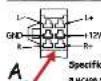
In addition, the number of instructions (the value, 47), is also an instruction as shown in Diagram A. Be sure to match the proper power by for all connections. The
polarity for the outer terminals solid color wine (+), wine with etipes (-). Blue wine 12 Volt Positive (-) terminal groove wine. Black wine 17 W/8 (-) Group to chase's of vehicles
Shop #5: Belt the Universe/Hundelbor MP3/As's Naunt (Tom A4) using provided black industrial
micro advection strips (20mm MDE). Remove belt from accelerating switch housing on motorcycle and secure to a racket.
Step 16: [Only for use with PLACAD] Both the USB Charger/ Power Source (Trans ADO) using vehicles priced hardware. This wire should be searched 12 GMT power source.
Step #7: Run winx up to music or so of motorcycle and plug into her own. Line (Tham #23) alive, five to
Step 48: Salt amplifier on Motorcycle with provided Salt (Iber W15). But if waunted directly to
Step 2014 Attach Wukou trip (Trans.312) are side to our Universal Bracket (Trans.46) the other
To your APO paper/ audio course. 5pm APO's record 8 times more complete into a radio screen, and complete radio into the amplifier.
Step Western blot can be used for the 100% protein and spine size of the 100% protein
。
and 157 companies (as of 9.31
■ 4-ohn Impedance ■ 5L 85-68 (W/V) My chronic Speaker using, Dimensions: 3.20°(W)×3.25 (H)×4.970°(L) In humans & several mouth included, Amp dimensions: 1.5°(W)×1.270°(H)×3°(L) and, dimensions: 2.6°(W)×1.76°(H)×1.6°(L) Dimensions: 3.5°(L)×0.625°(W)×3.025°(H)
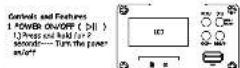
When turn on, the display ____
"PLE" loss first, "goodly" than 1 year off.
- Prax the button — play / pass the Music When the music is healthy, more the button to play; there is only to do
2 MBW
* Press and held for 2 seconds .... Functions selection
• From or to select from calendar/trust line in PM Settings. • From new year to end/yr
- Calendar to display date and time
- Music to play music files in USB device or SD card
- LIVE TO BUY MORE FROM NOW IT FB: approx. or to select the first time 07:40
(1) Auto Search (2) Delete Channel (3) Delete All (4) Exit
- Settings
(3) The sitting
Press hand to enter. Press ends in sequence to set year month day, hour, minute and second. Press or to set line.
Press menu to save the setting.
(2) Backlight period
Press hand to enter. The daylight period can be from 0-30 seconds. From |0<1/ - or |2+1/ + to set. Set the period
at "Offer constant backlight. Press were to save the acting.
13.4.2020
Press need to enter. Press 14q/—(7) 650/+ to choose from Chemistry or English. Press may to save the setting.
(4) Tools
(1) Time
(3) The following setting for Auto Turn Off: The second on the first 20 seconds.
≤slant 6/ = or Dbd/+ to set. Passes now to save the setting
[2]Alamy Clock Setting
-
A menu On/Ott: Press menu to turn it on/off
-
Time Press |Q|/— or |P|/+ to set time. Press
Parks to drive the coming.
to save the setting
- Ringtone: Press [q/q/- or >N/+ to choose the ring
ture. Press nera to save the setting. 5. Volume: Down 160 L or bbl/dt to save the volume
Press press to save the section.
- Exit: Press menu to exit the alarm clock setting
(3)FM Timer Setting;
-
Timer On/Off: Passes men to turn it on/off.
-
Recording On/Off: Fresco menu to turn it off/off.
When the recording is on, the PM program will be
saved if SO card
-
first starting time: 10:00-15:00, 14:00-18:00.
-
Station. In any the station for
ldd/- or bbl/+ to search for the station
Press mercal to save the setting.
- Exit: Press mass to suit the PM timer setting.
(5)Contrast:
From 0 to 7, press kdd/- or b b/- to set.
Press MEU again to solve the setting
(b) ≤slant 01
Press menu to exit.
- K47-
1) Press and hold --- Volume down
2) Press and release ---- Previous song / Function selection
. DPM/4
1) Press and hold --- Volume up
2.) Press and release — Next song / Function selection
Valest, In Use in PM/USB/SD play m
men to peace. Press men and hold to eat
the route and return to search
- In any mode, insert USB or 50 devices to enter
the USA or SD play mask.