PDBC10 - Adaptateur de données Pyle - Gratis bruksanvisning og manual
Finn enhetens veiledning gratis PDBC10 Pyle i PDF-format.


Brukerspørsmål om PDBC10 Pyle
0 spørsmål om dette apparatet. Svar på dem du kjenner, eller still ditt eget.
Still et nytt spørsmål om dette apparatet
Last ned instruksjonene for din Adaptateur de données i PDF-format gratis! Finn veiledningen din PDBC10 - Pyle og ta den elektroniske enheten tilbake i hendene. På denne siden er alle dokumenter som er nødvendige for bruken av enheten din publisert. PDBC10 av merket Pyle.
BRUKSANVISNING PDBC10 Pyle

Owner's Manual
PDBC10

8 Outlet Rack Mount Power Supply Center
www.pyleaudio.com
718.535.1800 718.236.2400(fax)
1600 63rd Street, Brooklyn NY 11204
OPERATION NOTICE
Thank you for buying our product. Please take a few minutes to read these operating instructions. These instructions have important product information, explaining the features and operation of your unit. Please retain these instructions for future reference.
-
Be sure that the line voltage of your outlet is AC 110V/60HZ or 220V/50HZ. If you aren't sure, consult your appliance dealer or local power company.
-
Protect the voltage line: Avoid putting pressure on the line. Do not push or pull the line too hard.

natural_image
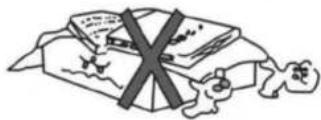
Simple line drawing of three cartoon characters with crossed-out lines, no text or symbols present- Do not cover the vents: this product uses vents to keep the temperature of the components low. Covering the vents will damage the unit.
- Avoid water, dust, and moisture. Keep the unit dust free and do not place liquids on or near the unit.
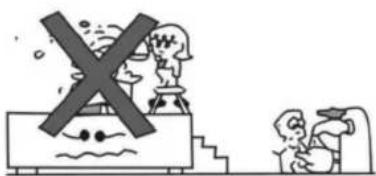
natural_image
Illustration of a ship with a cross symbol crossing over water and two figures on the ground (no text or symbols)- Avoid putting the unit in low temperatures. Keep the unit in a room where the temperature is above 40 degrees Fahrenheit.
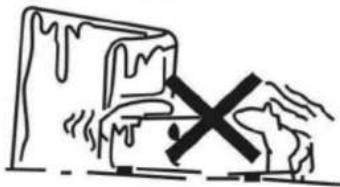
natural_image
Simple line drawing of a mountain with a cross symbol indicating a risk or failure (no text or labels)- Make sure your unit is exposed to air -- do not operate it in a smaller container or near a heater.

natural_image
Illustration of a person standing under a barrier with a cross symbol (no text or labels)- Do not drop metal in the unit. This could cause a short-circuit and damage your equipment.
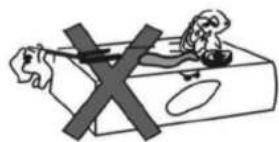
natural_image
Illustration of a hand holding a tool crossed out with a 'X' symbol, next to a small object on a rectangular base (no text or symbols present)- Do not open this unit. There are no user-servicable parts inside. Please contact qualified personnel if your unit is not functioning.
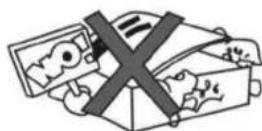
- Do not clean with volatile solutions. Do not use alcohol, paint, or gasoline on this product.

natural_image
Cartoon illustration of three characters with a crossed-out 'X' symbol, no text or symbols presentCONTROLS AND CONNECTIONS
PLEASE READ THIS MANUAL BEFORE OPERATING THIS UNIT
Caution: To prevent malfunctioning and/or possible equipment damage:
Before plugging the unit into the power source: (1) the voltage selector switch should be set for the correct voltage for your area (115V and 230V) and (2) all equipment connected to the crossover outputs should be turned off and all the inputs turned off.
NOTE : Max power of each socket should below 200W
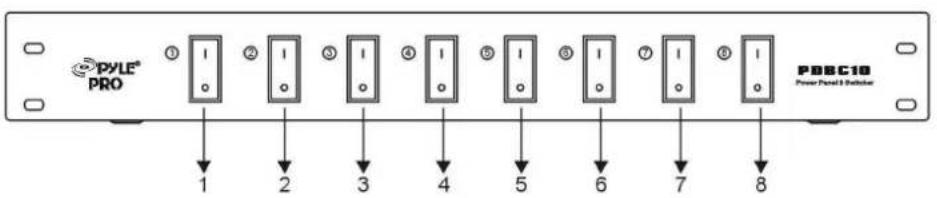
- Power Switch 1
- Power Switch 2
- Power Switch 3
-
Power Switch 4
-
Power Switch 5
- Power Switch 6
- Power Switch 7
- Power Switch 8

- Power output socket 8
- Power output socket 7
- Power output socket 6
- Power output socket 5
-
Power output socket 4
-
Power output socket 3
- Power output socket 2
- Power output socket 1
- Power Input Cord
- Fuse