
ZU650 - Projector OPTOMA - Free user manual and instructions
Find the device manual for free ZU650 OPTOMA in PDF.


| Product type | DLP laser projector |
| Brand | Optoma |
| Model | ZU650 |
| Display technology | Single-chip DLP 0.67" |
| Native resolution | WUXGA (1920 x 1200) |
| Brightness | 6,500 ANSI lumens |
| Contrast ratio | 3,000,000:1 (Dynamic) |
| Light source | DuraCore phosphor laser |
| Light source life | 30,000 hours (Eco mode) |
| Keystone correction | Vertical ±30°, Horizontal ±30° |
| Lens shift | Vertical: 0% ~ 100%, Horizontal: ±10% |
| Zoom | 1.6x motorized |
| Dimensions (W x D x H) | 486 x 393 x 159 mm |
| Weight | ~12.8 kg |
| Power supply | 100-240 V AC, 50/60 Hz |
| Power consumption | 520 W (Standard mode), <0.5 W (standby) |
| Video inputs | 2x HDMI 1.4, 1x VGA, 1x DisplayPort |
| Audio | 10 W mono speaker, 3.5 mm audio out |
| Network connectivity | Ethernet RJ45, RS-232 |
| Key features | Long throw projection, portrait mode, 360°, 24/7 compatibility |
| Cleaning | Air filter dusting every 1000 hours |
| Security | Kensington lock, password, lockable control panel |
| Spare parts | Air filter, remote control, power cable |
| Repairability | Sealed light source, filter maintenance only |
| General information | Professional projector for meeting rooms, education, and events |
Frequently Asked Questions - ZU650 OPTOMA
User questions about ZU650 OPTOMA
0 question about this device. Answer the ones you know or ask your own.
Ask a new question about this device
Download the instructions for your Projector in PDF format for free! Find your manual ZU650 - OPTOMA and take your electronic device back in hand. On this page are published all the documents necessary for the use of your device. ZU650 by OPTOMA.
USER MANUAL ZU650 OPTOMA
natural_image
Line drawing of a projector with grid-patterned casing and central lens (no text or symbols)TABLE DES MATIÈRES
SÉCURITÉ 4
Notice: Canadian users
natural_image
Illustration of a projector with a circular lens and textured body, labeled 'Projecteur' below (no other text or symbols)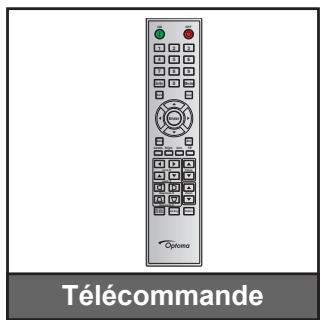
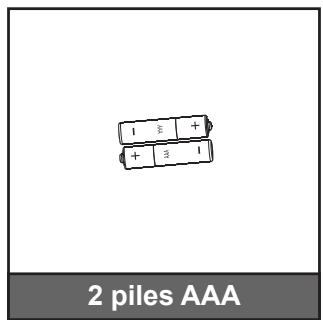
natural_image
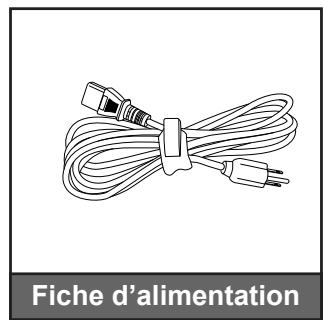
Line drawing of a bundle of cables with connectors, labeled 'Fiche d'alimentation' below (no other text or symbols)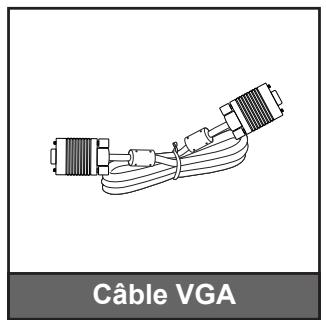
natural_image
Line drawing of a cable VGA connector with two connectors and coiled cables (no text or symbols on the diagram itself)
Before install or replacing the lens, switch off the power to the projector.
Avoid using the remote control or projector keypad button to adjust the lens shift or zoom/focus while the lens attachment process is carried out.
IMPORTANT!
natural_image
Line drawing of a rectangular projector with a circular vent and blue gear mechanism (no text or symbols)natural_image
Technical line drawing of a projector housing with a blue arrow indicating the component (no text or symbols present)CONFIGURATION ET INSTALLATION
natural_image
Illustration of a projector with a blue arrow pointing to the internal components (no text or symbols present)natural_image
Illustration of a projector with a blue internal component being inserted, showing mechanical parts without any text or symbols.natural_image
3D rendering of a projector with a blue arrow pointing to the lens (no text or symbols present)natural_image
Three-step diagram showing battery charging process: before, after, and post (no text or symbols)UTILISER LE PROJECTEUR
natural_image
Simple geometric diagram with a dashed rectangular outline and an inner dashed polygon (no text or symbols)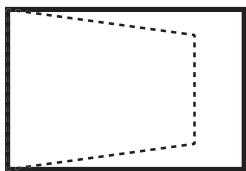
natural_image
Simple geometric diagram with a dashed rectangular outline (no text or symbols)natural_image
Simple geometric shape with dashed outline, no text or symbols present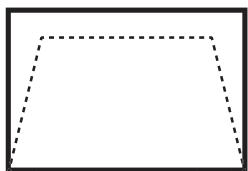
natural_image
Simple geometric shape with dashed outline, no text or symbols presentPincushion Horz.
natural_image
Simple geometric diagram with two dashed curved lines inside a rectangle (no text or symbols)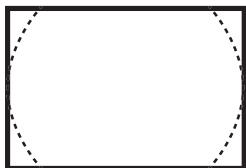
natural_image
Empty rectangular frame with dashed circular border (no text or symbols)Pincushion Vert.
natural_image
Simple geometric diagram with a rectangle and two curved dashed lines inside, no text or symbols present.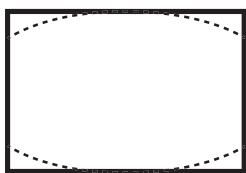
natural_image
Empty rectangular frame with dashed inner lines, no text or symbols presentUTILISER LE PROJECTEUR
Menu PIP/PBP
| IMAGE | PIP/PBP | |
| Activer PIP/PBP | Marche | |
| Source principale | VGA | |
| Sous-source | DVI-D | |
| Changer | ||
| Taille | Large | |
| CONFIG | Emplacement | Pic. by Pic. Principale gauche |
| OPTION | ||
Activer PIP/PBP
UTILISER LE PROJECTEUR
Page Outils
42 Caxton Way, The Watford Business Park
Watford, Hertfordshire,
WD18 8QZ, UK
www.optoma.eu
Service Tel : +44 (0)1923 691865
+44 (0) 1923 691 800
+44 (0) 1923 691 888
service@tsc-europe.com
Benelux BV
Randstad 22-123
1316 BW Almere
Les Pays-Bas
www.optoma.nl
+31 (0) 36 820 0252
+31 (0) 36 548 9052
France
Bâtiment E
81-83 avenue Edouard Vaillant
92100 Boulogne Billancourt, France
+33 1 41 46 12 20
+33 1 41 46 94 35
savoptoma@optoma.fr
Spain
C/ José Hierro,36 Of. 1C
28522 Rivas VaciaMadrid,
Spain
+34 91 499 06 06
+34 91 670 08 32
Deutschland
Wiesenstrasse 21 W
D40549 Düsseldorf,
Germany
+49 (0) 211 506 6670
+49 (0) 211 506 66799
info@optoma.de
Scandinavia
Lerpeveien 25
3040 Drammen
Norway
+47 32 98 89 90
+47 32 98 89 99
info@optoma.no
PO.BOX 9515
3038 Drammen
Norway
Corée
WOOMI TECH.CO.,LTD.
4F, Minu Bldg.33-14, Kangnam-Ku,
Seoul,135-815, CORÉE
korea.optoma.com
+82+2+34430004
+82+2+34430005
Japon
東京都足立区綾瀬3-25-18
株式会社オーエス
info@os-worldwide.com
www.os-worldwide.com
Taiwan
12F., No.213, Sec. 3, Beixin Rd., Xindian Dist., New Taipei City 231, Taiwan, R.O.C.
www.optoma.com.tw
+886-2-8911-8600 +886-2-8911-6550 services@optoma.com.tw asia.optoma.com
Hong Kong
Unit A, 27/F Dragon Centre,
79 Wing Hong Street,
Cheung Sha Wan,
Kowloon, Hong Kong
+852-2396-8968
+852-2370-1222
www.optoma.com.hk
China
5F, No. 1205, Kaixuan Rd.,
Changning District
Shanghai, 200052, Chine
+86-21-62947376
+86-21-62947375
www.optoma.com.cn
Brand : OPTOMA
Model : ZU650
Category : Projector