
PROCISE PSPHD - Processor Crestron - Free user manual and instructions
Find the device manual for free PROCISE PSPHD Crestron in PDF.


| Product Type | High-Definition Video Processor |
| Brand | Crestron |
| Model | PROCISE PSPHD |
| Dimensions (W x H x D) | 19.0 in x 1.75 in x 12.0 in (rackmount 1U) |
| Weight | 8.0 lbs |
| Power Supply | 100-240V AC, 50/60 Hz, 100W |
| Video Inputs | 4x HDMI, 2x DisplayPort, 1x VGA |
| Video Outputs | 2x HDMI, 1x HDBaseT |
| Max Resolution | 4K@60Hz (4096x2160) |
| Audio Support | Embedded audio pass-through, analog audio input/output |
| Control | Ethernet, RS-232, IR, Crestron control system |
| Key Functions | Video scaling, seamless switching, audio de-embedding, EDID management |
| Maintenance & Cleaning | Wipe with a soft, dry cloth. Do not use liquids or solvents. |
| Safety | Operate in a well-ventilated area. Do not block vents. Use only provided power cord. |
| Spare Parts & Repairability | Contact Crestron for authorized service and genuine replacement parts. |
| General Information | Designed for professional AV systems. Supports HDCP 2.2. Firmware upgradable via network. |
Frequently Asked Questions - PROCISE PSPHD Crestron
User questions about PROCISE PSPHD Crestron
0 question about this device. Answer the ones you know or ask your own.
Ask a new question about this device
Download the instructions for your Processor in PDF format for free! Find your manual PROCISE PSPHD - Crestron and take your electronic device back in hand. On this page are published all the documents necessary for the use of your device. PROCISE PSPHD by Crestron.
USER MANUAL PROCISE PSPHD Crestron
Professional Surround Sound Processor
Operations Guide
Important Safety Instructions
- Read these instructions.
- Keep these instructions.
- Heed all warnings.
- Follow all instructions.
• Do not use this apparatus near water. - Clean only with dry cloth.
- Do not block any ventilation openings. Install in accordance with the manufacturer's instructions.
- Do not install near any heat sources such as radiators, heat registers, stoves, or other apparatus (including amplifiers) that produce heat.
- Do not defeat the safety purpose of the polarized or grounding-type plug. A polarized plug has two blades with one wider than the other. A grounding-type plug has two blades and a third grounding prong. The wide blade or the third prong are provided for your safety. If the provided plug does not fit into your outlet, consult an electrician for replacement of the obsolete outlet.
- Protect the power cord from being walked on or pinched particularly at plugs, convenience receptacles, and the point where they exit from the apparatus.
- Only use attachments/accessories specified by the manufacturer.
- Use only with the cart, stand, tripod, bracket or table specified by the manufacturer or sold with the apparatus. When a cart is used, use caution when moving the cart/apparatus combination to avoid injury from tip-over.
- Unplug this apparatus during lightning storms or when unused for long periods of time.
- Refer all servicing to qualified service personnel. Servicing is required when the apparatus has been damaged in any way, such as power-supply cord or plug is damaged, liquid has been spilled or objects have fallen into the apparatus, the apparatus has been exposed to rain or moisture, does not operate normally, or has been dropped.
- Disconnect power prior to connecting or disconnecting equipment.
• Do not install in direct sunlight. - The apparatus must be installed in a way that the power cord can be removed either from the wall outlet or from the device itself in order to disconnect the mains power.
- Prevent foreign objects from entering the device.

WARNING:
TO REDUCE THE RISK OF FIRE OR ELECTRIC SHOCK, DO NOT EXPOSE THIS APPARATUS TO RAIN OR MOISTURE. THE APPARATUS SHALL NOT BE EXPOSED TO DRIPPING OR SPLASHING. OBJECTS FILLED WITH LIQUIDS, SUCH AS VASES, SHOULD NOT BE PLACED ON THE APPARATUS.
WARNING:
TO PREVENT ELECTRIC SHOCK, DO NOT REMOVE COVER. THERE ARE NO USER SERVICEABLE PARTS INSIDE. ONLY QUALIFIED SERVICE PERSONNEL SHOULD PERFORM SERVICE.


The lightning flash with arrowhead symbol, within an equilateral triangle, is intended to alert the user to the presence of uninsulated “dangerous voltage” within the product's enclosure that may be of sufficient magnitude to constitute a risk of electric shock to persons.

The exclamation point within an equilateral triangle is intended to alert the user to the presence of important operating and maintenance (servicing) instructions in the literature accompanying the appliance.
WARNING:
THIS IS AN APPARATUS WITH CLASS I CONSTRUCTION. IT SHALL BE CONNECTED TO AN ELECTRICAL OUTLET WITH AN EARTHING GROUND TERMINAL.
IMPORTANT:
This device can be used with Class 2 output wiring.
Regulatory Compliance
As of the date of manufacture, the PSPHD has been tested and found to comply with specifications for CE marking and standards per EMC and Radiocommunications Compliance Labelling.

Federal Communications Commission (FCC) Compliance Statement
CAUTION: Changes or modifications not expressly approved by the manufacturer responsible for compliance could void the user's authority to operate the equipment.
NOTE: This equipment has been tested and found to comply with the limits for a Class B digital device, pursuant to part 15 of the FCC Rules. These limits are designed to provide reasonable protection against harmful interference in a residential installation. This equipment generates, uses and can radiate radio frequency energy and, if not installed and used in accordance with the instructions, may cause harmful interference to radio communications. However, there is no guarantee that interference will not occur in a particular installation. If this equipment does cause harmful interference to radio or television reception, which can be determined by turning the equipment off and on, the user is encouraged to try to correct the interference by one or more of the following measures:
• Reorient or relocate the receiving antenna
- Increase the separation between the equipment and receiver
- Connect the equipment into an outlet on a circuit different from that to which the receiver is connected
- Consult the dealer or an experienced radio/TV technician for help
Industry Canada (IC) Compliance Statement
CAN ICES-3(B)/NMB-3(B)
The specific patents that cover Crestron products are listed at patents.crestron.com.
Products are manufactured under license from Audyssey Laboratories; under license from Dolby Laboratories; and under license from DTS (under U.S. Patent #'s: 5,451,942; 5,956,674; 5,974,380; 5,978,762; 6,226,616; 6,487,535; 7,212,872; 7,333,929; 7,392,195; 7,272,567).
Crestron, the Crestron logo, Cresnet, Crestron Control, Crestron Studio, Crestron Toolbox, DigitalMedia, PROCISE, QuickSwitch HD, and SystemBuilder are either trademarks or registered trademarks of Crestron Electronics, Inc. in the United States and/or other countries. Audyssey Dynamic EQ, Audyssey Dynamic Volume, Audyssey Laboratories, and Audyssey MultEQ XT are either trademarks or registered trademarks of Audyssey Laboratories in the United States and/or other countries. Blu-ray Disc is a either trademark or registered trademark of the Blu-ray Disc Association (BDA) in the United States and/or other countries. Cisco is either a trademark or registered trademark of Cisco Systems, Inc. in the United States and/or other countries. Dolby, Dolby Digital, and the double-D symbol are either trademarks or registered trademarks of Dolby Laboratories in the United States and/or other countries. DTS, DTS-HD, DTS-HD Master Audio, and the DTS logos are either trademarks or registered trademarks of DTS, Inc. in the United States and/or other countries. HDMI, the HDMI logo and High Definition Multimedia Interface are either trademarks or registered trademarks of HDMI Licensing LLC in the United States and/or other countries. Other trademarks, registered trademarks and trade names may be used in this document to refer to either the entities claiming the marks and names or their products. Crestron disclaims any proprietary interest in the marks and names of others. Crestron is not responsible for errors in typography or photography.
This document was written by the Technical Publications department at Crestron.
©2013 Crestron Electronics, Inc.
Contents
PROCISE 7.3 High Definition Professional Surround Sound Processor: PSPHD 1
Introduction ...... 1
Features and Functions....1
Features and Functions....2
Applications....3
Internal Block Diagram 11
Specifications 12
Physical Description....17
Setup 24
Network Wiring....24
Identity Code 24
Installation 25
Hardware Hookup 26
Configuration....30
Open the "INSTALLER MENU" 30
Navigating the "INSTALLER MENU" 30
Audio Setup....31
Network Setup 35
Control Setup 43
About 47
Exit "INSTALLER MENU" 47
Uploading and Upgrading....48
Establishing Communication....48
Programs and Firmware 49
Program Checks 50
Operation 51
Turn on the PSPHD 51
Standby....51
Home 51
Display Brightness 51
Volume Control....51
Mute 51
Select a Source 51
Surround Sound Decoding Mode Selection 52
Setup....52
Information 57
VU Meter....57
Spectrum Analyzer 57
Level Settings....57
Amplifier Status 57
Problem Solving 58
Troubleshooting....58
Check Network Wiring....58
Reference Documents....59
Further Inquiries 59
Future Updates 60
Appendix: Audyssey Laboratories, Inc. 61
Return and Warranty Policies....62
Merchandise Returns / Repair Service 62
Crestron Limited Warranty....62
PROCISE 7.3 High Definition Professional Surround Sound Processor: PSPHD
Introduction
The PROCISE ^® PSPHD from Crestron ^® brings world-class cinema audio to any room, be it a custom home theater, luxury living room, high-tech auditorium or executive boardroom. With its proprietary combination of advanced features and innovative new technologies, the PSPHD fulfills all the design challenges and performance expectations of the high-end custom market
Features and Functions
- 7.3 HD surround sound processing delivers a multichannel experience with enveloping surround sound and uniform deep bass coverage employing multiple subwoofers
- Audyssey MultEQ ^ XT ^1,2 precision automatic room compensation maximizes a speaker system's performance within an acoustical space
- HDMI ^® connectivity provides the essential transport for 7.1 surround sound, HD 1080p and 3D video
- Three floating-point DSPs and 24-bit 96 kHz A-D/D-As achieve articulate, life-like sound with extreme dynamic range and ultra low noise down to 125 dB S/NR
- Dolby ^® TrueHD, Dolby Digital ^® Plus, and DTS-HD Master Audio ^TM support the latest 7.1 surround sound audio formats to get the most from Blu-ray Disc ^® and other high-definition media
- Audyssey Dynamic EQ ^ assures consistent bass response, tonal balance and soundstage at any volume
(Continued on following page)
- Manufactured under license from Audyssey Laboratories™, U.S. and foreign patents pending. MultEQ XT is a registered trademark of Audyssey Laboratories.
- Setup of MultEQ XT is highly recommended for optimum system performance. Requires CSSTK Professional Surround Sound Tuning Kit for setup (sold separately).
Features and Functions
(Continued)
- Audyssey Dynamic Volume ^®1 solves the problem of spikes in volume level between television programs and commercials, and between the soft and loud passages of movies
- Pure mode bypasses all signal processing to provide a pure signal path for critical listening of analog sources
- QuickSwitch HD ^ digital switching achieves fast, fluid switching of HDMI* audio and video
- Smart HDCP management ensures the reliable handling of digital HD content, and compatibility with a wide range of devices
- Copious connectivity furnishes 30 inputs including HDMI, AES/EBU, S/PDIF optical and coaxial; plus mono, stereo, and multichannel analog
- XLR balanced inputs/outputs ensures a quieter, more reliable analog interface to professional-grade amplifiers, powered subwoofers, and source components
- PROAMP automatic amplifier pairing allows integration between preamp and amplifier for seamless control and monitoring
- Discrete output channel signal processing affords independent fine adjustment of every individual speaker and subwoofer
- 2-channel signal steering routes stereo audio to the surround, rear, or all speakers for better background or party music
- Downmix outputs provide independent mono and stereo output signals to feed additional listening zones, and for interfacing with all kinds of commercial audio equipment
- Integrated line mixer enables straight-forward integration with microphone mixers and codecs, eliminating the need for extra outboard gear in a commercial multimedia presentation or teleconferencing application. Also affords flexibility for interfacing with doorbells and phone ringers, paging and karaoke equipment
- Dedicated speech processing incorporates programmable compression, gating, 4-band EQ and notch filtering into each of the three mixer inputs
- Sophisticated signal routing allows flexible distribution of each mixer input to feed any of the front, surround, rear, and downmix outputs
- Native Crestron Control ^30 enables customization for real-time touch screen control and automation as part of a complete Crestron control system
- Crestron PROCISE Tools software affords extensive configuration and fine adjustment via USB or Ethernet
- DigitalMedia™ system integration melds seamlessly into a Crestron DigitalMedia distribution system via HDMI and Ethernet
- High-end appearance features a stunning milled aluminum front panel with clean, uncomplicated controls and selectable visual feedback for a look befitting the finest showcase theater or luxury conference room
Applications
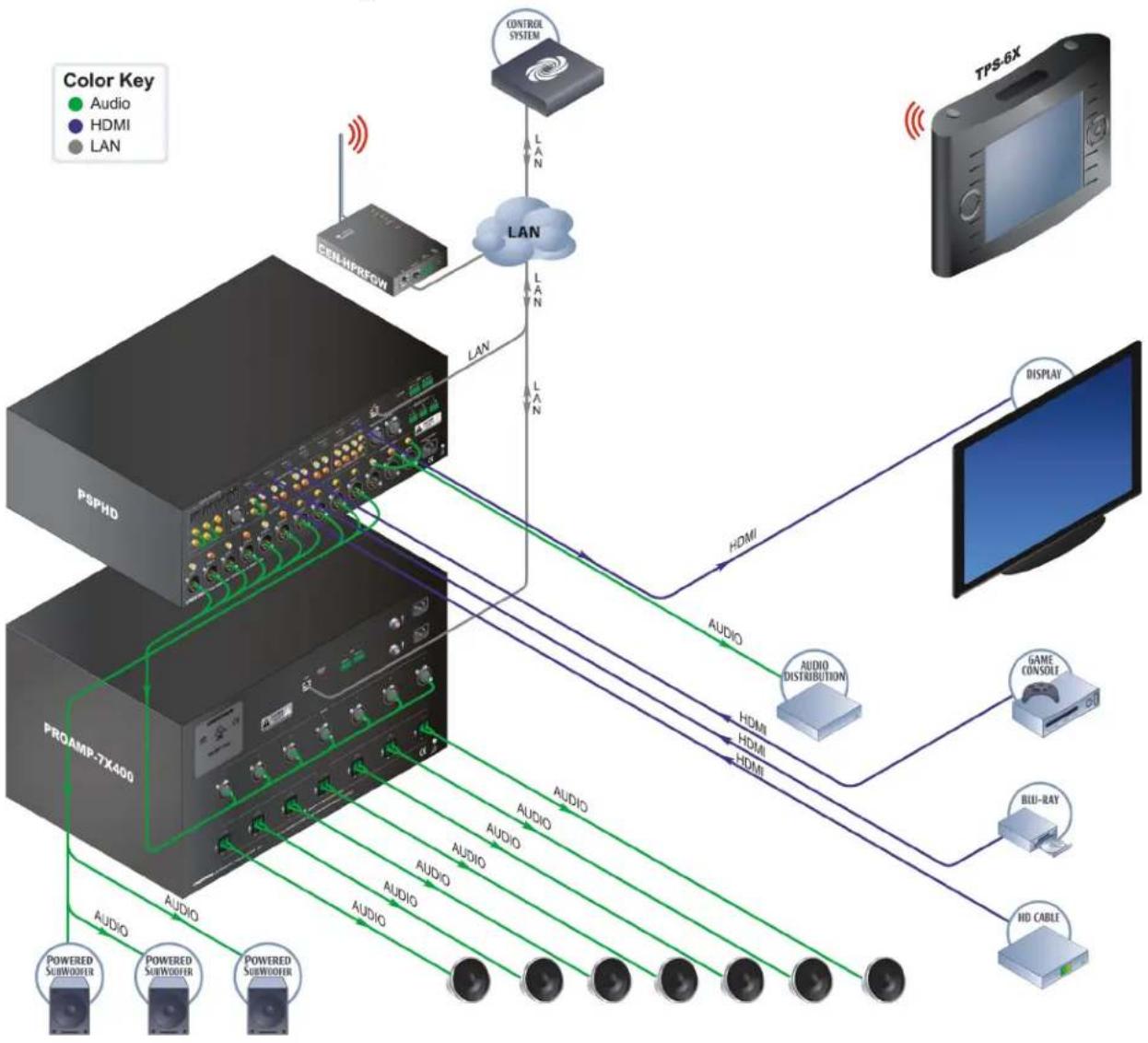
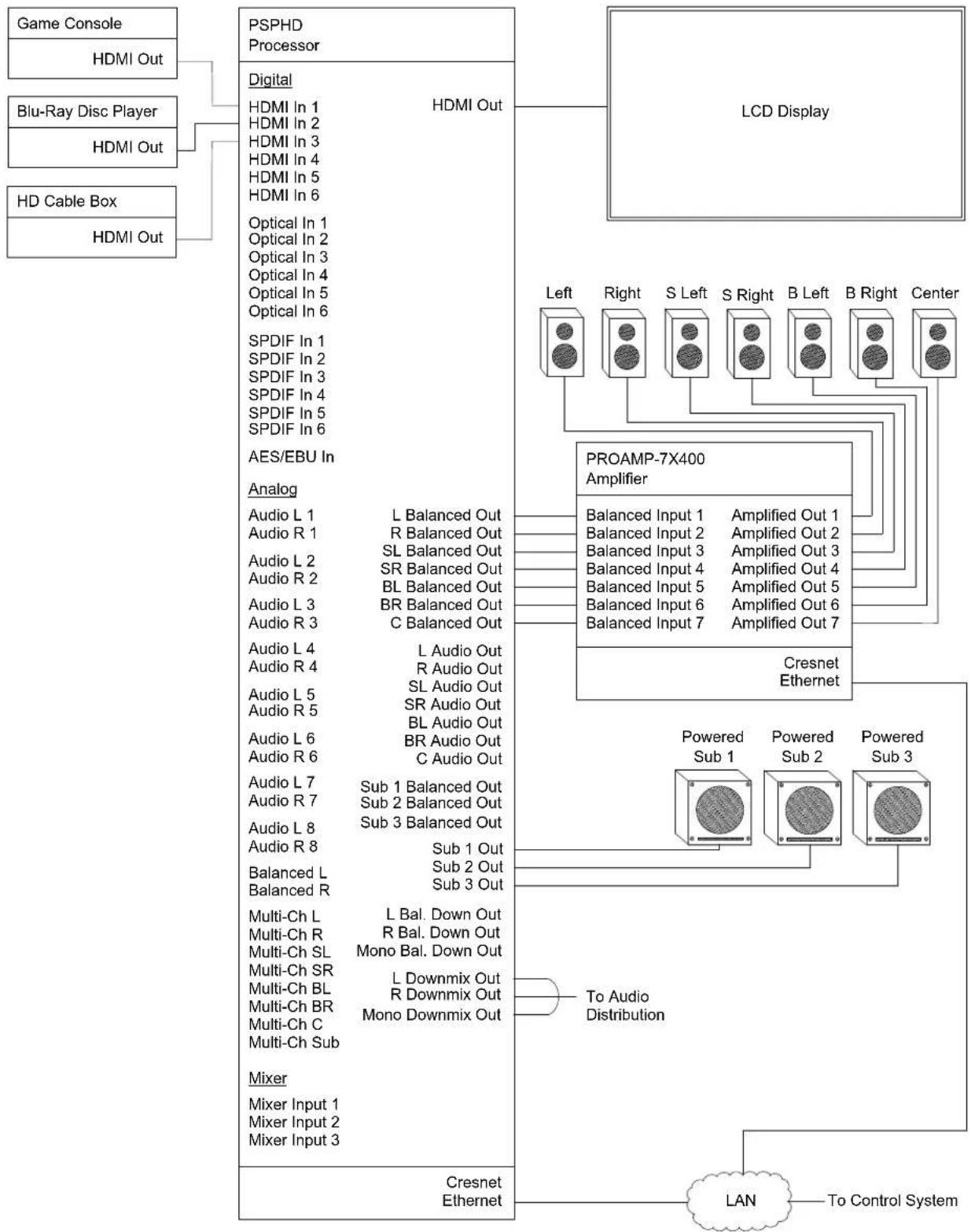
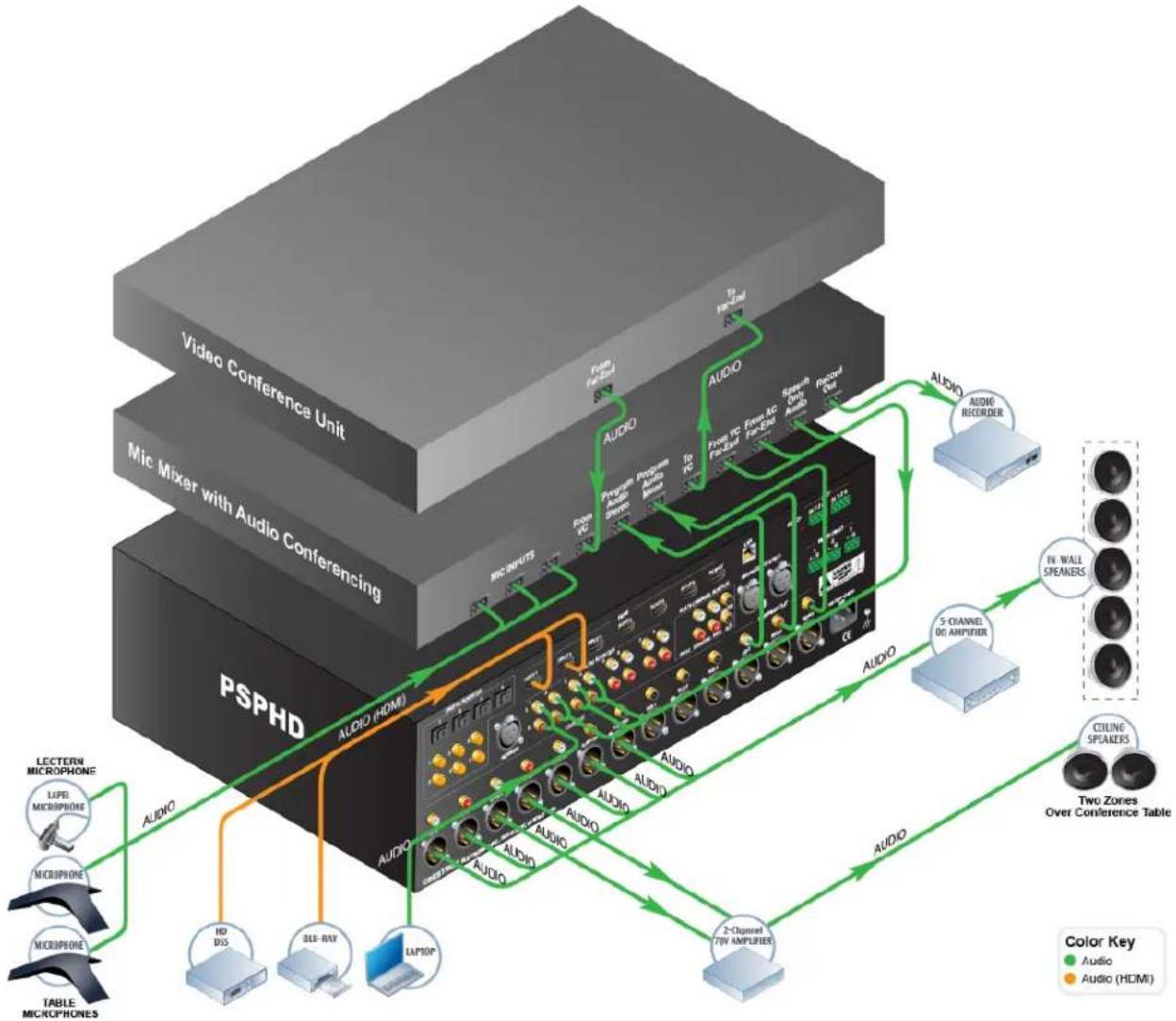
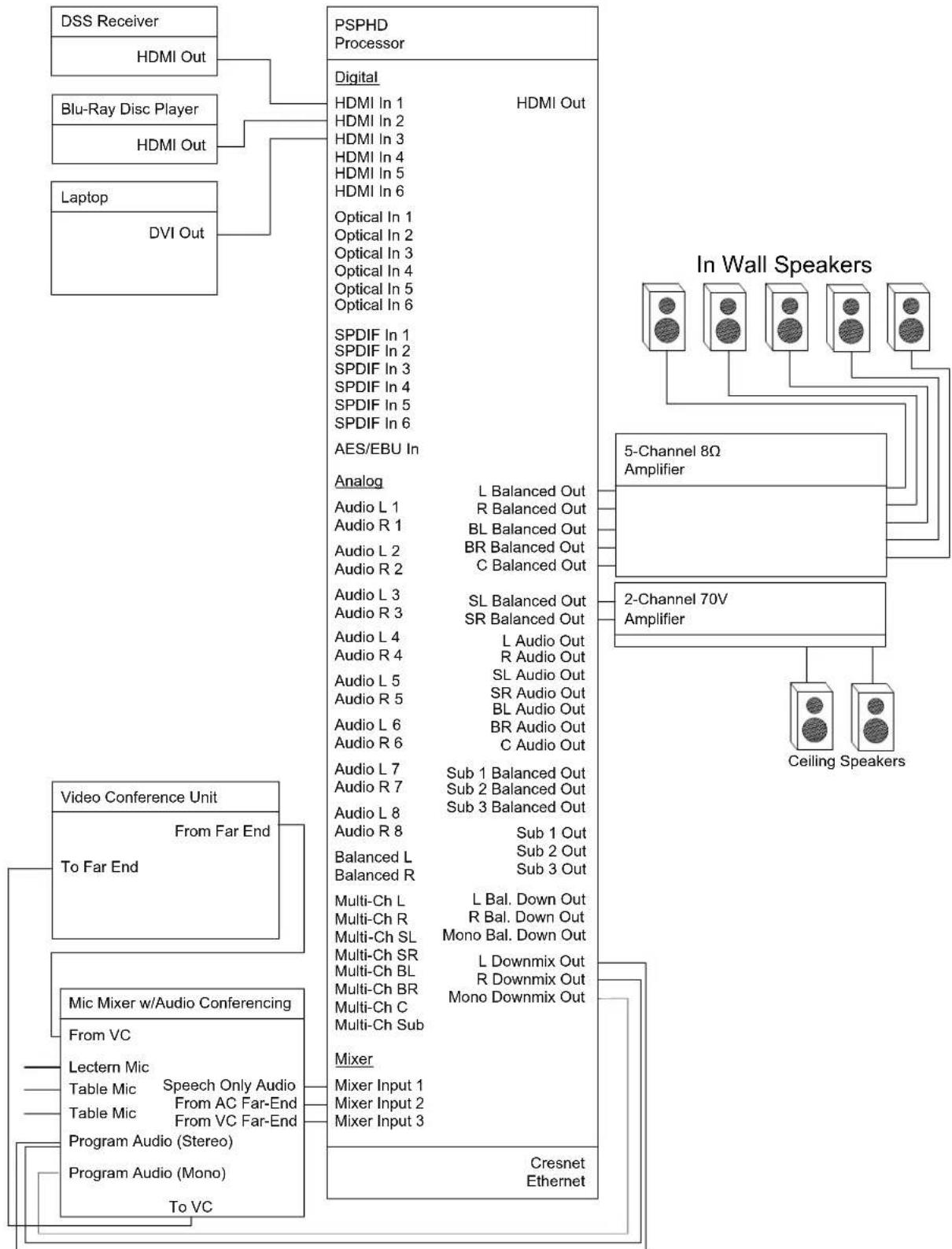
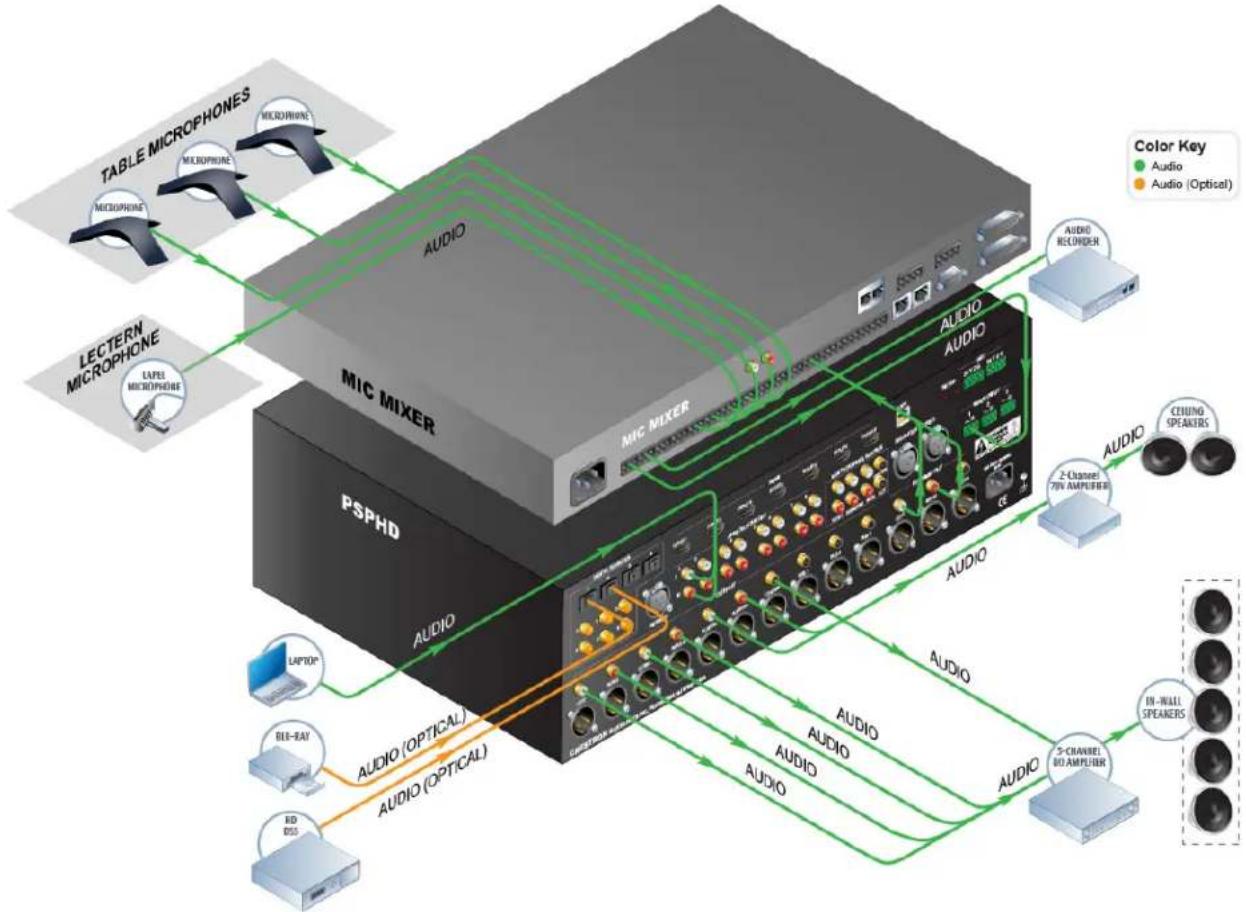
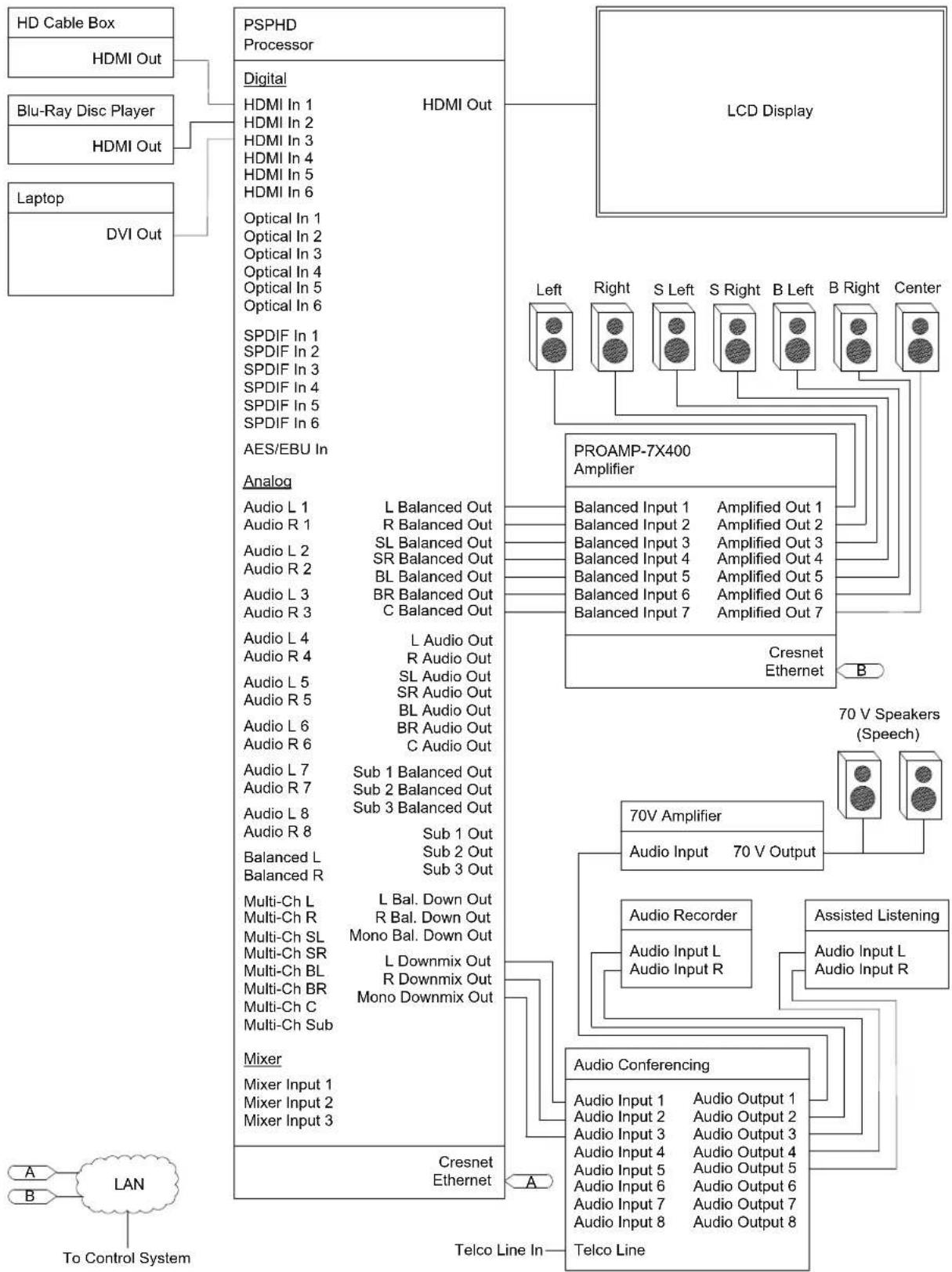
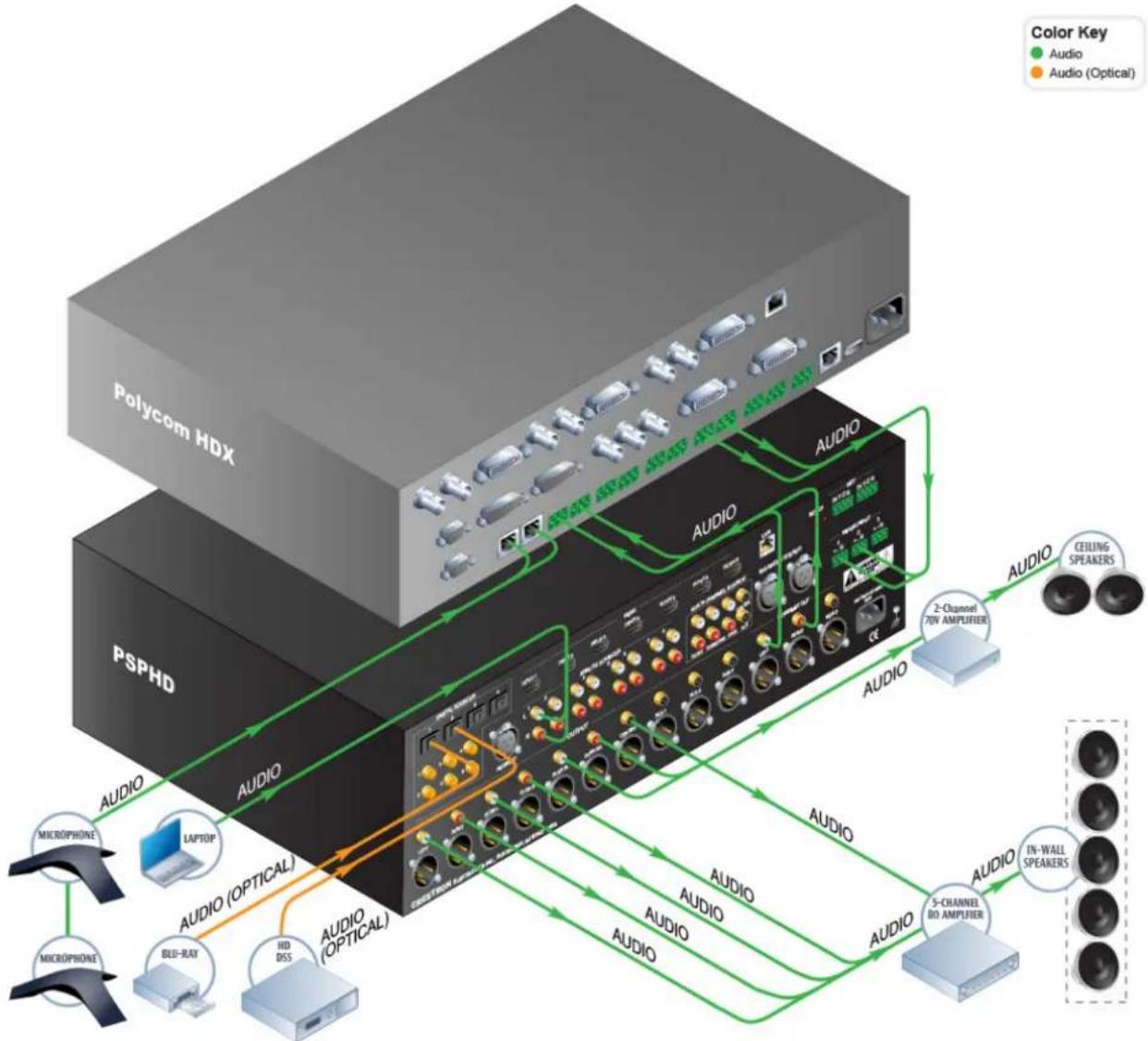
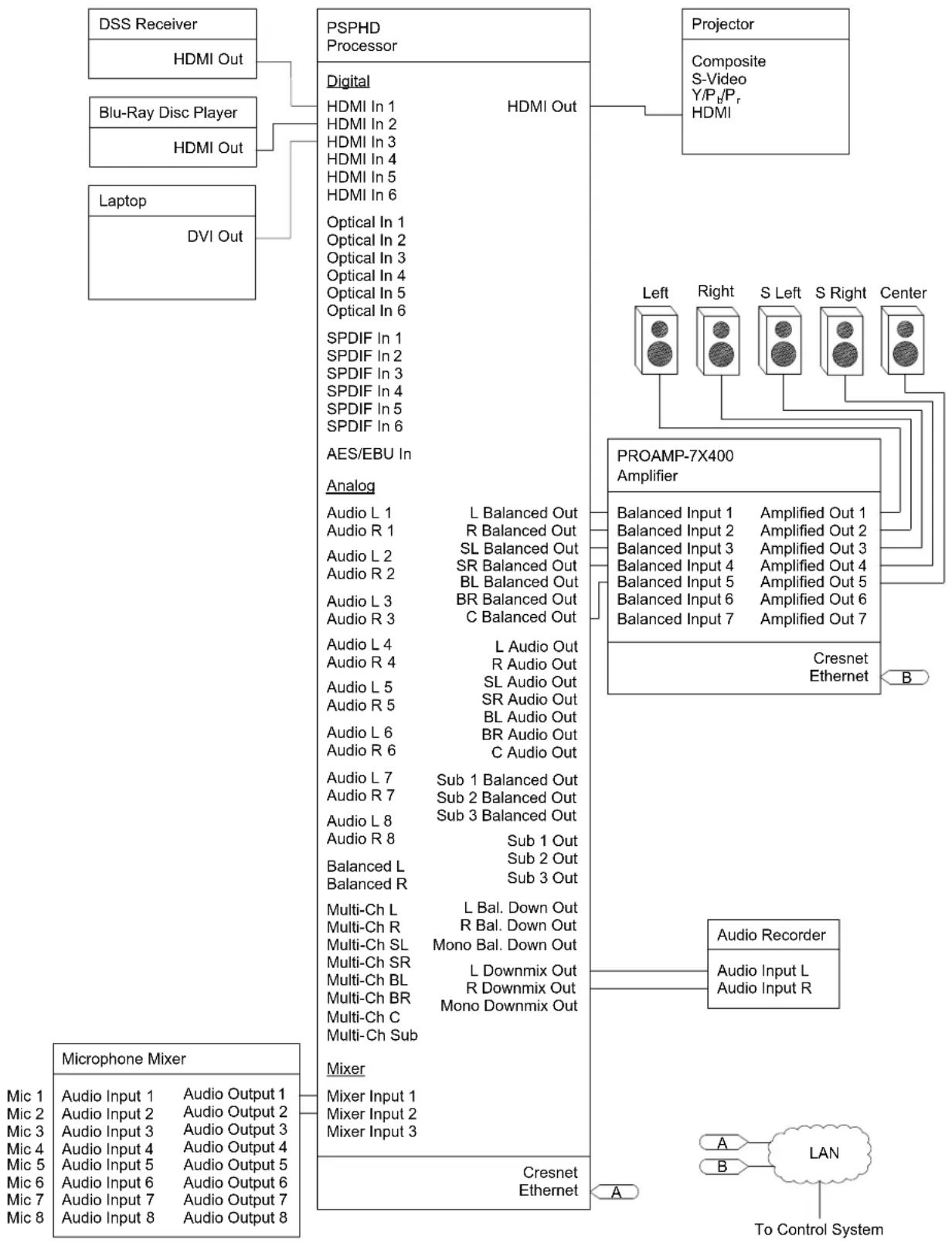
The following diagrams show 3-D and 2-D views of a PSPHD in residential and commercial applications.
PSPHD in a Residential Home Theater Application
flowchart
graph TD
    subgraph Power Supply
        A["POWERED SUBW/OHR"] -->|AUDIO| B["PROAMP-TX-40G"]
        C["POWERED SUBW/OHR"] -->|AUDIO| B
        D["POWERED SUBW/OHR"] -->|AUDIO| B
        E["POWERED SUBW/OHR"] -->|AUDIO| B
    end

    subgraph Audio
        F["CONTROL SYSTEM"] --> G["LAN"]
        H["DISM/ICRON"] --> I["LAN"]
        J["LAN"] --> K["LAN"]
    end

    subgraph HDMI
        L["HDMI"] --> M["HDMI"]
        N["HDMI"] --> O["HDMI"]
        P["HDMI"] --> Q["HDMI"]
    end

    subgraph LAN
        R["TRANSCAN"] --> S["TRANSCAN"]
    end

    T["TPS-6X"] --> U["Monitor"]
    V["DISPLAY"] --> W["Display"]
    X["Game CONSOLI"] --> Y["BUU-RAY"]
    Z["HD CABLE"] --> AA["HD CABLE"]
    style Power Supply fill:#f9f,stroke:#333
    style Audio fill:#ccf,stroke:#333
    style HDMI fill:#cfc,stroke:#333
    style LAN fill:#fcc,stroke:#333
PSPHD in a Residential Home Theater Application, 2-D View
flowchart
graph TD
    A["Game Console"] --> B["HDMI Out"]
    C["Blu-Ray Disc Player"] --> D["HDMI Out"]
    E["HD Cable Box"] --> F["HDMI Out"]
    B --> G["PSPHD Processor"]
    D --> G
    G --> H["Digital"]
    H --> I["HDMI In 1"]
    H --> J["HDMI In 2"]
    H --> K["HDMI In 3"]
    H --> L["HDMI In 4"]
    H --> M["HDMI In 5"]
    H --> N["HDMI In 6"]
    H --> O["Optical In 1"]
    H --> P["Optical In 2"]
    H --> Q["Optical In 3"]
    H --> R["Optical In 4"]
    H --> S["Optical In 5"]
    H --> T["Optical In 6"]
    H --> U["SPDIF In 1"]
    H --> V["SPDIF In 2"]
    H --> W["SPDIF In 3"]
    H --> X["SPDIF In 4"]
    H --> Y["SPDIF In 5"]
    H --> Z["SPDIF In 6"]
    H --> AA["AES/EBU In"]
    AA --> AB["Analog"]
    AB --> AC["Audio L 1"]
    AB --> AD["Audio R 1"]
    AB --> AE["Audio L 2"]
    AB --> AF["Audio R 2"]
    AB --> AG["Audio L 3"]
    AB --> AH["Audio R 3"]
    AB --> AI["Audio L 4"]
    AB --> AJ["Audio R 4"]
    AB --> AK["Audio L 5"]
    AB --> AL["Audio R 5"]
    AB --> AM["Audio L 6"]
    AB --> AN["Audio R 6"]
    AB --> AO["Audio L 7"]
    AB --> AP["Audio R 7"]
    AB --> AQ["Audio L 8"]
    AB --> AR["Audio R 8"]
    AB --> AS["Balanced L Balanced R"]
    AB --> AT["Multi-Ch L Multi-Ch R Multi-Ch SL Multi-Ch SR Multi-Ch BL Multi-Ch BR Multi-Ch C Multi-Ch Sub Mixer"]
    AS --> AU["Mixer Input 1 Mixer Input 2 Mixer Input 3"]

    H --> AV["HDMI Out"]

    AW["LCD Display"] --> AX["PROAMP-7X400 Amplifier"]
    AX --> AY["Balanced Input 1 Amplified Out 1"]
    AX --> AZ["Balanced Input 2 Amplified Out 2"]
    AX --> BA["Balanced Input 3 Amplified Out 3"]
    AX --> BB["Balanced Input 4 Amplified Out 4"]
    AX --> BC["Balanced Input 5 Amplified Out 5"]
    AX --> BD["Balanced Input 6 Amplified Out 6"]
    AX --> BE["Balanced Input 7 Amplified Out 7"]

    AX --> BF["Cresnet Ethernet"]

    BG["To Audio Distribution"] --> BH["LAN To Control System"]

    BI["LED"] --> BJ["Right Right S Left S Right B Left B Right Center"]

    BK["POWERED Sub 1"] --> BL["Powered Sub 2"] --> BM["Powered Sub 3"]

    BN["LAN"] --> BO["To Control System"]
PSPHD in a Conferencing Boardroom with Audio and Video Conferencing
flowchart
graph TD
    A["Video Conference Unit"] --> B["Micro Mixer with Audio Conferencing"]
    B --> C["PSPHD"]
    C --> D["Audio (HDMI)"]
    D --> E["Audio"]
    E --> F["2-Channel 70V Amplifier"]
    F --> G["Audio"]
    G --> H["3 CHANNEL 80 AMPIER"]
    H --> I["In-WALL SPEAKERS"]
    I --> J["Audio"]
    J --> K["Audio (HDMI)"]
    K --> L["Audio"]
    L --> M["Audio (HDMI)"]
    M --> N["Audio (HDMI)"]
    N --> O["Audio (HDMI)"]
    O --> P["Audio (HDMI)"]
    P --> Q["Audio (HDMI)"]
    Q --> R["Audio (HDMI)"]
    R --> S["Audio (HDMI)"]
    S --> T["Audio (HDMI)"]
    T --> U["Audio (HDMI)"]
    U --> V["Audio (HDMI)"]
    V --> W["Audio (HDMI)"]
    W --> X["Audio (HDMI)"]
    X --> Y["Audio (HDMI)"]
    Y --> Z["Audio (HDMI)"]
    Z --> AA["Audio (HDMI)"]
    AA --> AB["Audio (HDMI)"]
    AB --> AC["Audio (HDMI)"]
    AC --> AD["Audio (HDMI)"]
    AD --> AE["Audio (HDMI)"]
    AE --> AF["Audio (HDMI)"]
    AF --> AG["Audio (HDMI)"]
    AG --> AH["Audio (HDMI)"]
    AH --> AI["Audio (HDMI)"]
    AI --> AJ["Audio (HDMI)"]
    AJ --> AK["Audio (HDMI)"]
    AK --> AL["Audio (HDMI)"]
    AL --> AM["Audio (HDMI)"]
    AM --> AN["Audio (HDMI)"]
    AN --> AO["Audio (HDMI)"]
    AO --> AP["Audio (HDMI)"]
    AP --> AQ["Audio (HDMI)"]
    AQ --> AR["Audio (HDMI)"]
    AR --> AS["Audio (HDMI)"]
    AS --> AT["Audio (HDMI)"]
    AT --> AU["Audio (HDMI)"]
    AU --> AV["Audio (HDMI)"]
    AV --> AW["Audio (HDMI)"]
    AW --> AX["Audio (HDMI)"]
    AX --> AY["Audio (HDMI)"]
    AY --> AZ["Audio (HDMI)"]
    AZ --> BA["Audio (HDMI)"]
    BA --> BB["Audio (HDMI)"]
    BB --> BC["Audio (HDMI)"]
    BC --> BD["Audio (HDMI)"]
    BD --> BE["Audio (HDMI)"]
    BE --> BF["Audio (HDMI)"]
    BF --> BG["Audio (HDMI)"]
    BG --> BH["Audio (HDMI)"]
    BH --> BI["Audio (HDMI)"]
    BI --> BJ["Audio (HDMI)"]
    BJ --> BK["Audio (HDMI)"]
    BK --> BL["Audio (HDMI)"]
    BL --> BM["Audio (HDMI)"]
    BM --> BN["Audio (HDMI)"]
    BN --> BO["Audio (HDMI)"]
    BO --> BP["Audio (HDMI)"]
    BP --> BQ["Audio (HDMI)"]
    BQ --> BR["Audio (HDMI)"]
    BR --> BS["Audio (HDMI)"]
    BS --> BT["Audio (HDMI)"]
    BT --> BU["Audio (HDMI)"]
    BU --> BV["Audio (HDMI)"]
    BV --> BW["Audio (HDMI)"]
    BW --> BX["Audio (HDMI)"]
    BX --> BY["Audio (HDMI)"]
    BY --> BZ["Audio (HDMI)"]
PSPHD in a Conferencing Boardroom with Audio and Video Conferencing, 2-D View
flowchart
graph TD
    A["DSS Receiver"] --> B["HDMI Out"]
    C["Blu-Ray Disc Player"] --> D["HDMI Out"]
    E["Laptop"] --> F["DVI Out"]
    G["Video Conference Unit"] --> H["From Far End"]
    I["Mic Mixer w/Audio Conferencing"] --> J["From VC"]
    K["In Wall Speakers"] --> L["5-Channel 8Ω Amplifier"]
    K --> M["2-Channel 70V Amplifier"]
    K --> N["Ceiling Speakers"]

    B --> O["PSPHD Processor"]
    D --> P["Digital"]
    D --> Q["Analog"]
    D --> R["Video Conference Unit"]

    O --> S["HDMI Out"]
    O --> T["Optical In 1"]
    O --> U["Optical In 2"]
    O --> V["Optical In 3"]
    O --> W["Optical In 4"]
    O --> X["Optical In 5"]
    O --> Y["Optical In 6"]
    O --> Z["SPDIF In 1"]
    O --> AA["SPDIF In 2"]
    O --> AB["SPDIF In 3"]
    O --> AC["SPDIF In 4"]
    O --> AD["SPDIF In 5"]
    O --> AE["SPDIF In 6"]
    O --> AF["AES/EBU In"]

    P --> AG["Audio L 1"]
    P --> AH["Audio R 1"]
    P --> AI["Audio L 2"]
    P --> AJ["Audio R 2"]
    P --> AK["Audio L 3"]
    P --> AL["Audio R 3"]
    P --> AM["Audio L 4"]
    P --> AN["Audio R 4"]
    P --> AO["Audio L 5"]
    P --> AP["Audio R 5"]
    P --> AQ["Audio L 6"]
    P --> AR["Audio R 6"]

    Q --> AS["L Balanced Out"]
    Q --> AT["R Balanced Out"]
    Q --> AU["BL Balanced Out"]
    Q --> AV["BR Balanced Out"]
    Q --> AW["C Balanced Out"]

    AS --> AX["SL Balanced Out"]
    AS --> AY["SR Balanced Out"]

    AT --> AZ["L Audio Out"]
    AT --> BA["R Audio Out"]

    AU --> BB["SL Audio Out"]
    AU --> BC["SR Audio Out"]

    AV --> BD["BL Audio Out"]

    AW --> BE["BR Audio Out"]

    AX --> BF["C Audio Out"]

    AG --> BG["Sub 1 Balanced Out"]
    AG --> BH["Sub 2 Balanced Out"]

    AH --> BI["Sub 3 Balanced Out"]

    AI --> BJ["Sub 1 Out"]

    AJ --> BK["Sub 2 Out"]

    AK --> BL["Sub 3 Out"]

    AL --> BM["L Bal. Down Out"]

    AM --> BN["R Bal. Down Out"]

    AO --> BO["Mono Bal. Down Out"]

    AP --> BP["L Downmix Out"]

    AQ --> BQ["R Downmix Out"]

    AR --> BR["Mono Downmix Out"]

    BS["Mixer"] --> BT["Mixer Input 1"]
    BS --> BU["Mixer Input 2"]
    BS --> BV["Mixer Input 3"]

    BW["Cresnet Ethernet"] --> BX
PSPHD in a Boardroom without Conferencing
flowchart
graph TD
    A["TABLE MICROPHONES"] -->|AUDIO| B["MIC MIXER"]
    C["LECTERN MICROPHONE"] -->|AUDIO| B
    D["LAYER MICROPHONES"] -->|AUDIO| B
    E["PSPHD"] -->|AUDIO| B
    F["LAPPRO"] -->|AUDIO (OPTICAL)| B
    G["BLE-RAT"] -->|AUDIO (OPTICAL)| B
    H["RO-BOX"] -->|AUDIO (OPTICAL)| B
    I["AUDIO RECORNER"] -->|AUDIO| B
    J["AUDIO"] --> K["AUDIO"]
    L["AUDIO"] --> M["AUDIO"]
    N["AUDIO"] --> O["AUDIO"]
    P["AUDIO"] --> Q["AUDIO"]
    R["AUDIO"] --> S["AUDIO"]
    T["AUDIO"] --> U["AUDIO"]
    V["AUDIO"] --> W["AUDIO"]
    X["AUDIO"] --> Y["AUDIO"]
    Z["AUDIO"] --> AA["AUDIO"]
    AB["2-Channel 70V AMPLIFIER"] --> AC["Audio"]
    AD["CEILING SPEAKERS"] --> AE["Audio"]
    AF["IN-WALL SPEAKERS"] --> AG["Audio"]
    AH["5-CHANNEL 80 AMPLIFIER"] --> AI["Audio"]
PSPHD in a Boardroom without Conferencing, 2-D View
flowchart
graph TD
    A["HD Cable Box"] --> B["Digital"]
    C["HDMI Out"] --> B
    D["Blu-Ray Disc Player"] --> B
    E["HDMI Out"] --> B
    F["Laptop"] --> B
    G["DVI Out"] --> B
    H["PSPHD Processor"] --> I["HDMI Out"]
    J["ProAMP-7X400 Amplifier"] --> K["Left"]
    J --> L["Right"]
    J --> M["S Left"]
    J --> N["S Right"]
    J --> O["B Left"]
    J --> P["B Right"]
    J --> Q["Center"]
    R["Analog"] --> S["Audio L 1"]
    R --> T["Audio R 1"]
    R --> U["Audio L 2"]
    R --> V["Audio R 2"]
    R --> W["Audio L 3"]
    R --> X["Audio R 3"]
    R --> Y["Audio L 4"]
    R --> Z["Audio R 4"]
    R --> AA["Audio L 5"]
    R --> AB["Audio R 5"]
    R --> AC["Audio L 6"]
    R --> AD["Audio R 6"]
    R --> AE["Audio L 7"]
    R --> AF["Audio R 7"]
    R --> AG["Audio L 8"]
    R --> AH["Audio R 8"]
    R --> AI["Balanced L"]
    R --> AJ["Balanced R"]
    AK["Mixer Input 1"] --> AL["Mixer Input 2"]
    AK --> AM["Mixer Input 3"]
    AN["Cresnet Ethernet"] --> AO["Antenna"]
    AP["PROAMP-7X400 Amplifier"] --> AQ["Balanced Input 1"]
    AP --> AR["Balanced Input 2"]
    AP --> AS["Balanced Input 3"]
    AP --> AT["Balanced Input 4"]
    AP --> AU["Balanced Input 5"]
    AP --> AV["Balanced Input 6"]
    AP --> AW["Balanced Input 7"]
    AX["Antenna"] --> AY["Cresnet Ethernet"]
    AZ["70V Speakers (Speech)"] --> BA["70V Amplifier"]
    AZ --> BB["Audio Input 70V Output"]
    BC["Assisted Listening"] --> BD["Audio Recorder"]
    BC --> BE["Audio Input L Audio Input R"]
    BF["Telco Line In"] --> BG["Antenna"]
PSPHD in an Auditorium
flowchart
System architecture diagram showing connections between Polycom HDX, PSPHD, and various audio amplifiers and speakers.PSPHD in an Auditorium, 2-D View
flowchart
graph TD
    A["DSS Receiver"] --> B["Blu-Ray Disc Player"]
    B --> C["Laptop"]
    C --> D["DVI Out"]
    E["PSPHD Processor"] --> F["Digital"]
    F --> G["Optical In 1"]
    F --> H["Optical In 2"]
    F --> I["Optical In 3"]
    F --> J["Optical In 4"]
    F --> K["Optical In 5"]
    F --> L["Optical In 6"]
    F --> M["SpDIF In 1"]
    F --> N["SpDIF In 2"]
    F --> O["SpDIF In 3"]
    F --> P["SpDIF In 4"]
    F --> Q["SpDIF In 5"]
    F --> R["SpDIF In 6"]
    F --> S["AES/EBU In"]
    S --> T["Analog"]
    T --> U["Audio L 1"]
    T --> V["Audio R 1"]
    T --> W["Audio L 2"]
    T --> X["Audio R 2"]
    T --> Y["Audio L 3"]
    T --> Z["Audio R 3"]
    T --> AA["Audio L 4"]
    T --> AB["Audio R 4"]
    T --> AC["Audio L 5"]
    T --> AD["Audio R 5"]
    T --> AE["Audio L 6"]
    T --> AF["Audio R 6"]
    T --> AG["Audio L 7"]
    T --> AH["Audio R 7"]
    T --> AI["Audio L 8"]
    T --> AJ["Audio R 8"]
    T --> AK["Balanced L Balanced R"]
    T --> AL["Multi-Ch L Multi-Ch R Multi-Ch SL Multi-Ch SR Multi-Ch BL Multi-Ch BR Multi-Ch C Multi-Ch Sub"]
    M --> AM["Cresnet Ethernet"]
    AN["Projector"] --> AO["Composite S-Video Y/Pb/Pr HDMI"]
    AP["PROAMP-7X400 Amplifier"] --> AQ["Left Right S Left S Right Center"]
    AR["ProAMP-7X400 Amplifier"] --> AS["Cresnet Ethernet B"]
    AT["Microphone Mixer"] --> AU["Mixer Input 1 Mixer Input 2 Mixer Input 3"]
    AV["Audio Recorder"] --> AW["Audio Input L Audio Input R"]
    AX["To Control System"] --> AY["A B LAN To Control System"]
Internal Block Diagram
The following diagram represents the abilities of the PSPHD.
Internal Block Diagram of the PSPHD
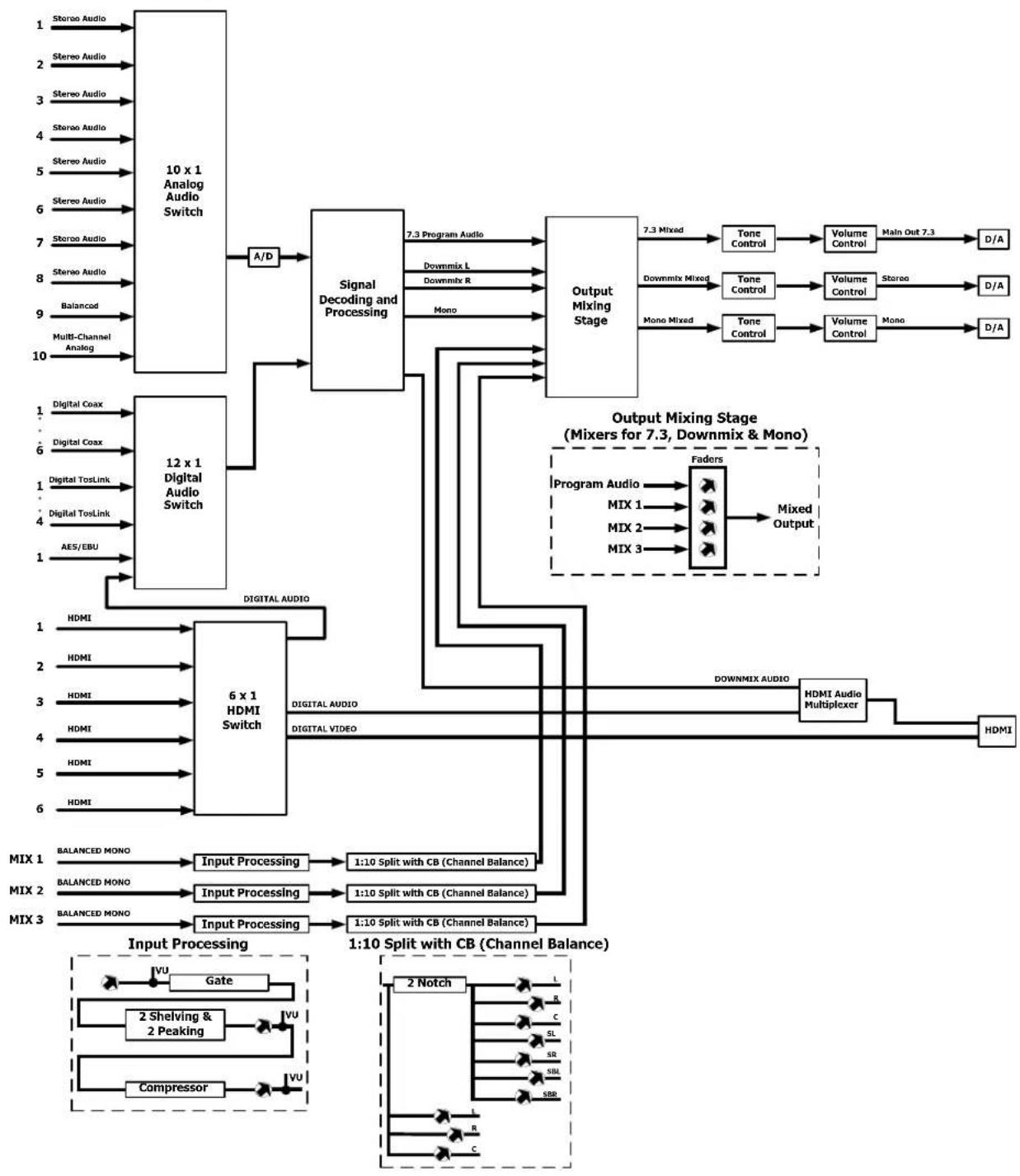
flowchart
graph TD
    A["10 x 1 Analog Audio Switch"] -->|A/D| B["Signal Decoding and Processing"]
    B --> C["7.3 Program Audio"]
    B --> D["Downmix L"]
    B --> E["Downmix R"]
    B --> F["Mono"]
    B --> G["Output Mixing Stage"]
    G --> H["7.3 Mixed"]
    H --> I["Tone Control"]
    I --> J["Volume Control"]
    J --> K["Main Out 7.3"]
    K --> L["D/A"]
    B --> M["7.3 Mixed"]
    M --> N["Tone Control"]
    N --> O["Volume Control"]
    O --> P["Stereo"]
    P --> Q["D/A"]
    B --> R["7.3 Mixed"]
    R --> S["Tone Control"]
    S --> T["Volume Control"]
    T --> U["Mono"]
    U --> V["D/A"]
    A --> W["12 x 1 Digital Audio Switch"]
    W --> X["6 x 1 HDMI Switch"]
    X --> Y["Digital Audio"]
    X --> Z["Digital Video"]
    X --> AA["Digital Audio"]
    X --> AB["Digital Video"]
    X --> AC["Digital Audio"]
    X --> AD["Digital Video"]
    X --> AE["Digital Audio"]
    X --> AF["Digital Video"]
    X --> AG["Digital Audio"]
    X --> AH["Digital Video"]
    X --> AI["Digital Audio"]
    X --> AJ["Digital Video"]
    X --> AK["Digital Audio"]
    X --> AL["Digital Video"]
    X --> AM["Digital Audio"]
    X --> AN["Digital Video"]
    X --> AO["Digital Audio"]
    X --> AP["Digital Video"]
    X --> AQ["Digital Audio"]
    X --> AR["Digital Video"]
    X --> AS["Digital Audio"]
    X --> AT["Digital Video"]
    X --> AU["Digital Audio"]
    X --> AV["Digital Video"]
    X --> AW["Digital Audio"]
    X --> AX["Digital Video"]
    X --> AY["Digital Audio"]
    X --> AZ["Digital Video"]
    X --> BA["Digital Audio"]
    X --> BB["Digital Video"]
    X --> BC["Digital Audio"]
    X --> BD["Digital Video"]
    X --> BE["Digital Audio"]
    X --> BF["Digital Video"]
    X --> BG["Digital Audio"]
    X --> BH["Digital Video"]
    X --> BI["Digital Audio"]
    X --> BJ["Digital Video"]
    X --> BK["Digital Audio"]
    X --> BL["Digital Video"]
    X --> BM["Digital Audio"]
    X --> BN["Digital Video"]
    X --> BO["Digital Audio"]
    X --> BP["Digital Video"]
    X --> BQ["Digital Audio"]
    X --> BR["Digital Video"]
    X --> BS["Digital Audio"]
    X --> BT["Digital Video"]
    X --> BU["Digital Audio"]
    X --> BV["Digital Video"]
    X --> BW["Digital Audio"]
    X --> BX["Digital Video"]
    X --> BY["Digital Audio"]
    X --> BZ["Digital Video"]
    X --> CA["Digital Audio"]
    X --> CB["Digital Video"]
    X --> CC["Digital Audio"]
    X --> CD["Digital Video"]
    X --> CE["Digital Audio"]
    X --> CF["Digital Video"]
    X --> CG["Digital Audio"]
    X --> CH["Digital Video"]
    X --> CI["Digital Audio"]
    X --> CJ["Digital Video"]
    X --> CK["Digital Audio"]
    X --> CL["Digital Video"]
    X --> CM["Digital Audio"]
    X --> CN["Digital Video"]
    X --> CO["Digital Audio"]
    X --> CP["Digital Video"]
    X --> CQ["Digital Audio"]
    X --> CR["Digital Video"]
    X --> CS["Digital Audio"]
    X --> CT["Digital Video"]
    X --> CU["Digital Audio"]
    X --> CV["Digital Video"]
    X --> CW["Digital Audio"]
    X --> CX["Digital Video"]
    X --> CY["Digital Audio"]
    X --> CZ["Digital Video"]
    X --> DA["Digital Audio"]
    X --> DB["Digital Video"]
    X --> DC["Digital Audio"]
    X --> DD["Digital Video"]
    X --> DE["Digital Audio"]
    X --> DF["Digital Video"]
    X --> DG["Digital Audio"]
    X --> DH["Digital Video"]
    X --> DI["Digital Audio"]
    X --> DJ["Digital Video"]
    X --> DK["Digital Audio"]
    X --> DL["Digital Video"]
    X --> DV["Digital Audio"]
    X --> DW["Digital Video"]
    X --> DX["Digital Audio"]
    X --> DXB["Digital Video"]
    X --> DXC["Digital Audio"]
    X --> DXD["Digital Video"]
    X --> DXE["Digital Audio"]
    X --> DXF["Digital Video"]
    X --> DXG["Digital Audio"]
    X --> DXH["Digital Video"]
    X --> DXI["Digital Audio"]
    X --> DXJ["Digital Video"]
    X --> DXK["Digital Audio"]
    X --> DXL["Digital Audio"]
    X --> DXM["Digital Video"]
    X --> DXN["Digital Audio"]
    X --> DXO["Digital Video"]
    X --> DXP["Digital Audio"]
    X --> DXQ["Digital Video"]
    X --> DXR["Digital Audio"]
    X --> DXS["Digital Video"]
    X --> DXT["Digital Audio"]
    X --> DXU["Digital Video"]
Specifications
Specifications for the PSPHD are listed in the following table.
PSPHD Specifications
| SPECIFICATION DETAILS | |
| Audio – GeneralFeatures | 27 selectable source inputs plus built-in noise generator, 7.1 Dolby Digital/DTS® surround sound decoder, 7.3 multichannel signal processing and steering, Audyssey MultEQ XT, Audyssey Dynamic Volume, Audyssey Dynamic EQ, 6-band graphic or parametric EQ, 100 ms lip-sync/speaker delay, unprocessed Pure mode (analog sources only), Direct mode (HDMI only), independent mono and stereo downmix outputs, 3-channel line mixer (post surround decoder/processor) with independent speech-optimized signal processing, HDCP management, Crestron QuickSwitch HD |
| Input Signal Types | HDMI supporting HD lossless multichannel up to 7.1 with HDCP, DisplayPort Multimode1, S/PDIF (coaxial and optical), AES/EBU, analog 2-channel (balanced and unbalanced), analog 8-channel (unbalanced), analog mono (balanced or unbalanced) |
| Output Signal Types | Analog 7.3 channel (balanced and unbalanced), analog 2-channel downmix (balanced and unbalanced), analog mono downmix (balanced and unbalanced), HDMI with 2-channel downmix |
| Processor | Three floating-point DSPs |
| Analog-To-Digital Conversion | 24-bit 96 kHz |
| Digital-To-Analog Conversion | 24-bit 96 kHz (192 kHz in Direct mode) |
| Frequency Response | 20 Hz to 20 kHz ±0.2 dB |
| Total Harmonic Distortion (THD) + Noise | 0.002% digital in to analog out, 0.003% analog in to analog out |
| Signal-to-Noise Ratio (S/N Ratio) | 125 dB AES/EBU in to balanced out122 dB SPDIF/HDMI in to balanced out, 118 dB AES/EBU in to unbalanced out114 dB SPDIF/HDMI in to unbalanced out109 dB unbalanced in to unbalanced out |
| Audio – Surround Sound | |
| Decoding Modes None, Stereo, Dolby Pro Logic IIx Movie, Dolby Pro Logic IIx Music, DTS Neo:6 Cinema, DTS Neo:6 Music, Two Channel Steering – Surround, Two Channel Steering – Rear, Multichannel Stereo (Party), Cathedral, Hall, Stadium, Jazz Club, Dolby Digital, Dolby Digital EX, Dolby Digital Plus, Dolby TrueHD, DTS, DTS-ES Matrix, DTS-ES Discrete, DTS 96/24, DTS-HD Master Audio, PCM Multichannel, Multichannel Input | |
| Master Volume Level | -80 to +20 dB, adjustable from 0% to 100%, plus mute |
| Speaker Levels ±12.0 dB per output (Front L/R, Surround L/R, Back L/R, Center, Sub 1-3) | |
| Low Frequency Effects (LFE) | -10.0 to +0.0 dB |
| Decoding Mode Speaker Levels | ±12.0 dB per output |
| Decoding Mode LFE Level | -10.0 to +0.0 dB |
| Input Compensation | ±10.0 dB per input |
| Bass Control ±12.0 dB | |
| Treble Control | ±12.0 dB |
| EQ Modes | Audyssey MultEQ XT, 6-band graphic (global), or 6-band parametric (per output) |
| GEQ Center Frequencies | 63, 250, 1k, 4k, 10k, 20k Hz |
| GEQ Gain | ±12.0 dB per band |
| GEQ Presets | 1 thru 5 |
| PEQ Center Frequency | 25 to 20,000 Hz per band |
| PEQ Gain | ±12.0 dB per band |
| PEQ Bandwidth | 0.0 to 3.0 octaves per band |
| PEQ Presets | 1 thru 5 |
| Crossover Frequency | Large (full range) or 40 to 200 Hz, adjustable in 10 Hz steps, per output (excluding subs) |
| Delay | 0 to 100 ms lip-sync (global), 0 to 20 ms speaker distance compensation (per output); adjustable in milliseconds, feet, or meters; |
| NOTE: 100 ms max per output lip-sync and speaker delay combined. | |
| Compression | Off, Audyssey Dynamic Volume (Heavy, Medium, Light), Dolby/DTS DRC (Heavy, Medium, Light), Dolby TrueHD Auto |
| Loudness Compensation | None or Audyssey Dynamic EQ (available only with MultEQ® XT active) |
| Audio – Surround Sound (continued) | |
| DTS Neo:6 Music Settings | CGain 0.0 to 1.0, Standard or Wide mode |
| Dolby Pro Logic IIx Music Settings | Dimension ±7, Center Width 0 to 7, Standard or Panorama |
| Audio – Downmix | |
| L/R Output Level | -80 dB to +20 dB, adjustable from 0% to 100%, plus mute |
| Mono Output Level | -80 dB to +20 dB, adjustable from 0% to 100%, plus mute |
| Bass Control | ±12.0 dB per output |
| Treble Control | ±12.0 dB per output |
| Audio – 3-Channel Input Mixer | |
| Mix Level | -80.0 to 0.0 dB per channel (Mix 1-3), per output (Front L/R, Surround L/R, Back L/R, Center, Stereo Downmix, Mono Downmix) |
| Input Compensation | ±10.0 dB per input |
| EQ Mode | 4-band graphic plus 2 notch filters (per input) |
| GEQ Center Frequencies | 160, 500, 1.2k, 3k Hz |
| GEQ Gain | ±12.0 dB per band |
| Notch Filter Frequency | 20 to 20,200 Hz per filter |
| Notch Filter Width | 0.020 to 3.500 octaves per filter |
| Dynamics Processing | Gating and compression (per input) |
| Dynamics Pre-Process Level | ±12.0 dB |
| Gating Level (Threshold) | 0-100% |
| Gating Depth (Attenuation) | -80.0 to 0.0 dB |
| Gating Attack | 0 to 100 ms |
| Gating Decay | 0 to 5000 ms |
| Compression Level (Threshold) | -80.0 to +20.0 dB |
| Compression Ratio | 1.0:1 to 10.0:1 |
| Compression Attack | 0.1 to 300.0 ms |
| Compression Release | 1 to 1000 ms |
| Compression Curve | Hard or soft knee |
| Dynamics Post-Process Level | ±12.0 dB |
| Mixer Input Presets | 1 thru 30 |
| Audio – Master MixerProgram Level -80.0 to 0.0 dB plus mute per output group(Main, Stereo Downmix, Mono Downmix)Mixer Level -80.0 to 0.0 dB plus mute per channel (Mix1-3), per output group (Main, StereoDownmix, Mono Downmix)Master Mixer Presets | 1 thru 10 |
| VideoFeatures | 6x1 digital switcher, audio breakaway,HDCP management, resolutionmanagement, Crestron QuickSwitch HD |
| Input Signal Types | HDMI, DVI*, DisplayPort Multimode* |
| Output Signal Types | HDMI, DVI* |
| Formats | HDMI with Deep Color and 3D, DVI, HDCPcontent protection support |
| Input Resolutions,Progressive | 640 x 480 @ 60 Hz, 720 x 480 @ 60 Hz(480p), 720 x 576 @ 50 Hz (576p),800 x 600 @ 60 Hz, 848 x 480 @ 60 Hz,852 x 480 @ 60 Hz, 854 x 480 @ 60 Hz,1024 x 768 @ 60 Hz, 1024 x 852 @ 60 Hz,1024 x 1024 @ 60 Hz, 1280 x 720 @ 50 Hz(720p50), 1280 x 720 @ 60 Hz (720p60),1280 x 768 @ 60 Hz, 1280 x 800 @ 60 Hz,1280 x 960 @ 60 Hz, 1280 x 1024 @ 60 Hz,1360 x 768 @ 60 Hz, 1365 x 1024 @ 60 Hz,1366 x 768 @ 60 Hz, 1400 x 1050 @ 60 Hz,1440 x 900 @ 60 Hz, 1600 x 900 @ 60 Hz,1600 x 1200 @ 60 Hz,1680 x 1050 @ 60 Hz,1920 x 1080 @ 24 Hz (1080p24),1920 x 1080 @ 25 Hz (1080p25),1920 x 1080 @ 50 Hz (1080p50),1920 x 1080 @ 60 Hz (1080p60),1920 x 1200 @ 60 Hz,2048 x 1080 @ 24 Hz,2048 x 1152 @ 60 Hz, plus any otherresolution allowed by HDMI up to 165 MHzpixel clock |
| Input Resolutions, Interlaced | 720 x 480 @ 30 Hz (480i),720 x 576 @ 25 Hz (576i),1920 x 1080 @ 25 Hz (1080i25), 1920 x1080 @ 30 Hz (1080i30), plus any otherresolution allowed by HDMI up to 165 MHzpixel clock |
| Output Resolutions | Matched to inputs |
| Communications | |
| Ethernet For control, console, and pairing with PROAMP; 10/100 Mbps, auto-switching, auto-negotiating, auto-discovery, full/half duplex, DHCP | |
| Cresnet®For control and console, Cresnet slaveUSB For console, USB clientHDMI Passes EDID, supports | HDCP, provides HDCP key management |
| Power Requirements | |
| Main Power | 65 watts @ 100-240 volts ac, 50/60 Hz |
| Cresnet Power Usage | none, does not draw Cresnet power |
| Default Net ID | 9C |
| Environmental | |
| Temperature | 41° to 104°F (5° to 40°C) |
| Humidity | 10% to 90% RH (non-condensing) |
| Heat Dissipation | 225 Btu/h |
| Enclosure | |
| Chassis | Metal, vented sides, ultra-quiet speed-controlled fan cooling |
| Front Panel | Aluminum with plastic overlay |
| Mounting | Freestanding or 3U 19-inch rack-mountable (detachable feet and rack ears included) |
| Dimensions | |
| Height | 5.74 in (146 mm) with feet5.19 in (132 mm) without feet |
| Width | 17.28 in (439 mm)19.00 in (483 mm) with ears |
| Depth | 14.75 in (375 mm) |
| Weight | 12 lbs (5.4 kg) |
| Available Accessories | |
| CBL Series | Crestron Certified Interface Cables |
| CSSTK | Surround Sound Tuning Kit |
| PROAMP-7X250 | PROCISE High-Definition Surround Sound Amplifier, 7x250W |
| PROAMP-7X400 | PROCISE High-Definition Surround Sound Amplifier, 7x400 |
| PROAMPI-7X250 | PROCISE High-Definition Surround Sound Amplifier, 7x250W - International Version, 230V |
| PROAMPI-7X400 | PROCISE High-Definition Surround Sound Amplifier, 7x400 International Version, 230V |
* Requires adapter.
Physical Description
This section provides information on the connections, controls and indicators available on the PSPHD.
PSPHD Physical View (Front)
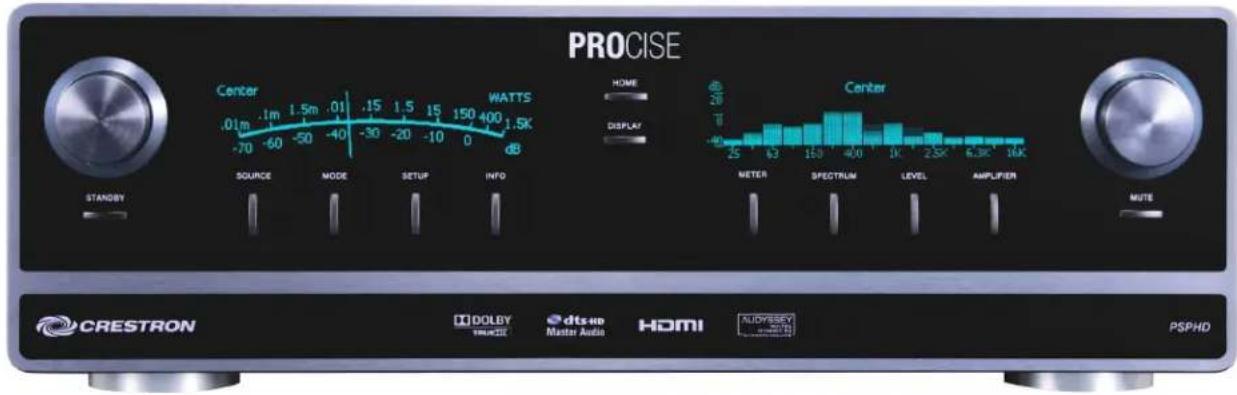
PSPHD Physical View (Rear)
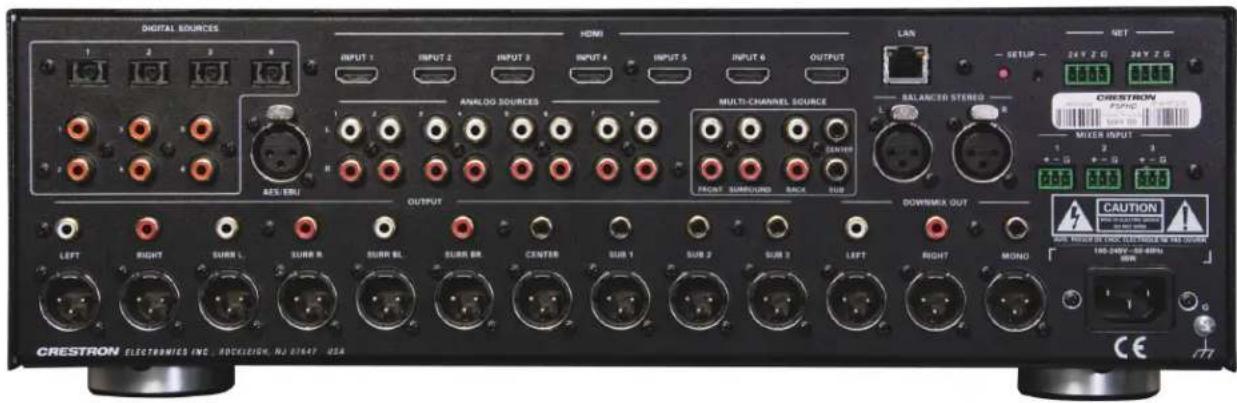
PSPHD Overall Dimensions (Top View)
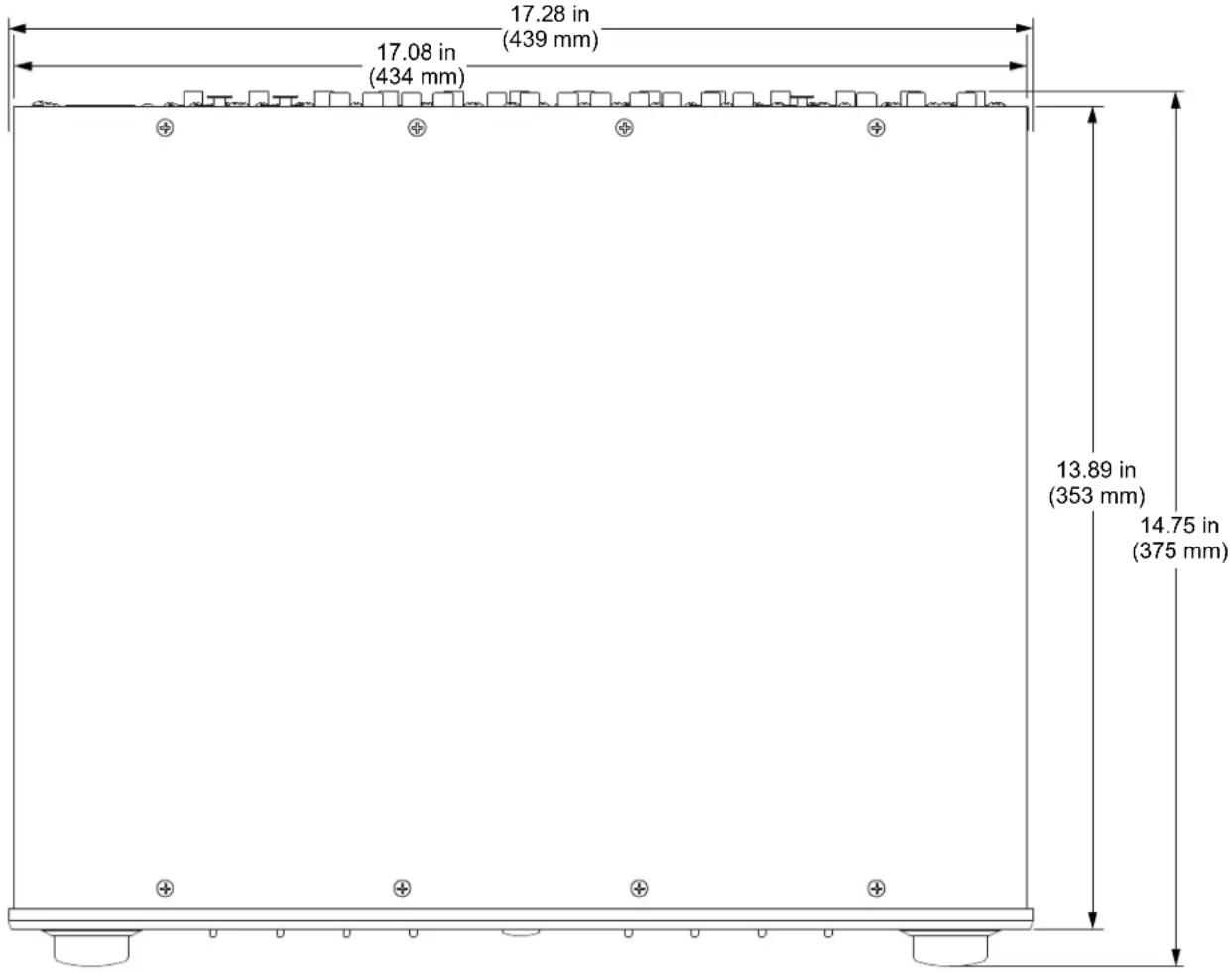
other
| Dimension | Value (mm) | | ----------------- | ---------- | | Top Section | 17.28 | | Bottom Section | 13.89 | | Bottom Right | 14.75 | | Middle Section | 17.08 | | Middle Right | 439 | | Bottom Right | 17.08 | | Bottom Left | 434 | | Bottom Center | + | | Bottom Right | + | | Bottom Left | + | | Bottom Center | + | | Bottom Right | + | | Bottom Left | + | | Bottom Center | + | | Bottom Right | + | | Bottom Left | + | | Bottom Center | + | | Bottom Right | + | | Bottom Left | + | | Bottom Center | + | | Bottom Right | + | | Bottom Left | + | | Bottom Right | + | | Bottom Center | + | | Bottom Right | + | | Bottom Left | + | | Bottom Center | + | | Bottom Right | + | | Bottom Left | + | | Bottom Center | + | | Bottom Right | + | | Bottom Left | + | | Bottom Center | + | | Bottom Right | + | | Bottom Left | + |PSPHD Overall Dimensions (Front and Rear View)
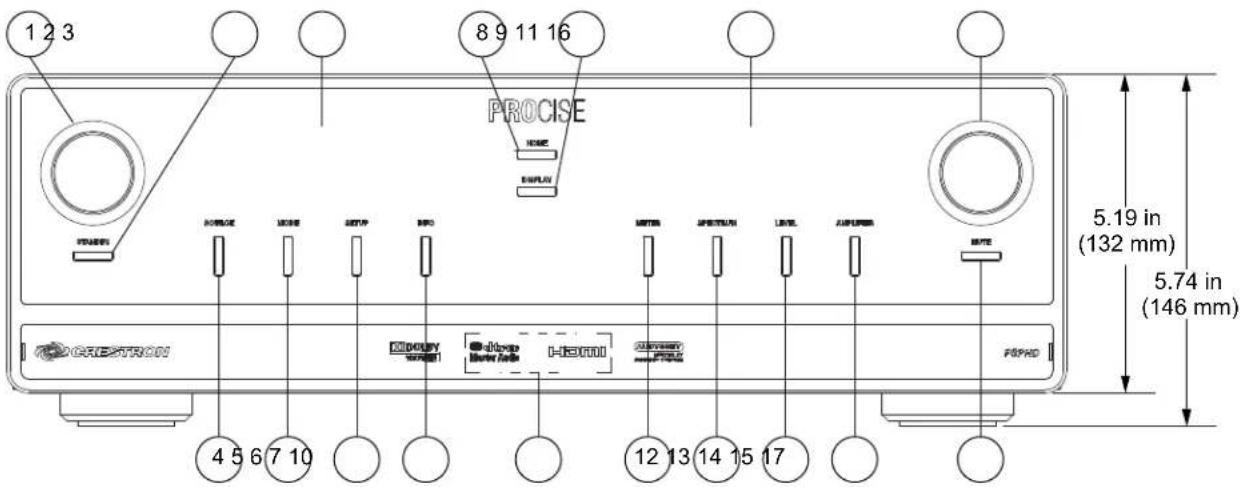
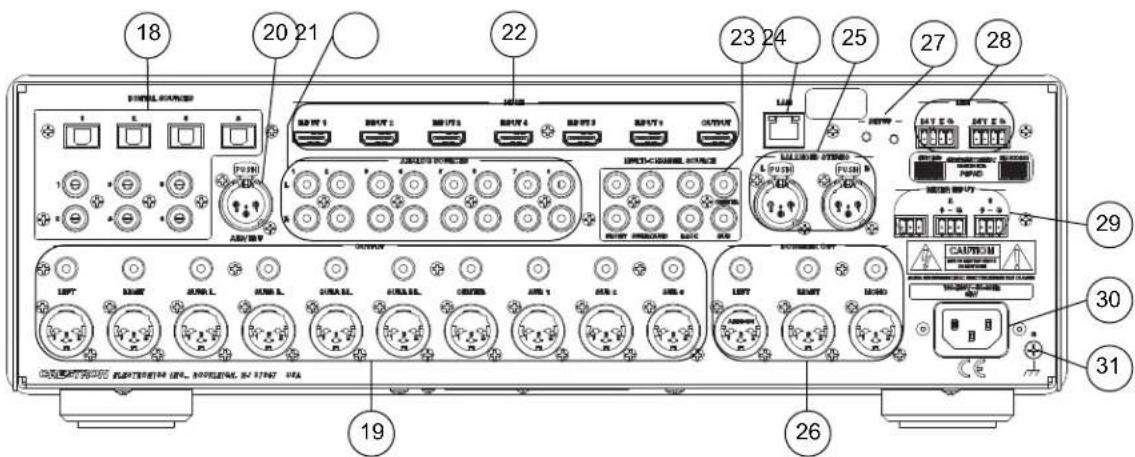
Connectors, Controls & Indicators
| # | CONNECTORS*, CONTROLS & INDICATORS | DESCRIPTION |
| 1 | Selection Knob | Rotary encoder with integral push button, used to navigate and select various menu options and adjust values |
| 2 | STANDBY (Button and LED) | (1) push button and red LED, places PSPHD (and PROAMP if connected) into Standby mode (all outputs turned off) |
| 3 | DISPLAY (LEFT) | 256 x 64 graphic VFD (Vacuum Fluorescent Display); Shows source, decoding mode, setup, info, and installer menus; Can also show real-time VU meters or spectrum analyzers |
| 4 | SOURCE Button | (1) push button, enters the source selection menu |
| 5 | MODE Button | (1) push button, enters the decoding mode selection menu |
(Continued on following page)
Connectors, Controls & Indicators (Continued)
| # CONNECTORS*, CONTROLS & INDICATORS | DESCRIPTION | ||
| 6 | SETUP Button | (1) push button, enters the compression and equalization setup menu | |
| 7 | INFO Button | (1) push button, enables display of source information | |
| 8 | HOME Button | (1) push button, returns both displays to their default screens showing the current source and decoding mode (left) and volume (right) | |
| 9 | DISPLAY Button | (1) push button, normally sets the front panel display brightness; pressing DISPLAY and HOME simultaneously for 5 seconds enters the Installer menu | |
| 10 | MICROPHONE, RESET Button, and USB Port (behind removable front panel) | (1) 3-pin mini-XLR jack, female: Input for calibrated microphone (part of CSSTK Surround Sound Tuning Kit, sold separately)RESET Button: Miniature push button, hardware reset. | |
| NOTE: Be sure that any connected amplifier is turned off before pressing RESET. | |||
| (1) USB Type B female: USB computer console port (cable included) | |||
| PIN DESCRIPTION | |||
| 1 | +5 VDC | ||
| 2 | Data - | ||
| 3 | Data + | ||
| 4 | Ground | ||
| NOTE: To prevent damage to the PSPHD's finish, use a flat-edge tool made of plastic or covered in tape when removing the front panel | |||
| 11 | DISPLAY (RIGHT) | 256 x 64 graphic VFD (Vacuum Fluorescent Display); Shows volume level, VU meter, and spectrum analyzer | |
| 12 | METER Button | (1) push button, enables dual analog meter display | |
| 13 | SPECTRUM Button | (1) push button, enables dual spectrum analyzer display | |
| 14 | LEVEL Button | (1) push button, enables display of speaker volume levels | |
| 15 | AMPLIFIER Button | (1) push button, enables display of amplifier status (if PROAMP is connected) | |
| 16 | Volume Knob | (1) rotary encoder with integral push button, turn to adjust master volume level, press to display master volume level | |
| 17 MUTE(Button and LED) | (1) push button and red LED, mutes all outputs | ||
18 DIGITAL SOURCES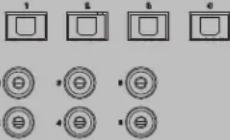 | (4) JIS F05 female (TOSLINK) optical fiber connectors; S/PDIF optical digital audio inputs(6) RCA female; S/PDIF coaxial digital audio inputs;Input impedance: 75 ohms;Input level: 0.5 Vrms nominal | ||
19 OUTPUT LEFT,RIGHT, SURR L.,SURR R., SURR BL.,SURR BR., CENTER,SUB 1, SUB 2, SUB 3[IMAGE]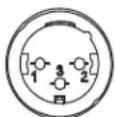 | (10) RCA female; Unbalanced line level 7.3 surround sound audio output;Output impedance: 100 ohms;Maximum output level: 4 Vrms(10) 3-pin XLR male; Balanced line level 7.3 surround sound audio output;Output impedance: 200 ohms;Maximum output level: 8 Vrms | ||
20 AES/EBU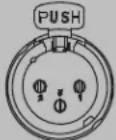 | (1) 3-pin XLR female; AES/EBU digital audio input;Input impedance: 110 ohms;Input level: 0.6 Vrms nominal | ||
21 ANALOG SOURCESL/R 1-8 | (16) RCA female comprising (8) unbalanced stereo line level audio inputs;Input impedance: 11k ohms;Maximum input: 2 Vrms | ||
22 HDMI INPUT 1-6 andHDMI OUTPUT | (6) 19-pin Type A HDMI female digital audio/video inputs(1) 19-pin Type A HDMI female digital audio/video output; Audio stream is a 2-channel downmix of the surround sound audio signal (pre master mixer) | ||
23 MULTICHANNELSOURCE FRONT L/R,SURROUND L/R,BACK L/R, CENTER,SUB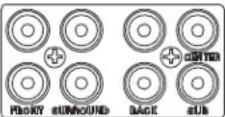 | (8) RCA female; Unbalanced line level 7.1 surround sound audio input;Input impedance: 11k ohms;Maximum input: 2 Vrms | ||
24 LANGreen YellowLED LED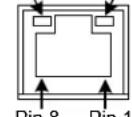 F100 F111 F100 F111 | (1) 8-wire RJ-45 with 2 LED indicators,10BASE-T/100BASE-TX Ethernet port;Green LED indicates link status,Yellow LED indicates Ethernet activityConnects to LAN or PROAMP | ||
| PIN | SIGNALS | ||
| 1 | TX + | ||
| 2 | TX - | ||
| 3 | RX + | ||
| 4 | Connected to pin 5 | ||
| 5 | Connected to pin 4 | ||
| 6 | RX - | ||
| 7 | Connected to pin 8 | ||
| 8 | Connected to pin 7 | ||
25 BALANCED STEREO I/R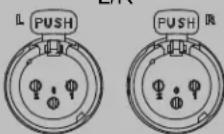 | (2) 3-pin XLR female; balanced stereo line level audio input;Input impedance: 22k ohms balanced;Maximum input level: 4 VrmsFor use with balanced source only | ||
26 DOWNMIX OUTLEFT/RIGHT MONO[CLINT]  | (3) RCA female; Unbalanced line level stereo+ mono audio outputOutput impedance: 100 ohms;Maximum output level: 4 Vrms(3) 3-pin XLR male; Balanced line level stereo+ mono audio outputOutput impedance: 200 ohms;Maximum output level: 8 Vrms | ||
| 27 SETUP(Button and LED) | (1) recessed miniature push button and (1)red LED, used for touch-settable ID (TSID) inconjunction with Crestron ToolboxTM software | ||
28 NET24 Y Z G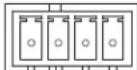 | (2) 4-pin 3.5 mm detachable terminal blocks;Cresnet slave ports, paralleled;24: Power (24 volts dc)Y: DataZ: DataG: Ground | ||
29 MIXER INPUT 1-31+ - G | (3) 3-pin 3.5 mm detachable terminal blocks;Balanced/unbalanced line level inputs;Input impedance: 22k ohms balanced, 11kohms unbalanced;Maximum input level: 4 Vrmsbalanced/unbalanced | ||
(Continued on following page)
Connectors, Controls & Indicators (Continued)
| # CONNECTORS*, CONTROLS & INDICATORS | DESCRIPTION | |
| 30 | 100-240V ~50-60Hz65W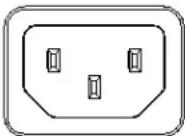 | (1) IEC Male C14 male chassis plug; Mates with removable power cord (included) |
| 31 | GROUND | (1) 6-32 screw, chassis ground lug |
* Interface connectors for the NET and MIXER INPUT ports are provided with the unit.
Setup
Network Wiring
When wiring the Cresnet ^® or Ethernet network, consider the following:
- Use Crestron Certified Wire.
• Use Crestron power supplies for Crestron equipment. - Provide sufficient power to the system.
CAUTION: Insufficient power can lead to unpredictable results or damage to the equipment. Please use the Crestron Power Calculator to help calculate how much power is needed for the system (www.crestron.com/calculators).
For Cresnet networks with 20 or more devices, use a Cresnet Hub/Repeater (CNXHUB) to maintain signal quality.
For more details, refer to "Check Network Wiring" on page 58.
The PSPHD can also use high-speed Ethernet for communications between the device and a control system, computer, media server and other IP-based devices.
For general information on connecting Ethernet devices in a Crestron system, refer to the latest version of the Crestron e-Control ^® Reference Guide (Doc. 6052), which is available from the Crestron Web site (www.crestron.com/manuals).
Identity Code
Net ID
The Net ID of the PSPHD has been factory set to 9C. The Net IDs of multiple PSPHD devices in the same system must be unique. Net IDs are changed from the "INSTALLER MENU" or from a personal computer (PC) via Crestron Toolbox. For information on setting the Net ID with the Installer menu, refer to "Cresnet ID" which starts on page 44. For information on setting the Net ID with Crestron Toolbox, refer to "Establishing Communication" which starts on page 48.
When setting the Net ID, consider the following:
- The Net ID of each unit must match an ID code specified in the SIMPL Windows or Crestron Studio™ program.
• Each network device must have a unique Net ID.
For more details, refer to the Crestron Toolbox help file.
IP ID
The IP ID is set from the Installer menu or within the PSPHD's IP table using Crestron Toolbox. For information on setting the IP ID with the "INSTALLER MENU", refer to "IP ID" which starts on page 44. For information on setting the IP ID in an IP table, refer to the Crestron Toolbox help file. The IP IDs of multiple PSPHD devices in the same system must be unique.
When setting the IP ID, consider the following:
- The IP ID of each unit must match an IP ID specified in the SIMPL Windows or Crestron Studio program.
- Each device using IP to communicate with a control system must have a unique IP ID.
• If an IP ID is set, Cresnet communications with the PSPHD are disabled.
Installation
Ventilation
The PSPHD should be used in a well-ventilated area. The venting holes should not be obstructed under any circumstances.
To prevent overheating, do not operate this product in an area that exceeds the environmental temperature range listed in the table of specifications. Consider using forced air ventilation and/or incrementing the spacing between units to reduce overheating. Consideration must be given if installed in a closed or multi-unit rack assembly since the operating ambient temperature of the environment may be greater than the room ambient temperature. Contact with thermal insulating materials should be avoided on all sides of the unit.
Rack Mounting
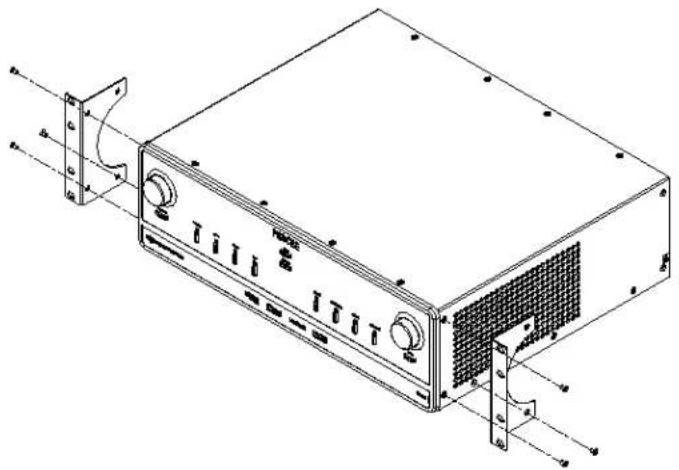
The PSPHD can be mounted in a rack or stacked with other equipment. Two “ears” are provided with the PSPHD so that the unit can be rack mounted. These ears must be installed prior to mounting. Complete the following procedure to attach the ears to the unit. The only tool required is a #2 Phillips screwdriver.
WARNING: To prevent bodily injury when mounting or servicing this unit in a rack, observe the following guidelines:
- When mounting this unit in a partially filled rack, load the rack from the bottom to the top with the heaviest component at the bottom of the rack.
- If the rack is provided with stabilizing devices, install the stabilizers before mounting or servicing the unit in the rack.
NOTE: The PSPHD is shipped with "feet" installed so it can be stacked with other equipment. If the PSPHD is to be installed in a rack, remove the feet using a #2 Phillips screwdriver. If rack mounting is not required, leave the feet attached to the PSPHD.
NOTE: Reliable earthing of rack-mounted equipment should be maintained. Particular attention should be given to supply connections other than direct connections to the branch circuit (e.g. use of power strips).
To install the ears:
- There are screws that secure each side of the PSPHD top cover. Using a #2 Phillips screwdriver, remove the three screws closest to the front panel from one side of the unit. Refer to the diagram following step 3 for a detailed view.
- Position a rack ear so that its mounting holes align with the holes vacated by the screws in step 1.
- Secure the ear to the unit with three screws from step 1, as shown in the following diagram.
Ear Attachment for Rack Mounting
natural_image
Technical line drawing of a server rack unit with mounting brackets and ventilation grilles (no text or symbols)- Repeat procedure (steps 1 through 3) to attach the remaining ear to the opposite side.
Stacking
Four "fect" are integrated into the PSPHD so that if the unit is not rack mounted, the feet can provide stability when the unit is placed on a flat surface or stacked.
NOTE: No more than two PSPHD units should be stacked.
NOTE: If the PSPHD is to be rack mounted, the feet should be removed with a #2 Phillips screwdriver prior to "Hardware Hookup", which starts below.
Hardware Hookup
Connect the Device
Make the necessary connections as called out in the illustration that follows this paragraph. Refer to “Network Wiring” on page 24 before attaching the 4-position terminal block connector. Apply power after all connections have been made.
When making connections to the PSPHD, note the following:
• Use Crestron power supplies for Crestron equipment.
• The included cable cannot be extended.
WARNING: To prevent injury and / or equipment damage due to electric shock, disconnect power from the PSPHD prior to making any wiring connections.
NOTE: The PSPHD can only be powered by the included power cord. Power cannot be supplied from network devices that are connected to the mini-terminal block connectors.
NOTE: A USB port is concealed behind the label cover on the front panel. The USB port is used to connect with a PC and provide a console connection to the PSPHD. A microphone jack is also concealed behind the front panel's label cover. This jack is used to connect the microphone that is included with the available Crestron Professional Surround Sound Tuning Kit (sold separately). For more information, refer to the latest version of the Crestron Professional Surround Sound Tuning Kit Operations Guide (Doc. 6565).
NOTE: To prevent damage to the PSPHD's finish, use a flat-edge tool made of plastic or covered in tape when removing the front panel
Hardware Hookup for the PSPHD
| DIGITAL SOURCES:From Digital AudioSources Via TOSLINKOptical or Coax | ANALOG SOURCES:From AnalogAudio Sources | HDMI OUTPUT:To HDMIDisplay | NET:To Cresnet Devices |
| AES/EBU:From AESDigitalAudio Source | HDMI INPUTS:From HDMISources | LAN:10/100 Base-TEthernet to LAN | BALANCED STEREO:From BalancedStereo Source |
| MIXER INPUT:From Balancedor UnbalancedLine-levelSources | |||
| GROUND:Tie All Sources toPSPHD Ground | |||
| DIGITAL SOURCES:From Digital Audio Sources ViaTOSLINK Optical or Coax | MULTI-CHANNEL SOURCELine-level Input FromSurround Sound Source | DOWNMIX OUT:To Other Balanced orUnbalancedLine-level Equipment | POWER:From Line Voltage |
NOTE: Ensure the unit is properly grounded by connecting the chassis ground lug to an earth ground (building steel).
NOTE: To prevent overheating, do not operate this product in an area that exceeds the environmental temperature range listed in the table of specifications.
HDMI Connections
Refer to the following diagram to properly connect devices using an HDMI cable.
Installing and HDMI Cable
PROCISE Amplifier Connections
Refer to the following diagram to properly connect the PSPHD to a PROCISE amplifier.
Connect PSPHD to PROCISE Amplifier
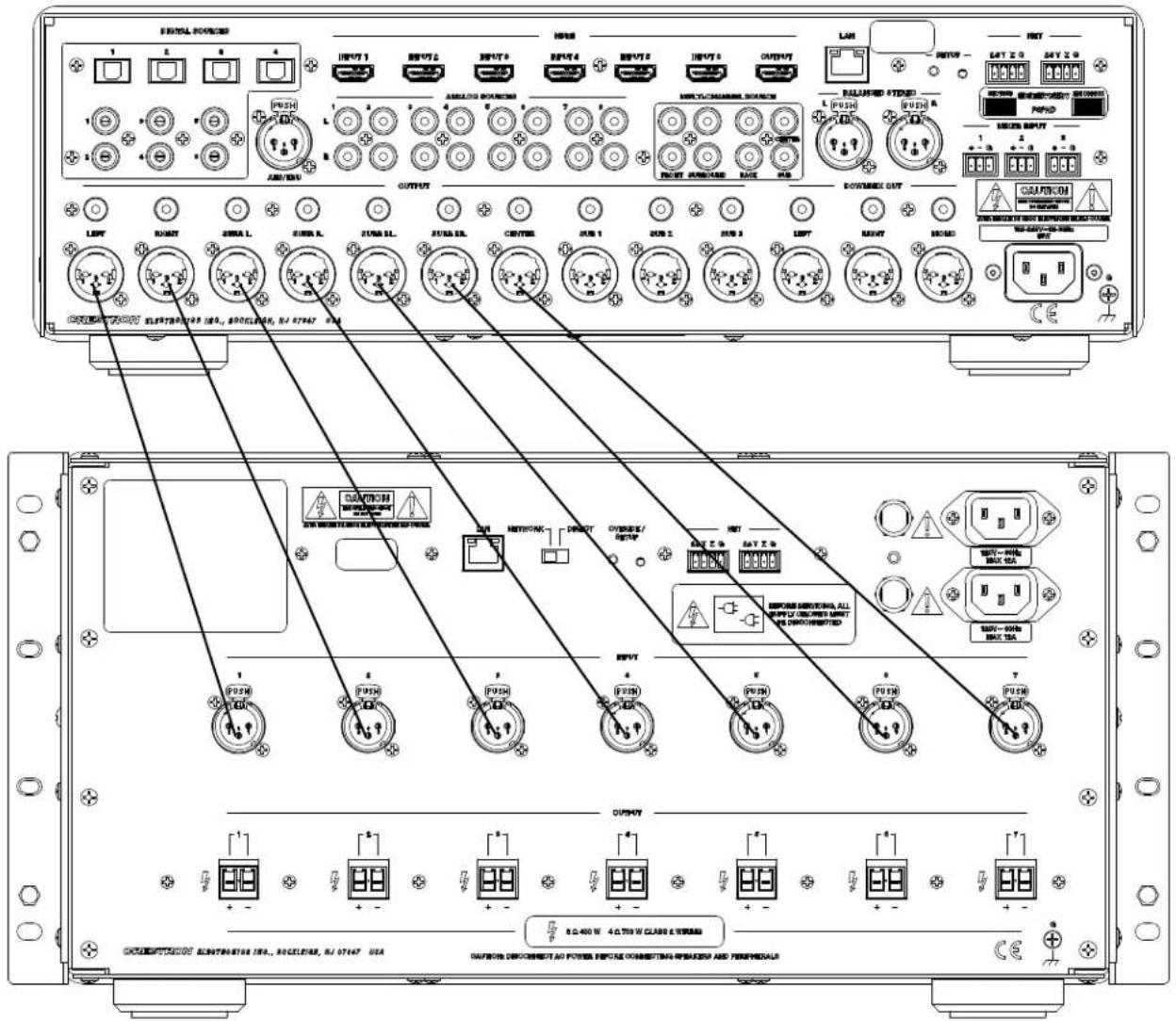
NOTE: For optimum performance when connecting to a PROCISE amplifier, Crestron recommends the optional CBL-PRO-XLR-2 (two-foot cable length) or CBL-PRO-XLR-6 (six-foot cable length) cable kit to connect to the PSPHD or other preamplifier.
Mixer Input Connections
Three balanced/unbalanced mixer inputs are provided, utilizing 3-pin terminal block connectors. For connection details, refer to the following table and diagrams.
Mixer Input Connections
| SIGNAL NAME | BALANCED AUDIO INPUT | UNBALANCED AUDIO INPUT |
| + + + In | ||
| - - Signal return, jumper to GND | ||
| G Shield/Ground Ground | ||
Typical Balanced/Unbalanced Outputs
| Balanced | Unbalanced |
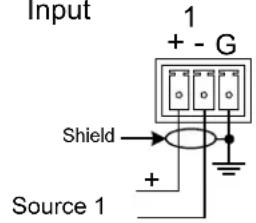 | 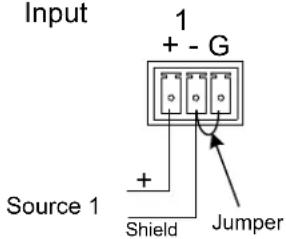 |
Configuration
After making all hardware connections to the PSPHD, the PSPHD must be configured for operation. Basic configuration is performed with the “INSTALLER MENU”. Advanced audio configuration options such as delay, levels, and equalization are performed with Crestron Toolbox’ PROCISE Tools utility. Information on using the “INSTALLER MENU” begins below. For information on the PROCISE Tools utility, refer to the PROCISE Tools help file.
Open the "INSTALLER MENU"
To open the "INSTALLER MENU", press and hold the HOME and DISPLAY buttons for approximately five seconds. The left-hand display shows the "INSTALLER MENU".
"INSTALLER MENU"
INSTALLER MENU
Audio Setup

Navigating the "INSTALLER MENU"
The following controls are used to navigate the "INSTALLER MENU":
- Selection knob – Turn the selection knob to display the desired option. To select the displayed option, press the selection knob.
- HOME button – Press HOME to return to the previous screen.
The "INSTALLER MENU" is divided into five sections to configure the PSPHD:
- Audio Setup: Defines the speaker configuration for the room connected to the PSPHD.
- Network Setup: Pairs the PSPHD with a connected PROAMP amplifier and defines/displays information about the PSPHD's Ethernet configuration.
- Control Setup: Configures and displays the parameters that define the PSPHD's operation in a Crestron control environment.
- About: Displays information about the PSPHD's firmware.
- Exit Installer Mode: Exits the "INSTALLER MENU".
Audio Setup
Use the “AUDIO SETUP” menu to define the room’s speaker configuration. Main speaker arrangement, center-channel speakers, subwoofers, and speaker impedance can be defined in the “AUDIO SETUP” menu.
Open the "AUDIO SETUP" Menu
To open the "AUDIO SETUP" menu:
- Open the "INSTALLER MENU" as described on page 30.
- Turn the selection knob until Audio Setup is displayed and press the selection knob. The "AUDIO SETUP" menu is displayed.
"AUDIO SETUP" Menu
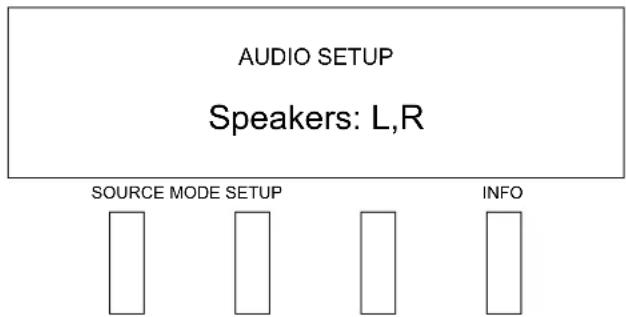
Speaker Arrangement
To specify the system's speaker arrangement:
- Open the "AUDIO SETUP" menu as described above.
- Turn the selection knob until Speakers is displayed and press the selection knob to display the Speakers screen.
Speakers Screen
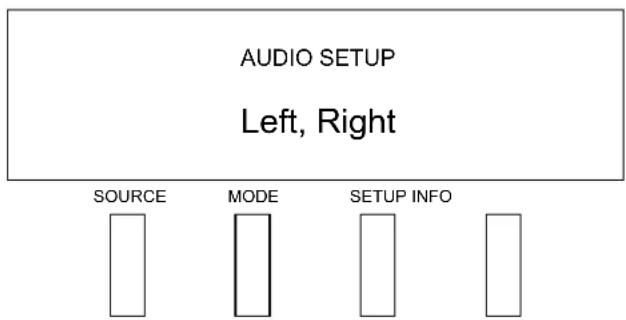
- Turn the selection knob to display the desired speaker arrangement and press the selection knob to select the setting.
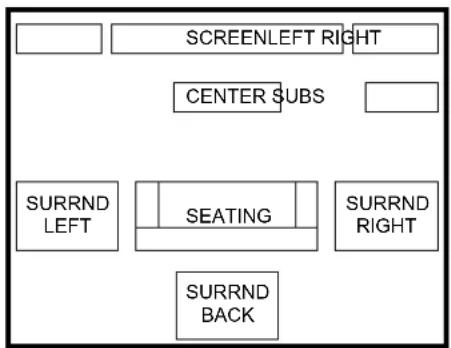
The following speaker arrangements are available:
• Left, Right (L,R): Audio separated into left and right channels.
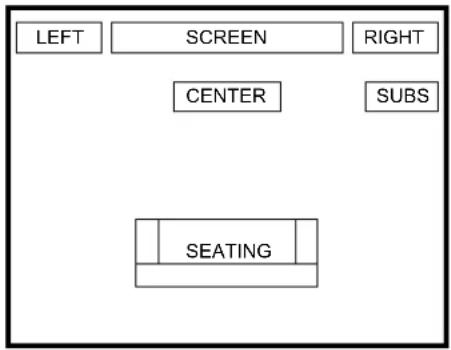
- Left, Right, Surround Left, Surround Right (L,R,SL,SR): Audio separated into 4-channel surround sound. For use in a 5.x surround setup.
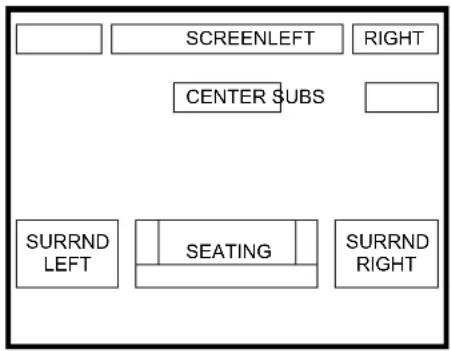
- Left, Right, Surround Left, Surround Right, Single Back (L,R,SL,SR,SB): Audio separated into 5-channel surround sound. For use in a 6.x surround setup.
flowchart
graph TD
    A["SCREENLEFT RIGHT"] --> B["CENTER SUBS"]
    B --> C["SURRND LEFT"]
    B --> D["SEATING"]
    B --> E["SURRND RIGHT"]
    C --> F["SURRND BACK"]
- Left, Right, Surround Left, Surround Right, Back Left, Back Right (L,R,SL,SR,SBL,SBR): Audio separated into 6-channel surround sound. For use in a 7.x surround setup.
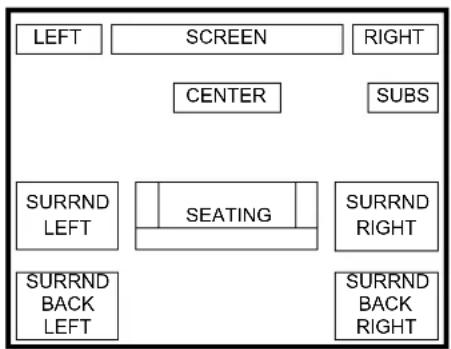
flowchart
graph TD
    A["LEFT"] --> B["SCREEN"]
    B --> C["RIGHT"]
    D["CENTER"] --> E["SURS"]
    F["SUBS"] --> G["SURRND"]
    H["LEFT"] --> I["SEATING"]
    J["SEATING"] --> K["SURRND"]
    L["LEFT"] --> M["SURRND BACK"]
    N["LEFT"] --> O["SURRND BACK"]
    P["SEATING"] --> Q["SURRND"]
    R["SURRND"] --> S["SURRND BACK"]
    T["SURRND"] --> U["SURRND BACK"]
    V["SURRND"] --> W["SURRND BACK"]
Center Channel
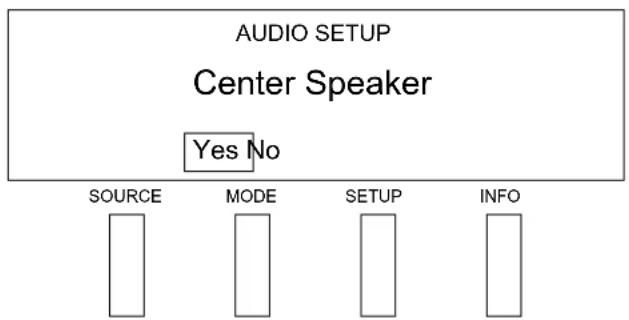
The PSPHD can be configured to use a center channel speaker. To configure the PSPHD to use a center channel speaker:
- Open the "AUDIO SETUP" menu as described on page 31.
- Turn the selection knob until Center Speaker is displayed and press the selection knob to display the "Center Speaker" screen.
"Center Speaker" Screen
flowchart
graph TD
    A["AUDIO SETUP"] --> B["Center Speaker"]
    B --> C{Yes No}
    C --> D["SOURCE"]
    C --> E["MODE"]
    C --> F["SETUP"]
    C --> G["INFO"]
- Turn the selection knob to highlight the desired setting and press the selection knob to enable the setting.
Subwoofer
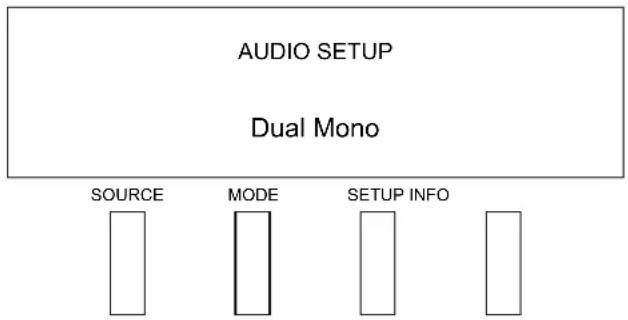
The number of subwoofers in a PSPHD system can be configured from the PSPHD's front panel. To configure the PSPHD's subwoofer arrangement:
- Open the "AUDIO SETUP" menu as described on page 31.
- Turn the selection knob until Subwoofers is displayed and press the selection knob to display the Subwoofer screen.
Subwoofer Screen
flowchart
graph TD
    A["AUDIO SETUP"] --> B["Dual Mono"]
    C["SOURCE"] --> D["MODE"]
    E["SETUP INFO"] --> F["SETUP INFO"]
- Turn the selection knob to highlight the desired setting and press the selection knob to enable the setting.
The following subwoofer arrangements are available:
• None: No subwoofer is present in the room.
• Single: The system uses a single subwoofer.
• Dual Mono: The system uses two mono subwoofers.
• Dual Stereo: The system uses two stereo subwoofers.
- Dual Stereo with Single Mono: The system uses two stereo subwoofers and one mono subwoofer.
- Triple Mono: The system uses three mono subwoofers.
Speaker Impedance
The speaker impedance setting can be selected from the PSPHD's front panel. This setting is only used to calibrate the VU meters. To select the impedance value:
- Open the "AUDIO SETUP" menu as described on page 31.
- Turn the selection knob until Speaker Impedance is displayed and press the selection knob to display the "Speaker Impedance" screen.
"Speaker Impedance" Screen
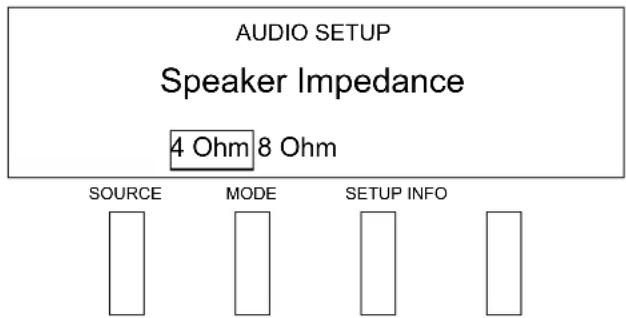
- Turn the selection knob to highlight the desired setting and press the selection knob to enable the setting.
The PSPHD's audio settings can be restored to their default settings.
NOTE: Audio settings set from the front panel and the PROCISE Tools utility are restored to their default settings.
To restore the default settings:
- Open the "AUDIO SETUP" menu as described on page 31.
- Turn the selection knob until Restore Defaults Including Presets is displayed and press the selection knob.
To confirm the selection, turn the selection knob to highlight Yes and press the selection knob. To cancel, turn the selection knob to highlight No (or press HOME) and press the selection knob
Back
To return to the "INSTALLER MENU":
- Turn the selection knob until Back is displayed.
- Press the selection knob to return to the "INSTALLER MENU".
Network Setup
Use the Network Setup section of the "INSTALLER MENU" to define the PSPHD's network configuration. IP address, Subnet Mask, Default Router, DHCP setting, WINS server, hostname, domain, and MAC address can be adjusted or displayed from the Network Setup menu.
Open the "NETWORK SETUP" Menu
To open the "NETWORK SETUP" menu:
- Open the "INSTALLER MENU" as described on page 30.
- Turn the selection knob until Network Setup is displayed and press the selection knob.
"NETWORK SETUP" Menu
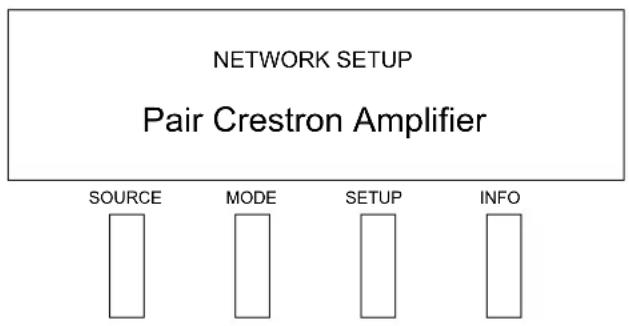
flowchart
graph TD
    A["NETWORK SETUP"] --> B["Pair Crestron Amplifier"]
    B --> C["SOURCE"]
    B --> D["MODE"]
    B --> E["SETUP"]
    B --> F["INFO"]
Pair Crestron Amplifier
NOTE: Pairing is for use with Crestron PROAMP amplifiers only.
The PSPHD can be paired with a Crestron PROAMP amplifier for control and monitoring of the amplifier. Pairing is accomplished when the PROAMP amplifier and the PSPHD are connected using a "Network" or "Direct" connection:
- Network:
When using a "Network" connection, the PSPHD is connected to a PROAMP amplifier over a local area network as shown in the following diagram.
PSPHD Paired with a PROAMP Amplifier over a Network
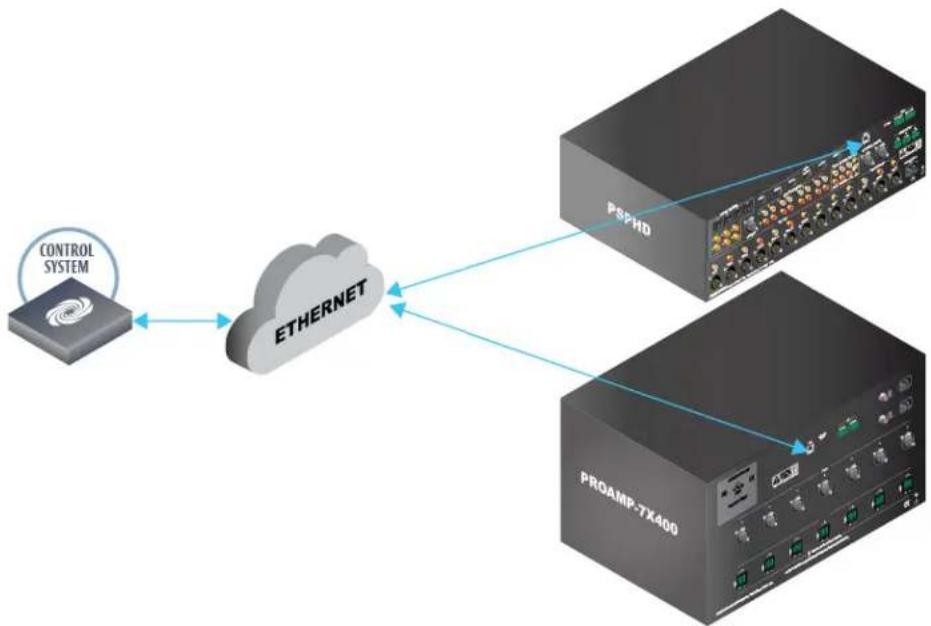
flowchart
graph TD
    A["CONTROL SYSTEM"] --> B["EHTERNET"]
    B --> C["PROAMP-TX400"]
    C --> D["PSPHD"]
    D --> B
The “Network” connection can only be used if there is a DHCP network available and the PROAMP amplifier and PSPHD are to be controlled over a LAN. To pair the PSPHD with a PROAMP amplifier using a “Network” connection:
- Turn off the PROAMP amplifier.
-
On the PROAMP amplifier, set the NETWORK/DIRECT switch to NETWORK.
-
Apply power to the PROAMP amplifier.
NOTE: If the NETWORK/DIRECT switch setting on the PROAMP amplifier is changed, power must be cycled for the new setting to take effect.
-
On the PSPHD, open the "NETWORK SETUP" menu as described on page 35.
-
Turn the selection knob until Pair Crestron Amplifier is displayed and press the selection knob to display the "AMPLIFIER PAIRING" screen.
"AMPLIFIER PAIRING" Screen
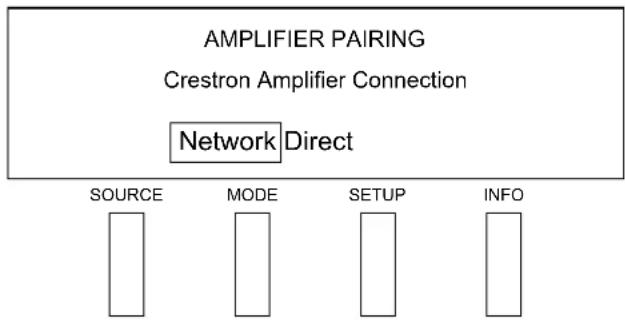
flowchart
graph TD
    A["AMPLIFIER PAIRING\nCrestron Amplifier Connection"] --> B["Network Direct"]
    B --> C["SOURCE"]
    B --> D["MODE"]
    B --> E["SETUP"]
    B --> F["INFO"]
- Turn the selection knob to highlight Network and press the selection knob.
NOTE: The PSPHD and the PROAMP amplifier must be set to the same connection type.
NOTE: When using the "Network" connection type, the PSPHD and the PROAMP amplifier must be on the same subnet.
-
When prompted, press either of the following buttons on the PROAMP amplifier while the appropriate LEDs blink (about two minutes):
-
RESET (front panel)
• OVERRIDE/SETUP (rear panel)
NOTE: If the RESET or OVERRIDE/SETUP button is not pressed within two minutes, the LEDs stop blinking and the PSPHD display returns to the "NETWORK SETUP" menu.
- When the PSPHD is successfully paired with the PROAMP amplifier, a message is displayed indicating the successful pairing.
-
On the PSPHD, press the selection knob to exit. The display returns to the "NETWORK SETUP" menu.
-
Reboot the PSPHD as follows:
a. Press the HOME button to return to the "INSTALLER MENU".
b. Turn the selection knob until Exit Installer Mode is displayed and press the selection knob.
- Direct
When using a “Direct” connection, the PSPHD is directly connected to the PROAMP amplifier as shown in the following diagram.
PSPHD Paired Directly with a PROAMP Amplifier
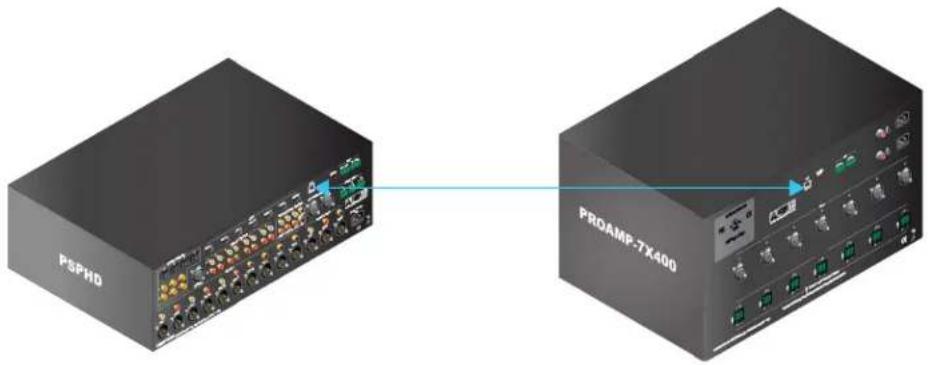
The “Direct” connection can be used for a quick installation test without networking or LAN setup. The LAN port of the PSPHD connects directly to the LAN port of a PROAMP amplifier. At final installation, the pairing process must be executed again when the PSPHD and PROAMP amplifier are installed on a network. If the PSPHD and PROAMP amplifier are to be controlled by Cresnet, pairing does not need to be repeated. To pair the PSPHD with a PROAMP amplifier using a “Direct” connection:
-
Turn off the PROAMP amplifier.
-
On the PROAMP amplifier, set the NETWORK/DIRECT switch to DIRECT.
-
Apply power to the PROAMP amplifier.
NOTE: If the NETWORK/DIRECT switch setting on the PROAMP amplifier is changed, power must be cycled for the new setting to take effect.
-
On the PSPHD, open the "NETWORK SETUP" menu as described on page 35.
-
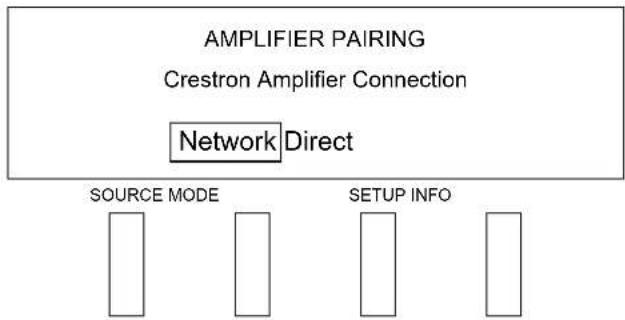
Turn the selection knob until Pair Crestron Amplifier is displayed and press the selection knob to display the "AMPLIFIER PAIRING" screen.
"AMPLIFIER PAIRING" Screen
flowchart
graph TD
    A["SOURCE MODE"] --> B["AMPLIFIER PAIRING"]
    C["SETUP INFO"] --> D["Crestron Amplifier Connection"]
    E["Network Direct"] --> F["Direct Network"]
- Turn the selection knob to highlight Direct and press the selection knob.
NOTE: The PSPHD and the PROAMP amplifier must be set to the same connection type.
- The PSPHD automatically reboots. After the PSPHD reboots, the PSPHD and the PROAMP amplifier are paired.
- Unpairing:
To unpair the PSPHD from a PROAMP amplifier, perform the following:
- On the PSPHD, open the "NETWORK SETUP" menu as described on page 35.
- Turn the selection knob until Pair Crestron Amplifier is displayed, and press the selection knob to display the "AMPLIFIER PAIRING" screen.
- Turn the selection knob to highlight Clear and press the selection knob.
- When prompted to clear the pairing, turn the selection knob to highlight Yes and press the selection knob. The PSPHD automatically reboots. After the PSPHD reboots, it is unpaired.
- On the PROAMP amplifier, press and hold the RESET button on the front panel while power cycling the device. The LEDs on the front panel blink, indicating that the PROAMP amplifier is unpaired.
IP Address
The PSPHD's IP address can be displayed and changed. To display and change the PSPHD's IP address:
- Open the "NETWORK SETUP" menu as described on page 35.
- Turn the selection knob until the PSPHD's IP address is displayed. Press the selection knob to display the "IP Address" screen. The first octet of the IP address is enclosed in brackets.
"IP Address" Screen
![NETWORK SETUP IP Address [172] 032. 159. 122 SOURCE MODE SETUP INFO](/content/2026/05/996286/images/8393e471ee633582e966c19c7f43299eadc78dd2e39e9ed594938d6289b2b583.jpg)
- Turn the selection knob to display the desired number.
- Press the selection knob to move the cursor to the next octet.
- Repeat steps 3 and 4 until the desired IP address is displayed. The IP address is entered after the last octet has been set.
For information on configuring the PSPHD to use a DHCP server to obtain an IP address, refer to "DHCP" which starts on page 40.
Subnet Mask
The PSPHD's subnet mask can be displayed and changed. To display and change the subnet mask:
- Open the "NETWORK SETUP" menu as described on page 35.
- Turn the selection knob until the subnet mask's IP address is displayed. To change the address, press the selection knob to display the "Subnet Mask" screen. The first octet of the subnet mask's IP address is enclosed in brackets.
"Subnet Mask" Screen
![NETWORK SETUP [255] Subnet Mask 255. 240. 000 SOURCE MODE SETUP INFO](/content/2026/05/996286/images/62d714da9e082ea5aab553eacb60e3ef853d899ce985661d10046d1a3d40fd13.jpg)
- Turn the selection knob to display the desired number.
- Press the selection knob to move the cursor to the next octet.
- Repeat steps 3 and 4 until the desired IP address is displayed. The subnet mask is entered after the last octet has been set.
Default Router
The PSPHD's default router can be displayed and changed. To display and change the default router:
- Open the "NETWORK SETUP" menu as described on page 35.
- Turn the selection knob until the default router's IP address is displayed. To change the IP address, press the selection knob to display the "Default Router" screen. The first octet of the default router's IP address is enclosed in brackets.
"Default Router" Screen
![NETWORK SETUP Default Router [173] 030. 161.001 SOURCE MODE SETUP INFO](/content/2026/05/996286/images/ca92687023cabdb446f287083d45f85bbc2d4203aac13abad36aada03802ac46.jpg)
- Turn the selection knob to display the desired number.
- Press the selection knob to move the cursor to the next octet.
- Repeat steps 3 and 4 until the desired IP address is displayed. The default router is entered after the last octet has been set.
The PSPHD's IP address can be obtained from a DHCP server or manually set using the front panel controls. The default setting for the DHCP mode is On. For information on manually setting the IP address, refer to "IP Address" on page 39. To set the DHCP mode:
- Open the "NETWORK SETUP" menu as described on page 35.
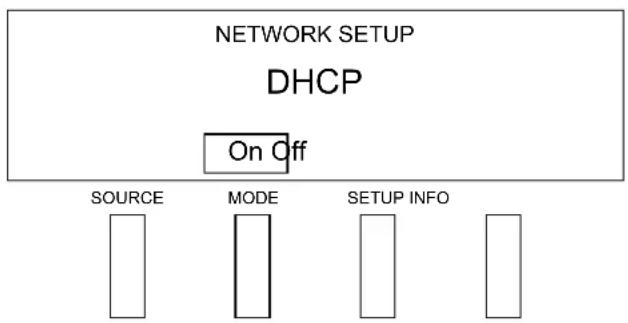
- Turn the selection knob until the DHCP setting is displayed. To change the DHCP setting, press the selection knob to display the "DHCP" screen.
DHCP
"DHCP" Screen
flowchart
graph TD
    A["NETWORK SETUP DHCP"] --> B["On Off"]
    B --> C["SOURCE"]
    B --> D["MODE"]
    B --> E["SETUP INFO"]
- Turn the selection knob to highlight the desired setting and press the selection knob to enable the setting and return to the "NETWORK SETUP" menu.
WINS
The PSPHD can be configured to use a WINS server for communication. The default setting for the WINS mode is On. To set the WINS mode:
- Open the "NETWORK SETUP" menu as described on page 35.
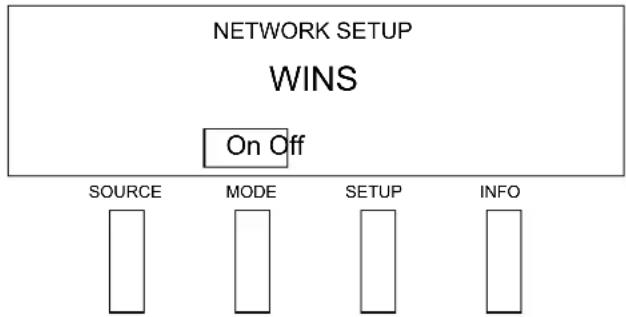
- Turn the selection knob until the WINS setting is displayed. To change the WINS setting, press the selection knob to display the "WINS" screen.
"WINS" Screen
flowchart
graph TD
    A["NETWORK SETUP"] --> B["WINS"]
    B --> C["On Off"]
    C --> D["SOURCE"]
    C --> E["MODE"]
    C --> F["SETUP"]
    C --> G["INFO"]
- Turn the selection knob to highlight the desired setting and press the selection knob to enable the setting and return to the "NETWORK SETUP" menu.
Hostname
The PSPHD can be recognized by its hostname in a networked environment. To view and set the hostname:
- Open the "NETWORK SETUP" menu as described on page 35.
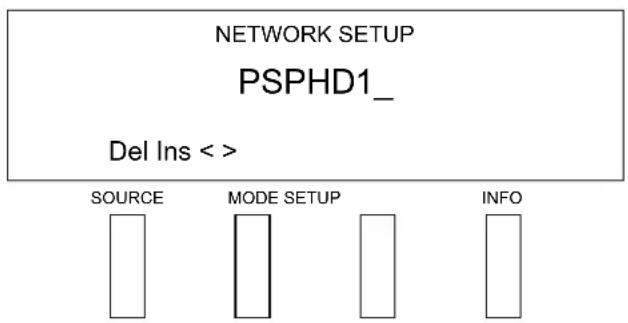
- Turn the selection knob until the hostname is displayed. To change the hostname, press the selection knob to display the Hostname screen.
Hostname Screen
flowchart
graph TD
    A["NETWORK SETUP PSPHD1_"] --> B["Del Ins < >"]
    C["SOURCE"] --> D[" "]
    E["MODE SETUP"] --> F[" "]
    G["INFO"] --> H[" "]
- Select letters (upper and lower-case), numbers, or other characters by turning the selection knob until the desired letter, number, or other character is displayed on the VFD. Valid hostname characters are ASCII letters "a" through "z" (case-insensitive), the digits "0" through "9", and the hyphen. Hostname cannot begin or end with a hyphen. No other symbols, punctuation characters or blank spaces are permitted.
- Move the cursor to another position by pressing the buttons labeled < and >. To delete a character, press the button labeled Del. To insert a space, press the button labeled Ins.
NOTE: The maximum length for the hostname is 64 characters.
- After the new name has been entered, press the selection knob to save the name and return to the "NETWORK SETUP" menu.
Domain Name
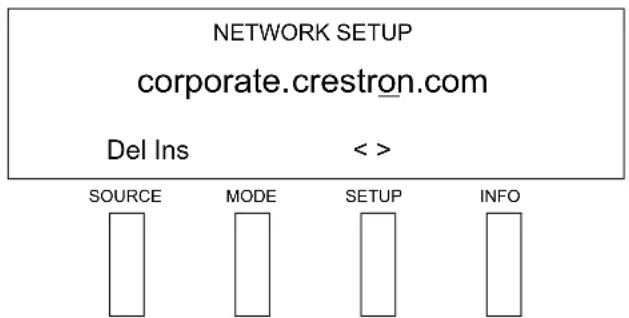
Some networks may require a domain name to resolve the hostname. To view and set the domain name:
- Open the "NETWORK SETUP" menu as described on page 35.
- Turn the selection knob until the domain name is displayed. To change the domain name, press the selection knob to display the Domain Name screen.
Domain Name Screen
flowchart
graph TD
    A["NETWORK SETUP"] --> B["corporate.crestron.com"]
    B --> C["Del Ins"]
    C --> D["SOURCE"]
    C --> E["MODE"]
    C --> F["SETUP"]
    C --> G["INFO"]
-
Select letters (upper and lower-case), numbers, or other characters by turning the selection knob until the desired letter, number, or other character is displayed on the VFD. Valid hostname characters are ASCII letters "a" through "z" (case-insensitive), the digits "0" through "9", and the hyphen. Hostname cannot begin or end with a hyphen. No other symbols, punctuation characters or blank spaces are permitted.
-
Move the cursor to another position by pressing the buttons labeled < and >. To delete a character, press the button labeled Del. To insert a space, press the button labeled Ins.
- After the new name has been entered, press the selection knob to save the name and return to the "NETWORK SETUP" menu.
MAC Address
To display the MAC address assigned to the PSPHD:
- Open the "NETWORK SETUP" menu as described on page 35.
- Turn the selection knob until the MAC address is displayed.
Back
To return to the "INSTALLER MENU":
- Turn the selection knob until Back is displayed.
- Press the selection knob to return to the "INSTALLER MENU".
Control Setup
Use the “CONTROL SETUP” menu to lock and unlock the front panel controls, and configure the PSPHD for communication with a Crestron control system.
Open the "CONTROL SETUP" Menu
To open the "CONTROL SETUP" menu:
- Open the "INSTALLER MENU" as described on page 30.
- Turn the selection knob until Control Setup is displayed and press the selection knob.
"CONTROL SETUP" Menu
| CONTROL SETUP FRONT PANEL IS UNLOCKED |
SOURCE MODE SETUP INFO
natural_image
Four empty rectangular boxes arranged horizontally (no text or symbols)Front Panel Lock/Unlock
The PSPHD's front panel can be locked to prevent access to the PSPHD's controls. To lock or unlock the front panel:
- Open the "CONTROL SETUP" menu as described above.
- Turn the selection knob until the PSPHD's front panel status is displayed. Press the selection knob to display the "Front Panel Lock" screen.
"Front Panel Lock" Screen
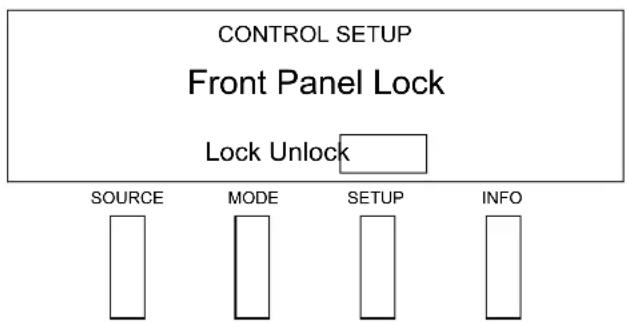
- Turn the selection knob to highlight the desired setting and press the selection knob to enable the setting and return to the "CONTROL SETUP" menu.
Cresnet ID
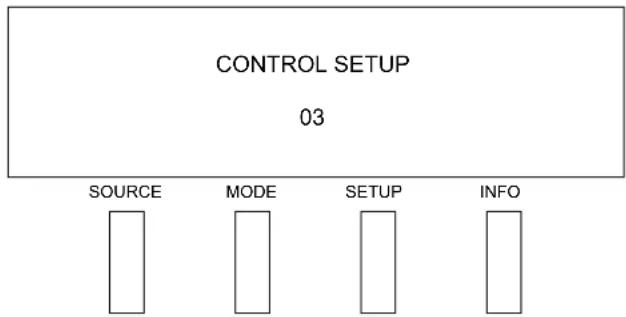
A Net ID for control system communication over Cresnet can be assigned from the PSPHD's front panel. To assign a Net ID:
- Open the "CONTROL SETUP" menu as described on page 43.
- Turn the selection knob until the PSPHD's Cresnet ID is displayed. Press the selection knob to display the "CONTROL SETUP" screen.
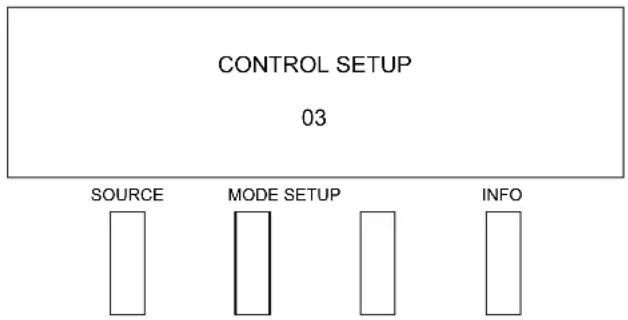
"CONTROL SETUP" Screen (Cresnet)
flowchart
graph TD
    A["CONTROL SETUP\n03"] --> B["SOURCE"]
    A --> C["MODE"]
    A --> D["SETUP"]
    A --> E["INFO"]
- Turn the selection knob to display the desired setting and press the selection knob to set the Net ID and return to the "CONTROL SETUP" menu.
For more information on assigning Net IDs, refer to “Identity Code” which starts on page 24.
IP ID
An IP ID for control system communication over TCP/IP can be assigned from the PSPHD's front panel. To assign an IP ID:
- Open the "CONTROL SETUP" menu as described on page 43.
- Turn the selection knob until the PSPHD's IP ID is displayed. Press the selection knob to display the "CONTROL SETUP" screen.
"CONTROL SETUP" Screen (IP)
flowchart
graph TD
    A["CONTROL SETUP 03"] --> B["SOURCE"]
    A --> C["MODE SETUP"]
    A --> D["INFO"]
- Turn the selection knob to display the desired setting and press the selection knob to enable the setting and return to the "CONTROL SETUP" menu.
NOTE: If an IP ID is set, Cresnet communications with the PSPHD are disabled.
IP Table
For more information on assigning IP IDs, refer to “Identity Code” which starts on page 24.
The PSPHD uses an IP table for TCP/IP communication with a Crestron control system. The IP table contains the IP address or hostname of the Crestron control system that is communicating with the PSPHD. To specify the control system:
- Open the "CONTROL SETUP" menu as described on page 43.
- Turn the selection knob until the PSPHD's IP table entry is displayed. Press the selection knob to display the IP Table Format screen.
IP Table Format Screen
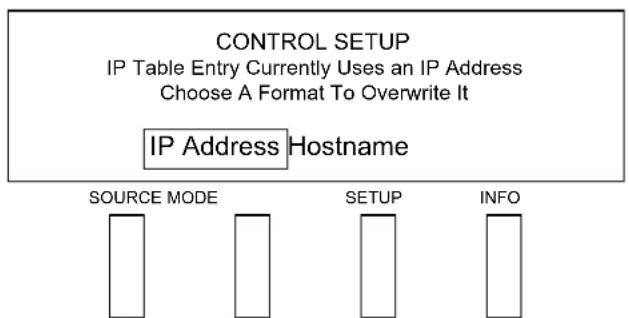
flowchart
graph TD
    A["SOURCE MODE"] --> B["IP Address Hostname"]
    C["SETUP"] --> B
    D["INFO"] --> B
    B --> E["CONTROL SETUP"]
    style A fill:#f9f,stroke:#333
    style C fill:#f9f,stroke:#333
    style D fill:#f9f,stroke:#333
- The control system can be specified by IP address or a hostname. To specify the control system by:
- IP Address:
a. Turn the selection knob to highlight IP Address and press the selection knob. The “Control System IP Address” screen is displayed with the first octet of the control system’s IP address enclosed in brackets.
"Control System IP Address" Screen
![CONTROL SETUP Control System IP Address [172] 032. 159. 122 SOURCE MODE SETUP INFO](/content/2026/05/996286/images/f1e65c19488d8604715a19e7f28dac6d1aeb16be3c32f676bdb5c8e2fc463d80.jpg)
b. Turn the selection knob to display the desired number.
c. Press the selection knob to move the cursor to the next octet.
d. Repeat steps b and c until the desired IP address is displayed. The IP address is entered after the last octet has been set. The display returns to the "CONTROL SETUP" menu.
- Hostname:
a. Turn the selection knob to highlight Hostname and press the selection knob. The Control System Hostname screen is displayed.
Control System Hostname Screen
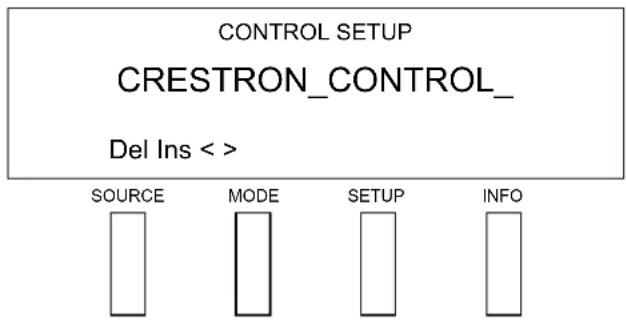
flowchart
graph TD
    A["CONTROL SETUP"] --> B["CRESTRON_CONTROL"]
    B --> C["Del Ins < >"]
    C --> D["SOURCE"]
    C --> E["MODE"]
    C --> F["SETUP"]
    C --> G["INFO"]
b. Select letters (upper and lower-case), numbers, or other characters by turning the selection knob until the desired letter, number, or other character is displayed on the VFD. Valid hostname characters are ASCII letters "a" through "z" (case-insensitive), the digits "0" through "9", and the hyphen. Hostname cannot begin or end with a hyphen. No other symbols, punctuation characters or blank spaces are permitted.
c. Move the cursor to another position by pressing the buttons labeled < and>. To delete a character, press the button labeled Del. To insert a space, press the button labeled Ins.
NOTE: The maximum length for the hostname is 64 characters.
d. After the new name has been entered, press the selection knob to save the name and return to the "CONTROL SETUP" menu.
Back
To return to the "INSTALLER MENU":
- Turn the selection knob until Back is displayed.
- Press the selection knob to return to the "INSTALLER MENU".
About
Use the About screen to view information about the PSPHD's operating firmware.
To open the About screen:
- Open the "INSTALLER MENU" as described on page 30.
- Turn the selection knob until About is displayed and press the selection knob. Information about the PSPHD is displayed.
- Press the selection knob to return to the "INSTALLER MENU".
Exit "INSTALLER MENU"
To exit the “INSTALLER MENU”, turn the selection knob until Exit Installer Mode is displayed and press the selection knob. If any changes have been made, or any of the configuration screens have been displayed, the PSPHD reboots.
Uploading and Upgrading
Crestron recommends using the latest programming software and that each device contains the latest firmware to take advantage of the most recently released features. However, before attempting to upload or upgrade it is necessary to establish communication. Once communication has been established, files (for example, programs or firmware) can be transferred to the control system (and/or device). Finally, program checks can be performed (such as changing the device ID or creating an IP table) to ensure proper functioning.
NOTE: Crestron software and any files on the Web site are for authorized Crestron dealers and Crestron Service Providers (CSPs) only. New users must register to obtain access to certain areas of the site (including the FTP site).
Establishing Communication
Use Crestron Toolbox for communicating with the PSPHD; refer to the Crestron Toolbox help file for details. There are three methods of communication, indirect, USB and TCP/IP.
Indirect
Indirect Communication
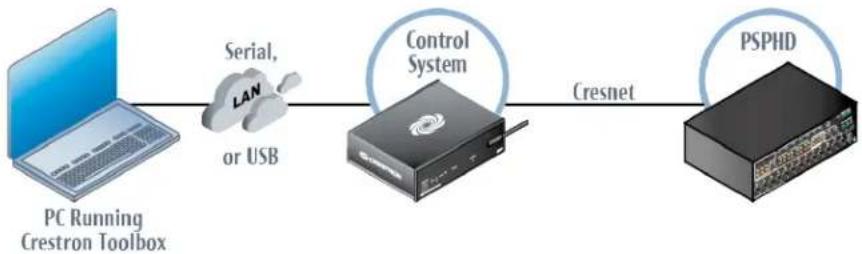
flowchart
graph LR
    A["PC Running Crestron Toolbox"] -->|Serial, or USB| B["Control System"]
    B -->|Cresnet| C["PSPHD"]
PSPHD connects to control system via Cresnet:
- Establish communication between the PC and the control system as described in the control system's Operations Guide.
- Use the Address Book in Crestron Toolbox to create an entry for the PSPHD using the expected communication protocol (indirect). Select the Cresnet ID of the PSPHD and the address book entry of the control system that is connected to the PSPHD.
- Display the PSPHD's "System Info" window (click the i icon); communications are confirmed when the device information is displayed.
USB
USB Communication
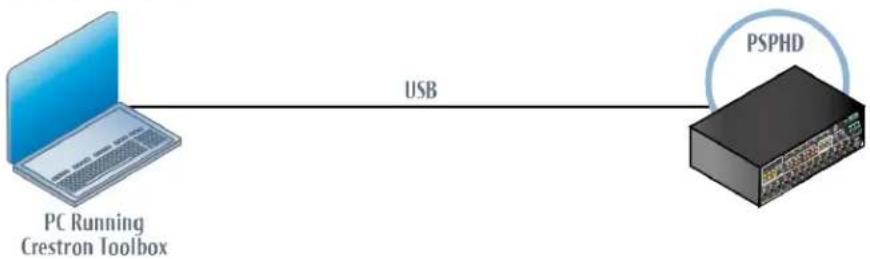
flowchart
graph LR
    A["PC Running Crestron Toolbox"] -->|USB| B["PSPHD"]
The USB port that is hidden on the front of the PSPHD connects to the USB port on the PC via the included Type A to Type B USB cable:
- Use the Address Book in Crestron Toolbox to create an entry using the expected communication protocol (USB). When multiple USB devices are connected, identify the PSPHD by entering "PSPHD" in the Model textbox, the unit's serial number in the Serial textbox, or the unit's hostname in the Hostname textbox. The hostname can be found in the "System Info" window in the section marked Ethernet however, communications must be established in order to see this information in the "System Info" window.
- Display the PSPHD's "System Info" window (click the i icon); communications are confirmed when the device information is displayed.
TCP/IP
Ethernet Communication
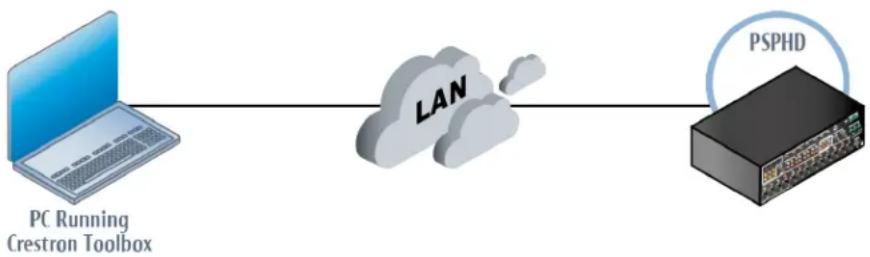
flowchart
graph LR
    A["PC Running Crestron Toolbox"] --> B["Laptop"]
    B --> C["LAN"]
    C --> D["PSPHD"]
    D --> E["Server"]
The PSPHD connects to PC via Ethernet:
- Use the Device Discovery Tool in Crestron Toolbox to detect all Ethernet devices on the network and their IP configuration. The tool is available in Toolbox version 1.15.143 or later.
- Use the Address Book in Crestron Toolbox to create an entry for the PSPHD with the PSPHD's TCP/IP communication parameters.
- Display the "System Info" window (click the icon) and select the PSPHD entry from the Address Book or the Address Book drop-down list.
Programs and Firmware
Program or firmware files may be distributed from programmers to installers or from Crestron to dealers. Firmware upgrades are available from the Crestron Web site as new features are developed after product releases. One has the option to upload programs via the programming software or to upload and upgrade via the Crestron Toolbox. For details on uploading and upgrading, refer to the Crestron Studio help file, SIMPL Windows help file or the Crestron Toolbox help file.
Crestron Studio / SIMPL Windows
Firmware
If a Crestron Studio (or SIMPL Windows) program is provided, it can be uploaded to the control system using Crestron Studio (or SIMPL Windows) or Crestron Toolbox.
Check the Crestron Web site to find the latest firmware. (New users must register to obtain access to certain areas of the site, including the FTP site.)
Upgrade PSPHD firmware via Crestron Toolbox.
- Establish communication with the PSPHD and display the "System Info" window.
- Select Functions | Firmware... to upgrade the PSPHD firmware.
Program Checks
Actions that can be performed on the PSPHD vary depending on whether it is connected via Cresnet or Ethernet.
Cresnet Connections
For Cresnet connections, using Crestron Toolbox, display the network device tree (Tools | Network Device Tree View) to show all network devices connected to the control system. Right-click on the PSPHD to display actions that can be performed on the PSPHD.
Ethernet Connections
For Ethernet connections, using Crestron Toolbox, display the “System Info” window (click the i icon) and select the Functions menu to display actions that can be performed on the PSPHD.
Be sure to use Crestron Toolbox to create the PSPHD IP table.
- Select Functions | IP Table Setup.
- Add, modify or delete entries in the IP table. The PSPHD can have only one IP table entry.
- A defined IP table can be saved to a file or sent to the device.
Edit the control system's IP table to include an entry for the PSPHD. The entry should list the PSPHD's IP ID (specified on the PSPHD's IP table) and the internal gateway IP address 127.0.0.1.
Operation
Turn on the PSPHD
To turn on the PSPHD, press STANDBY, SOURCE, MODE, SETUP, INFO, HOME, METER, SPECTRUM, or LEVEL.
NOTE: Until Audyssey calibration has been performed, the PSPHD front panel shows a message every few seconds indicating that the system should be calibrated.
Standby
To place the PSPHD in the Standby mode, press STANDBY. The display and outputs are turned off and the STANDBY LED lights.
Home
Press HOME to return to the Home screen. The selected source (with the selected decoding mode) and volume level are displayed.
Display Brightness
The display has four levels of brightness. Press DISPLAY to cycle through the brightness settings.
Volume Control
Use the volume knob to adjust the volume level. To raise the volume, turn the knob clockwise. To lower the volume, turn the knob counterclockwise. The volume level is displayed in the right-hand display.
Mute
To mute the PSPHD's audio outputs, press the MUTE button. The associated LED lights. To unmute, press the MUTE button. The associated LED extinguishes.
Select a Source
The PSPHD can select one of 27 sources for listening.
NOTE: If a source's name has been deleted with the PROCISE Tools, it does not display.
To select a source:
- Press SOURCE.
- Turn the selection knob until the desired source is displayed.
- Press the selection knob to select the displayed source.
- Press HOME to return to the Home screen.
If desired, it is possible to watch an HDMI video source while listening to a non-HDMI audio source (audio breakaway).
To listen to a non-HDMI audio source that is different from the selected HDMI video source:
- Select an HDMI video source as described on the previous page.
- Turn the selection knob to the desired audio source.
NOTE: The alternative audio source cannot be from an HDMI input.
- Press the selection knob to select the displayed source.
- Press HOME to return to the Home screen.
If after watching an HDMI video source it is desired to listen to an audio source without video, first turn off the HDMI video source by selecting "NONE". Then select the desired audio source.
Surround Sound Decoding Mode Selection
Surround sound decoding modes can be applied to an incoming audio signal. To select a decoding mode:
- Press MODE.
- Turn the selection knob until the desired decoding mode is displayed.
- Press the selection knob to confirm the selection.
NOTE: Some signals are not compatible with all decoding modes.
- Press HOME to return to the Home screen.
Setup
The PSPHD can be set to apply compression, Audyssey Dynamic EQ, and Audyssey MultEQ XT to an incoming signal. The PSPHD can also be set to adjust the bass and treble levels of the incoming audio signal. Additionally, the PSPHD can bypass any adjustments (Direct mode).
NOTE: Until Audyssey calibration has been performed, the PSPHD front panel shows a message every few seconds indicating that the system should be calibrated.
Compression
The PSPHD can apply Audyssey Dynamic Volume Compression or Dolby/DTS DRC Compression to the audio signal.
NOTE: The Audyssey MultEQ function must be enabled prior to enabling the Audyssey Dynamic Volume Compression. For information on enabling Audyssey MultEQ XT, refer to “Audyssey MultEQ XT” on page 54.
To select a compression setting:
- Press SETUP to display the "SETUP" menu.
"SETUP" Menu
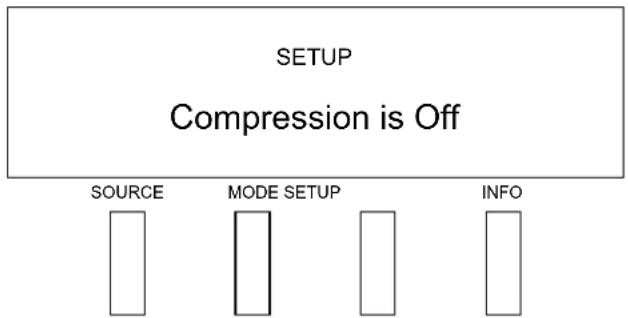
flowchart
graph TD
    A["SETUP\nCompression is Off"] --> B["SOURCE"]
    A --> C["MODE SETUP"]
    A --> D["INFO"]
- Press the selection knob.
"Compression" Screen
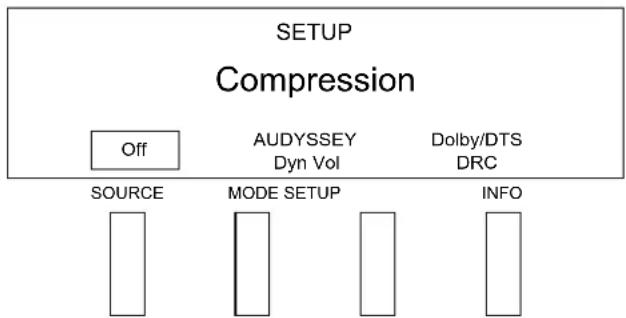
flowchart
graph TD
    A["SETUP"] --> B["Compression"]
    B --> C["Off"]
    B --> D["AUDYSSEY Dyn Vol"]
    B --> E["Dolby/DTS DRC"]
    C --> F["SOURCE"]
    D --> G["MODE SETUP"]
    E --> H["INFO"]
- Turn the selection knob to highlight the desired setting.
- Press the selection knob to confirm the selection.
- Press HOME to return to the Home screen.
Audyssey Dynamic EQ can be applied to the incoming signal.
Audyssey Dynamic EQ
NOTE: The Audyssey MultEQ XT function must be enabled prior to enabling the Audyssey Dynamic EQ. For information on enabling Audyssey MultEQ XT, refer to “Audyssey MultEQ XT” which starts on page 54.
To enable Audyssey Dynamic EQ:
- Press SETUP to display the "SETUP" menu.
- Turn the selection knob to display Audyssey Dynamic EQ and press the selection knob to display the "AUDYSSEY Dynamic EQ" screen.
"AUDYSSEY Dynamic EQ" Screen
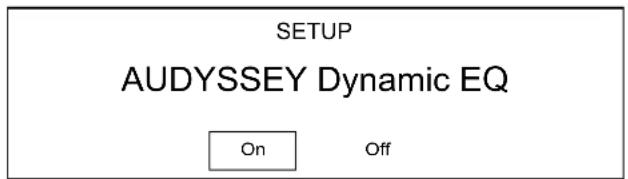
SOURCE MODE SETUP INFO
natural_image
Four empty rectangular boxes arranged horizontally (no text or symbols)- Turn the selection knob to highlight the desired setting.
- Press the selection knob to confirm the selection.
- Press HOME to return to the Home screen.
Audyssey MultEQ XT can be applied to the incoming signal.
Audyssey MultEQ XT
NOTE: The Audyssey MultEQ XT function cannot be enabled unless a valid calibration has been performed with PROCISE Tools.
NOTE: Until Audyssey calibration has been performed, the PSPHD front panel shows a message every few seconds indicating that the system should be calibrated.
To enable Audyssey MultEQ XT:
- Press SETUP to display the "SETUP" menu.
- Turn the selection knob to display Audyssey MultEQ and press the selection knob to display the “AUDYSSEY MultEQ” screen.
"AUDYSSEY MultEQ" Screen
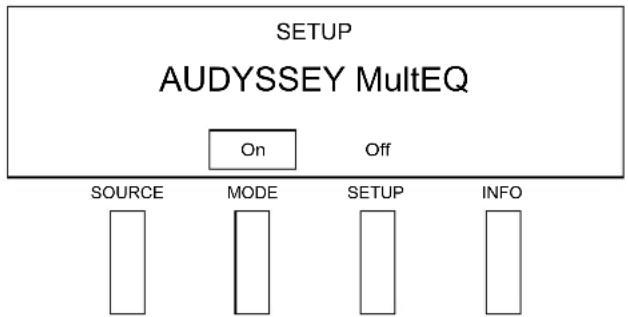
flowchart
graph TD
    A["SETUP\nAUDYSSEY MultEQ"] --> B["On"]
    B --> C["SOURCE"]
    B --> D["MODE"]
    B --> E["SETUP"]
    B --> F["INFO"]
- Turn the selection knob to highlight the desired setting.
- Press the selection knob to confirm the selection.
- Press HOME to return to the home display.
Dolby TrueHD Auto Compression
Dolby TrueHD Auto Compression can be applied to an incoming signal encoded in Dolby TrueHD.
NOTE: To apply Dolby TrueHD Auto Compression, the compression setting must be set to Dolby/DTS DRC and the selected source must contain a Dolby TrueHD signal. For information on setting compression, refer to “Compression” which starts on page 52.
To enable Dolby TrueHD Auto Compression:
- Press SETUP to display the "SETUP" menu.
- Turn the selection knob to display TrueHD Auto Compression and press the selection knob to display the "Dolby TrueHD Auto Compression" screen.
"Dolby TrueHD Auto Compression" Screen
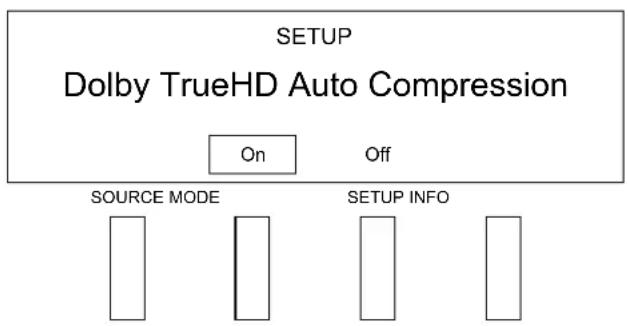
- Turn the selection knob to highlight the desired setting.
- Press the selection knob to confirm the selection.
- Press HOME to return to the home display.
The bass level can be adjusted with the PSPHD front panel. To adjust the bass level:
- Press SETUP to display the "SETUP" menu.
- Turn the selection knob to display Bass and press the selection knob to display the "Bass" screen.
"Bass" Screen
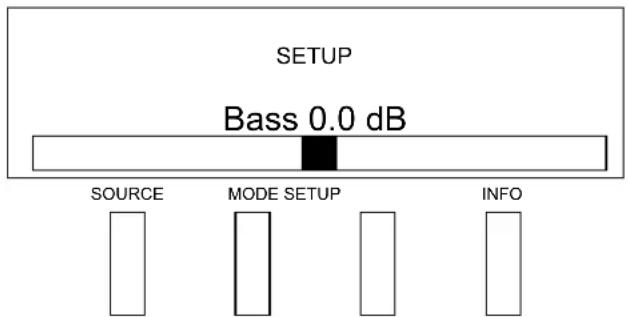
- Use the selection knob to adjust the bass setting. To raise the bass level, turn clockwise. To lower the bass level, turn counterclockwise.
- Press the selection knob to confirm the selection.
- Press HOME to return to the home display.
Bass Level
Treble Level
The treble level can be adjusted with the PSPHD front panel. To adjust the treble level:
- Press SETUP to display the "SETUP" menu.
- Turn the selection knob to display Treble and press the selection knob to display the "Treble" screen.
"Treble" Screen
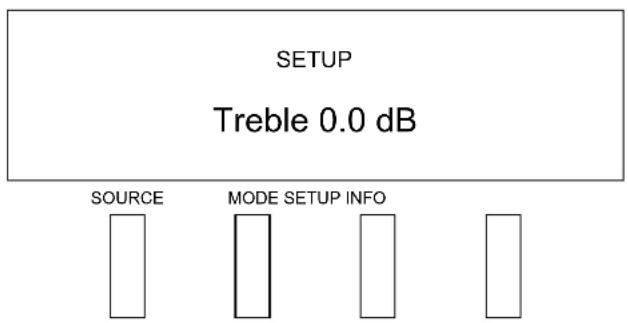
- Use the selection knob to adjust the treble setting. To raise the treble level, turn clockwise. To lower the treble level, turn counterclockwise.
- Press the selection knob to confirm the selection.
- Press HOME to return to the home display.
Direct Mode
The PSPHD has a Direct mode that can be used to support 192 kHz audio.
NOTE: The Direct mode should only be used when DTS 192 kHz is the input source and the user wants a 192 kHz output.
In this mode, all post-processing functions (expansion/decoding modes, system EQs, Audyssey, mixer and downmix functions) are disabled. To enable or disable the Direct mode:
- Press SETUP to display the "SETUP" menu.
- Turn the selection knob to display Direct Mode and press the selection knob to display the "Direct Mode" screen.
"Direct Mode" Screen
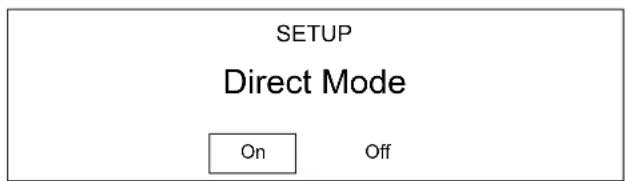
SOURCE MODE SETUP INFO
natural_image
Four identical empty rectangular boxes arranged horizontally (no text or symbols)- Turn the selection knob to highlight the desired setting.
- Press the selection knob to confirm the selection.
- Press HOME to return to the home display.
Information
The PSPHD can display information about the selected source. To view information:
- Press INFO.
- Turn the selection knob to scroll through available information.
- Press HOME to return to the home display.
VU Meter
The PSPHD can display a VU meter showing the amount of watts delivered to each channel.
NOTE: The VU meter receives calibration settings from the speaker impedance value. For details, refer to “Speaker Impedance” on page 34.
To display the VU meter:
- Press METER. Meters for the left and right channels are displayed.
- To view the VU meters for other channels, turn the selection knob.
- Press HOME to return to the home display.
Spectrum Analyzer
The PSPHD can display a spectrum analyzer for each channel. To display the spectrum analyzer:
- Press SPECTRUM. Spectrum Analyzers for the left and right channels are displayed.
- To view the spectrum analyzers for other channels, turn the selection knob.
- Press HOME to return to the home display.
Level Settings
The PSPHD can display each channel's level settings that were set with PROCISE Tools software. To display the level settings:
- Press LEVEL. The settings for each channel are displayed.
- Press HOME to return to the home display.
Amplifier Status
The PSPHD can display the status of the connected PROCISE High-Definition Surround Sound Amplifier. To display the amplifier status:
- Press AMPLIFER. The status of the amplifier is displayed.
- Press HOME to return to the home display.
Problem Solving
Troubleshooting
The following table provides corrective action for possible trouble situations. If further assistance is required, please contact a Crestron customer service representative.
PSPHD Troubleshooting
| TROUBLE POSSIBLE CAUSE(S) | CORRECTIVE ACTION | |
| PSPHD does not function. | PSPHD is not receiving power. | Use the provided power cord.Verify connection. |
| Sound is not heard. | PSPHD is muted. | Turn off mute function. |
| Volume is turned down. | Raise volume to an audible level. | |
| Amplifier not properly connected. | Verify output connections. | |
| Source is not selected/properly connected. | Verify that source is selected and properly connected. | |
| 60 Hz hum heard on a selected input source. | 60 Hz hum heard on a selected input source. | Connect the chassis of the source to the G (Ground) screw on the SWAMP-24X8. |
| No audio or video output to HDMI device. | Problem with HDMI signal. | View the status of the input signal as shown on page 56e. |
Check Network Wiring
Use the Right Wire
To ensure optimum performance over the full range of the installation topology, use Crestron Certified Wire only. Failure to do so may incur additional charges if support is required to identify performance deficiencies because of using improper wire.
Calculate Power
CAUTION: Use only Crestron power supplies for Crestron equipment. Failure to do so could cause equipment damage or void the Crestron warranty.
CAUTION: Provide sufficient power to the system. Insufficient power can lead to unpredictable results or damage to the equipment. Use the Crestron Power Calculator to help calculate how much power is needed for the system (www.crestron.com/calculators).
When calculating the length of wire for a particular Cresnet run, the wire gauge and the Cresnet power usage of each network unit to be connected must be taken into consideration. Use Crestron Certified Wire only. If Cresnet units are to be daisy chained on the run, the Cresnet power usage of each network unit to be daisy chained must be added together to determine the Cresnet power usage of the entire chain. If the unit is run from a Crestron system power supply network port, the
Cresnet power usage of that unit is the Cresnet power usage of the entire run. The wire gauge and the Cresnet power usage of the run should be used in the following equation to calculate the cable length value on the equation's left side.
Cable Length Equation
$$ L < \frac {4 0 , 0 0 0}{R \times P} \boxed { \begin{array}{l} \text {Where: L = Length of run (or chain) in feet} \ R = 6 \text {Ohms (Crestron Certified Wire : 18 AWG (0.75 mm} ^ {2})) \ \text {or 1.6 Ohms (Cresnet HP: 12 AWG (4 mm} ^ {2})) \ P = \text {Cresnet power usage of entire run (or chain)} \end{array} } $$
Make sure the cable length value is less than the value calculated on the right side of the equation. For example, a Cresnet run using 18 AWG Crestron Certified Wire and drawing 20 watts should not have a length of run more than 333 feet (101 meters). If Cresnet HP is used for the same run, its length could extend to 1250 feet (381 meters).
NOTE: All Crestron certified Cresnet wiring must consist of two twisted pairs. One twisted pair is the +24V conductor and the GND conductor and the other twisted pair is the Y conductor and the Z conductor.
Strip and Tin Wire
When daisy chaining Cresnet units, strip the ends of the wires carefully to avoid nicking the conductors. Twist together the ends of the wires that share a pin on the network connector and tin the twisted connection. Apply solder only to the ends of the twisted wires. Avoid tinning too far up the wires or the end becomes brittle. Insert the tinned connection into the Cresnet connector and tighten the retaining screw. Repeat the procedure for the other three conductors.
Add Hubs
Use of a Cresnet Hub/Repeater (CNXHUB) is advised whenever the number of Cresnet devices on a network exceeds 20 or when the combined total length of Cresnet cable exceeds 3000 feet (914 meters).
Reference Documents
The latest version of all documents mentioned within the guide can be obtained from the Crestron Web site (www.crestron.com/manuals).
List of Related Reference Documents
DOCUMENT TITLE
Crestron e-Control Reference Guide
Crestron Professional Surround Sound Tuning Kit
Further Inquiries
To locate specific information or resolve questions after reviewing this guide, contact Crestron's True Blue Support at 1-888-CRESTRON [1-888-273-7876] or refer to the listing of Crestron worldwide offices on the Crestron Web site (www.crestron.com/offices) for assistance within a particular geographic region.
To post a question about Crestron products, log onto the Online Help section of the Crestron Web site (www.crestron.com/onlinehelp). First-time users must establish a user account to fully benefit from all available features.
Future Updates
As Crestron improves functions, adds new features and extends the capabilities of the PSPHD, additional information may be made available as manual updates. These updates are solely electronic and serve as intermediary supplements prior to the release of a complete technical documentation revision.
Check the Crestron Web site periodically for manual update availability and its relevance. Updates are identified as an “Addendum” in the Download column.
Appendix: Audyssey Laboratories, Inc.
Established in 2002, Audyssey Laboratories, Inc. is the industry leader in research-based sound equalization solutions for professional and consumer audio.
Audyssey MultEQ XT is a room equalization solution that calibrates any audio system so that it can achieve optimum performance for every listener in a large listening area. Based on several room measurements, MultEQ XT calculates an equalization solution that corrects for both time and frequency response problems in the listening area and performs a fully automated surround system setup.
Audyssey Dynamic EQ solves the problem of deteriorating sound quality as volume is decreased by taking into account human perception and room acoustics. Audyssey Dynamic EQ works in tandem with Audyssey MultEQ XT to provide well-balanced sound for every listener at any volume level.
Audyssey Dynamic Volume solves the problem of large variations in volume level between television programs, commercials, and between the soft and loud passages of movies. Audyssey Dynamic EQ is integrated into Dynamic Volume so that as the playback volume is adjusted automatically, the perceived bass response, tonal balance, surround impression and dialog clarity remain the same.
Return and Warranty Policies
Merchandise Returns / Repair Service
- No merchandise may be returned for credit, exchange or service without prior authorization from Crestron. To obtain warranty service for Crestron products, contact an authorized Crestron dealer. Only authorized Crestron dealers may contact the factory and request an RMA (Return Merchandise Authorization) number. Enclose a note specifying the nature of the problem, name and phone number of contact person, RMA number and return address.
- Products may be returned for credit, exchange or service with a Crestron Return Merchandise Authorization (RMA) number. Authorized returns must be shipped freight prepaid to Crestron, 6 Volvo Drive, Rockleigh, N.J. or its authorized subsidiaries, with RMA number clearly marked on the outside of all cartons. Shipments arriving freight collect or without an RMA number shall be subject to refusal. Crestron reserves the right in its sole and absolute discretion to charge a 15% restocking fee plus shipping costs on any products returned with an RMA.
- Return freight charges following repair of items under warranty shall be paid by Crestron, shipping by standard ground carrier. In the event repairs are found to be non-warranty, return freight costs shall be paid by the purchaser.
Crestron Limited Warranty
Crestron Electronics, Inc. warrants its products to be free from manufacturing defects in materials and workmanship under normal use for a period of three (3) years from the date of purchase from Crestron, with the following exceptions: disk drives and any other moving or rotating mechanical parts, pan/tilt heads and power supplies are covered for a period of one (1) year; touch screen display and overlay components are covered for 90 days; batteries and incandescent lamps are not covered.
This warranty extends to products purchased directly from Crestron or an authorized Crestron dealer. Purchasers should inquire of the dealer regarding the nature and extent of the dealer's warranty, if any.
Crestron shall not be liable to honor the terms of this warranty if the product has been used in any application other than that for which it was intended or if it has been subjected to misuse, accidental damage, modification or improper installation procedures. Furthermore, this warranty does not cover any product that has had the serial number altered, defaced or removed.
This warranty shall be the sole and exclusive remedy to the original purchaser. In no event shall Crestron be liable for incidental or consequential damages of any kind (property or economic damages inclusive) arising from the sale or use of this equipment. Crestron is not liable for any claim made by a third party or made by the purchaser for a third party.
Crestron shall, at its option, repair or replace any product found defective, without charge for parts or labor. Repaired or replaced equipment and parts supplied under this warranty shall be covered only by the unexpired portion of the warranty.
Except as expressly set forth in this warranty, Crestron makes no other warranties, expressed or implied, nor authorizes any other party to offer any warranty, including any implied warranties of merchantability or fitness for a particular purpose. Any implied warranties that may be imposed by law are limited to the terms of this limited warranty. This warranty statement supersedes all previous warranties.
Crestron software, including without limitation, product development software and product operating system software is licensed to Crestron dealers and Crestron Service Providers (CSPs) under a limited non-exclusive, non-transferable license pursuant to a separate end-user license agreement. The terms of this end user license agreement can be found on the Crestron Web site at www.crestron.com/legal/software_license_agreement.
This page is intentionally left blank.

CRESTRON®
Crestron Electronics, Inc.
15 Volvo Drive Rockleigh, NJ 07647
Tel: 888.CRESTRON 02.13
Fax: 201.767.7576
www.crestron.com

Operations Guide - DOC. 6837C
(2024778)
Specifications subject to
change without notice.

- Professional Surround Sound Processor
- Operations Guide
- Important Safety Instructions
- WARNING:
- IMPORTANT:
- Regulatory Compliance
- Federal Communications Commission (FCC) Compliance Statement
- Contents
- PROCISE 7.3 High Definition Professional Surround Sound Processor: PSPHD 1
- PROCISE 7.3 High Definition Professional Surround Sound Processor: PSPHD
- Introduction
- Features and Functions
- (Continued)
- Applications
- Internal Block Diagram
- Specifications
- Physical Description
- Setup
- Network Wiring
- Identity Code
- Installation
- Ventilation
- Rack Mounting
- To install the ears:
- Stacking
- Hardware Hookup
- Connect the Device
- Mixer Input Connections
- Configuration
- Open the "INSTALLER MENU"
- Navigating the "INSTALLER MENU"
- Audio Setup
- Center Channel
- Subwoofer
- To restore the default settings:
- Back
- To return to the "INSTALLER MENU":
- Network Setup
- Open the "NETWORK SETUP" Menu
- To open the "NETWORK SETUP" menu:
- Pair Crestron Amplifier
- - Network:
- - Unpairing:
- IP Address
- Subnet Mask
- Default Router
- DHCP
- WINS
- Hostname
- Domain Name
- MAC Address
- Control Setup
- Open the "CONTROL SETUP" Menu
- Front Panel Lock/Unlock
- Cresnet ID
- IP ID
- - Hostname:
- About
- Exit "INSTALLER MENU"
- Uploading and Upgrading
- Establishing Communication
- Programs and Firmware
- Program Checks
- Cresnet Connections
- Ethernet Connections
- Operation
- Turn on the PSPHD
- Standby
- Home
- Display Brightness
- Volume Control
- Mute
- Select a Source
- Surround Sound Decoding Mode Selection
- Compression
- Treble Level
- Direct Mode
- Information
- VU Meter
- Spectrum Analyzer
- Level Settings
- Amplifier Status
- Problem Solving
- Troubleshooting
- Check Network Wiring
- Reference Documents
- DOCUMENT TITLE
- Further Inquiries
- Future Updates
- Appendix: Audyssey Laboratories, Inc.
- Return and Warranty Policies
- Merchandise Returns / Repair Service
- Crestron Limited Warranty
- CRESTRON®
Brand : Crestron
Model : PROCISE PSPHD
Category : Processor