
PRO3 - Processor Crestron - Free user manual and instructions
Find the device manual for free PRO3 Crestron in PDF.


| Product Type | Control System Processor |
| Brand | Crestron |
| Model | PRO3 |
| Mounting | Rack-mountable (2U) |
| Dimensions (H x W x D) | 3.5 x 17.0 x 12.0 inches (approx.) |
| Weight | 6.5 lbs (approx.) |
| Power Supply | External, 12 VDC, 2.5 A (included) |
| Power Consumption | 30 W maximum |
| Processor | 32-bit Freescale ColdFire |
| Memory | 256 MB RAM, 256 MB Flash |
| Ethernet | 10/100 Mbps, 2 ports |
| COM Ports | 6 RS-232 (bidirectional) |
| IR Ports | 8 IR output, 1 IR input |
| Relay Ports | 8 low-voltage relays |
| Digital I/O | 8 digital input/output ports |
| USB Ports | 2 USB 2.0 host, 1 device |
| Primary Functions | AV control, lighting, shading, HVAC integration, room scheduling |
| Programming Environment | SIMPL Windows, VT Pro-e |
| Operating Temperature | 32°F to 104°F (0°C to 40°C) |
| Maintenance | Keep dust-free; clean with dry cloth; avoid moisture |
| Safety | Use only provided power supply; do not expose to liquids |
| Spare Parts & Repairability | Contact Crestron for service and genuine parts |
| General Information | Part of Crestron 3-Series control system; supports firmware updates |
Frequently Asked Questions - PRO3 Crestron
User questions about PRO3 Crestron
0 question about this device. Answer the ones you know or ask your own.
Ask a new question about this device
Download the instructions for your Processor in PDF format for free! Find your manual PRO3 - Crestron and take your electronic device back in hand. On this page are published all the documents necessary for the use of your device. PRO3 by Crestron.
USER MANUAL PRO3 Crestron
University of Oregon Football
CASE STUDY | EDUCATION
EUGENE, OR

Challenge
Create a football practice and educational facility that will be the best of the best, helping to build player performance and aid recruiting efforts.

Solution
Exceptional designs and appointments, including video systems based on Crestron DigitalMedia™ and Crestron control.
natural_image
Interior of a modern exhibition hall with large digital display screens and visitors walking (no visible text or symbols)4K and Football: A Winning Play

Oregon's new practice and education complex gives the Ducks a crucial edge in coaching & recruiting
Our new center is probably the most effective and efficient building in either college or pro football. The video presentation systems, based on Crestron technology, are a big part of making that possible."
— Jeff Hawkins
University of Oregon Football
What would you say is the most tech-savvy sports facility in the world?
According to the Washington Times ^® , it's the Hatfield-Dowlin Football Complex in Eugene, Oregon, the home of the University of Oregon ^® Ducks.
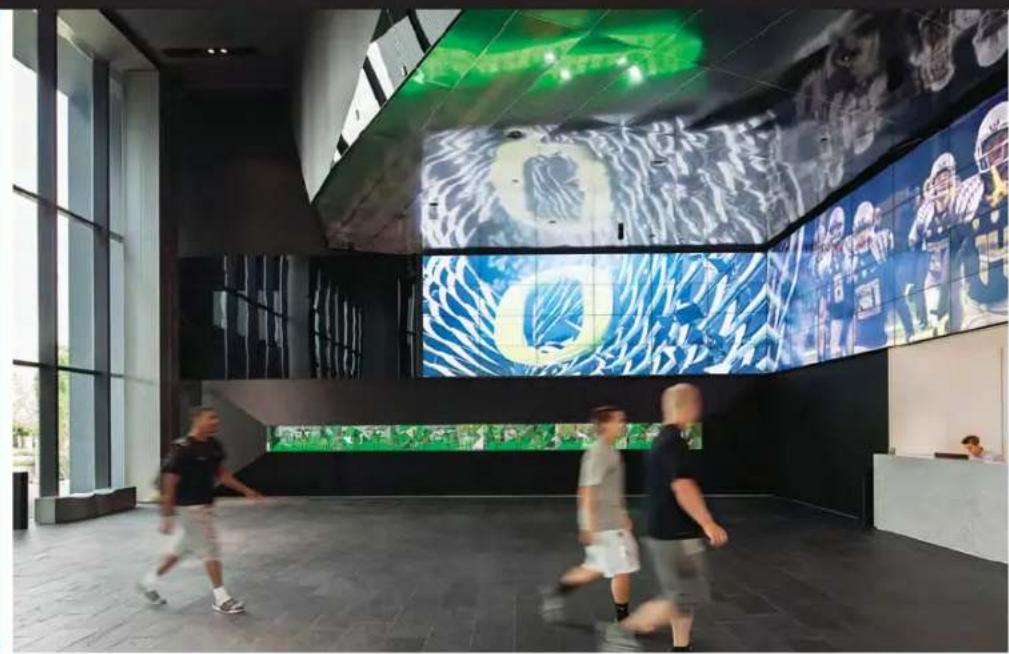
The Hatfield-Dowlin Complex is not a stadium, but a six-story player practice, education and recruiting center. It was made possible by a gift from Nike founder Phil Knight and his wife Penny, whose standards were exceptionally high. The granite, steel and glass structure includes lockers from Germany, Portuguese marble floors, walnut millwork that was sourced at the mill at a 96% rejection rate, a basalt wall for a fortress-like facade and a plaza adorned with water features and surprisingly comfortable stone benches. The Hall of Champions at the entrance, engineered by a world-renowned acoustician, is outfitted with a Dutch acoustical ceiling, state-of-the-art 3D sound and a 64-screen video wall that greets visitors with a mosaic of inspirational 4K videos and stills plus live sports broadcasts.
At the heart of the facility's video systems is Crestron DigitalMedia™ and Crestron control technology.
natural_image
Interior of a modern video conference room with multiple monitors displaying sports footage and two men working at the table (no visible text or symbols)Developing talent
The coaches in any university football program face the significant challenge of turning raw high school recruits into championship players, competing at an extremely high level as early as their freshman year.
This is especially true for the coaches at Oregon, in a program that has ranked consistently in the top 10 in college football polls but is in pursuit of the number one spot.
As in other football programs, Oregon coaches and players spend a great deal of time on the practice field – but they also spend many hours each week in the classroom. According to Eric Day, Assistant Video Coordinator for Oregon Football, they spend most of the classroom time reviewing game and practice videos, using those videos to show players how the game is played and how it should be played. "We shoot every game and every practice, and then edit the video into play clips here in the facility," he explains. "The typical clip shows a play from two angles and is about 10 to 20 seconds long."
The video staff supplements the footage they shoot with material provided by other Pac-12 conference teams and organize it using XOS Thunder™ software, the most widely used platform to edit, store and display sports video. Over the years, they have built up a collection of hundreds of thousands of clips, which coaches can access from their laptops to illustrate virtually any play, its proper execution and proper defense.

Coaches are busy people, so we use the Crestron screens to keep everything as simple as possible. They have enough on their plate without having to learn the details of the video system."
— Eric Boyd
CompView Audio Visual
"The coaches annotate the clips as they talk about them, much as John Madden might on TV, pausing the video and then drawing a diagram over it using X's and O's," Day adds. They also use a software product called Hudl to create diagrams without a video background, which is especially useful in presenting new plays and new defensive schemes. Those who prefer can draw them up on paper and project them via a document camera.
In addition, the video staff creates an inspirational video each week from game and practice film, which is shown before players dress on game days as well
natural_image
Interior view of a modern gym with green turf, fitness equipment, and large windows (no visible text or symbols)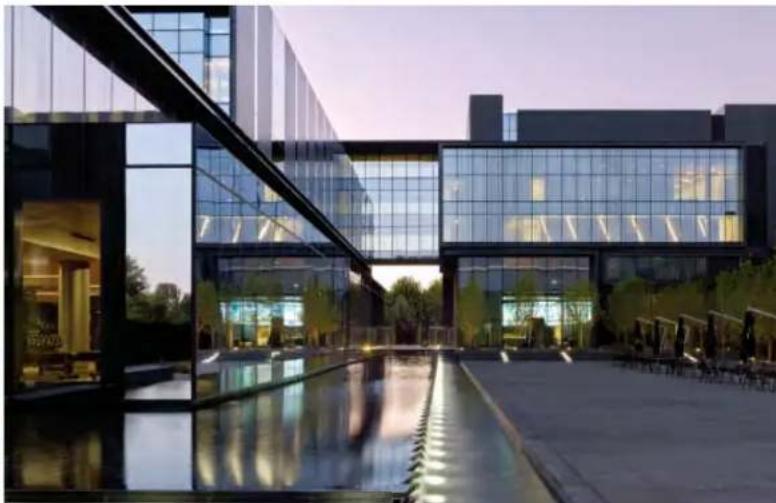
natural_image
Exterior view of a modern glass building complex at dusk, featuring curved glass facades and reflective water reflecting the facade (no signage or text visible)as on the lobby video wall. "It has quite a dramatic impact," Day says. The staff also creates recruiting videos, including a full-season highlight film each year.
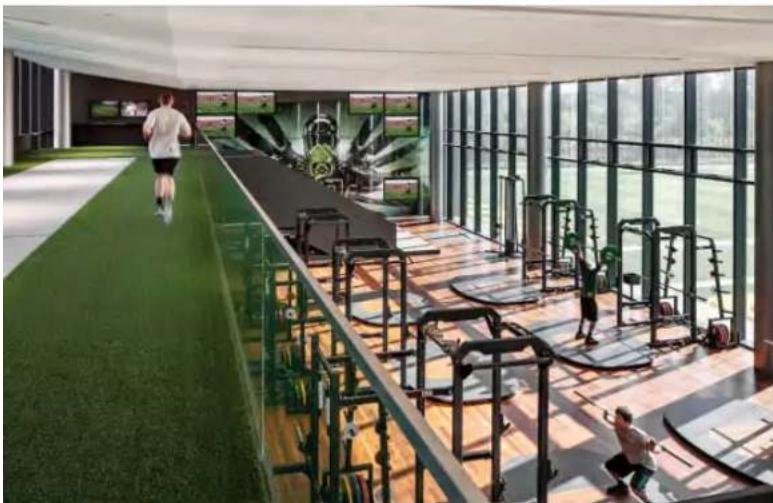
A Crestron DigitalMedia network uses fiber optics and ten DM® matrix switchers, ranging from 8x8 to 32x32, to bring raw video and audio into the editing suites and video servers. From there, AV can be distributed to two team theaters, nine position meeting rooms, 12 coaches offices and three coaches' meeting rooms, as well as a large dining room, players' and coaches' locker rooms, a recruitment center, players' and recruitment lounges, a media interview room, and a 25,000 square-foot weight and fitness room. Much of the video the staff shoots is 4K; the DM network is fully 4K-compatible and transmits that video to the editing suite, video servers, and then to the video wall.
Details of the systems
According to Jerry Nuckolls, Systems Designer at integrator CompView Audio Visual, any room at the Hatfield-Dowlin Complex can, and is, used for instruction. That's especially true of the coaches' offices as well as the theaters and position rooms, all of which can access and control the video content.
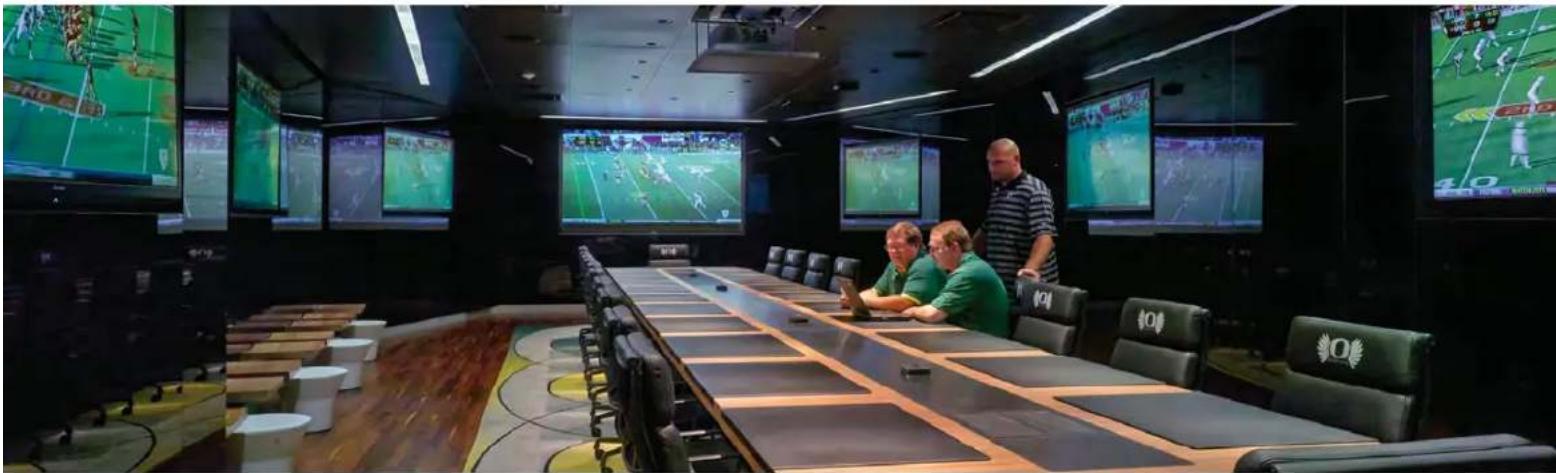
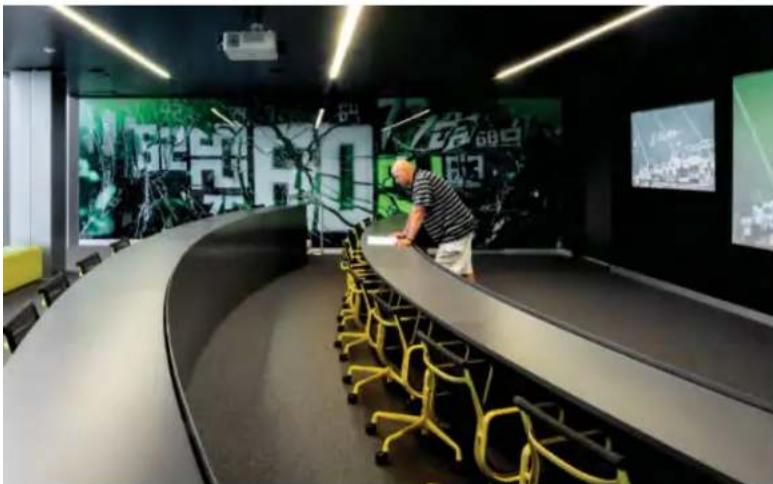
Most rooms have more than one large-screen display. The coaches' "War Room," designed for full-staff strategy sessions, includes seven 80" flat-screen displays and a Christie® projector. Coaches use all of these screens at once for side-by-side comparisons of scouting video of potential recruits, as well as to review
game film, TV broadcasts of live games, and play diagrams.
The players' lounge includes two video walls dedicated to Xbox® and PlayStation® consoles plus six large-screen televisions. "We want to encourage players to stay here and interact with their teammates, rather than going back to their rooms," Day says.
Even the theaters and position meeting rooms all have two or three screens, used for side-by-side display of game film, play diagrams, and word slides or other material. The facility includes five 1920 x 1200 projectors and more than 250 Planar® flat-panel displays, many with touch capability. Each coach can control all AV components via the Crestron Mobile Pro® app on his iPad® or wall-mounted Crestron touch screens.
"Coaches are busy people, so we use the Crestron screens to keep everything as simple as possible," explains Eric Boyd, Systems Integration Manager for CompView. "They have enough on their plate without having to learn the details of the video system."
Boyd says the CompView team worked hard to create an interface that places all important functions within two button-presses of the home screen. The Crestron systems control all video and audio routing, plus channel selection for live TV, volume levels, and, on the lobby video wall, source selection and layout presets.
natural_image
Interior of a modern office or exhibition space with curved black walls, yellow chairs, and a large digital display wall (no visible text or symbols)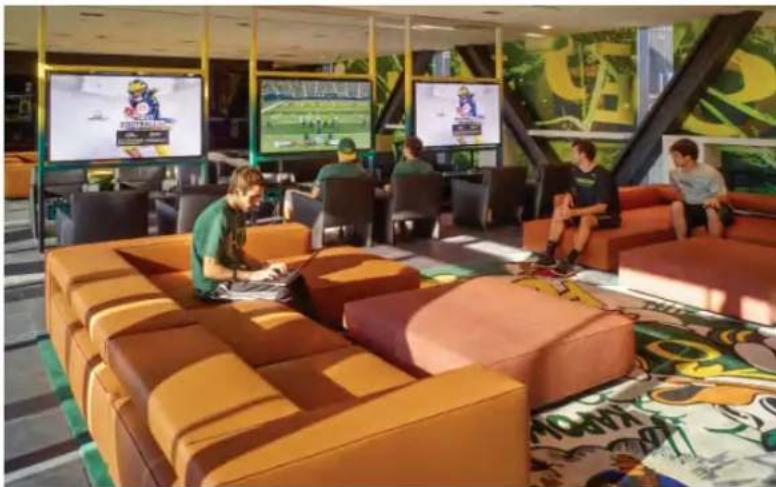
natural_image
Interior of a modern lounge or entertainment space with orange sofas, digital screens, and colorful carpet (no visible text or symbols)The reliability of the video system is essential to the football program, more so than in any corporate conference room or university classroom. Because of strict NCAA rules limiting the amount of time student athletes can spend with coaches, everything runs like clockwork. "It's interesting that in the outside world, a 10:00 a.m. meeting might not start until 10:15, while with football people, it's going at 9:58," Day explains. "When a coach walks into a room, that's it. He touches one button and everything has to work."
Boyd says CompView has installed AV technology in nearly every athletic facility on campus. "In college sports, you're looking for any edge you can get, and of course Oregon is stepping up and recruiting from the big sports states, including Florida, Alabama and Texas." In addition to the football complex, CompView has installed Crestron technology in dedicated basketball, lacrosse, and soccer facilities, plus the Casanova practice complex, which includes space used by the baseball and running teams.
"When the university started planning this building some years ago, DigitalMedia was the only system available to carry HDMI® signals over network cabling," Boyd recalls. "Today, it's still the best for digital routing; absolutely the right choice for a facility like this. In fact, of the hundreds of Crestron devices installed in the Hatfield-Dowlin Complex, only two have failed, neither one vital components, and when that happened Crestron took care of it immediately. That kind of performance is unheard of in a system of this complexity."
"Obviously there's a heightened sense of urgency on a high profile project like this," he adds, "but Crestron steps up on the smaller ones, too. They go the extra yard every time, on every project."
By the end of the facility's first season of use, the staff and the team were ecstatic. "Our new center is probably the most effective and efficient building in either college or pro football." says Jeff Hawkins, Senior Associate Athletic Director for Football. "The video presentation systems, based on Crestron technology, were a big part of making that possible."
"Those who decide to join our program will find the best of the best in everything we do, including the building where they will spend most of their time in athletics," Day adds.
Integrator
CompView Audio Visual www.compview.com/
Architect
ZGF Architects LLP www.zgf.com/
Builder
Hoffman Construction www.hoffmancorp.com/
Interior Designer
Firm 151 www.firm151.com/
Technology Consultant
Sparling www.sparling.com/
Photos: Jeremy Bittermann: pages 1, 3, 4 (left), Peter Eckert: page 2, 4 (right)

Brand : Crestron
Model : PRO3
Category : Processor