ManualGo.com
 COLORPASS Z7500 - Imprimante numérique CANON - Free user manual and instructions
Find the device manual for free COLORPASS Z7500 CANON in PDF.
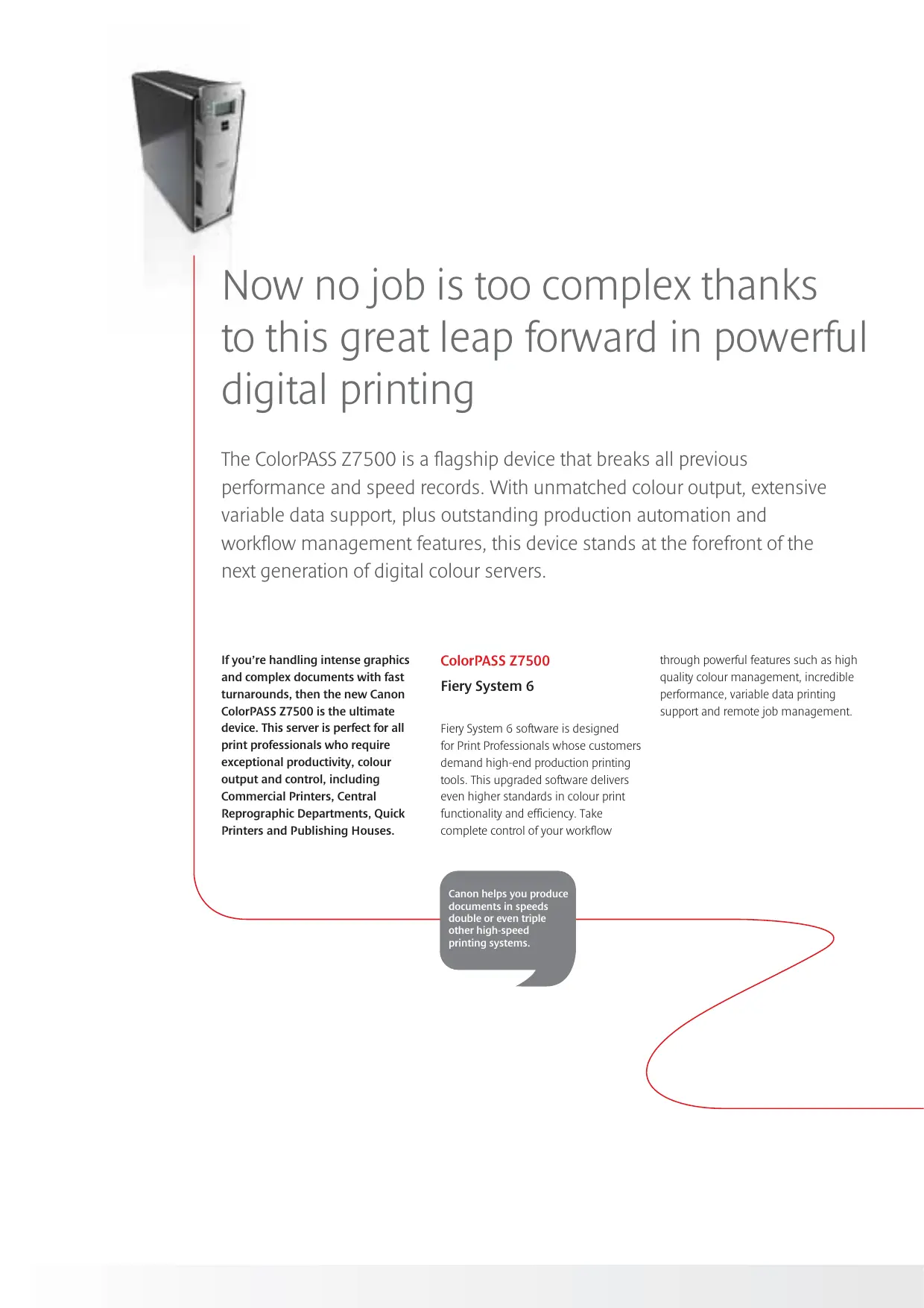


Download the instructions for your Imprimante numérique in PDF format for free! Find your manual COLORPASS Z7500 - CANON and take your electronic device back in hand. On this page are published all the documents necessary for the use of your device. COLORPASS Z7500 by CANON.
USER MANUAL COLORPASS Z7500 CANON
The ultimate advanced colour printing tool
un un < eo Æ (e] 2 [(e] ®)
If you're handling intense graphics and complex documents with fast turnarounds, then the new Canon ColorPASS 27500 is the ultimate device. This server is perfect for all print professionals who require exceptional productivity, colour output and control, including Commercial Printers, Central Reprographic Department, Quick Printers and Publishing Houses.
ColorPASS Z7500 Fiery System 6
Fiery System 6 software is designed for Print Professionals whose customers demand high-end production printing tools. This upgraded software delivers even higher standards in colour print functionality and efficiency. Take complete control of your workflowr
Canon helps you produce documents in speeds double or even triple other high-speed printing systems.
Now no job is too complex thanks to this great leap forward in powerful digital printing
The ColorPASS Z7500 is a flagship device that breaks all previous performance and speed records. With unmatched colour output, extensive variable data support, plus outstanding production automation and workflow management features, this device stands at the forefront of the next generation of digital colour servers.
through powerful features such as high quality colour management, incredible performance, variable data printing support and remote job management.
Sophisticated workflow management
Command Workstation" 4.2 for Windows and Command Workstation” 4.2 LE for Mac OS*
Delivering expert print level control, the award-winning Command Workstation" 4.2 makes managing the most hectic workflows virtually effortiess. Designed to centralise print job management, this software is renowned for its technologically sophisticated yet intuitive interface, putting extensive management features and critical production information at your fingertips.
manage jobs remotely using thumbnail and full-screen job previews archive files to re-print later
maximise resources with load balancing
Meanwhile, take advantage of Fiery Driver 2.5/Uni-Driver to set up, submit and monitor print jobs through à single interface. This feature also allows you to customise and save print settings, preview VDP masters and monitor print jobs through to completion
New productivity-enhancing features of Command Workstation" 4.2 include Online Help, enhanced Job Log and enhanced support for Mixed Media version 1.3 - which enables you to use different paper media for à single print job
* Some Menu options are not available for Mac OS Flexible document imposition Impose v2.5
Now you can edit and assemble entire documents quickly before RIPping the files with new impose v2.5. This server- based application enables you to create an unlimited number of new custom imposition templates and is platform, application and file format- independent
impose v2.5 supports Mixed Media 1.3 and saves time, paper and toner. Eliminating the need for third party software, features include increased page layout accuracy and support for mixed page sizes, and pre-fighting capabilities for pre-production error checking. The application is based on Adobe Systems Portable Document Format (PDF), and supports a wide variety of source documents including all VDP languages.
High performance variable data printing
The ColorPASS 27500 provides a range of cost-effective, yet robust, high performance variable data printing solutions. Flexible workflow-enhancing features enable you to truly deliver on the promise of one-to-one marketing, The solution is compatible with all popular VDP languages including Personalised Page Mark-Up Language (PPML) and a host of proprietary languages. Features include:
Fiery Freeform and Fiery FreeForm 2.1 - the latest generation Fiery Freeform"* technology RIPS master data just once, enabling print engines to run at or near rated speed. VDP Resource Manager for
Mac and PC - allows you to store, manage and re-use RiPped objects in networked Fiery servers, view and delete global objects, and store global objects on the Fiery server.
Fast Merge - enhances variable data printing for pages rich in content by accelerating stream object merging and by enabling runs to incorporate multiple images - all while maintaining maximum productivity.
Print Shop Mail (optional)- enables you to utilise your favorite applications and platforms while creating VDP masters.
With Canon’s advanced variable data printing, you
can now deliver highly effective one-to-one marketing
materials for your clients
Use sophisticated management tools to meet the tightest deadlines more efficiently and cost-effectively
If your clients are striving to get products to market faster than ever before, you're probably under more pressure to deliver even higher quality work Within ever-tighter timescales. The new Canon ColorPASS 77500 delivers unprecedented high volumes and fast production speeds, helping you minimise operator intervention and shorten turn-around times. This device makes light work of complex jobs involving multiple paper stocks, multiple input sources, inserted blank sheets and inserted pre-printed materials.
Amazing control, including last minute job re- prioritisation options, means you’il never let your clients
down due to bottlenecks.
Advanced Job Management
Production Printing Package Features
he Fiery Production Printing Package is à set of functionalities designed to enhance the role ofthe ColorPASS 27500 in the production environment workflow. The package offers the most advanced tools for job management and submission, and features include:
D Suspend On Mismatch - Suspend on Mismatch enables you to continue to print jobs on the server and print engine while suspending jobs that can't be printed due to missing resources or colour profile mis-match. Benefit from lower labour costs as there's less need for the operator to be physically present at the printer at alltimes.
Job Reorder - gives you à range of tools to optimise productivity and allows you to prioritise all held jobs in the active window on à single server. Print batches of jobs with similar options by selecting the jobs and applying the Print command
Rush Print - his allows you 10 re-prioritise and introduce last minute changes in the processing and print stages. You can mark the job as urgent, and the ColorPASS 27500 will
interrupt a current job and immediately
process and print the priority job. Once it's printed the interrupted print job will resume.
Process Next/Print Next - allows you to print a job immediately after the job
that's currently being printing,
Schedule Printing - enables you to define when the job or jobs will print by setting date and time parameters. This feature enables you to plan process and printing stages ahead of üme, plus balance workloads and prioritise the print production process to avoid peaks and bottlenecks. Its also useful for printing unattended and overnight runs.
Enjoy exceptional colour, connectivity and security
The ColorPASS Z7500 handles intense graphic jobs with ease thanks to a range of sophisticated colour management and graphic tools. Meanwhile, Fiery software gives you an extensive range of remote management options including scanning and printing via FTP, and the ability to perform many administrative tasks through email, the company intranet or the internet. Importantly, your data is constantly protected by formidable digital and physical security.
Top quality colour management
New ColorWise v3.3® - In-RIP Colour Management Software
The latest ColorWise® sofiware enables you to achieve the highest quality colour possible on output devices and accurately simulate the output of other colour devices. Sophisticated yet easy to use, this sofoware is designed for the both the enty-level user and the most advanced colour professional ColorWise® integrates seamlessly
with Graphics Arts Package, Premium”, and allows you to add custom or
future colour profiles
Mac users can now take advantage of a wide range of high quality ColorWise Pro Tools including easy-to-use colour adjustments. Features include:
Automatic PANTONE® matching - ensures accurate output with little effort with transparent handling of RGB, CMYK, Lab and spot colour data, even when mixed on the same page
Fiery Profile Manager" - enables you to download and manage CC source, simulation, and output device profiles on the Fiery
Fiery Color Editor” - gives you the ability to customise and save 1CC profiles and colour curves
Fiery Print Calibrator” - features à simple interface that offers both basic and advanced calibration methods ColorCal"" - provides high quality calibration using a copiers scanner Full (output GCR) - à CMYK simulation with user-controlled black generation: offering a better match to typical colour management systems.
Post-RIP calibration - allows previously RiPped jobs to be reprinted at any time without getting stale.
New Graphic Arts Package Premium*
The Graphic Arts Package Premium features advanced tools for colour proofing and control, enabling you to achieve the highest levels of colour quality.
ImageViewer 1.5 - à fast, accurate soft proofing interface
Progressives - You can print variations of a multi-colour document, printing pages using one, a combination or all ofthe available CMYK colour channels in your printer.
Control Bar and PostFlight Reports - which delivers advanced trouble- shooting and output control Configurable Auto-Trapping - use ColorWise Pro Tools to configure settings like Trap Width or Colour Reduction.
Hot Folders v2.0** - ihis automated workflow technology includes new filters and converters to streamline
job submission and integrates the ColorPASS 27500 into existing graphic arts workflows
Spot-On® v2.0 - provides powerful tools to create, manage, and use custom spot colours, saving time
and further enhancing workflow
* Standard for ColorPASS 27500
Flexible networking and system utilities
Accelerate set-up and connect Fiery colour servers seamlessly on all popular platforms and networks using Fiery Netwise 3.0". Features include
Email Services - provides à new way to remotely print and control the Fiery. SMTP Authentication - enables you to monitor device activity.
FTP Print - allows you to print to the controller via FTP.
LDAP Support - enables you 10 download e-mail addresses to populate the scan address book saving time and facilitating distribution list maintenance.
Fiery Remote Scan" 5
Initiate scans remotely or atthe Fiery, and store them on the Fiery's hard drive, using Fiery Remote Scan” 5. Scans can be retrieved via the Fiery WebTools" utility, local Fiery interface (FACI), and TWAIN plug-in. New features include:
D Save to Disk - enables you to
save a scan file directly to the client workstation and select from the available file formats
D Scan to FTP - allows you to send scan jobs to remote locations using the File Transfer Protocol by specifying the FTP destination and proxy information:
D Scan to Internet Fax (iFAX) - means you can send a scan job to an analogue fax machine via a fax server.
Administer the Fiery server and print jobs convenientiy through any Java- based browser, such as Microsoft Internet Explorer or Netscape Communicator. For remote management over the company intranet or the internet, Fiery WebTools offers many of the capabilities ofthe Command Workstation". Features include:
D Web Set-Up - enables you to configure the server over à network using WebTools
D Configure - allows you to select which utiities will be available to users who log in as guests.
Installer - gives you access to PPDS via a web browser.
D WebSpooler"* allows you to monitor and manage print jobs, enabling you to reprint jobs without re-RIPing. You can also fix an error on à particular page after it has been RIPped without having to re-RIP the entire job, regardless of the application or platform with which they were created.
D Web Status” window** - allows you to keep track ofthe progress of print jobs from the desktop.
D Web Link”** - ou can create a hotink to any specified web site, such as your IS&T intranet support page.
D Web Scan - allows you to retrieve scanned image data saved in mailbox. * not supported on Mac OSK
*+ new for Mac OX New security features
Fiery System 6 provides a formidable set of digital security solutions, in addition to facilitating sound physical security barriers. New features include
IP Filtering - which controls access to the printing device.
Port Blocking - which controls access to the ColorPASS 77500 through remote management.
D Safe Erase - provides a high level of document security by removing traces of job data from the Fiery hard drive.
D Secure Print - requires you to enter
a job-specific password at the Fiery
to allow the job to print.
D Removable Hard Disk Drive - this option allows you to lock single or multiple server drives into the system for normal operation and to remove them to a secure location after powering the server.
Handle your clients’ most complex, high volume colour jobs with ease
thanks to a range of new Canon features
Specifications ColorPASS Z7500
(Keyboard, Mouse, Monitor)
(Open Programming Interface
PostScript Auto-switching
Windows Support Mac OS X Support
TCPAP Novell IPx/SPX Novell NDS Nate AppleTalk EtherTalk 1
RI5 for on board 10/10/1000 Base-T. Peer-to-Peer Windows Printing
Point and Print for Windows
Automatic IP Configuration
Netware 6 Compliant (NDPS, PnP, NDPS Canon Gateway, Email Client, Email Print)
Serial for Densitometer
Electronic Collation
Gretag Macbeth Eye-One Support
ED Denstometer 100 (not official supported)
ES1000 Suppon (not offcially supported)/X-Rite DTP 32/41
Independent RGB, CMYK, and PANTONE® controls RGB Level | ile conversion to Level 11
Post RIP Calibration
Combined Separations
Fiery WebToos" with Intemet Explorer 52.3 and Java 1.3x on Mac
PRODUCTION PRINTING PACKAGE FEATURES*
Various Languages Supported
Hot Folders version 2.0 (win) Configurable Auto-trapping Paper Simulation: Progressives
Arching Job Promote/Demote
Job Monitor (win only)
Support for Mixed Media 1.3 Variable Data Printing Support On-line Help
Tray Alignment Chapterization
Soring / Stapling / Saddle-Stich Tag Bit Support
Cover Page for Booklet
Scan to Maïlbox / FTP / Email / Intemet Fax
Status (win/mac) Fiery Downloader" (win only) WebSpoaler” (win oniy) WebScan* (win/mac) Webink» (win/mac) Installer (win/mac)
GWS & LE Function (functions not supported in LE: Print Job Log, Print Acive Window, Send to (Load Balancing), mpose 2.5, SetUp, Manage Colour, Manage Font, Align Traÿs, Printing Groups, Multiple Server Window)
FreeForm 2.1 PPML version 2.1
URL Support for PPML VDP File Search Path PPD VOP Print Record Range
VDP Job Submission / via Hot Folder
VDP Record-level Finishing Support
602mm x 305mm x 736mm
Some images are simulated fr lary ofreproduation Al data is based on Canan's standard testing methods his leaf and the specifcations oh produet have been developed pnor ta the date of product auch Final specifcaions ae subject 10 change without tie." and 8 Al company and/or product names are traders and/or registered vademaris ofther respecte manufacurers in their makes and/or courtes
efi [essential to print