
VR241 - VCR PHILIPS - Free user manual and instructions
Find the device manual for free VR241 PHILIPS in PDF.


Pick your language and provide your email: we'll send you a specifically translated version.
| Product Type | VCR (Video Cassette Recorder) |
| Brand | Philips |
| Model | VR241 |
| Recording Format | VHS |
| Video Head System | 4-Head |
| Playback Formats | VHS, S-VHS (playback only) |
| Tuner | Built-in analog tuner (PAL/SECAM) |
| On-Screen Display | Yes, multi-language |
| Remote Control | Included (infrared) |
| Timer Recording | Up to 8 events, 1 month |
| Auto Tracking | Yes |
| Connectivity | RF In/Out, SCART (1 input, 1 output), Audio/Video (RCA) input/output |
| Power Supply | AC 220-240V, 50Hz |
| Power Consumption | 20 W (max) |
| Dimensions (W x H x D) | 430 x 80 x 280 mm |
| Weight | 3.5 kg |
| Safety | Do not expose to moisture; unplug during storms; ensure proper ventilation |
| Maintenance | Clean video heads with cleaning cassette; wipe exterior with dry cloth; avoid dusty environments |
| Spare Parts & Repairability | Power supply board, head drum assembly, belts (idler, loading, reel), remote control (model RC-241) |
Frequently Asked Questions - VR241 PHILIPS
How do I connect the VR241 to my TV?
Use the provided RF cable to connect the RF OUT on the VCR to the ANT IN on your TV, or use a SCART cable for better quality. Set your TV to the correct AV or RF channel.
Why is the image distorted or snowy?
Check the RF cable connection and ensure the TV is tuned to the correct channel. Also try adjusting the tracking control or clean the video heads with a cleaning cassette.
How do I set the clock on the VR241?
Press the MENU button, navigate to Clock Set, then use the number buttons or +/− to set the date and time. Confirm with OK.
The VCR does not power on. What should I do?
Ensure the power cord is firmly plugged into both the VCR and a working wall outlet. Check if the outlet has power. If still no power, the internal fuse may be blown. Contact a technician.
How do I record a program?
Insert a blank VHS tape, tune to the desired channel, set the recording speed (SP/LP) and press the REC button. To stop, press STOP. For timer recording, use the Timer Set menu.
Can I play S-VHS tapes on the VR241?
Yes, the VR241 can play S-VHS tapes, but it records only in standard VHS format.
The remote control is not working. What can I do?
First, replace the batteries. Point the remote directly at the VCR (within 7 meters). Check for obstructions. If still not working, the remote may need replacing; the model is RC-241.
How do I clean the video heads?
Use a VHS video head cleaning cassette. Insert it and play for about 10 seconds. Do not use it frequently; it can wear the heads. For heavy dirt, consult a service center.
The tape is stuck or won't eject. What to do?
Unplug the VCR for 10 seconds, then plug it back in. Press EJECT. If still stuck, do not force it. The loading belt may be worn; replacement is recommended.
What maintenance does the VR241 need?
Keep the VCR in a clean, dust-free, ventilated area. Clean the exterior with a soft dry cloth. Periodically clean the video heads and replace the remote batteries as needed.
User questions about VR241 PHILIPS
0 question about this device. Answer the ones you know or ask your own.
Ask a new question about this device
No questions yet. Be the first to ask one.
Download the instructions for your VCR in PDF format for free! Find your manual VR241 - PHILIPS and take your electronic device back in hand. On this page are published all the documents necessary for the use of your device. VR241 by PHILIPS.
USER MANUAL VR241 PHILIPS
natural_image
Cartoon drawing of a smiling man holding a baby with a smiling face (no text or symbols)1. OVERZICHT TOETSEN, BEDIENING, AANSLUITINGEN
natural_image
Pure electrical circuit lines without any symbolsnatural_image
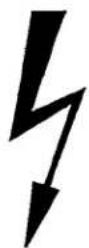
Pure electrical circuit symbol for a battery, showing an inductor and resistor crossed out by a lightning bolt (no text or labels)


2. INSTALLATIE. HOE INSTALLEER IK DE VIDEORECORDER?
natural_image
Technical line drawing of a mechanical component with arrows indicating force or movement (no text or symbols)natural_image
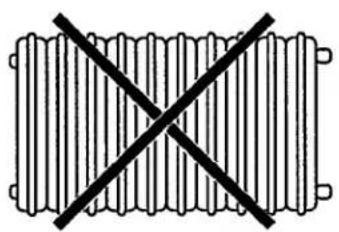
Pure diagram of a rectangular object with internal vertical slots, no text or symbols present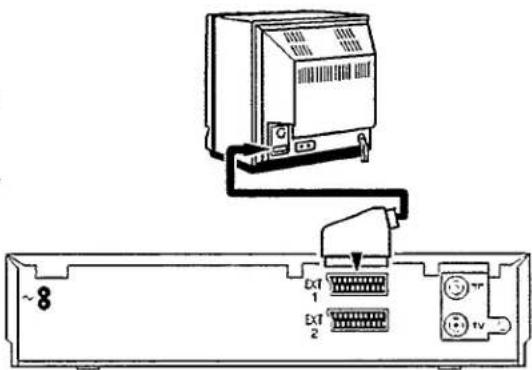
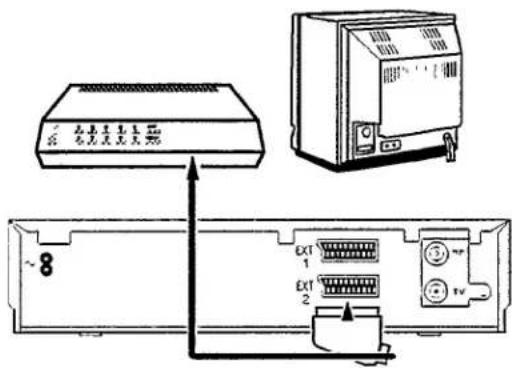
natural_image
Cartoon illustration of a person pointing at a book with a smiley face on the front (no text or symbols)videorecorder enkele seconden in.
4. WEERGEVEN VAN EEN BESPEELDE CASSETTE

natural_image
Cartoon illustration of a man holding a baby with arrows indicating direction (no text or symbols)natural_image
Line drawing of hands inserting a card into a device (no text or symbols)natural_image
Cartoon illustration of a person pointing at a book with a smiling face on its cover (no text or symbols present)PO1 OPNAME 0:08
natural_image
Diagram showing two views of a cassette tape being inserted into a slot, with no text or symbols present.Beeldmontage
natural_image
Cartoon illustration of a smiling person holding a mobile phone with circular arrows around his face (no text or symbols)natural_image
Cartoon drawing of a man holding a baby with expressive eyes and hands (no text or symbols)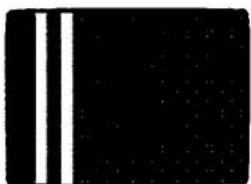
natural_image
Pure black background with two vertical white lines on the left side (no text or symbols)Weergeven via de antennekabel
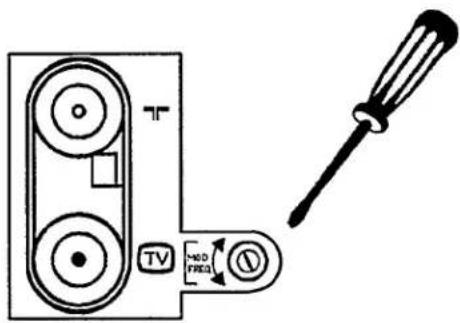
Table of contents
Click a title to access it
Manual assistant
Powered by Anthropic
Waiting for your message
Product information
Brand : PHILIPS
Model : VR241
Category : VCR