
2SB47 - VCR PHILIPS - Free user manual and instructions
Find the device manual for free 2SB47 PHILIPS in PDF.


Pick your language and provide your email: we'll send you a specifically translated version.
| Product type | VHS Video Cassette Recorder (VCR) |
| Brand | Philips |
| Model | 2SB47 |
| Video system | PAL-B/G |
| Programming system | SHOWVIEW (simplified timer recording) |
| Channel coverage | VHF I, VHF III, UHF channels e2–e69, plus hyperband (S21–S41) |
| Manual languages | English, Italian, and others available via translation |
| Manual pages | 44 |
| Safety features | Safety symbols (lightning bolt & cross) indicate caution; emergency stop button present |
| Playback | Playback of pre-recorded VHS tapes |
| Recording | Timer recording with SHOWVIEW, manual recording |
| Installation | Antenna and TV connection required; channel setup via frequency table |
| Maintenance | Clean video heads using a special cleaning cassette |
| Emergency operation | Emergency eject button in case of tape jam |
Frequently Asked Questions - 2SB47 PHILIPS
How do I connect my Philips 2SB47 VCR to my TV?
Connect the RF coaxial cable from the VCR's RF OUT to the TV's antenna input. Then tune the TV to the same channel as the VCR's RF output (usually UHF channel 36 or 38). For better quality, use SCART (AV) cables if your TV has a SCART input.
How do I program a timer recording using SHOWVIEW?
Find the SHOWVIEW number in your TV guide. Press the SHOWVIEW button on the remote, enter the number via the numeric keys, and confirm. The VCR will automatically set the date, time, and channel. Insert a blank tape and ensure the VCR is in standby mode.
What type of VHS tape should I use?
Use standard VHS or VHS-C tapes (with an adapter). For best recording quality, use high-grade tapes. Avoid using damaged or old tapes as they can damage the video heads.
How do I set the clock on my Philips 2SB47?
Press the MENU button, navigate to the CLOCK SET option using the channel up/down buttons, then adjust the hour, minute, and day using the number keys or +/- buttons. Press OK to save.
What should I do if a tape gets stuck inside the VCR?
Press the EMERGENCY EJECT button (if available) or unplug the VCR for 30 seconds, then plug it back in and press the eject button. If the tape still does not eject, do not force it; consider professional repair.
Why is the playback picture noisy or distorted?
This may be due to dirty video heads. Use a VHS head cleaning tape following the instructions. Also check that the tape itself is not damaged or worn, and that the TV is correctly tuned.
How do I clean the video heads?
Insert a dry video head cleaning cassette and play it for about 10 seconds. Do not use wet cleaning tapes unless specified. Repeat if necessary, but avoid excessive cleaning to prevent head wear.
Can I record from one VCR to another?
Yes, connect the AV output of the source VCR to the AV input of the Philips 2SB47 using RCA cables (yellow, white, red). Select the corresponding input channel on the Philips VCR and press REC.
What do the safety symbols on the manual mean?
The lightning bolt symbol indicates a risk of electric shock from uninsulated parts. The triangle with exclamation mark warns about important operating and maintenance instructions. Always follow these warnings.
Where can I find spare parts or service for my Philips 2SB47?
Contact a Philips authorized service center or search for 2SB47 spare parts online. Many parts such as belts and heads are still available from specialty VCR repair shops.
User questions about 2SB47 PHILIPS
0 question about this device. Answer the ones you know or ask your own.
Ask a new question about this device
No questions yet. Be the first to ask one.
Download the instructions for your VCR in PDF format for free! Find your manual 2SB47 - PHILIPS and take your electronic device back in hand. On this page are published all the documents necessary for the use of your device. 2SB47 by PHILIPS.
USER MANUAL 2SB47 PHILIPS
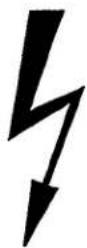
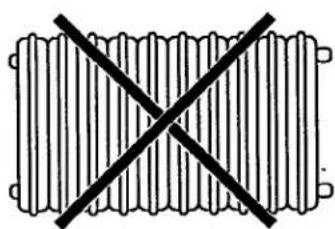
Safety regulations
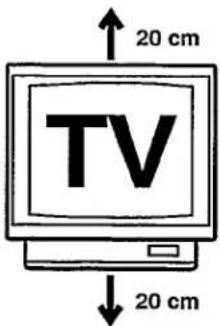


SHOWVIEW
2. INSTALLATION. HOW SHOULD I INSTALL THE VIDEO RECORDER?
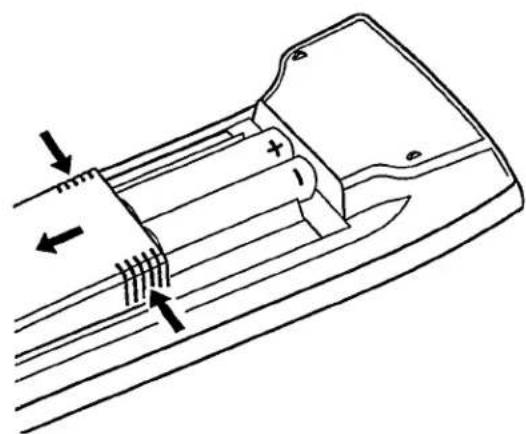
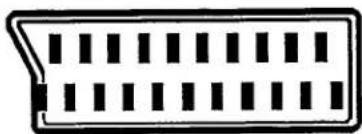
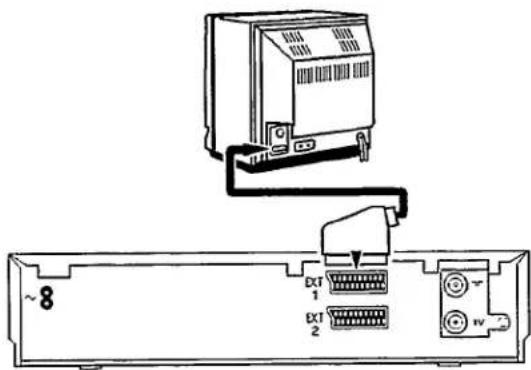
Emergency button
4. PLAYBACK OF A RECORDED TAPE
Note:
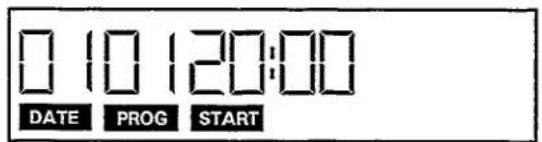
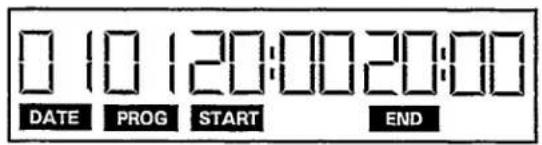

Attention:
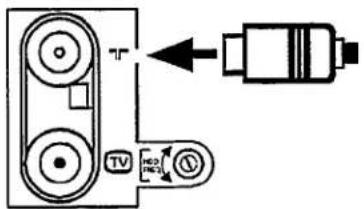
Table of channel frequencies PAL-B,G:
| channel | wave-band | frequency (Mhz) | channel | wave-band | frequency (Mhz) |
| e2 | VHF I | 48,25 | e60 | UHF | 783,25 |
| e3 | VHF I | 55,25 | e61 | UHF | 791,25 |
| e4 | VHF I | 62,25 | e62 | UHF | 799,25 |
| e5 | VHF III | 175,25 | e63 | UHF | 807,25 |
| e6 | VHF III | 182,25 | e64 | UHF | 815,25 |
| e7 | VHF III | 189,25 | e65 | UHF | 823,25 |
| e8 | VHF III | 196,25 | e66 | UHF | 831,25 |
| e9 | VHF III | 203,25 | e67 | UHF | 839,25 |
| e10 | VHF III | 210,25 | e68 | UHF | 847,25 |
| e11 | VHF III | 217,25 | e69 | UHF | 855,25 |
| e12 | VHF III | 224,25 | - | VHF I | 69,25 |
| - | VHF I | 53,75 | - | VHF I | 76,25 |
| - | VHF I | 62,25 | - | VHF I | 83,25 |
| - | VHF II | 82,25 | - | VHF II | 90,25 |
| - | VHF III | 175,25 | - | VHF II | 97,25 |
| - | VHF III | 183,25 | - | VHF II | 104,25 |
| - | VHF III | 192,25 | s1 | VHF I | 105,25 |
| - | VHF III | 201,25 | s2 | VHF III | 112,25 |
| - | VHF III | 210,25 | s3 | VHF III | 119,25 |
| e21 | UHF | 471,25 | s4 | VHF III | 126,25 |
| e22 | UHF | 479,25 | s5 | VHF III | 133,25 |
| e23 | UHF | 487,25 | s6 | VHF III | 140,25 |
| e24 | UHF | 495,25 | s7 | VHF III | 147,25 |
| e25 | UHF | 503,25 | s8 | VHF III | 154,25 |
| e26 | UHF | 511,25 | s9 | VHF III | 161,25 |
| e27 | UHF | 519,25 | s10 | VHF III | 168,25 |
| e28 | UHF | 527,25 | s11 | VHF III | 231,25 |
| e29 | UHF | 535,25 | s12 | VHF III | 238,25 |
| e30 | UHF | 543,25 | s13 | VHF III | 245,25 |
| e31 | UHF | 551,25 | s14 | VHF III | 252,25 |
| e32 | UHF | 559,25 | s15 | VHF III | 259,25 |
| e33 | UHF | 567,25 | s16 | VHF III | 266,25 |
| e34 | UHF | 575,25 | s17 | VHF III | 273,25 |
| e35 | UHF | 583,25 | s18 | VHF III | 280,25 |
| e36 | UHF | 591,25 | s19 | VHF III | 287,25 |
| e37 | UHF | 599,25 | s20 | VHF III | 294,25 |
| e38 | UHF | 607,25 | s21 | HYP | 303,25 |
| e39 | UHF | 615,25 | s22 | HYP | 311,25 |
| e40 | UHF | 623,25 | s23 | HYP | 319,25 |
| e41 | UHF | 631,25 | s24 | HYP | 327,25 |
| e42 | UHF | 639,25 | s25 | HYP | 335,25 |
| e43 | UHF | 647,25 | s26 | HYP | 343,25 |
| e44 | UHF | 655,25 | s27 | HYP | 351,25 |
| e45 | UHF | 663,25 | s28 | HYP | 359,25 |
| e46 | UHF | 671,25 | s29 | HYP | 367,25 |
| e47 | UHF | 679,25 | s30 | HYP | 375,25 |
| e48 | UHF | 687,25 | s31 | HYP | 383,25 |
| e49 | UHF | 695,25 | s32 | HYP | 391,25 |
| e50 | UHF | 703,25 | s33 | HYP | 399,25 |
| e51 | UHF | 711,25 | s34 | HYP | 407,25 |
| e52 | UHF | 719,25 | s35 | HYP | 415,25 |
| e53 | UHF | 727,25 | s36 | HYP | 423,25 |
| e54 | UHF | 735,25 | s37 | HYP | 431,25 |
| e55 | UHF | 743,25 | s38 | HYP | 439,25 |
| e56 | UHF | 751,25 | s39 | HYP | 447,25 |
| e57 | UHF | 759,25 | s40 | HYP | 455,25 |
| e58 | UHF | 767,25 | s41 | HYP | 463,25 |
| e59 | UHF | 775,25 |
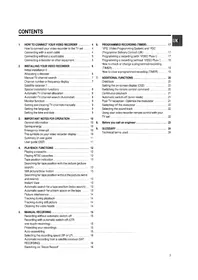


Table of contents
Click a title to access it
Manual assistant
Powered by Anthropic
Waiting for your message
Product information
Brand : PHILIPS
Model : 2SB47
Category : VCR