CLC 1000S - Laser MFP CANON - Free user manual and instructions
Find the device manual for free CLC 1000S CANON in PDF.


User questions about CLC 1000S CANON
0 question about this device. Answer the ones you know or ask your own.
Ask a new question about this device
Download the instructions for your Laser MFP in PDF format for free! Find your manual CLC 1000S - CANON and take your electronic device back in hand. On this page are published all the documents necessary for the use of your device. CLC 1000S by CANON.
USER MANUAL CLC 1000S CANON
Imaging across networks
CLC 1000 CLC 1000S
SUPERB SHORT-RUN
COLOUR SOLUTIONS
Canon
Imaging across networks

WWF®
Conservation Partner
Canon Europa NV is a Corporate Sponsor of WWF
© 1986, WWF-World Wide Fund For Nature (formerly World Wildlife Fund)
Canon Inc.
30-2, Shimomaruko 3-Chome, Ohta-ku,
Tokyo 146-8501, Japan
Europe, Africa and Middle East
Canon Europa N.V.
P.O. Box 2262, 1180 EG Amstelveen,
the Netherlands
www.canon-europa.com
English Edition 0018W114
© Canon Europa N.V., 1999 (0900)
CREATED BY CANON TO
GIVE YOU FAST, FLEXIBLE
AND FLAWLESS COLOUR

text_image
Towerbank Ltd. BANKING REPORT S. and figures
text_image
Stacked colorful books with visible text and images, likely a magazine or newspaper cover
text_image
Hand holding a green printed document with visible text and small images, likely a book or manuscript page.
text_image
GICUON A 100% sunflower (or 100% sunflower) CusumDesigned for speed
Profit from productivity. You choose the speed you need with the CLC 1000 series - from a fast 24 colour pages per minute (CLC 1000S) right up to an amazing 31 A4 pages per minute (CLC 1000). The printing speed for A3 colour pages is the same for both copiers. All with the added advantage of A3+ paper handling.
Unlimited uses
The applications of CLC short-run colour are endless, especially for material that needs constant updating. It's perfect for presentations, reports, newsletters, flyers, manuals and company profiles. Brilliant for booklets, brochures, direct mail, catalogues, packaging, annual reports and all professional design work.
Exceptional quality
Start with high quality digital colour, the moment you press the copy button. A 400 x 400 dpi resolution and 256 tones offer fantastic full colour, even for the subtlest shades and most difficult details. Then see how expert customization offers high precision colour matching that meets your most exacting needs.
Ready to network
With the simple addition of a ColorPASS controller, the CLC 1000 series can be connected to your computer system - providing powerful, high performance output. Enjoy precision full-colour printing, with easy operation and complete management control, direct from the desktop. Ensuring optimum productivity.
Your complete short-run colour solution
You know the problem. Jobs that are too small to justify the time and expense of offset colour printing. Yet too large to handle in-house. No longer. Now Canon provides the complete solution. Short-run colour, when you want it. With the CLC 1000 series. Providing high-volume, on-demand, digital colour production. Right within reach.

natural_image
Close-up of a colorful, spiky notebook with golden and purple tones, no visible text or symbols
natural_image
Interior view of a modern industrial machine with illuminated panel and control panel (no visible text or symbols)
natural_image
Close-up of a mechanical staircase with white panels and red accent, no visible text or symbols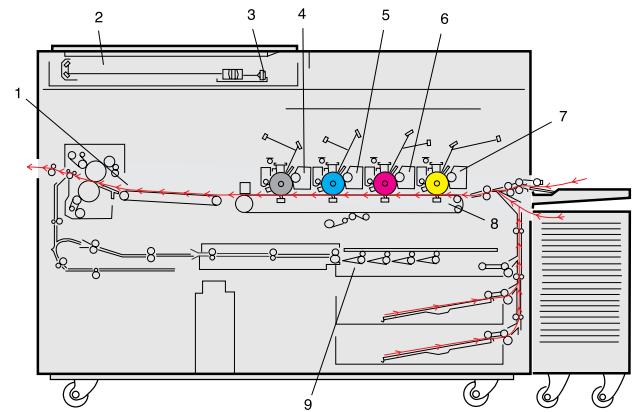
text_image
Technical schematic diagram of a machine with numbered components and labeled parts, likely for industrial or manufacturing documentation.1 Fixing assembly
2 Scanner system
3 CCD
4 Bk proces unit
5 C process unit
6 M process unit
7 Y process unit
8 Transfer belt unit
9 Duplexing unit
More paper. Thicker paper.
Incredible. A total of 5,250 sheets. This consists of two cassettes, each holding 500 sheets (A4 or A3) and a 4,000 sheet paper deck (A4). Also available an optional 2,000 sheet paper deck (A3). Plus a multi-feeder that takes an additional 250 sheets (from A6 to A3+). The multi-feeder can handle thicker paper, right up to 209 g/m ^2 . To suit all of your needs.
Flexible feeding and finishing
Flexible feeding and finishing capabilities are available with the CLC 1000 series. An RDF (Recirculating Document Feeder) handles originals perfectly - and is ideal for effortless duplexing. Plus a 20 bin Stapler Sorter prepares sets of prints for immediate distribution. All without any loss in copy speed.
Select your surface
A special surface adjustment mode lets you select a matt, standard or glossy finish. All on ordinary plain paper. Of course, you can also print on actual glossy paper, directly from a cassette or the multi-feeder. To give the front covers of brochures, reports and other material a really professional finish.
Outstanding reliability
Dependability is a crucial factor in short-run colour production. Which is why the CLC 1000 series is built for all-round reliability, durability and continuous productivity. A special transfer system, with a shorter paper path, ensures a problem-free paper supply. For top performance and a fast turnover, at all times.
Handling high volume, high capacity colour
Short-run colour requires an extensive paper supply. Which is why the CLC 1000 series has a larger paper capacity than any other colour copier system in the world. Add to that easy operation, fast finishing and a range of flexible features - and you benefit from truly unbeatable digital colour production.
natural_image
Two people interacting at a service counter, one handing documents to the other (no visible text or symbols)CLC 1000 & ColorPASS V80
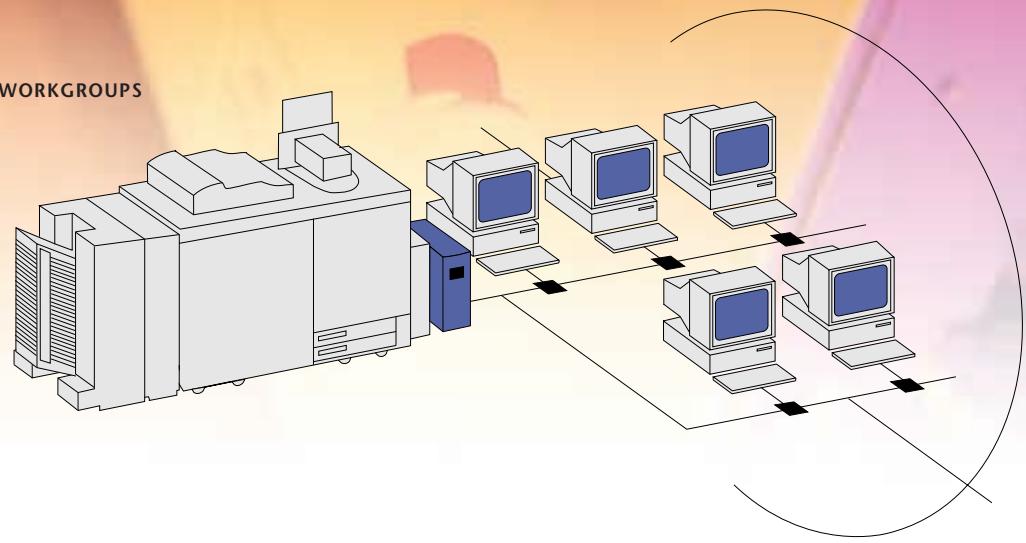
WINDOWS NT
WINDOWS 95
WINDOWS FOR WORKGROUPS
UNIX
NETWARE
MACINTOSH
flowchart
graph TD
    A["Central Processing Unit"] --> B["Computer Station 1"]
    A --> C["Computer Station 2"]
    A --> D["Computer Station 3"]
    A --> E["Computer Station 4"]
    A --> F["Computer Station 5"]
    B --> G["Data Flow"]
    C --> G
    D --> G
    E --> G
    F --> G
text_image
Computer monitor displaying a web interface with navigation tabs and data tables, showing text and icons on the screen.
natural_image
Abstract digital illustration of stacked colorful geometric shapes against a blue sky background (no text or symbols)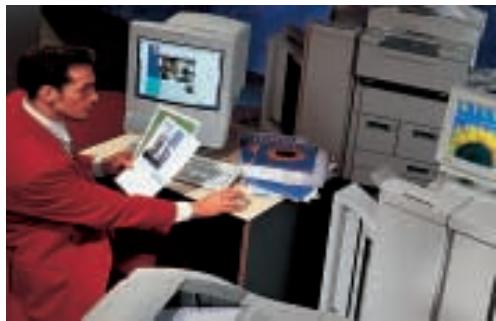
natural_image
Man in red jacket using a computer at a desk with multiple office computers (no visible text or symbols)Sizzling speed and power
With a speed of 1,860 A4 pages per hour (31 ppm), the CLC 1000 is one of the fastest colour systems available. Use short run colour for instant, on-demand production, quick adaptations of existing material and easy personalization. Without all the usual worries of costly storage problems and needless waste.
Pure colour precision
Benefit from photographic quality, at a touch. Then, with the ColorPASS V80, take advantage of ColorWise™ Colour Management. This provides outstanding accuracy and consistent colour quality. It even enables toners to mimic the density and hues of press inks, complete with PANTONE® Colour Matching and support for SWOP, Euroscale and DIC printing standards. For a fantastic finish.
Effortless control, everywhere
The CLC 1000 is exceptionally easy to use. Combined with the V80, it offers an impressive set of features for job management, allowing all users fast access from their desktop or from a Command WorkStation™ With the additional and unique freedom of remote Internet access, from anywhere across the world.
Complete colour networking
The optional ColorPASS V80 also offers new, NetWise™ Colour Networking. Ready to set up right away, it works in all environments. With the widest support in the industry, for seamless integration. A range of features, such as Document Set printing, accelerate productivity and ensure error-free printing. For all-round colour, everywhere.
III
CLC 1000 & ColorPASS V80: the choice for stunning colour graphics
Take colour further, faster. Turn out more ideas in less time. And make good graphics look truly great. The CLC 1000 accelerates colour creativity, with a flawless finish. Add on Canon's optional ColorPASS V80 server, for quick and easy connections to all computer networks. And enjoy incredible colour accuracy, complete with intelligent colour management and effortless control.
text_image
CLC 1000S & ColorPASS 8000 WINDOWS NT WINDOWS 95 WINDOWS FOR WORKGROUPS UNIX NETWARE MACINTOSHWINDOWS NT
WINDOWS 95
WINDOWS FOR WORKGROUPS
UNIX
NETWARE
MACINTOSH
flowchart
graph TD
    A["Central Processing Unit"] --> B["Computer 1"]
    A --> C["Computer 2"]
    A --> D["Computer 3"]
    A --> E["Computer 4"]
    B --> F["Computer 5"]
    C --> G["Computer 6"]
    D --> H["Computer 7"]
    E --> I["Computer 8"]
natural_image
Person handling a large orange object on a white surface, with a blue background (no visible text or symbols)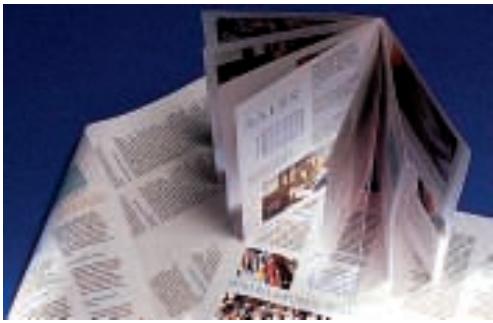
text_image
Stack of printed magazine covers with visible text and images, likely from a magazine or newspaper, against a blue background.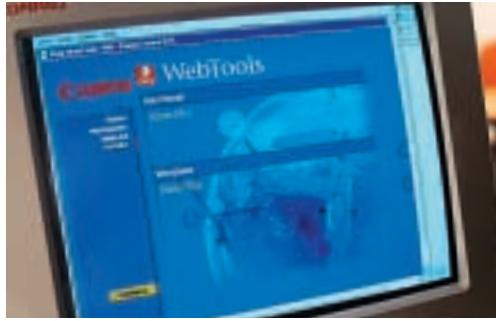
text_image
Ceramic WebTools File Edit View HelpProductivity at a perfect price
The CLC 1000S is the affordable answer to short-run colour production. With a speed of 1,440 A4 colour pages per hour (24 ppm) it's ready to handle all your corporate colour jobs on demand. There's no more waiting and no more waste. Update company material on the spot - and save both time and money.
Colour where you want it
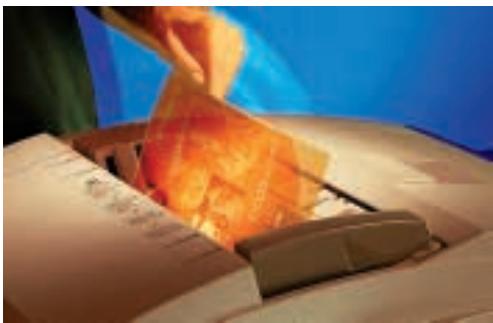
Brighten up your OHP presentations, in-house newsletters, flyers, brochures and all your colour documentation. The CLC 1000S is easy to operate and control, giving you constant colour quality when you want it, where you want it. For unlimited colour and unlimited uses, to literally change the way you work.
Easy, versatile colour printing
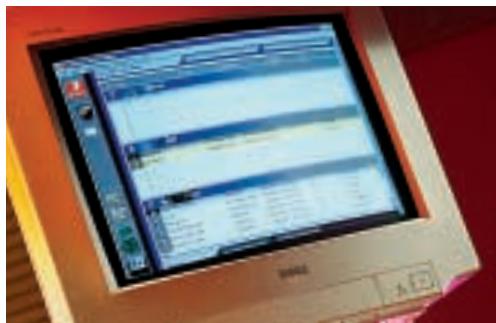
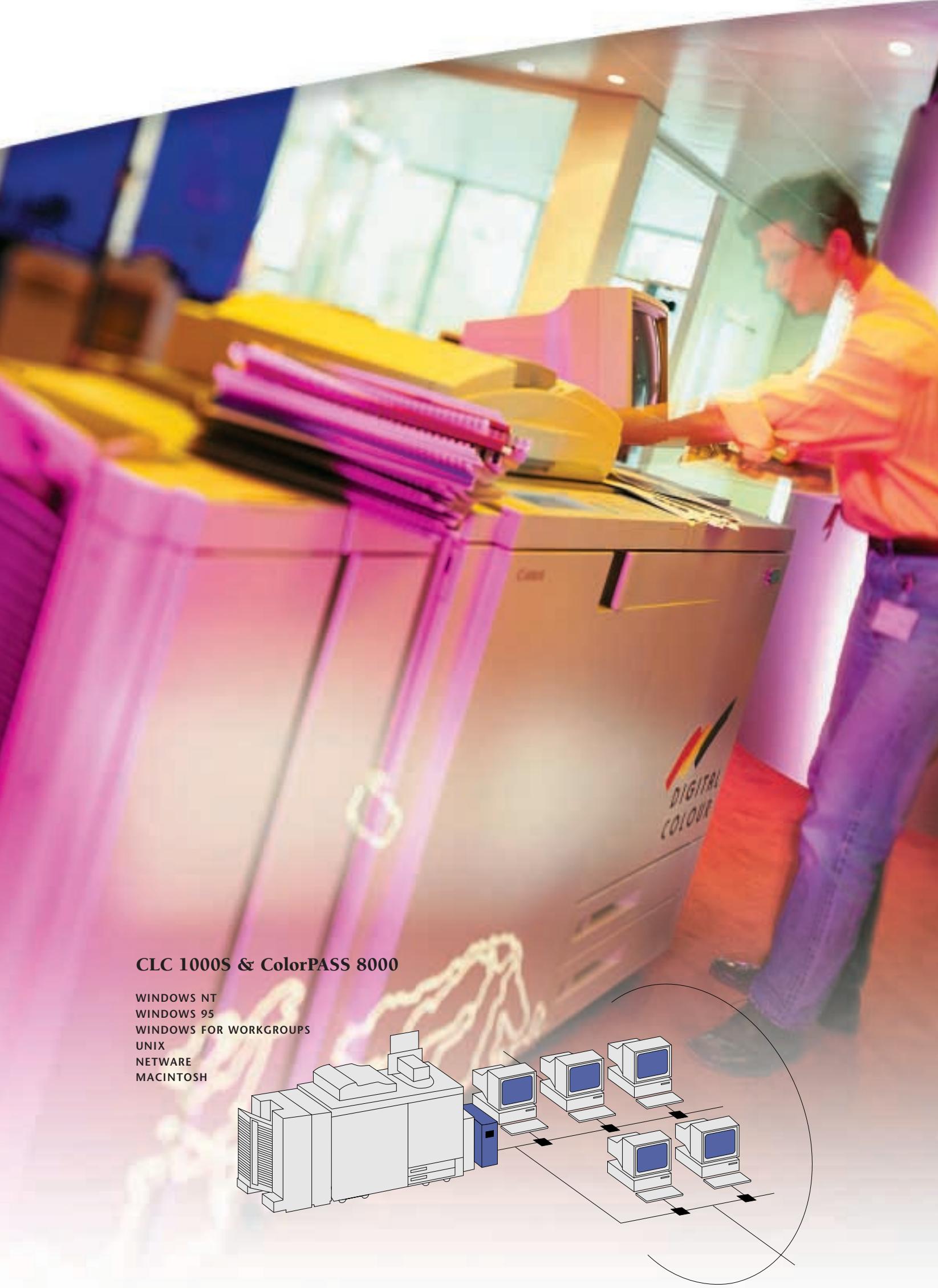
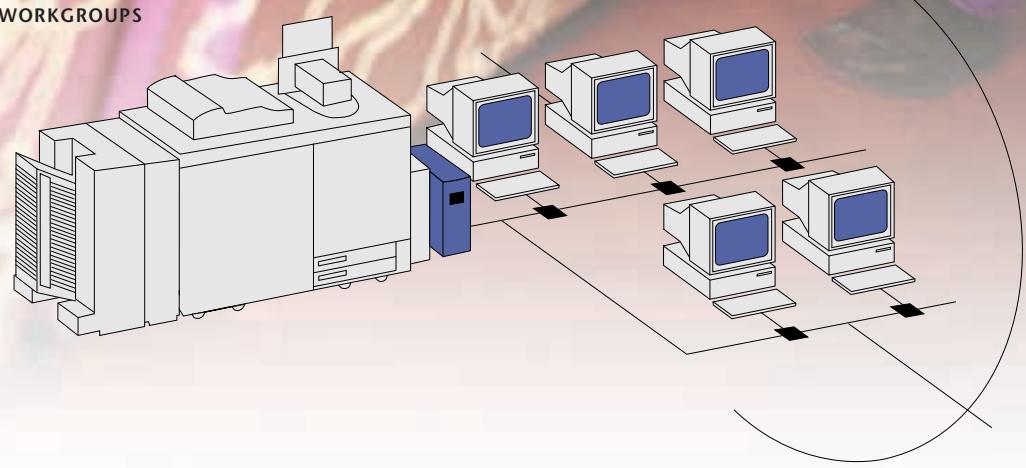
The optional ColorPASS 8000 is the perfect partner for your CLC 1000S, transforming it into a full colour printer and scanner for both PC and Mac environments. Time-saving WebTools™ allow you to track jobs and control everything with ease. There's powerful support for duplexing, paper handling and finishing. All with extra fast processing and no loss in overall speed.
Connect to your network
The ColorPASS 8000 offers instant access, printing and management across your entire computer network, supporting a wide range of protocols. Automatic sensing and switching ports allow simultaneous connection for users. Providing unparalleled productivity and powerful versatility, for short run colour printing.
IV
CLC 1000S & ColorPASS 8000: the choice for affordable corporate colour
Designed for economical corporate colour use, the CLC 1000S makes short work of all your in-house colour requirements. Create convincing presentations and top quality documentation. Combine the CLC 1000S with the optional ColorPASS 8000 server, for quick, easy colour networking throughout your entire organization. Putting you on the fast track to constant business success.
natural_image
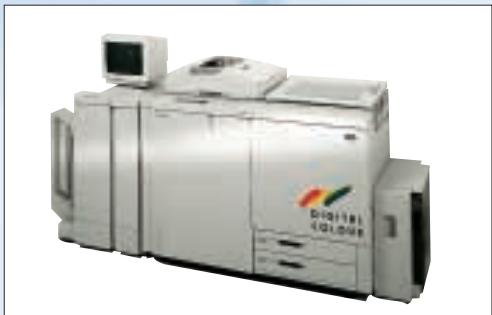
Exterior view of a modern industrial machine (no visible text or symbols)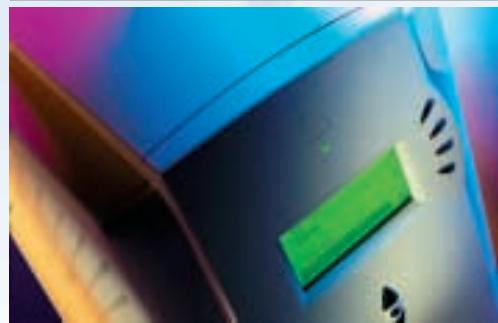
natural_image
Close-up of a blue and black electronic device with a green indicator light and control buttons (no visible text or symbols)Specifications CLC 1000
Name: Canon Colour Laser Copier 1000
Copying colour: full colour, mono colour and black
Copying method: Dry Electrostatic Transfer
Developing method: two-component toner projection development (yellow, magenta, cyan and black)
Fixing system: heated rollers
Resolution: 400 dpi
Gradation: 256 tones
Zoom ratio: 25 - 400%
Production ratio: direct copying 1:1
Reduction copying: 1:0.250; 1:0.500; 1:0.707
Enlargement copying: 1:1.414; 1:2.000; 1:4.000
Copy speed: A4: 31 cpm; A3: 12 cpm
First Copy Time: 15 sec.
Warm-up time: approx. 8 min.
Multiple copy runs: 1 - 999
Paper feeding: 2 cassettes of 500 sheets each, 4,000 sheet paper deck, 250 sheets by multifeeder
Duplex Tray capacity: 50 sheets (A5 - A3)
Copy size: A5 - A3+ (max. printable area
297 x 432 mm +/- 0,5%)
Non-image areas (mm): leading edge: 2.5 +/- 1.5 mm
trailing edge: 2.5 +/- 1.5 mm
left and right sides: 2.0 +/- 1.0 mm
Copy paper: 80 - 209 g/m²
Power requirement: 240 V, 50/60 Hz
Power consumption: 2.6 kW
Dimensions (W x D x H): 1640 x 730 x 1000 mm
Weight: 487 kg
Mode and features:
- Two-sided mode • One Touch Color • Color Balance • Zoom Functions
- Frame Erase mode • Two-page Separation mode
- Shift mode • Color Creation mode • Image Creation mode
- Marker Editing • Area Designation mode • Composition mode
- Cover mode • Transparency Interleaving mode
Options:
- RDF-E1 • Stapler Sorter F1 • Buffer Pass Unit • 2,000 sheet paper deck (A3)
- Film Projector B1 • Editor F1 and ED board • Film Scanner III • Monitor
Controller Board • ColorPASS Z90, ColorPASS V80 or ColorPASS 8000
Specifications ColorPASS V80:
Hardware Fiery VX Motherboard • DEC Alpha @ 533MHz CPU • 512MB RAM SDRAM • 1.5 MB Cache memory
- High-speed, 128-bit bus • 4GB hard disk • CD-ROM drive • Zip-drive
Document Set Printing (Fiery DocBuilder™ Technology) Continuous Print™ • Document RIP-While-Print® • Electronic collation • Reverse order printing • Fast reprint • Error-free printing • Document preview, merging and editing
- Auto duplexing support • Sorting/stapling support • Archiving via Command WorkStation • Load Balancing via Command WorkStation • Fiery Free Form™ - variable data solution
Page Description Adobe Postscript® 3
Color Management PANTONE® spot color matching • Automatic black overprinting • Trapping and overprinting
- Combine separations mode • Built-in Color Rendering Dictionaries (CRD's) • CMYK and PANTONE color reference pages
- RGB color palettes form Microsoft Word™ and PowerPoint™ • Apple Monitor and EFI™ RGB profiles • Support for ICC/ICM color profiles
Press Simulation Quick Simulation - adjusts toner density • Full Simulation - adjusts toner density and hue • Support for SWOP, Euroscale, DIC printing standards • Support for custom simulation targets • Simulation on a per-job basis
Calibration Default calibration for great out-of-the-box color • Fiery Print Calibrator™ • AutoCal 2 • Calibration on a per-job-basis
Specifications CLC 1000S
Name: Canon Colour Laser Copier 1000S
Copying colour: full colour, mono colour and black
Copying method: Dry Electrostatic Transfer
Developing method: two-component toner projection development (yellow, magenta, cyan and black)
Fixing system: heated rollers
Resolution: 400 dpi
Gradation: 256 tones
Zoom ratio: 25 - 400%
Production ratio: direct copying 1:1
Reduction copying: 1:0.250; 1:0.500; 1:0.707
Enlargement copying: 1:1.414; 1:2.000; 1:4.000
Copy speed: A4: 24 cpm; A3: 12 cpm
First Copy Time: 16 sec.
Warm-up time: approx. 8 min
Multiple copy runs: 1 - 999
Paper feeding: 2 cassettes of 500 sheets each, 4,000 sheet paper deck, 250 sheets by multifeeder
Duplex Tray capacity: 50 sheets (A5 - A3)
Copy size: A5 - A3+ (max. printable area
297 x 432 mm +/- 0,5%))
Non-image areas (mm): leading edge: 2.5 +/-1.5 mm
trailing edge: 2.5 +/- 1.5 mm
left and right sides: 2.0 +/- 1.0 mm
Copy paper: 80 - 209 g/m²
Power requirement: 240 V, 50/60 Hz
Power consumption: 2.6 kW
Dimensions (W x D x H): 1640 x 730 x 1000 mm
Weight: 487 kg
Mode and features:
- Two-sided mode • One Touch Color • Color Balance • Zoom Functions
- Frame Erase mode • Two-page Separation mode
- Shift mode • Color Creation mode • Image Creation mode
- Marker Editing • Area Designation mode • Composition mode
- Cover mode • Transparency Interleaving mode
Options:
- RDF-E1 • Stapler Sorter F1 • Buffer Pass Unit • 2,000 sheet paper deck (A3)
- Film Projector B1 • Editor F1 and ED board • Film Scanner III • Monitor
Controller Board • ColorPASS Z90, ColorPASS 8000 or ColorPASS V80
Specifications ColorPASS 8000:
Hardware Fiery XJ+ Motherboard • MIPS R5000 200MHz CPU • 512MB RAM SDRAM • 512 K Secondary cache
- 4GB hard disk
Networking Auto sensing ports: AUI • RJ45 • Parallel • Auto Switching Protocols • AppleTalk® • TCP/IP • Novell IPX
- Support for 10/100Base-T standard • Optional support for Token Ring
Document Set Printing (Fiery DocBuilder™ Technology) Continuous Print™ • Document RIP-While-Print®
- Electronic collation • Reverse order printing • Auto duplexing support • Sorting/stapling support
Command Workstation Fiery Spooler™ • Job Log • Fast reprint • Error-Free printing • Document preview, Merging and Editing
WebTools Fiery WebStatus™ • Fiery WebSpooler™ • Fiery WebInstaller™ (for downloading printer drivers and Utilities)
- Fiery WebLink™
Page Description Adobe Postscript® Level 2
Utilities Fiery Downloader™ • Fiery Scan™ • Fiery Print Calibrator™ • Fiery Print™ drivers for Macintosh and Windows
Canon reserves the right to change specifications without notice.
^™ All company and/or product names are trademarks and/or registered trademarks of their respective manufacturers in their markets and/or countries.