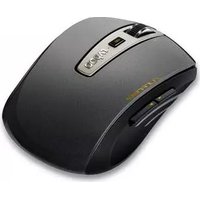
RAPOO 3910 - Mouse

3910 - Mouse RAPOO - Free user manual and instructions

Find the device manual for free 3910 RAPOO in PDF.

📄 2 pages English EN Download 💬 AI Question 10 questions ⚙️ Specs
Notice RAPOO 3910 - page 1
Pick your language and provide your email: we'll send you a specifically translated version.
Product Type Wireless Mouse
Brand Rapoo
Model 3910
Connectivity 2.4 GHz Wireless via USB Nano Receiver
Sensor Optical
Resolution 1000 DPI (fixed)
Number of Buttons 3 (Left, Right, Scroll Wheel)
Scroll Wheel Yes, 2D
Power Source 1 x AA battery (not included)
Battery Life Up to 12 months (typical)
Operating Range Up to 10 meters
Dimensions (L x W x H) 100 x 60 x 35 mm
Weight 60 g (without battery)
Color Black
Compatibility Windows 7/8/10/11, Mac OS X 10.8+, Linux
Package Contents Mouse, USB receiver, 1x AA battery (may vary), user manual
Installation Plug and play (no driver needed for basic functions)
Material Plastic
Cleaning Wipe with a soft dry cloth
Safety No special safety precautions

Frequently Asked Questions - 3910 RAPOO

How to connect the Rapoo 3910 mouse?
Insert the USB nano receiver into an available USB port on your computer. The mouse should automatically pair and be ready to use. If not, press the connect button (if available) or reinsert the battery.
How to replace the battery?
Open the battery compartment cover on the bottom of the mouse. Remove the old battery and insert a new AA battery with the correct polarity (+/-). Close the cover.
Is the mouse compatible with my operating system?
The Rapoo 3910 is compatible with Windows 7/8/10/11, Mac OS X 10.8 and later, and most Linux distributions. No additional drivers are required for basic functions.
Why is the mouse not moving?
Check that the battery is inserted correctly and has power. Ensure the USB receiver is firmly plugged in. Try re-pairing by removing and reinserting the receiver. If using a laptop, disable the touchpad temporarily.
Can I use the mouse on a glass surface?
The optical sensor may not work well on transparent or reflective surfaces like glass. Use a mouse pad or a non-reflective surface for best performance.
How to clean the mouse?
Disconnect the mouse (remove battery if possible) and wipe the exterior with a soft, dry cloth. Do not use liquids or abrasive cleaners. For stubborn dirt, slightly dampen the cloth.
What is the DPI resolution?
The Rapoo 3910 has a fixed optical resolution of 1000 DPI, suitable for everyday use.
Does the mouse have an on/off switch?
The Rapoo 3910 does not have a dedicated on/off switch. It enters sleep mode automatically after inactivity to save battery. Move the mouse or click a button to wake it.
What do I do if the USB receiver is lost?
If the receiver is lost, you may be able to use a replacement receiver from Rapoo, but pairing is required. Contact Rapoo support or consider purchasing a new mouse, as replacement receivers may be difficult to find.
How to troubleshoot connectivity issues?
Ensure the USB receiver is inserted directly into a computer port (avoid hubs). Replace the battery. Try a different USB port. Move the mouse closer to the receiver. Restart your computer. If issues persist, the mouse or receiver may be defective.

User questions about 3910 RAPOO

0 question about this device. Answer the ones you know or ask your own.

Ask a new question about this device

The email remains private: it is only used to notify you if someone responds to your question.

No questions yet. Be the first to ask one.

Download the instructions for your Mouse in PDF format for free! Find your manual 3910 - RAPOO and take your electronic device back in hand. On this page are published all the documents necessary for the use of your device. 3910 by RAPOO.

USER MANUAL 3910 RAPOO

Wireless Optical Mouse

3910
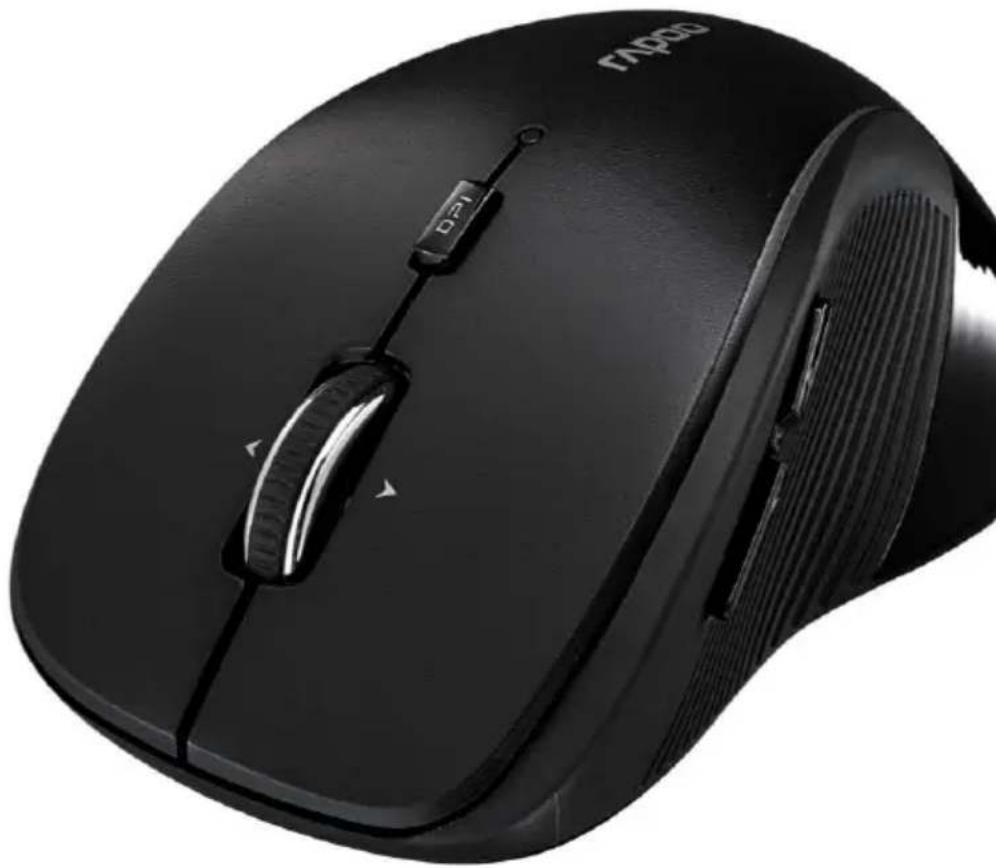
Close-up of a black TP500 computer mouse with visible control buttons and scroll wheel (no text or symbols on the device itself)

RAPOO 3910 - 3910 - 2

Reliable 2.4 GHz wireless connection

RAPOO 3910 - 3910 - 3

High resolution 1000 DPI sensor

RAPOO 3910 - 3910 - 4

Up to 9 months battery life

Wireless Optical Mouse

3910

Two computer mouse cases, one black and one white, displayed side by side against a white background (no text or symbols visible)

The 3910 wireless mouse transmits using Rapoo's reliable and power-saving 2.4 GHz standard. Thanks to its shape and the side rubberized grips, this mouse is extremely comfortable and relieves strain on the wrist.

The 7 buttons and high-resolution sensor make working and surfing online easier, more convenient and quicker. What's more, Rapoo's power-saving technologies offer up to 9 months' battery life.

2.4 GHz

1000 DPI rapoo OPTICAL SENS HOR

9 Months NOV 5

Reliable 2.4 GHz wireless connection

Carefree wireless: The proven advanced 2.4 GHz standard offers you a range of up to 10 m and 360° coverage.

High resolution 1000 DPI sensor

Enjoy total control: The high-performance 1000 DPI optical sensor offers you smooth and accurate mouse-pointer control.

Up to 9 months battery life

Low energy consumption: Rapoo's energy-saving technologies, combined with the on/off switch, means you can use this mouse continuously for up to 9 months.

Specifications:

2.4 GHz wireless connection

Rubberized grips

1000 DPI optical sensor

7 mouse buttons

Nano USB receiver

Includes 1 AA battery

Up to 9 months battery life

Package Contents:

Wireless mouse, Nano USB receiver,

1 AA alkaline battery (installed),

Quick Start Guide

System Requirements:

Windows® XP/Vista/7/8/10

USB Port

Product Dimensions & Weight:

Dimensions: 104×68×41 mm

Weight: 79 g

Available Colors

RAPOO 3910 - Available Colors - 1

Manual assistant
Powered by Anthropic
Waiting for your message
Product information

Brand : RAPOO

Model : 3910

Category : Mouse