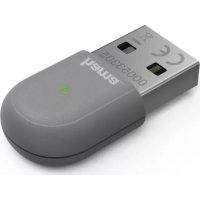
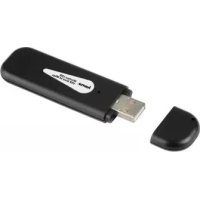
00049218 4.0+ EDR USB - Network card / adapter HAMA - Free user manual and instructions
Find the device manual for free 00049218 4.0+ EDR USB HAMA in PDF.


Pick your language and provide your email: we'll send you a specifically translated version.
| Product Type | Bluetooth 4.0+ EDR USB Adapter |
| Bluetooth Version | 4.0 with Enhanced Data Rate (EDR) |
| Interface | USB 2.0 (backward compatible with USB 1.1) |
| Dimensions | Approx. 25 x 15 x 7 mm |
| Weight | Approx. 5 g |
| Power Supply | Via USB port (5V, 100 mA) |
| Wireless Range | Up to 10 meters (open space) |
| Supported Profiles | A2DP, AVRCP, HFP, HSP, SPP, HID, PAN, GATT |
| Compatible Operating Systems | Windows 7/8/10/11, macOS, Linux, Android, iOS |
| Main Functions | Add Bluetooth connectivity to PC/laptop; supports audio streaming, file transfer, keyboard/mouse, internet sharing |
| Installation | Plug and play; drivers automatically installed on most systems |
| Maintenance | No regular maintenance required; keep dry and clean |
| Cleaning | Use a dry cloth to wipe the USB connector; avoid liquids |
| Safety Warnings | Do not expose to extreme temperatures or moisture; only use with standard USB ports |
| Spare Parts | None; the device is sealed and not user-serviceable |
| Repairability | Not repairable; dispose of electronic waste responsibly |
| General Information | Manufacturer: Hama; Model: 00049218; Color: Black |
Frequently Asked Questions - 00049218 4.0+ EDR USB HAMA
How do I install the Hama 00049218 Bluetooth adapter?
Simply plug the adapter into a USB port. Your operating system will automatically install the drivers. On older Windows versions, you may need to download drivers from the Hama website.
Is the adapter compatible with Bluetooth 5.0 devices?
Yes, it is backward compatible with Bluetooth 5.0 devices, but it will operate at Bluetooth 4.0 speeds and features.
What is the maximum range of the adapter?
The maximum range is up to 10 meters (33 feet) in open space. Walls and obstacles can reduce the range.
Can I connect multiple Bluetooth devices at once?
Yes, the adapter supports multiple Bluetooth connections simultaneously, such as a keyboard, mouse, and headphones.
Does it support audio streaming to Bluetooth speakers?
Yes, it supports the A2DP profile for high-quality audio streaming to Bluetooth speakers and headphones.
Why is my device not detected after plugging the adapter?
Try plugging it into a different USB port. Ensure Bluetooth is enabled in your system settings. If issues persist, reinstall the drivers or check Device Manager for errors.
Is the adapter compatible with Linux?
Yes, most Linux distributions support the adapter with built-in drivers. You may need to install the bluez package if not already present.
Can I use this adapter for Bluetooth tethering?
Yes, it supports the PAN profile for network access, allowing you to share internet connections via Bluetooth.
Does the adapter work with Windows 11?
Yes, Windows 11 includes built-in drivers for the adapter. Plug it in and it should work immediately.
How do I uninstall the adapter?
On Windows, go to Device Manager, find the Bluetooth device under 'Bluetooth', right-click and select 'Uninstall'. Then remove the adapter from the USB port.
User questions about 00049218 4.0+ EDR USB HAMA
0 question about this device. Answer the ones you know or ask your own.
Ask a new question about this device
No questions yet. Be the first to ask one.
Download the instructions for your Network card / adapter in PDF format for free! Find your manual 00049218 4.0+ EDR USB - HAMA and take your electronic device back in hand. On this page are published all the documents necessary for the use of your device. 00049218 4.0+ EDR USB by HAMA.