
SX-200S - Audiovisual Equipment Smart-AVI - Free user manual and instructions
Find the device manual for free SX-200S Smart-AVI in PDF.


| Product Type | KVM Extender (Transmitter and Receiver) |
| Brand | Smart-AVI |
| Model | SX-200S |
| Maximum Extension Distance | 500 ft (152 m) via single CAT5 cable |
| Supported Resolutions | Up to 1600x1200 |
| Bandwidth | 300 MHz |
| Signal Type | Analog RGB |
| Sync | Horizontal and Vertical TTL compatible |
| Keyboard Support | Standard PS/2 compatible with full emulation |
| Mouse Support | Standard PS/2 compatible with full emulation and conversion |
| Audio Support | Stereo unbalanced 3.5mm jack socket |
| Power Supply | 5VDC, 1A |
| Enclosure Material | Aluminum |
| Dimensions (W x D x H) | 109 x 166 x 30 mm (4.29 x 6.54 x 1.18 in) |
| Weight | 0.57 kg (1.26 lb) |
| Operating Systems | Windows, NT, OS/2, UNIX, Linux, and others |
| Cable Compensation | Adjustable |
| Keyboard Lock Save/Restore | Caps Lock, Num Lock, Scroll Lock automatically saved and restored |
| Included Items | Transmitter (SX-TX200), Receiver (SX-RX200), 2 Power Supplies (PS-5D1A-US), KVM Cable (CC-KVMMM-06) |
| Optional Accessories | 3.5mm Stereo Audio Cable (CC-MMAMM-06) |
| Installation Cable | Single CAT5 UTP cable (not included) |
| Maintenance | Clean with a dry cloth; avoid liquids. Use only provided power adapter. |
Frequently Asked Questions - SX-200S Smart-AVI
User questions about SX-200S Smart-AVI
0 question about this device. Answer the ones you know or ask your own.
Ask a new question about this device
Download the instructions for your Audiovisual Equipment in PDF format for free! Find your manual SX-200S - Smart-AVI and take your electronic device back in hand. On this page are published all the documents necessary for the use of your device. SX-200S by Smart-AVI.
USER MANUAL SX-200S Smart-AVI
Technical Specifications
| snoitacifice | |
| Signal | Analog signal: Red, Green, Blue mbO57p-pV7.0 |
| nBos40x480 1000ft; 800x600 850ft;natD 1024x768 700ft; 1200x f002 1600x1200 560ft. | |
| Sync | Horizontal and Vertical TTL compatible |
| Bandwidth | 300 MHz |
| Keyboard | Standard PS/2 Compatible |
| Mouse | Standard PS/2 Compatible |
| Audio | Stereo Unbalanced 3.5mm jack socket |
| Power | 5VDC 1A |
| Hpsi | |
| D smor HXDx | 109x166x30mm (4.29x6.54x1.18in) |
| Weight | .57 kg ( 1.26lb) |
| n5 Material | Almu |
© Copyright 2004 Smart-AVI, All Rights Reserved
Notice
The information contained in this document is subject to change without notice. Smart-AVI makes no warranty of any kind with regard to this material, including but not limited to, implied warranties of merchantability and fitness for any particular purpose.
Smart-AVI will not be liable for errors contained herein or for incidental or consequential damages in connection with the furnishing, performance or use of this material.
No part of this document may be photocopied, reproduced or translated into another language with out prior written consent from Smart-AVI.
For the complete manual, visit www.smartavi.com.
Smart-AM
3111 Winona Ave., Suite 101
Burbank, California 91504
Phone: (818) 565-0011
Facsimile: (818) 565-0020
Smart-AM
Smart Audio Video Integration
User Manual
SX-200

natural_image
Two gray electronic devices labeled 'SMART-AM' with ports and indicators (no readable text beyond branding)Uses a single CAT5 to extend Keyboard, Mouse, Video and Audio to a remote location up to 500 ft.
www.smartavi.com
Introduction
The SX-200 is a combination of transmitter and receiver devices designed to allow access to the PC from a keyboard, mouse, and monitor at a remote location up to 500 ft. away. The extension is accomplished over a single CAT5 cable.
Features
■ Provides remote access to the PC with keyboard, mouse and monitor.
■ Uses a single CAT-5 UTP cable to reduce installation costs.
■ Extends signal to a maximum distance of 500ft.
■ Supports all PC/AT and PS/2 keyboards with full emulation.
■ Caps Lock, Num Lock, and Scroll Lock are automatically saved and restored.
■ Supports full emulation and conversion on all PC/AT and PS/2 mice.
■ Compatible with Windows, NT, OS/2, UNIX, Linux, and other operating systems.
■ Supports computer monitors with resolution of up to 1600x1200.
■ Offers adjustable cable compensation.
■ Compact metal enclosure.
■ Supports stereo audio.
What's in the box?
SX-200SX-200
Please check the contents of the package before beginning installation.
| tnetnoCegal | ||
| QtytQ | Description | Part Number |
| 1 | SX-200 Transmitter | SX-TX200 |
| 1 | SX-200 Receiver | SX-RX200 |
| 2 | 1Power Supply | PS-5D1A-US |
| 1 | KVM Cable | CC-KVMMM-06 |
| Optional Accessories | ||
| 1 | 3.5mm Stereo Audio Cable | CC-MMAMM-06 |
Installation Diagram
Before you power up, ensure that all cables are properly connected as shown in the diagram below.

flowchart
graph TD
    A["SV"] --> B["SX-TX200"]
    B --> C["VGA"]
    B --> D["KEYBOARD"]
    B --> E["MOUSE"]
    B --> F["AUDIO"]
    B --> G["CAT5"]
    B --> H["CONNECT TO SX-RX200"]
    H --> I["SX-RX200"]
    I --> J["VGA"]
    I --> K["KEYBOARD"]
    I --> L["MOUSE"]
    I --> M["AUDIO"]
    I --> N["CONNECT TO SX-TX200"]
    N --> O["SX-TX200"]
    O --> P["SV"]
    I --> Q["KEYBOARD"]
    Q --> R["TV"]
Installation Instructions
System Power UpSystem Power Up
- Connect the 5 Volt power supply to the transmitter
- Turn the system on by plugging in the power adapter, if it is not yet connected.
- Power up your computer.
- Observe to see if both transmitter and receiver power LEDs are ON, and computer has finished the boot up process.
- Observe monitor at receiver end to see if signal is going through.
Quickstart
- Connect the video out, keyboard and mouse ports on your computer to the transmitter using the supplied KVM and audio cables.
- Connect a power adapter to the transmitter and the receiver.
- Connect a CAT5 cable to the transmitter and run it over to the receiver.
- Connect peripherals to the receiver. I.E. keyboard, mouse, monitor, and optional serial device.
- Once everything is connected power up your computer and the SX-200 units.
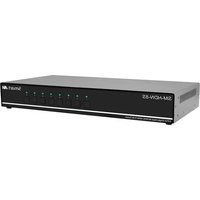


Brand : Smart-AVI
Model : SX-200S
Category : Audiovisual Equipment