
2SB410 - VCR PHILIPS - Free user manual and instructions
Find the device manual for free 2SB410 PHILIPS in PDF.


Pick your language and provide your email: we'll send you a specifically translated version.
| Product Type | Videocassette Recorder (VCR) |
| Brand | Philips |
| Model | 2SB410 |
| Dimensions (W x H x D) | 430 x 90 x 260 mm |
| Weight | 4.5 kg |
| Power Supply | AC 220-240V, 50/60 Hz |
| Power Consumption | 20 W (typical) |
| Video System | PAL / SECAM |
| Tape Format | VHS |
| Recording Time (max) | 8 hours (in EP mode) |
| Heads | 4-head drum |
| Audio | Monaural |
| Inputs | RF antenna, SCART (RGB/AV) |
| Outputs | RF modulator, SCART, RCA audio/video |
| Timer Features | Programmable timer (up to 8 events / month) |
| Auto Tracking | Yes |
| Remote Control | Infrared (included) |
| Maintenance | Use cleaning cassette for video heads; wipe exterior with soft dry cloth |
| Safety | Unplug unit during lightning storms or long periods of non-use |
| Spare Parts / Repairability | Remote control available; heads and belts serviceable by qualified technician |
Frequently Asked Questions - 2SB410 PHILIPS
How do I connect the VCR to my TV?
Connect the RF antenna cable to the 'ANT IN' socket. Then use a SCART cable (AV) from the VCR's 'EXT1' socket to your TV's SCART input. Alternatively, use the RCA outputs (yellow, white, red) if your TV supports them.
How do I set the clock on the Philips 2SB410?
Press the 'CLOCK' button on the remote or the front panel. Use the +/- buttons to adjust hours, then press again for minutes. Confirm with 'OK' or 'CLOCK' again. Make sure the VCR is turned on.
Why is the picture noisy or snowy?
Check the antenna connection and ensure it's tightly screwed. Try auto tuning by pressing 'MENU' and selecting 'Auto Tune'. Also inspect the video heads for dirt; a cleaning cassette may help.
How do I program a timer recording?
Press 'TIMER' on the remote. Select an empty slot, set the date, start time, end time, and channel using arrow keys and 'OK'. You can store up to 8 events. Ensure the VCR is off or in standby for recording to start automatically.
What tape types can I use?
You can use standard VHS tapes of any length (e.g., E180, E240). The VCR supports SP, LP, and EP recording speeds.
The VCR won't eject the tape. What should I do?
First, unplug the VCR for 30 seconds, then plug it back in and try again. If it still fails, the mechanism may be jammed. Do not force it; contact a technician for repair.
How do I clean the video heads?
Purchase a VHS head cleaning cassette. Insert it into the VCR and press PLAY. Let it run for about 10 seconds, then eject. Do not use wet cleaners unless specified.
Can I connect the VCR to my home theater system?
Yes, use the SCART or RCA audio outputs (red/white) to connect to your amplifier. For video, use the yellow RCA or SCART to your TV.
The remote control doesn't work. What can I do?
Replace the batteries with new ones (AAA type). Check that the remote's infrared emitter is visible. If still not working, try cleaning the lens and the VCR's sensor. You can also use the front panel buttons.
How do I access the on-screen menu?
Press the 'MENU' button on the remote. Use arrow keys to navigate options like 'Tuning', 'Timer', 'Preferences'. Confirm with 'OK'. To exit, press 'MENU' again.
User questions about 2SB410 PHILIPS
0 question about this device. Answer the ones you know or ask your own.
Ask a new question about this device
No questions yet. Be the first to ask one.
Download the instructions for your VCR in PDF format for free! Find your manual 2SB410 - PHILIPS and take your electronic device back in hand. On this page are published all the documents necessary for the use of your device. 2SB410 by PHILIPS.
USER MANUAL 2SB410 PHILIPS






2. INSTALLATION. HOW TO CONNECT THE VCR?

Notes:
4. PLAYING A RECORDED CASSETTE
Anti-erasure
Note:
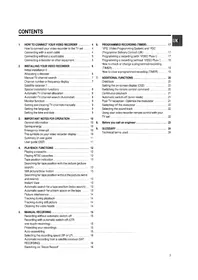

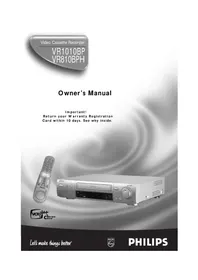
Table of contents
Click a title to access it
Manual assistant
Powered by Anthropic
Waiting for your message
Product information
Brand : PHILIPS
Model : 2SB410
Category : VCR