VR733 - VCR PHILIPS - Free user manual and instructions

Find the device manual for free VR733 PHILIPS in PDF.
PHILIPS VR733 - VCR
📄 86 pages English EN Download 💬 AI Question 10 questions ⚙️ Specs
Notice PHILIPS VR733 - page 1
Pick your language and provide your email: we'll send you a specifically translated version.
Product Type VCR (Video Cassette Recorder)
Brand Philips
Model VR733
Video Recording System VHS
Dimensions (W x D x H) 430 mm x 280 mm x 90 mm
Weight 4.0 kg
Power Supply 220-240 V, 50 Hz, 20 W
Playback Speed SP, LP, EP
Recording Time (per tape) Up to 6 hours (EP mode)
Video Heads 4 heads
Tuner Analog (PAL/SECAM)
Channel Presets 99
Timer Recording Up to 8 events, 1 year
Audio Output Monaural
Connections ANT IN, RF OUT, Audio/Video RCA, SCART
Remote Control Included
Maintenance Clean video heads with a cleaning cassette; dust exterior with dry cloth
Safety Do not disassemble; keep away from moisture; unplug during storms
Spare Parts Availability Remote control, power cord, AV cables (compatible parts)
Reparability Professional service required; no user-serviceable parts

Frequently Asked Questions - VR733 PHILIPS

How do I connect my Philips VR733 to the TV?
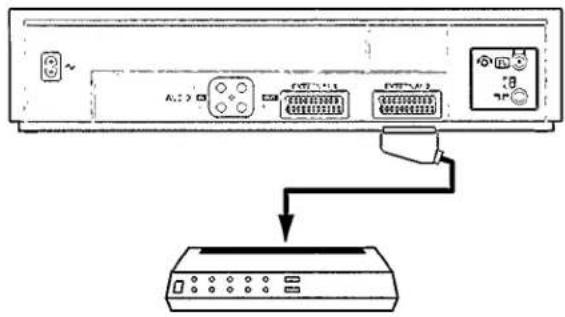
Use an RF cable from the ANT IN on the VCR to the TV's antenna input, or use a SCART cable for better quality. Set the TV to AV or channel 0/1.
How do I record a program?
Insert a blank tape, select the channel, press REC and then PLAY (or directly REC for some models). To stop, press STOP.
How do I set the clock and timer recording?
Press MENU, navigate to CLOCK and set date/time. For timer, go to TIMER REC and enter start/end time, channel, and date.
Why is the picture snowy or unstable?
Check the tracking adjustment (manual or automatic). Also ensure the antenna connection is secure and the VCR is tuned to the correct channel.
How do I clean the video heads?
Use a VHS head cleaning cassette for 10-15 seconds. Never use Q-tips or alcohol manually, as it may damage the heads.
Can I play NTSC tapes on this VCR?
No, the Philips VR733 is designed for PAL/SECAM systems only. NTSC tapes may not play correctly.
The remote control doesn't work. What should I do?
Replace the batteries. Check if the remote is pointed at the VCR's sensor (no obstructions). If still not working, the remote may be defective.
How do I eject a stuck tape?
Press the EJECT button. If it doesn't work, unplug the VCR, wait 1 minute, plug back in and try again. Do not force the tape out.
What is the maximum recording time on a single tape?
With a standard E-240 tape, you can record up to 6 hours in EP (extended play) mode.
How do I prevent damage to tapes?
Store tapes in their cases upright, away from heat and magnets. Keep the VCR heads clean to avoid scratching tapes.

User questions about VR733 PHILIPS

0 question about this device. Answer the ones you know or ask your own.

Ask a new question about this device

Your email remains private: it is only used to notify you if someone answers your question.

No questions yet. Be the first to ask one.

Download the instructions for your VCR in PDF format for free! Find your manual VR733 - PHILIPS and take your electronic device back in hand. On this page are published all the documents necessary for the use of your device. VR733 by PHILIPS.

USER MANUAL VR733 PHILIPS

CONTENTS

1. OVERVIEW OF KEYS, CONTROLS, 4 SOCKETS

The remote control 4

Safety instructions
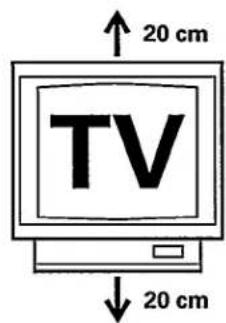
TV 20 cm 20 cm

PAL SECAMPHILIPS VR733 - Safety instructions - 2

PHILIPS VR733 - Safety instructions - 3

PHILIPS VR733 - Safety instructions - 4

2. INSTALLATION. HOW DO I INSTALL THE VIDEO RECORDER?
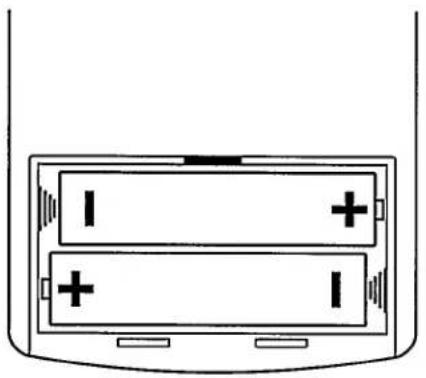
Diagram of a two-cell battery with two cells and two terminals, no text or symbols present

25 JUN 93 19:30

Diagram showing connection between a server rack and an air conditioner via cable, with labeled ports and connectors.

Illustration of a hand inserting a card into a box (no text or symbols)

PLAYBACK 130

PROG

1 ARD

PAUSE 1:38

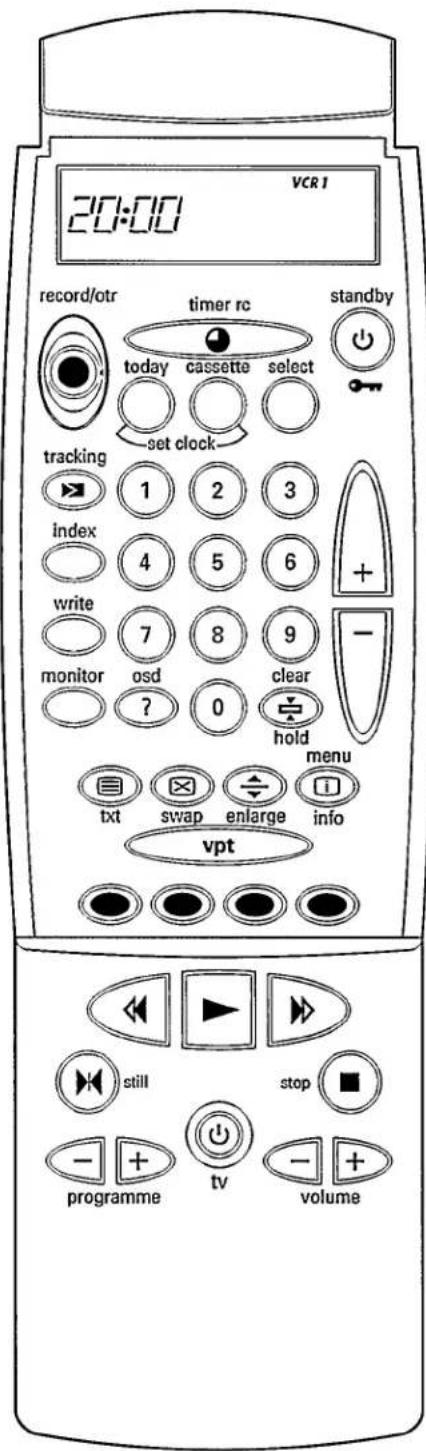
20:00 VCR 1 record/otr timer rc standby today cassette select set clock tracking index write monitor osd ? 0 clear hold menu txt swap enlarge info vpt still stop programme tv volume

VISS search:

AUTOSTORE 15

DONE

Arrange channels

PROG 6 SATI NAME CO40

PROG 6 NAME CO40

SAVED
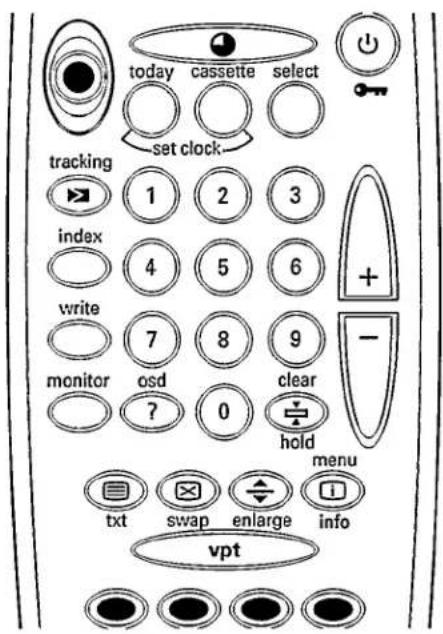
today cassette select set clock tracking 1 2 3 index 4 5 6 write 7 8 9 monitor osd clear ? 0 hold menu txt swap enlarge info vpt

Direct channel selection

5. HOW CAN I RECORD DIRECTLY?

Cartoon illustration of a smiling man holding a mobile phone with a circular arrow symbol (no text or symbols present)

Simple line drawing of a rectangular electronic component with a curved arrow indicating force or movement (no text or symbols)

PROG

1 ARD

PAUSE 1:38

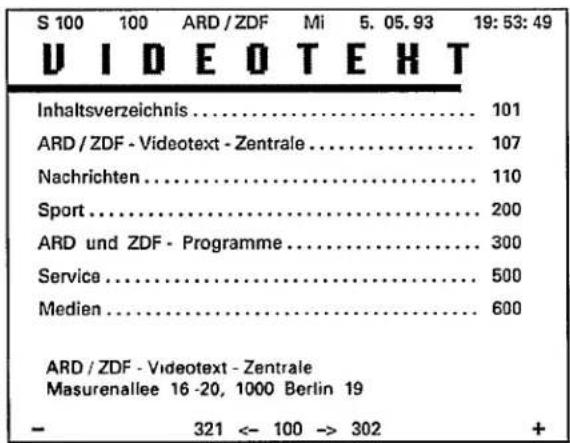
S 100 100 ARD / ZDF Mi 5. 05. 93 19: 53: 49 VIDEO TEXT Inhaltsverzeichnis.... 101 ARD / ZDF - Videotext - Zentrale.... 107 Nachrichten.... 110 Sport.... 200 ARD und ZDF - Programme.... 300 Service.... 500 Medien.... 600 ARD / ZDF - Videotext - Zentrale Masurenallee 16 -20, 1000 Berlin 19 - 321 <- 10…

PROG

01

SIMULTANEOUS 0:00

RECORD TIMER SET STEREO O'STANDRY VIDEO Litter/Inner PHONES PHONES SYNCENT

TXT decoder.

Note:

Manual assistant
Powered by Anthropic
Waiting for your message
Product information

Brand : PHILIPS

Model : VR733

Category : VCR