
NAS-3037 - Docking Station Naxa - Free user manual and instructions
Find the device manual for free NAS-3037 Naxa in PDF.


| Product Type | Docking Station with Bluetooth Speaker |
| Brand | Naxa |
| Model | NAS-3037 |
| Compatible Devices | Smartphones, Tablets, MP3 players (via 3.5mm aux or Bluetooth) |
| Bluetooth Version | 5.0 |
| Speaker Output Power | 10W RMS (2 x 5W stereo) |
| Frequency Response | 80Hz - 20kHz |
| Dimensions (W x D x H) | 200 x 120 x 80 mm |
| Weight | 0.6 kg |
| Power Supply | DC 5V/2A via USB-C or AC adapter (included) |
| Battery | Built-in rechargeable Li-ion 2000mAh |
| Charging Time | Approximately 3 hours |
| Playback Time | Up to 8 hours (at moderate volume) |
| Input Interfaces | Bluetooth, 3.5mm aux, USB-A for charging external devices |
| Output Interfaces | 3.5mm headphone jack |
| Functions | Bluetooth streaming, hands-free calling, FM radio, USB charging for phone |
| Controls | Buttons: Power, Volume, Play/Pause, Next/Previous, Mode, Answer/End call |
| Maintenance & Cleaning | Wipe with a dry soft cloth; do not use liquids or abrasives |
| Safety | Do not expose to water, extreme temperatures, or drop |
| Spare Parts & Repairability | Contact Naxa support for replacement battery or charger; non-user-serviceable internal parts |
| General Information | Comes with user manual, charging cable, aux cable |
Frequently Asked Questions - NAS-3037 Naxa
User questions about NAS-3037 Naxa
0 question about this device. Answer the ones you know or ask your own.
Ask a new question about this device
Download the instructions for your Docking Station in PDF format for free! Find your manual NAS-3037 - Naxa and take your electronic device back in hand. On this page are published all the documents necessary for the use of your device. NAS-3037 by Naxa.
USER MANUAL NAS-3037 Naxa
Bluetooth Portable Speaker with Built-in Microphone and Talk Function

natural_image
Black and white photo of a black and white portable electronic device with a speaker grille (no visible text or symbols)INSTRUCTION MANUAL
Know your speaker

A. On/ Off button (OFF/ AUX/ BT)
B. AUX in
C. USB DC 5V
D. Bluetooth indicator light (Blue)
E. Charging indicator light (Red)
F. Prev
G. Volume-
H. Volume+
I. Next
J. Pause/ Play/ Hands free answer/ Hands free hang up
K. MIC
The Reasons why you love it
▶Portable Bluetooth speaker
Compatible with the Iphone, Ipad or any cell phone has Bluetooth, enjoy your loved song anytime, anywhere.
➢Can control the play mode through the speaker, makes everything convenient.
Wireless Bluetooth connection, effective range can up to 10m, enjoys music boundless. (Effective range is subject to testing conditions)
▶USB charge support, easy for operation.
- AUX-in also bring good performance in sourcing music device connection.
Enjoy hands free phone talking.
Product Specifications
●Dimension & Weight
Dimension: 98.5mm (W)*74.5mm (D)*67.5mm (H)
Weight: 270g± 5% for speaker body
●Standard Battery: Built in rechargeable Lithium battery
● Music playtime: Max 4-8 hrs(based on 50%-70% voice volume) details info as per confirmation separately based on different test conditions
●Charge condition:
Charge time: 3-4 hours
Power input: 100V \~ 240V AC/50-60Hz
Power output: DC 5V/300\~500mA
(Remark: Please don't use the mismatching adaptor to charge the product, or it will get damage to the speaker and battery)
Speaker Specifications
●Diameter: 2 inch
- Impedance: 4Ω
●Power output: 3.0W(THD+N=1%)
●Sensitivity :85 ± 1dB
Wireless function
●Frequency: 2.402-2.480 GHz
●Max transmission power rate: 2 grade, 4dBm
●Receiving sensitivity: -82dBm
●Transmission distance: within 10 meters
● Data transmission rate: Up to 3Mbps (Over the air)
Package & accessories
- Giftbox
●Bluetooth Speaker - USB cable
●Audio cable
●Instruction manual
●Warranty card (Optional)
Operation Instructions
- Turn on ON/OFF switch to AUX-in, the green indicator light on, and the speaker is in the AUX-in function. Turn the switch to BT (Bluetooth) position, and speaker will have a response ring, the blue indicator light flash and the green indicator also light on, Bluetooth function is available.
- When connect to the USB DC in or adaptor, red indicator light on, charge mode work. The speaker can be charged when it's in ON or OFF status.(We suggest to turn off speaker when charge it.)
- The Bluetooth speaker will turn into snooze mode after 5 minutes unused(means do not connect with bluetooth and User can setting time), and speaker will have a continuous warning tone. Turn on the ON/OFF switch again, and the speaker will turn into the normal working mode.
Below operations are available only under Bluetooth mode:
- Short press "+", volume up; Short press "-" , volume down.
- Short press " (for previous song; Short press " for next song.
- In the play mode, short press " his pause/play function; When phone call comes, there is response ring,short press" to answer phone with hands free; When phone call comes,long press " to reject calling.In the phone mode, press " to hang up the phone conversation.
- When blue indicator flashes fast, Bluetooth is searching signal, after successful matched, the blue indicator light will be bright and flash slowly.
- The Bluetooth speaker can only match to one signal per time, the connection can not be deleted when matching. It can only be deleted in disconnection model.
- It's not allow to show the same equipment name in the Bluetooth
connection list, or it will make the one in same name can not be connected.
- The Bluetooth speaker user name is: NAPOLI, the password is: "0000".
Points to keep your Bluetooth energetic
●The hands free function can only be worked in the Bluetooth mode.
- The Bluetooth speaker has a anti signal disturb design, but it will still be interrupted by the high frequency device or within electromagnetic field. Avoid to put it in such kind of environment.
- Different user port will make difference on the transmission distance. Please use the qualify Bluetooth port.
- Some cell phone music player device does not have smooth cache, and it will be a slightly "POP" tone when pause, it's a normal sound.
●The disconnection of Bluetooth is not a real time operation, and it will be a few seconds delay from the cell phone operation.
- When Bluetooth match is failed, delete other Bluetooth device in the connection list, restart the Bluetooth speaker and search the signal again.
- If speaker makes a loud electronic noise, or when charging by USB port, the red, green, blue indicator light flashes in turn, please check for the battery shrapnel, or if any damage in the battery.
- It must install a Bluetooth media player in the computer when PC using the Bluetooth speaker.
- Please pull out the AUX-in cable before connecting to the Bluetooth speaker, to make sure the connection is correct.
- The speaker sound effect is affected by battery capacity, cell phone performance and input media source quality. If noise, user can download some “0dB” music for test in AUX-in mode, in the distance of 1m.
- If speaker will not be used for a long time, please keep charge once per
Bluetooth Speaker Instruction Manual
month, to avoid the over-consumption of the battery to damage the speaker.
- Do not put the speaker in an extreme cold, hot, wet or dusty environment, or it will be damage to the function and device.
- Do not use the speaker in an extreme dry environment, to avoid the static damage.
- Do not put the speaker into water or fire.
- Do not scratch the speaker to protect the interface and battery.
Thanks for using Our Bluetooth speaker Enjoy music, enjoy life!
MADE IN CHINA
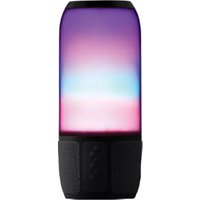
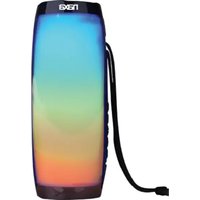
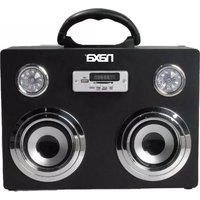
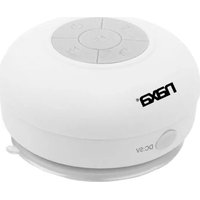
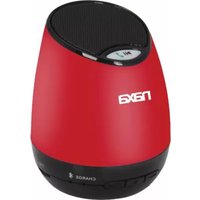
Brand : Naxa
Model : NAS-3037
Category : Docking Station