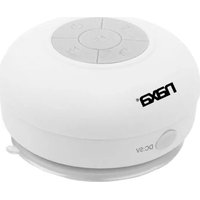
NAS-3042 - Docking Station Naxa - Free user manual and instructions
Find the device manual for free NAS-3042 Naxa in PDF.


| Product Type | Waterproof Bluetooth Speaker |
| Brand | Naxa |
| Model | NAS-3042 |
| Weight | Approx. 3.5 oz (100 g) |
| Power Supply | DC 5V via USB (cable included) |
| Battery Type | Rechargeable lithium-ion, 3.7V 400mAh |
| Charging Time | Approx. 2 hours |
| Operating Time | Approx. 2 hours (at moderate volume) |
| Bluetooth Version | 3.0+EDR |
| Bluetooth Range | 10 meters (33 ft) |
| Frequency Response | 200Hz – 20KHz |
| Waterproof Rating | IPX4 (splash resistant) |
| Controls | Power, Volume, Track Skip, Play/Pause, Phone Call |
| Microphone | Built-in for hands-free calling |
| Accessories Included | USB charging cable |
| Safety Instructions | Keep away from heat, direct sunlight, sharp edges, and open flames. Do not insert metal objects. Do not repair yourself; contact authorized service. |
| Maintenance | Clean with a soft, dry cloth. Do not use harsh chemicals or abrasives. |
| Speaker Type | Single full-range driver |
| Unit Weight | Approx. 3.5 oz |
Frequently Asked Questions - NAS-3042 Naxa
User questions about NAS-3042 Naxa
0 question about this device. Answer the ones you know or ask your own.
Ask a new question about this device
Download the instructions for your Docking Station in PDF format for free! Find your manual NAS-3042 - Naxa and take your electronic device back in hand. On this page are published all the documents necessary for the use of your device. NAS-3042 by Naxa.
USER MANUAL NAS-3042 Naxa
WATERPROOF SHOWER SPEAKER WITH WIRELESS BLUETOOTH® TECHNOLOGY

NAS-3042 USER MANUAL

Thank you for purchasing a speaker from Naxa Electronics. We hope you enjoy using it for its lifetime.
Safety instructions
Read the instructions in this manual carefully before using the speaker. Keep the instructions for future reference.
- Keep the device away from heat, direct sunlight and sharp edges.
- Keep the device away from naked flames.
• Do not insert any metal object into the device. Risk of short circuit!
• To avoid a static charge, do not use the device in an extremely dry climate.
• Do not repair the unit yourself but contact an authorised specialist.
Product overview
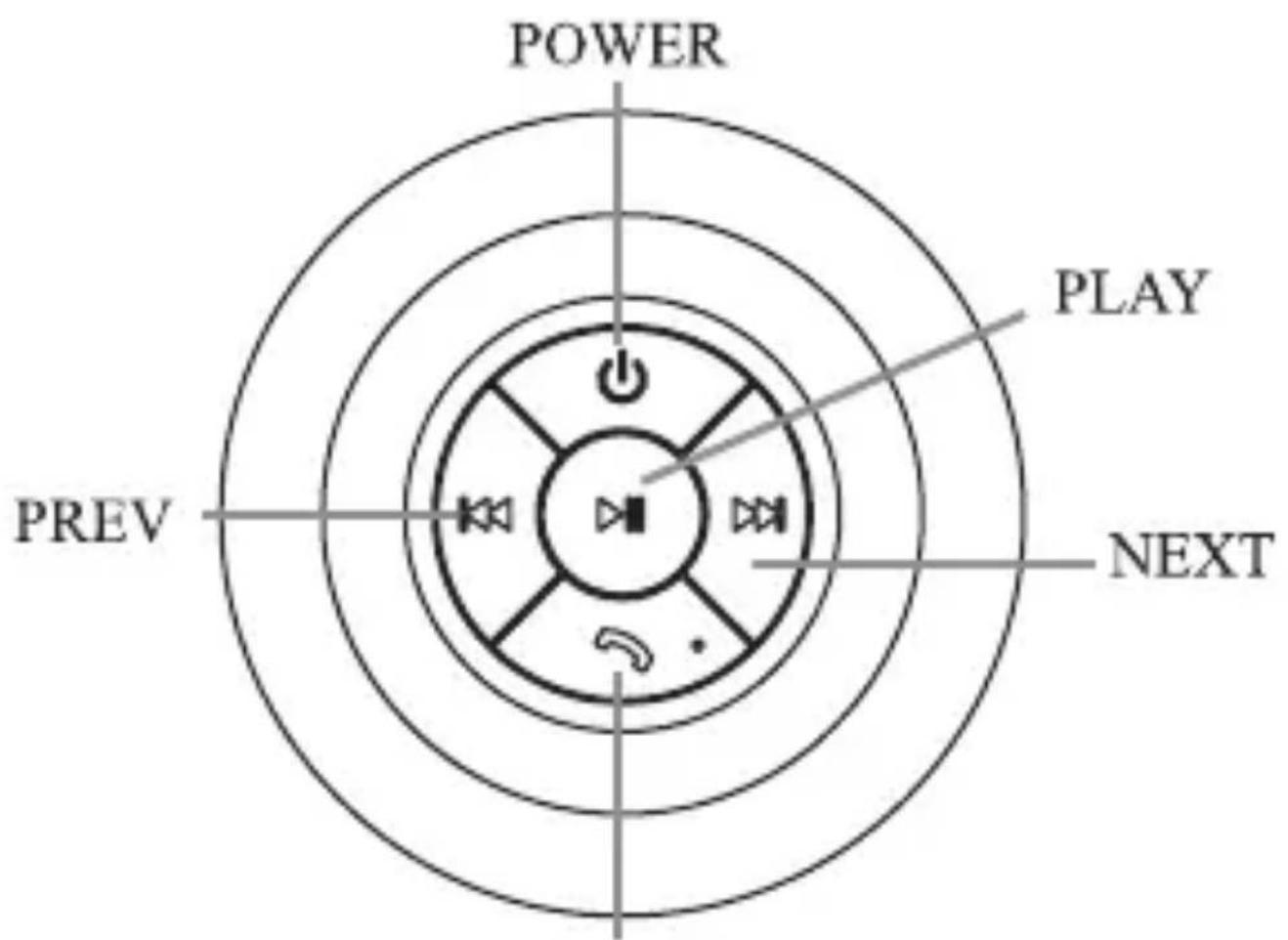
PHONE

Power In (DC 5V)
Accessories included
- USB charging cable
Charging the Battery
This speaker is powered by a built-in rechargeable lithium battery. To charge the battery:
- Insert the charging cable to the Power In socket of the speaker. Connect the other end of the cable to a PC USB port or an optional AC/DC adapter. The LED will light red when the battery is being charged.
- When the battery if fully charged, the LED will turn off.
Pairing the speaker to a mobile phone or other device
To place the speaker in Pairing mode, turn the speaker off, and then press & hold the POWER button for about 6 seconds. When the LED flashes blue, the speaker is ready to be paired.
When the speaker is in Pairing mode:
- Set your phone, tablet or other device to search for Bluetooth devices (i.e., the speaker).
- When the speaker is found (NAXA NAS-3042), select it from the list. If a password is needed, enter "0000".
Tips:
- The speaker must be off in order to activate pairing mode.
- Once the speaker is paired and connected to your phone or other device, it will connect automatically the next time you turn on the speaker as long as Bluetooth is enabled on your phone.
Button description
POWER:Turnthespeakeron/off.
Press to skip to the previous track. Press & hold to decrease the volume.
▶: Press to skip to the next track. Press & hold to increase the volume.
Phone: Answer or end a phone call.
▶ II Play/Pause the music.
Troubleshooting
| Symptoms | Causes | Solutions |
| Can not switch the speaker on | Battery empty | Charge the battery |
| Unable to pair the speaker | Speaker is already switched on, and it is not in pairing mode. | Refer to the section "Pairing the speaker to a mobile phone or other device" |
Technical Specifications
Bluetooth support: 3.0+EDR
Range: 10 meters
Frequency response: 200Hz-20KHz
Power supply: DC5V
Battery: 3.7V 400mAh lithium
Charging time: Approx. 2 hours
Operating time: Approx. 2 hours
IP grade: Ipx4
Unit weight: approx. 3.5 oz
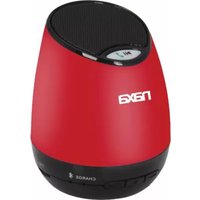
Brand : Naxa
Model : NAS-3042
Category : Docking Station