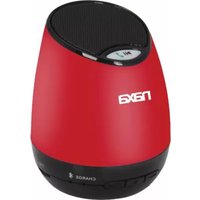
NAS3041 - Docking Station Naxa - Free user manual and instructions
Find the device manual for free NAS3041 Naxa in PDF.


| Product Type | Portable Bluetooth Speaker & Speakerphone |
| Brand | Naxa |
| Model | NAS3041 |
| Dimensions (Height x Depth) | 90mm x 70mm |
| Speaker Driver | 3W x 1 |
| Sensitivity | 86dB |
| Frequency Response | 100Hz - 20kHz |
| Power Input | DC 5V, 500mA |
| Battery Charging Time | 3-4 hours |
| Bluetooth Range | Up to 10m (33ft) |
| Connectivity | Bluetooth, 3.5mm audio jack |
| Built-in Microphone | Yes |
| Control Buttons | Power switch, Play/Pause, Volume +/-, Track skip |
| LED Indicators | Power, Pairing, Battery status |
| Charging Port | Micro USB |
| Included Accessories | USB charging cable, 3.5mm audio cable, instruction manual, warranty card |
| Safety Precautions | Do not use near water; avoid excessive volume to prevent hearing damage |
| Warranty | Refer to warranty card |
Frequently Asked Questions - NAS3041 Naxa
User questions about NAS3041 Naxa
0 question about this device. Answer the ones you know or ask your own.
Ask a new question about this device
Download the instructions for your Docking Station in PDF format for free! Find your manual NAS3041 - Naxa and take your electronic device back in hand. On this page are published all the documents necessary for the use of your device. NAS3041 by Naxa.
USER MANUAL NAS3041 Naxa
- To skip to the next track, press the right "+/>>" button once.
- To return to the previous, press the left "<</-" button once.
- To pause playback, press the "Play/Pause" button found on the top of the speaker once.
- If you receive a call during music playback, you may press the "Play/Pause" button to answer/end the call. Music playback will pause when you receive a call, and will resume automatically when the call ends.
For your safety
- Do not play music at excessive volume levels as this may damage your hearing and/or equipment.
- Do not use outdoors in wet or damp environments. Do not use this product near water (e.g., near a bath tub, washbowl, kitchen sink, laundry tub, in wet basements, or near a swimming pool and the like).
Specifications
Speaker: 3W x 1
Size: 90mmH, 70mmD
Sensitivity: 86dB
Frequency: 100-20kHz
Power input: 5V, 500mA
Bluetooth Range: 10m (33 feet)
If you have problems with your speaker, please consult the instructions in this manual, as well as the latest news, alerts, and documentation which can be found by visiting us on the web at www.naxa.com. If you need further assistance, please contact Naxa Technical Support.
NAXA Technical Support
2320 East 49th St.
Vernon, CA 90058
http://www.naxa.com/naxa_support/

NAS-3041
PORTABLE SPEAKER & SPEAKERPHONE WITH WIRELESS
BLUETOOTH® TECHNOLOGY
INSTRUCTION MANUAL

natural_image
Black portable electronic device with speaker grille and control buttons (no visible text or symbols)Please read all instructions carefully & retain for future use.
封底
封面
Getting Started
Remove product from packaging. Read instructions carefully before using the product and retain them for future reference. Retain the packaging to store the product, or dispose of (or recycle it) safely and properly.
In the Box
* Portable speaker unit
* USB charging cable
* 3.5mm audio connection cable
* Instruction manual
* Warranty card
Features
* Stream audio wirelessly from Bluetooth devices (or connect via a 3.5mm audio jack)
* Answer and make calls with the built-in microphone (requires connection with a cellular phone)
* Delivers deep, rich sound from a portable and compact design
* Built-in battery can be recharged over USB
Instructions for Use
Charging the internal battery –
Fully charge the unit before use.
Connect the USB cord to the port on the back of the speaker and insert the other end into a port on your computer or other suitable USB outlet.
The LED on the side will show that the battery is charging. It will take 3-4 hours to fully charge the Battery.
LED indicator –
There is an LED light located in the middle of the front speaker.
* LED off – Power off
* Flashing BLUE – Power ON
* Flashing BLUE/RED – Pairing mode
* RED – Low Battery Level
* BLUE – Battery almost drained
* RED – Battery is recharging
Place speaker in Bluetooth Pairing mode -
* Set the power switch on the bottom of the speaker to the "ON" position.
* Wait 2-3 seconds until the LED light flashes red and blue. The speaker is now ready to be paired with another device.
Note: The speaker will remain in pairing mode for 1 minute. To place the unit in pairing mode again, simply turn the speaker off and then on again using the switch on the bottom of the unit.
Pairing a Bluetooth device with your speaker -
Your wireless speaker can stream audio from any Bluetooth-enabled device within 10m (33 feet). Simply follow the steps below:
- Turn the speaker on to place it in Pairing mode (see section above).
- Set your phone, tablet or other device to search for Bluetooth devices (i.e., the speaker).
- When the speaker is found (NAS-3041), select it from the list.
- When the pairing process is complete, the LED will light a steady blue.
Taking calls on your speaker (when connected to a phone) -
* When you receive an incoming call, an alert will sound from the speaker.
* If you are listening to music from your phone, the music will automatically pause.
- To answer a call on the speaker, press the "Play/Pause" button on the top of the speaker. During the call, speak normally; your voice will be picked up through the built-in microphone.
- To end a call on the speaker, press the "Play/Pause" button found on the top of the speaker.
- You may also answer/end calls by using your phone as you would normally.
Controlling music playback when connected via Bluetooth -
- To increase the volume, press and hold the right "+/>>" button found on the front of the speaker.
- To decrease the volume, press and hold the left "<</-" button found on the front of the speaker.
- For your safety
- Specifications
- 封底
- 封面
- Getting Started
- In the Box
- Features
- Instructions for Use
- Charging the internal battery –
- LED indicator –
- Place speaker in Bluetooth Pairing mode -
- Pairing a Bluetooth device with your speaker -
- Taking calls on your speaker (when connected to a phone) -
- Controlling music playback when connected via Bluetooth -
Brand : Naxa
Model : NAS3041
Category : Docking Station