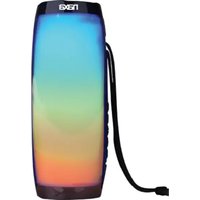
NAS-3099 - Docking Station Naxa - Free user manual and instructions
Find the device manual for free NAS-3099 Naxa in PDF.


| Product Type | Docking Station |
| Brand | Naxa |
| Model | NAS-3099 |
| Color | Black |
| Dimensions (L x W x H) | 6.3 x 3.1 x 1.2 inches |
| Weight | 0.4 lbs |
| Power Input | 5V DC via USB |
| Connectivity | USB 2.0, 3.5mm audio jack |
| Audio Output | 3.5mm stereo headphone jack |
| Compatible Devices | Smartphones, tablets, MP3 players |
| Cable Length | 3.3 ft |
| LED Indicators | Power LED (blue) |
| Material | Plastic |
| Package Contents | Docking station, USB cable, user manual |
| Warranty | 1 year limited |
Frequently Asked Questions - NAS-3099 Naxa
User questions about NAS-3099 Naxa
0 question about this device. Answer the ones you know or ask your own.
Ask a new question about this device
Download the instructions for your Docking Station in PDF format for free! Find your manual NAS-3099 - Naxa and take your electronic device back in hand. On this page are published all the documents necessary for the use of your device. NAS-3099 by Naxa.
USER MANUAL NAS-3099 Naxa
THE NEW GENERATION IN TECHNOLOGY
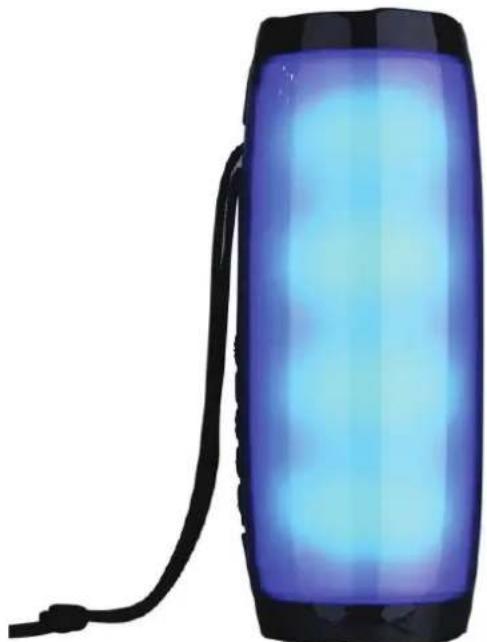
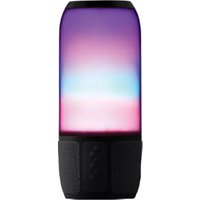
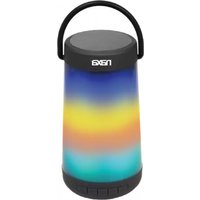
Portable Bluetooth® Speaker with Colorful Lighting Effects
NAS-3099
natural_image
Blue illuminated cylindrical device with black cable, no visible text or symbolsInstruction Manual
Please read carefully before use and keep for future reference.
Thank You
We know you have many choices when it comes to technology; thank you for choosing us here at Naxa Electronics. Established in 2001 in Los Angeles, California, we are dedicated to delivering products that entertain and delight.
We trust that you will be happy with your purchase. Please read this manual carefully and save it for reference. You may also find the latest FAQ, documentation, and other product material at our website. Come visit us on the web at www.naxa.com and see all that we have to offer!
In the Box
Please take a moment to make sure that you have everything in the list below. Although we make every effort to ensure that each Naxa device is securely packed and sealed, we know a lot can happen in between us and you. If anything is missing, check back with your local retailer to get immediate assistance. If they cannot help you, please contact our Naxa Support team at www.naxa.com/naxa_support.
• NAS-3099
- USB Charge Cable
• 3.5 mm Aux Cable
• FM Antenna Cable
At a Glance

PartDescription
| 1 Charging slot for the speaker. | ||
| 2 | Memory Card Slot | Decodes and plays MP3 files from TF memory cards. |
| 3 | USB Port | Decodes and plays MP3 files from USB flash drives. |
| 4 | Aux-In Port | 3.5mm auxiliary input for connecting external devices. |
| 5 | Power Button Play/Pause | Hold to turn the speaker on or off. Press to play/pause music playback |
| 6 | Previous Song/ Volume Down | Press to go to the previous song. Hold to decrease the volume. |
| 7 | Next Song/ Volume Up | Press to go to the next song. Hold to increase the volume. |
| 8 | Mode Button Press to switch between modes (USB/TF/BT/Aux In/FM). | |
| 9 | LED Lights | Press for LED flashing light options. Hold to turn off the LED light. |
Connecting Power
The speaker has a built-in rechargeable battery. When the battery runs out, the speaker turns off automatically. Please recharge the battery. To charge the battery, do as follows:
- Plug the Micro USB end of the included USB charge cable into the charging port.
- Plug the other end of the charge cable into a USB port on your computer or other compatible external device.

For a full charge, give the speaker 4-6 hours of charge time .
Pairing a Device with Bluetooth®
Your new Bluetooth speaker can wirelessly stream audio from any Bluetooth-enabled device within a distance of 10m. To do so, follow the steps bellow.
- First you must turn on the Bluetooth speaker.
- Open the Bluetooth menu of the external device you wish to pair the speaker with and begin a device search.
- "NAXA NAS-3099" will appear in the list. Select to pair.
- Should a password prompt appear, enter "0000" to continue pairing.
- Once paired, select a desired song on the external device to stream music through the Bluetooth speaker.
Using the Speaker
When the speaker is connected to a Bluetooth® device:
| Start, pause, or resume audio playback | Press the Power button |
| Skip to the previous track Press | - |
| Skip to the next track Press | + |
| Decrease the volume level Hold | - |
| Increase the volume level Hold | + |
Answer or end a call (when connected Press the Power button to a smartphone) once
LED Colorful Light
The Bluetooth speaker comes with LED lighting effects in different colors. To use the lighting effects:
- Turn on the Bluetooth speaker.
- Press the 🔊 button to access the various LED flashing light options. Hold to turn off the LED light.

The LED lights will flash along with the melody of the music being played.
Using the FM Radio
Your speaker can receive FM radio broadcasts. To do so, follow these steps:
- Turn the speaker on.
- Press the Mode button to cycle through the modes (USB/TF/BT/Aux In/FM) until you reach FM radio mode.
-
To auto scan the stations, press the power button. Press the power button again to stop searching.
-
Searching all the stations will take a few minutes. Once all of the stations are scanned, they are stored into memory automatically.
- Press - or + to skip through selected stations.
- Press and hold + to increase the volume, or press and hold - to decrease the volume.

For better reception, plug the micro USB connector of the included FM Antenna Cable into the DC 5V/ANT micro USB port of the speaker.
When listening to the FM radio:
| Tune to a lower preset station Press – | |
| Tune to a higher preset station Press + | |
| Decrease the volume level Hold – | |
| Increase the volume level Hold + | |
| Scan for stations and save them to preset memory | Press the Power button |
| Switch between USB, TF, BT, Aux In, and FM modes | Press the Mode button |
Using USB Mode
The speaker can play MP3 files from USB flash drives. To do so, follow these steps:
- Turn the speaker on.
- Press the Mode button to enter USB mode.
- Insert the USB flash drive containing your desired audio files into the USB port on the speaker.
- The speaker will automatically begin playing songs from the inserted USB flash drive.
When the speaker is in USB or TF mode:
| Start, pause, or resume audio playback | Press the Power button |
| Skip to the previous track Press – | |
| Skip to the next track Press + | |
| Decrease the volume level Hold – | |
| Increase the volume level Hold + | |
| Switch between USB, TF, BT, Aux In, and FM modes | Hold the Mode button |
Using TF Mode
The speaker can play MP3 files from memory cards. To do so, follow these steps:
- Turn the speaker on.
- Press the Mode button to enter TF mode.
- Insert the memory card containing your desired audio files into the memory card slot on the speaker.
- The speaker will automatically begin playing songs from the inserted memory card.
Using AUX Mode
Connect devices without Bluetooth® by using the AUX connection. The included 3.5mm AUX cable is required to make this connection.
- Turn the speaker on.
-
Insert one end of the included auxiliary cable into the auxiliary-input port.
-
Insert the other end of the included auxiliary cable into the 3.5mm auxiliary port of the external media device (smartphone, MP3 player, computer, tablet, etc.) that you wish to play music from.
- Select the song you wish to listen to on your external media device and press play. The audio for the selected song will play through the speaker.
- If you wish to adjust the volume levels on the speaker, hold + to increase the volume or - to decrease the volume.

Media can be controlled only through the external device while playing music in Aux mode
Warnings and Precautions
CAUTION: TO REDUCE THE RISK OF FIRE AND ELECTRIC SHOCK, DO NOT REMOVE THE COVER (OR BACK) OF THE UNIT. REFER SERVICING ONLY TO QUALIFIED SERVICE PERSONNEL.
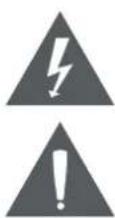
The lightning flash with arrowhead symbol within an equilateral triangle is intended to alert the user to the presence of uninsulated "dangerous voltage" within the product's enclosure that may be of significant magnitude to constitute risk of electric shock
The exclamation point within an equilateral triangle is intended to alert the user to the presence of important operation and servicing instructions in the literature accompanying the appliance.
CAUTION
- Do not block the ventilation openings or holes.
- Do not place any naked flames (such as lighted candles) on the apparatus.
- When discarding batteries, follow all local rules and laws governing the disposal of batteries. Consider the environmental impact of your actions!
• To prevent fire or shock hazard, do not expose this appliance to rain or moisture.
Important Safety Information
- Read Instructions: All the safety and operating instructions should be read before the product is operated.
- Retain Instructions: The safety and operating instruction should be retained for future reference.
- Heed Warnings: All warnings on the product and in the operating instructions should be adhered to.
- Follow Instructions: All operating and usage instructions should be followed.
- Cleaning: Unplug this product from the wall outlet before cleaning. Do not use liquid cleaners or aerosol cleaners. Use a damp cloth for cleaning.
- Attachments: Use only attachments recommended by the manufacturer. Use of other attachments may be hazardous.
-
Water and Moisture: Do not use this product near water (e.g., near a bathtub, washbowl, kitchen sink, laundry tub, in wet basements, or near a swimming pool and the like).
-
Accessories: Do not place this product on an unstable cart, stand, tripod, bracket, or table. Use only with carts, stands, tripods, brackets, or tables recommended by the manufacturer or sold with the product. Any mounting of the product should follow the manufacturer's instructions and should use a mounting accessory recommended by the manu-

facturer. A product and cart combination should be moved with care. Quick stops, excessive force, and uneven surfaces may cause the product and cart combination to overturn.
- Ventilation: Slots and openings in the cabinet are provided for ventilation to ensure reliable operation of the product and to protect it from overheating. These openings should never be blocked by placing the product on a bed, sofa, rug, or other similar surface. This product should not be placed in a built-in installation such as a bookcase or rack unless proper ventilation is provided or the manufacturer instructions have been adhered to.
- Power Sources: This product should be operated only from the type of power source indicated on the rating label. If you are not sure of the type of power supply to your home, consult your product dealer or local power company. For products intended to operate from battery power or other sources, refer to the operating instructions.
- Grounding or Polarization: This product may be equipped with a polarized alternating-current line plug that has one blade wider than the other. This plug will only fit into the power outlet in one direction. This is a safety feature. If you are unable to insert the plug fully into the outlet, try reversing the direction of the plug. If the plug should still fail to fit, contact an electrician to replace the obsolete outlet. Do not defeat the safety purpose of the polarized plug.
- Power-Cord Protection: Power supply cords should be routed so that they are not likely to be walked on or pinched by items placed upon or against them, paying particular attention to cords at plugs, convenience receptacles, and at the point which they exit from the product.
- Protective Attachment Plug: The product may be equipped with an attachment plug with overload protection. This is a safety feature. See the operating instructions for replacement or directions to reset the protective device. If replacement of the plug is required, be sure the service technician has used a replacement plug that has the same overload protection as the original plug as specified by the manufacturer.
- Lightning: For added protection for this product, unplug it from the wall outlet during a lightning storm or when it is left unattended and
unused for long periods of time. This will prevent damage to the product due to lightning or power-line surges.
- Overloading: Do not overload wall outlets, extension cords, or integral convenience receptacles as this can result in a risk of fire or electric shock.
- Object and Liquid Entry: Never push objects of any kind into this product through openings as they may touch dangerous voltage points or short-out parts that could result in a fire or electric shock. Never spill liquid of any kind on the product.
- Servicing: Do not attempt to service this product yourself as opening or removing covers may expose you to dangerous voltage or other hazards. Refer all servicing to qualified service personnel.
- Damage Requiring Service: Unplug this product from the wall outlet and refer servicing to qualified service personnel under the following conditions: a) when the power-supply or plug is damaged; b) if liquid has been spilled or if objects have fallen into the product; c) if the product has been exposed to rain or water; d) if the product does not operate normally by following the operating instructions. Adjust only those controls that are covered by the operating instructions as improper adjustment of other controls may result in damage and will often require extensive work by a qualified technician to restore the product to its normal operation; e) if the product has been dropped or damaged in any way; f) when the product exhibits a distinct change in performance—this indicates a need for service.
-
Replacement Parts: When replacement parts are required, be sure that your service technician has used replacement parts specified by the manufacturer or have the same characteristics as the original part. Unauthorized substitutions may result in fire, electric shock, or other hazards.
-
Safety Check: Upon completion of any service or repairs to this product, ask the service technician to perform safety checks to ensure that the product is in proper operating condition.
- Wall or Ceiling Mounting: The product should be mounted to a wall or ceiling only as recommended by the manufacturer.
- Heat: The product should be situated away from heat sources such as radiators, heat registers, stoves, or other products (including amplifiers) that produce heat.
WARNING:
This product contains lead, a chemical known to the State of California to cause cancer and birth defects or other reproductive harm. Wash hands after handling.
FCC NOTICE
This device complies with Part 15 of the FCC Rules. Operation is subject to the following two conditions: (1) this device may not cause harmful interference, and (2) this device must accept any interference received, including interference that may cause undesired operation.
Note: This equipment has been tested and found to comply with the limits for a Class B digital device, pursuant to Part 15 of the FCC Rules. These limits are designed to provide reasonable protection against harmful interference in a residential installation. This equipment generates, uses and can radiate radio frequency energy and, if not installed and used in accordance with the instructions, may cause harmful interference to radio communications. However, there is no guarantee that interference will not occur in a particular installation. If this equipment does cause harmful interference to radio or television reception, which can be determined by turning the equipment off and on, the user is encouraged to try to correct the interference by one or more of the following measures:
- Reorient or relocate the receiving antenna.
- Increase the separation between the equipment and receiver.
- Connect the equipment into an outlet on a circuit different from that to which the receiver is connected.
- Consult the dealer or an experienced radio/TV technician for help.
CAUTION ON MODIFICATIONS
Any changes or modifications not expressly approved by the grantee of this device may void the authority granted by the FCC to operate the equipment.
Trademark & Regulatory Statements
Bluetooth® is a registered trademark of Bluetooth SIG, Inc. Other trademarks and names are those of their respective owners.
Troubleshooting Guide
This guide lists common problems and their solutions. Please refer to this guide before requesting service. If you need further assistance, please contact Naxa Technical Support (www.naxa.com/naxa_support/).
Symptom Possible Cause Possible Solution
| There is no power. | The battery is exhausted. | Connect the unit to a USB power source to charge it. |
| The speaker hasn’t been turned on. | Press the Power button to turn on the speaker. | |
| The device is unable to connect to the speaker. | The speaker is not in pairing mode. | Reset the speaker (turn it off and then on again.) Set the Mode to BT. |
| Bluetooth may be disabled on your device. | Make sure Bluetooth is enabled on your device. Turn it on if it isn’t. |
Symptom Possible Cause Possible Solution
| The device is connected but there is no sound. | The AUX connector may be in use. | Disconnect all cables from the AUX input connector of the speaker. |
| Your device may be beyond the effective range of the speaker. | Move closer to the speaker. Range may be affected adversely by environmental conditions. | |
| Your device may not be in playback mode. | Ensure that your device is operating correctly. Start playback on your device. |
Specifications
| Wireless Version 4.2 + EDR/ up to 10 Meters | |
| Output Power 5 Watts x 2 | |
| Sensitivity | ≥90db |
| Playable Media Formats | MP3 |
| Frequency Response 120Hz~20KHz | |
| Input Sources Bluetooth | ® |
| 3.5mm AUX audio | |
| USB/Memory Card | |
| Power Source Rechargeable battery (1500 mAh) | |
Battery Life* 2 hours (at max. volume)
* Estimated time based on Bluetooth use at 100% volume; battery life will vary depending on use conditions.
Note: Products are improved continuously. We reserve the right to modify the product and specifications without prior notice.
Support
If you have problems with your device, please consult the instructions in this manual. Please also visit us on the web at www.naxa.com to get up to the minute news, alerts, and documentation for your device. For additional assistance, please contact Naxa Technical Support.
NAXA Technical Support
2320 East 49th St.
Vernon, CA 90058
http://www.naxa.com/naxa_support/
- Thank You
- In the Box
- At a Glance
- Connecting Power
- Pairing a Device with Bluetooth®
- Using the Speaker
- LED Colorful Light
- Using the FM Radio
- Using USB Mode
- Using TF Mode
- Using AUX Mode
- Warnings and Precautions
- CAUTION
- Important Safety Information
- WARNING:
- FCC NOTICE
- CAUTION ON MODIFICATIONS
- Trademark & Regulatory Statements
- Troubleshooting Guide
- Support
- NAXA Technical Support
Brand : Naxa
Model : NAS-3099
Category : Docking Station