
ViewMate-i Platform Large - Flat Screen Mount Dataflex - Free user manual and instructions
Find the device manual for free ViewMate-i Platform Large Dataflex in PDF.


| Product Type | Flat Screen Mount / Stand |
| Brand | Dataflex |
| Model | ViewMate-i Platform Large |
| Compatible Screen Sizes | 32 to 65 inches (estimated) |
| Maximum Weight Capacity | 30 kg (66 lbs) |
| VESA Compatibility | 200x200 up to 600x400 mm |
| Material | Steel and aluminum |
| Dimensions (W x D x H) | 800 x 250 x 450 mm |
| Net Weight | 8.5 kg |
| Tilt Range | -5° to +15° |
| Swivel Range | ±90° |
| Rotation | ±180° |
| Level Adjustment | ±3° |
| Profile Distance from Wall | 65 mm (min) |
| Cable Management | Integrated cable clips |
| Power Supply | None (passive mount) |
| Cleaning Instructions | Wipe with a soft, dry cloth |
| Safety Notes | Do not exceed weight limit; ensure VESA pattern matches |
| Spare Parts Availability | Contact Dataflex support |
| Repairability | Moderate; screws and brackets replaceable |
| Warranty | 2 years (typical) |
Frequently Asked Questions - ViewMate-i Platform Large Dataflex
User questions about ViewMate-i Platform Large Dataflex
0 question about this device. Answer the ones you know or ask your own.
Ask a new question about this device
Download the instructions for your Flat Screen Mount in PDF format for free! Find your manual ViewMate-i Platform Large - Dataflex and take your electronic device back in hand. On this page are published all the documents necessary for the use of your device. ViewMate-i Platform Large by Dataflex.
USER MANUAL ViewMate-i Platform Large Dataflex
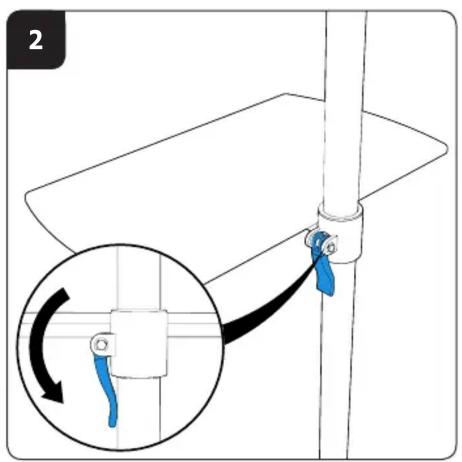
natural_image
Simple line drawing of a mechanical component or bracket with a cylindrical pin and handle (no text or symbols)www.dataflex-int.com
1.0


Dataflex International BV
P.O. Box 713
2920 CA Krimpen a/d IJssel
The Netherlands
info@dataflex-int.com
Copyright ©2013 - Dataflex International BV, The Netherlands
www.dataflex-int.com

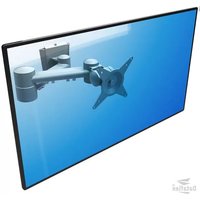


Brand : Dataflex
Model : ViewMate-i Platform Large
Category : Flat Screen Mount