BAC867 - Kitchen scale Gallet - Free user manual and instructions
Find the device manual for free BAC867 Gallet in PDF.


| Product Type | Kitchen Scale |
| Brand | Gallet |
| Model | BAC867 |
| Dimensions (L x W x H) | 20 x 15 x 2 cm |
| Weight | 300 g |
| Power Supply | 2 x AAA batteries (not included) |
| Maximum Capacity | 5 kg / 11 lb |
| Graduation | 1 g / 0.1 oz |
| Display Type | LCD |
| Main Functions | Weighing, Tare, Unit Conversion (g/oz/lb:oz), Auto-Off |
| Operating Temperature | 10°C to 40°C |
| Material | Stainless steel platform, ABS plastic body |
| Maintenance & Cleaning | Wipe with a damp cloth; do not immerse in water |
| Safety Features | Overload indication, auto shut-off after 2 minutes inactivity |
| Spare Parts & Repairability | No spare parts available; non-user-serviceable |
| Warranty | 2 years |
| Included Accessories | User manual |
Frequently Asked Questions - BAC867 Gallet
User questions about BAC867 Gallet
0 question about this device. Answer the ones you know or ask your own.
Ask a new question about this device
Download the instructions for your Kitchen scale in PDF format for free! Find your manual BAC867 - Gallet and take your electronic device back in hand. On this page are published all the documents necessary for the use of your device. BAC867 by Gallet.
USER MANUAL BAC867 Gallet
NÁVOD K POUŽITÍ NÁVOD NA POUŽITIE INSTRUKCJA OBSŁUGI INSTRUCTION MANUAL HASZNÁLATI ÚTMUTATÓ
BAC 867
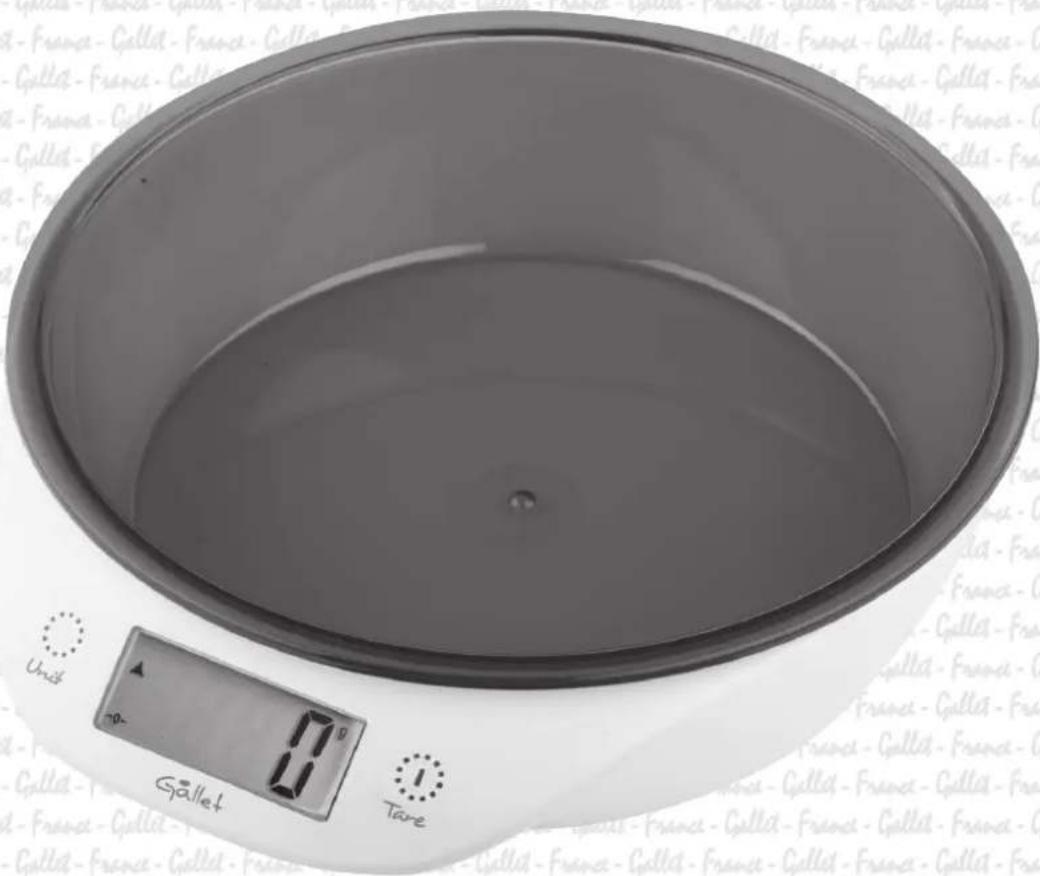
Gallet
ZMENA JEDNOTKY MERANIA
Stlačením tlačidla UNIT prepnete jednotky váženia: g - gramy, kg - kilogramy, oz unca, - lb - libra.
FUNKCIA DOVAŽOVANIE TARE
PRZYGOTOWANIE DO UŻYCIA
OBSŁUGA
Dear customer, thank you for purchasing our product. Please read the operating instructions carefully before putting the appliance into operation and keep these instructions including the warranty, the receipt and, if possible, the box with the internal packing.
SAFETY PRECAUTIONS
- The appliance is designed for household and similar use (not for commercial or medical operation)!
- The appliance can use by people (including children) whose physical, sensual or mental inability or lack of experience and knowledge prevents safe use of the appliance if they are supervised.
- Do not immerse the appliance into water and wash under running water!
- Acclimatize the scale first if stored at lower temperature.
- Use the scale horizontally only on places without danger of turning over, keep the appliance sufficiently far from heat power sources (e.g. oven, stove, fireplace, heat radiators) and strong electro-magnetic field (e.g. microwave oven, radio, mobile phone).
- Do not expose the appliance to direct sunlight, low or high temperatures and high moisture.
- Unstable or soft pad under the appliance may influence accuracy of the appliance negatively.
- Protect the scale against dust, moisture, chemicals and abrupt temperature changes.
- Handle the scale with care not to damage it (do not overload and throw it).
- Do not disassemble the scale and do not remove any components.
- Do not put anything on the scale when storing it; the appliance may get damaged.
- Remove batteries if you will not use the appliance for longer time.
- Replace leaking batteries, otherwise the scale may get damaged.
- Dispose off flat batteries in a proper way.
- The manufacturer is neither liable for damage caused by improper use of the appliance (e.g. degradation of foods, damage to the appliance etc.) nor for damage caused by failure to observe the safety precautions by operation of the warranty.
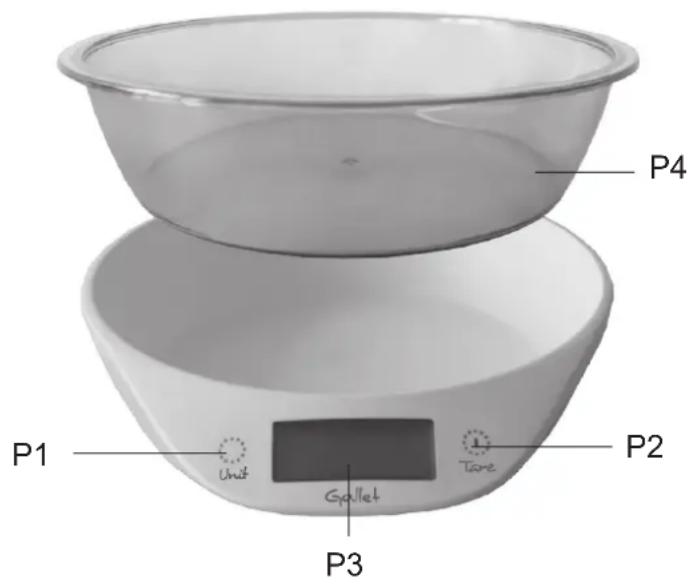
- Always place the ingredients in a P4 bowl, never only weighing area.
DESCRIPTION OF THE CONTROLS
P1 UNIT - press to change the unit
P2 TARE, ON/OFF
- turn the appliance on/off
- tare function
- switch off
P3 Display
P4 Bowl
INSTRUCIONS
PREPARATION FOR USE
Unpack the scale from packaging. Before the very first use, wash that part of the appliance that may come in contact with foods.
INSTALLATION OR REPLACEMENT OF BATTERIES
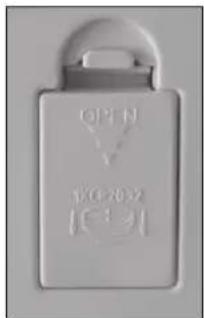
1) Remove the battery cover in the direction of the arrow.
2) Install or replace 1 piece CR2032 according to the battery direction indicator moulded on the inside of the battery compartment.
3) The other way round replace the battery cover until it engages, an audible click will be heard.
OPERATION
1) Place the scale on the hard and flat surface and place the bowl.
2) Press the button TARE, ON/OFF to turn on the scale.
3) When the display shows 0 g, the appliance is ready for weighing.
4) Put the food in the P4 bowl on the scale, the weight will be displayed.
UNIT OF MEASUREMENT:
Press the UNIT button, to change unit: g - gram, kg - kilogram, oz- unce, lb- pound.
TARE FUNCTION
To weigh different loads consecutively without removing loads from the scale.
Put first load on the scale, get weight reading. Press button TARE to reset the display reading to „0“ before adding next load. Add another item and the display will read the added weight. You can repeat this operation.
Note:
If you press the TARE button when the appliance is loaded by the product, the weight reading will reset on the display. If all products are taken away from the weighing plate, a negative value will appear on the display. Press the key of TARE again, zero will be displayed.
TURN OFF
For turn off press and hold button TARE, ON/OFF for 2 seconds.
AUTOMATIC SWITCH OFF
If the scale is without using longer than 3 minutes, it automatically turns off.
WARNING INDICATORS
EEEE = Over - load indication
When the scale is over-loaded (more than 5 kg), the screen will appear „EEEE“.
LO = Lower power indication
When the batteries are low power, the LED will show „LO“
CLEANING AND MAINTENANCE
1) Clean the scale with a slightly damp cloth. DO NOT immerse the scale in water or use chemical/abrasive cleaning agents.
2) All parts should be cleaned immediately after contact with fats, spices, vinegar and strongly flavored/colored foods. Avoid contact with acids citrus juices.
TROUBLESHOOTING
The device is not working
- Check the rights position of battery and the polarity.
- When warning indicator shows „LO“ replace the battery.
TECHNICAL SPECIFICATIONS
– Digital Kitchen scale
– Plastic weighing surface
- 0.9 I weighing bowl
– Maximum weight capacity up to 5 kg
– Measurement accuracy 1 g
– Measurement units g/lb/oz/kg
- Touch control
– Large LCD display
– Tare and zero function (TARE)
– Possibility to weight more foods gradually
- Manual / automatic shut-off
- Overload indicator, low battery indicator
- Non-slip feet
– Easy and hygienic maintenance
- Operation on battery type CR2032 (1pc) (Included)
– Protection class III, CE Certification
- Size: 20,5 x 17,5 x 4,0 cm
- Weight: 0,2 kg
We reserve the right to change technical specifications.
Old electrical appliances, used batteries and accumulators disposal
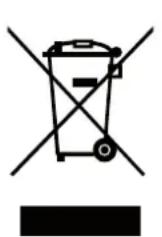
This symbol appearing on the product, on the product accessories or on the product packing means that the product must not be disposed as household waste. When the product/ battery durability is over, please, deliver the product or battery (if it is enclosed) to the respective collection point, where the electrical appliances or batteries will be recycled. The places, where the used electrical appliances are collected, exist in the European Union and in other European countries as well. By proper disposal of the product you can prevent possible negative impact on environment and human health, which might otherwise occur as a consequence of improper manipulation with the product or battery/ accumulator. Recycling of materials contributes to protection of natural resources. Therefore, please, do not throw the old electrical appliances and batteries/ accumulators in the household waste. Information, where it is possible to leave the old electrical appliances for free, is provided at your local authority, at the store where you have bought the product. Information, where you can leave the batteries and accumulators for free, is provided to you at the store, at your local authority.
let - France - Gella - France - Gella - France - Gella - France - Gella - France - Gella - France - Gella - France - Gella - France - Gella - France - Gella - France - Gella - France - Gella - France - Gella - France - Gella - France - Gella - France - Gella - France - Gella - France - Gella - France - Gella - France - Gella - France - Gella - France - Gell and - Gella - France - Gella - France - Gella - France - Gella - France - Gella - France - Gella - France - Gella - France - Gella - France - Gella - France - Gella - France - Gella - France - Gella - France - Gella - France - Gella - France - Gella let - France - Gella - France - Gella - France - Gella - France - Gella - France - Gella - France - Gella - France - Gella - France - Gella - France - Gella - France - Gella - France - Gella and - Gella - France - Gella - France - Gella - France - Gella - France - Gella - France - Gella - France - Gella - France - Gella - France - Gella - France - Gella let - France - Gella - France - Gella - France - Gella - France - Gella - France - Gella - France - Gella - France - Gella - France - Gella and - Gella - France - Gella - France - Gella - France - Gella - France - Gella - France - Gella - France - Gella- France let - France - Gella - France - Gella- France-France-Gella-France-Gella-France-Gella-France-Gella-France-Gella-France-Gella-France-Gella-France-Gella-France-Gella-France-Gella-France-Gella-France-Gella-France-Gella-France-Gella-France-Gella-France-Gella-France-Gella-France-Gella-France-Gella-France-Gella-France-Gella-France-Gella-France-Gella-France-Gella-France-Gella-France-Gell and- Cgellat-France-Cgellat-France-Cgellat-France-Cgellat-France-Cgellat-France-Cgellat-France-Cgellat-France-Cgellat-France-Cgellat-France-Cgellat-France-Cgellat-France-Cgellat-France-Cgellat-France-Cgellat-France-Cgellat-France-Cgellat-France-Cgellat-France-Cgellat-


- ZMENA JEDNOTKY MERANIA
- FUNKCIA DOVAŽOVANIE TARE
- PRZYGOTOWANIE DO UŻYCIA
- OBSŁUGA
- SAFETY PRECAUTIONS
- DESCRIPTION OF THE CONTROLS
- INSTRUCIONS
- PREPARATION FOR USE
- INSTALLATION OR REPLACEMENT OF BATTERIES
- OPERATION
- UNIT OF MEASUREMENT:
- TARE FUNCTION
- Note:
- TURN OFF
- AUTOMATIC SWITCH OFF
- WARNING INDICATORS
- CLEANING AND MAINTENANCE
- TROUBLESHOOTING
- TECHNICAL SPECIFICATIONS
- Old electrical appliances, used batteries and accumulators disposal
Brand : Gallet
Model : BAC867
Category : Kitchen scale