IV-100R - Vacuum Cleaner Imarflex - Free user manual and instructions
Find the device manual for free IV-100R Imarflex in PDF.


| Product Type | Canister Vacuum Cleaner |
| Brand | Imarflex |
| Model | IV-100R |
| Color | Red and Black |
| Dimensions (L x W x H) | 380 x 260 x 220 mm |
| Weight | 4.5 kg |
| Power Consumption | 1200 W |
| Dust Capacity | 1.5 L (bagless) |
| Noise Level | 78 dB |
| Cord Length | 5 m |
| Filtration Type | HEPA washable filter |
| Bagless | Yes, transparent dust container |
| Main Brush | Motorized roller brush |
| Accessories Included | Crevice tool, upholstery brush, 2-in-1 brush |
| Suction Control | Variable power slider |
| Wheel Type | Swivel casters |
| Maintenance | Empty dust bin after each use; wash filter monthly |
| Safety Features | Overheat protection, auto shut-off |
| Warranty | 1 year |
Frequently Asked Questions - IV-100R Imarflex
User questions about IV-100R Imarflex
0 question about this device. Answer the ones you know or ask your own.
Ask a new question about this device
Download the instructions for your Vacuum Cleaner in PDF format for free! Find your manual IV-100R - Imarflex and take your electronic device back in hand. On this page are published all the documents necessary for the use of your device. IV-100R by Imarflex.
USER MANUAL IV-100R Imarflex
natural_image
Black and white photo of a vacuum cleaner inside a circular frame (no text or symbols visible)
natural_image
Black and white photo of a handheld vacuum cleaner inside a circular frame (no text or symbols visible)
natural_image
Black silhouette of a person with raised arm, enclosed in a circular frame (no text or symbols)簡単なクリーンアップ
100 WATTS · 1.9 kPa
EASY STORAGE · EASY TO USE

imarflex®
In Every Home.
www.imarflex.com
natural_image
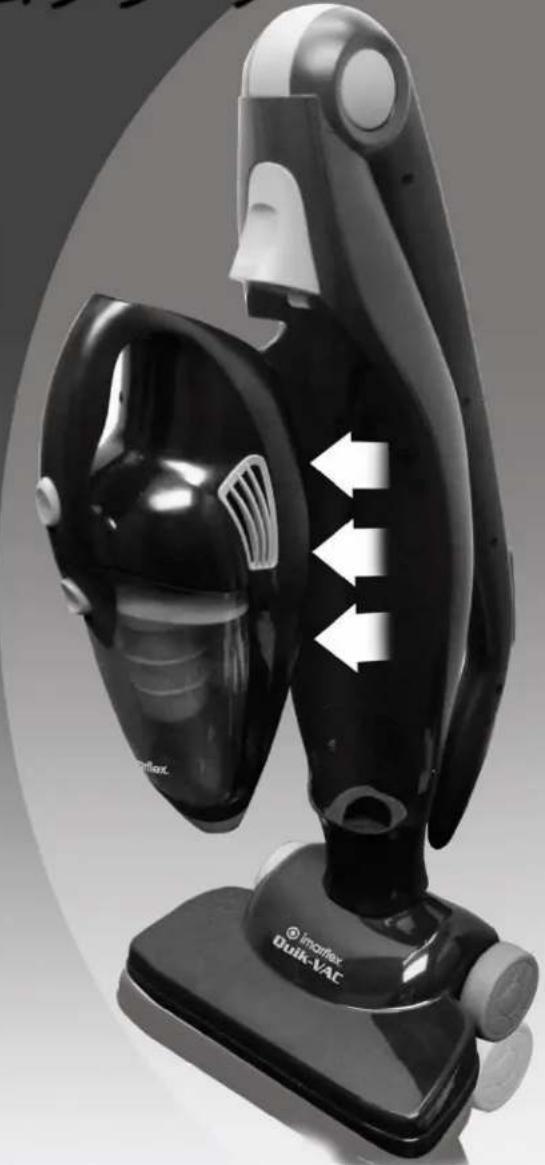
Black and white photo of a vacuum cleaner device with directional arrows indicating airflow or movement (no text or symbols on the device itself)IV-100R
SPECIFICATION
MODEL NO: IV-100R
CHARGER RATED VOLTAGE: INPUT: 100V-230Va.c. \~ 60Hz
OUTPUT: DC15V 0.4A
POWER CONSUMPTION: 100 Watts
SUCTION POWER : 1.9 kPa
IMPORTANT SAFEGUARDS
When using electrical appliances, basic safety precautions should always be followed, including the following:
- Read all instructions carefully.
- Before using the unit, check if the voltage indicated corresponds with the convenience outlet (230Va.c.).
-
Do not use any appliance with a damaged cord or plug. If the cord is damaged it should be replaced with the same type and size or bring the unit to the nearest Imarflex Authorized Service Center.
-
Do not use two-way socket with another appliance.
-
Do not use the Vacuum Cleaner near gas stove, electric stove or fire place.
-
To protect against electric shock, do not immerse the unit in water.
-
Children should be supervised to ensure that they do not play with the appliance.
-
This appliance is not intended to use by persons (including children) with reduced physical, sensory or mental capabilities, lack of experience or knowledge, unless they have been given supervision or instruction concerning the use of the appliances by a person responsible for their safety.
-
Do not use the Vacuum Cleaner other than its intended use.
-
If the carpet has been recently shampooed, ensure that it has completely dry before vacuuming.
- Always unplug the vacuum cleaner from the convenience outlet before cleaning or changing parts.
- Do not pull the cable in unplugging the unit, hold the charger instead.
-
Never use another accessory not included with the unit.
-
Avoid sharp objects that can get stuck in and block the hose.
-
Never pick up inflammable or corrosive liquids such as petrol or other volatile substance.
-
Be sure that the Dust Container and Filters are attached when using the vacuum.
-
Never use the unit in sucking Flammable liquids, chemicals, and cigarette butts.
-
Never leave the dust in the Container for a long time.
-
Do not use it outdoors.
-
Save this instruction for future reference.
HOW TO ASSEMBLE PARTS
natural_image
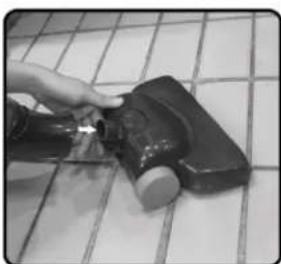
Hand using a tool to clean or store floor tiles on a tiled floor (no text or symbols visible)- Remove all packaging material.
- Insert the Carpet Brush into the Main Body.
natural_image
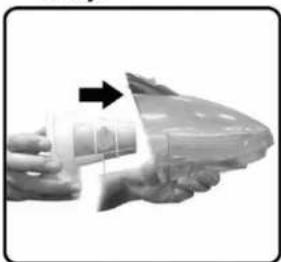
Close-up of a hand holding a mechanical component with an arrow indicating direction (no visible text or symbols)- Insert the Filter into the Dust Container
natural_image
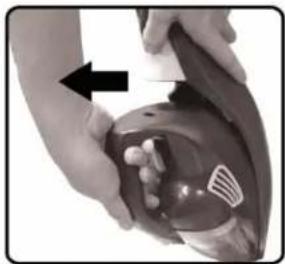
Close-up of hands performing a medical procedure on a patient's abdomen, with an arrow indicating direction (no text or symbols visible)- Push Handheld Release Button to unlock, then pull the Motor Body.
natural_image
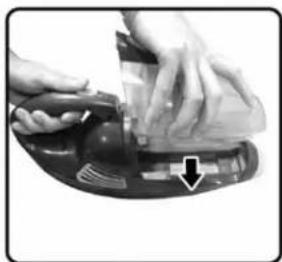
Close-up of hands using a power tool on a mechanical device with a downward arrow indicating a component (no visible text or symbols)- Place the Dust Container on the Motor Body.
natural_image
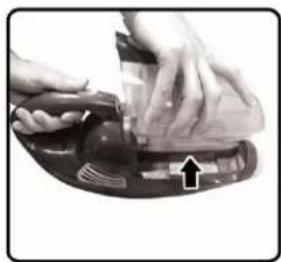
Close-up of hands using a power tool on a mechanical device with an arrow indicating the process (no visible text or symbols)- Push the Dust Container Release Button then pull the Dust Container.
natural_image
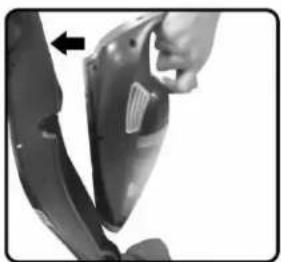
Close-up of a hand holding a car seatbelt with a black arrow pointing to the seat area (no text or symbols visible)- Insert the Motor Body in the Main Body.
HOW TO USE:
A. PORTABLE CLEANING
natural_image
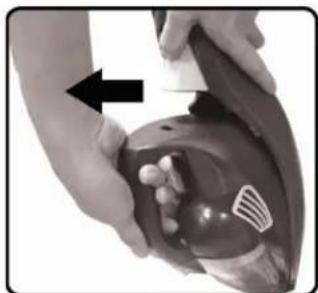
Close-up of hands performing a medical procedure on a patient's abdomen, with an arrow indicating direction (no text or symbols visible)- Push Handheld Release button to unlock, then pull the Motor Body.
natural_image
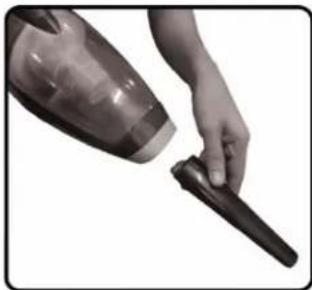
Close-up of a hand holding a black vacuum cleaner (no text or symbols visible)- Insert the Crevice Tool for cleaning corners. etc.
natural_image
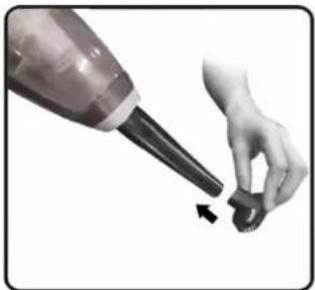
Close-up of a hand holding a small object with an arrow indicating motion (no text or symbols visible)- Insert the small brush into the crevice tool for cleaning windows, etc.
natural_image
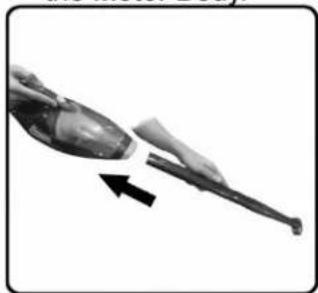
Close-up of a mechanical component with an arrow indicating direction (no visible text or symbols)- Insert the assembled accessories in the inlet of the Motor Body
natural_image
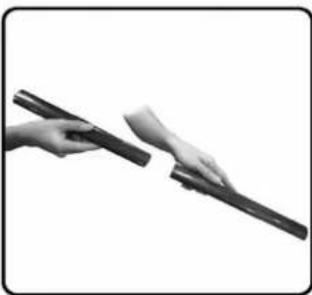
Close-up of hands holding a pen or tool, no visible text or symbols- Connect the two Extension Wand for hard to reach area.
natural_image
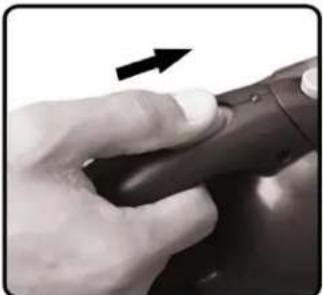
Close-up of a hand holding a dark object with a black arrow pointing to it, no visible text or symbols- Turn ON the unit.
- Turn OFF after use.
B. CARPET & FLOOR CLEANING
natural_image
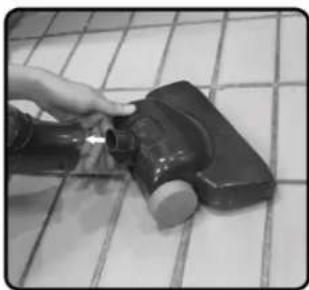
Hand using a tool to clean or remove a tiled floor component (no text or symbols visible)- Insert the Carpet Brush into the Main Body.
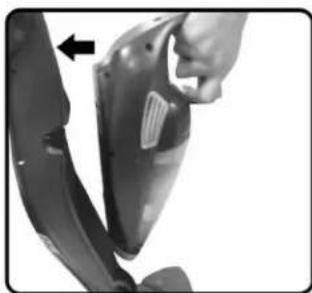
natural_image
Close-up of a hand adjusting a car seat cover with a black arrow pointing to the left side (no text or symbols visible)- Insert the Motor Body in the Main Body.
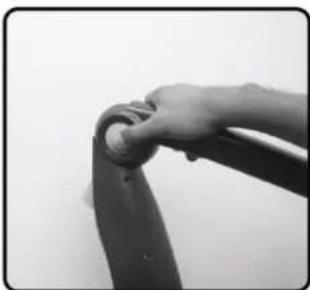
natural_image
Close-up of a hand gripping a dark, curved object against a plain background (no text or symbols visible)- Push the Foldable Handle Button.
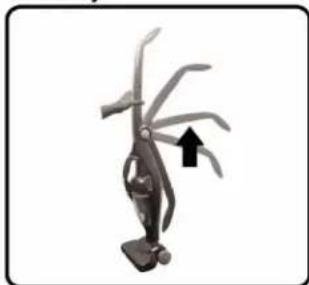
natural_image
Illustration of a robotic arm with curved blades and a black arrow indicating motion (no text or symbols)- Pull the Handle upward.
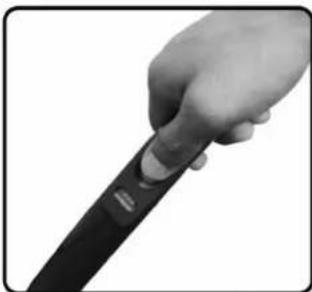
natural_image
Close-up of a hand holding a black object with a button, no visible text or symbols-
Turn on the unit.
-
Select the desired function: Floor- for vacuuming hard floors. Carpet- engages brush roll to vacuum carpets.
-
Turn off after use.
natural_image
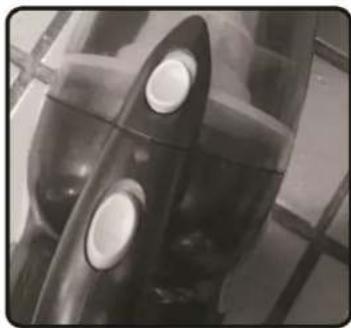
Close-up of a mechanical component with circular features and transparent casing (no visible text or symbols)- If the Light indicator and the suction are weak the unit has no more charge.
natural_image
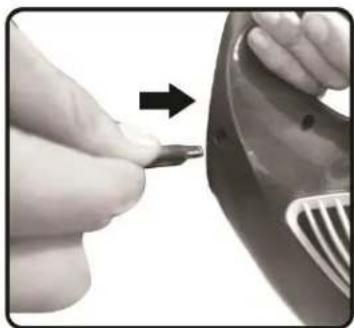
Close-up of a hand holding a small tool near a car door, with an arrow pointing to the tool (no text or symbols visible)- Insert the Adapter into 3 the Charger Socket and plug into the convenience outlet.
natural_image
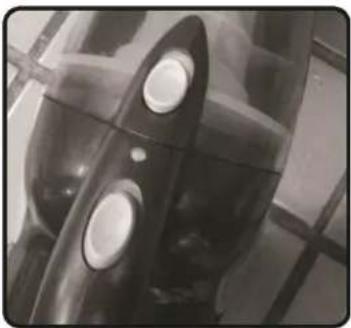
Close-up of a mechanical component with two circular holes, no visible text or symbols- The Light Indicator will turn on (red) it e means the unit is charging.
natural_image
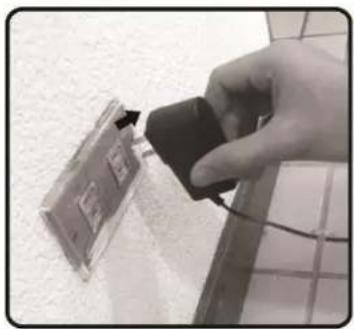
Hand inserting a small black device into a wall-mounted electronic device (no visible text or symbols)- Unplug the adapter from the convenience outlet.
natural_image
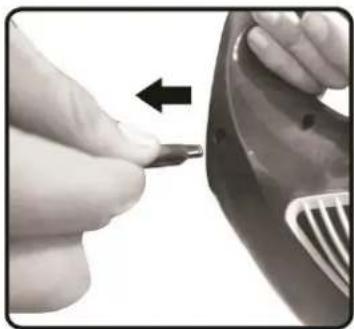
Close-up of a hand holding a small tool near a car hood, with an arrow indicating direction (no text or symbols visible)- Pull out the adapter from the charger socket, and use it again for another 15 mins of cleaning.
WARNING: AVOID USING THE UNIT WHILE CHARGING.
NOTE: INITIAL CHARGING 16 HOURS.
CLEANING AND MAINTENANCE
natural_image
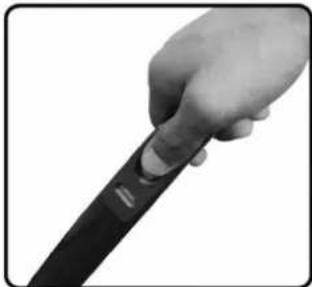
Close-up of a hand holding a black object with a finger, no visible text or symbols- Turn off the Carpet ON / OFF Switch.
natural_image
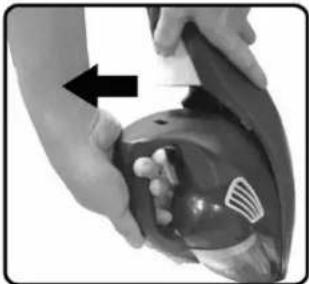
Close-up of hands performing a medical procedure on a patient's abdomen, with an arrow indicating direction (no text or symbols visible)- Push handheld release to unlock, then pull the motor body.
natural_image
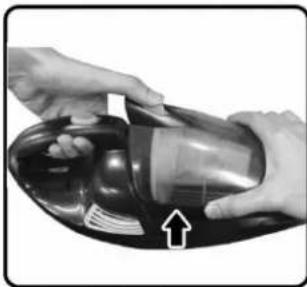
Close-up of hands holding a black vacuum cleaner with a white arrow pointing to the component (no text or symbols visible)- Push the dust container release button to unlock, then detach the dust container.
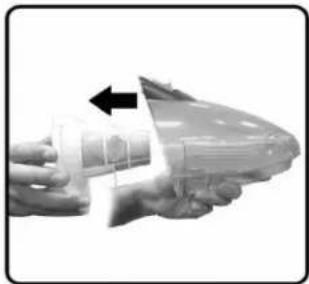
natural_image
Close-up of a hand holding a transparent plastic device with a black arrow pointing to a component (no text or symbols visible)- Remove the Filter from the dust container.
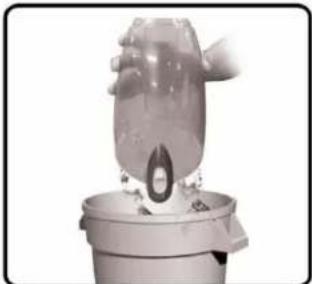
natural_image
Close-up of a transparent cylindrical object with a circular opening, mounted on a base (no visible text or symbols)- Tap the Filter and the Dust Container to remove the dust and dirt.
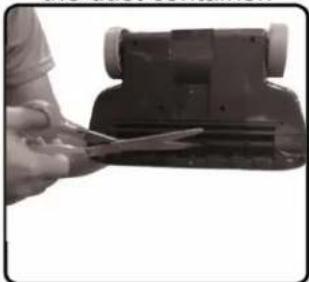
natural_image
Person using scissors to cut a mechanical component (no visible text or symbols)-
To maintain cleaning effectiveness, regularly remove hair, lint, strings, threads, etc. from the brush roll with a knife or scissors
-
Wipe the Main body and the Motor body with damp cloth. Do not immerse the unit in water.
NOTE: DO NOT IMMERSE THE FILTER IN WATER. IF THE FILTER IS HEAVILY SOILED REPLACE IT WITH EXTRA FILTER.
TROUBLE SHOOTING
| PROBLEM | POSSIBLE CAUSE | SOLUTION / TIP |
| Suction Power is weak | The handheld air intake is blocked. | Clean the air intake, make sure that there are no blockage. |
| The vacuum laps its 15 minutes of usage. | Charge the unit atleast 16 hours.. | |
| The Filter is not fitted correctly or they are soiled. | Check the filter and replace them with the extra filter if necessary. | |
| The unit does not switch ON. | The unit has no charge or drained. | It must be charge atleast 16 hours for full charge. |
Brand : Imarflex
Model : IV-100R
Category : Vacuum Cleaner