
AN-PAC09A1 - Air conditioner Aconatic - Free user manual and instructions
Find the device manual for free AN-PAC09A1 Aconatic in PDF.


| Product Type | Portable Air Conditioner |
| Brand | Aconatic |
| Model | AN-PAC09A1 |
| Cooling Capacity | 9,000 BTU |
| Energy Efficiency Ratio (EER) | 11.0 |
| Power Supply | 115 V / 60 Hz |
| Power Consumption (Cooling) | 820 W |
| Dimensions (W x D x H) | 16.5 x 13.4 x 28.7 in (42 x 34 x 73 cm) |
| Weight | 63 lbs (28.6 kg) |
| Refrigerant | R-410A |
| Noise Level | 52 dB (low fan), 56 dB (high fan) |
| Dehumidification | 1.5 pints/h (0.7 L/h) |
| Fan Speeds | 3 (Low, Medium, High) |
| Timer | 24-hour timer |
| Remote Control | Included |
| Installation Kit | Window vent kit included |
| Air Filter | Washable mesh filter |
| Maintenance | Clean filter every 2 weeks; drain condensate as needed |
| Safety Features | Auto shut-off when water tank full; compressor overload protection |
| Warranty | 1 year limited |
Frequently Asked Questions - AN-PAC09A1 Aconatic
User questions about AN-PAC09A1 Aconatic
0 question about this device. Answer the ones you know or ask your own.
Ask a new question about this device
Download the instructions for your Air conditioner in PDF format for free! Find your manual AN-PAC09A1 - Aconatic and take your electronic device back in hand. On this page are published all the documents necessary for the use of your device. AN-PAC09A1 by Aconatic.
USER MANUAL AN-PAC09A1 Aconatic
natural_image
Line drawing of a portable air conditioner unit with ventilation slots and wheels (no text or symbols)natural_image
Symbol of a trash bin crossed with a diagonal line, representing waste sorting or anti-smoking (no text present)
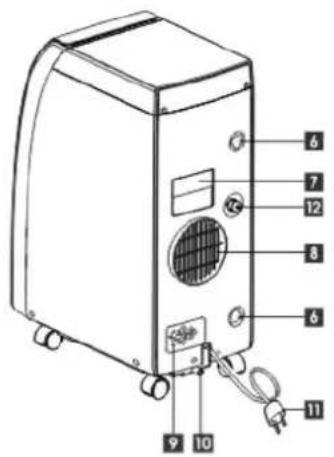
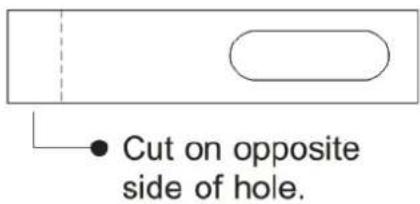
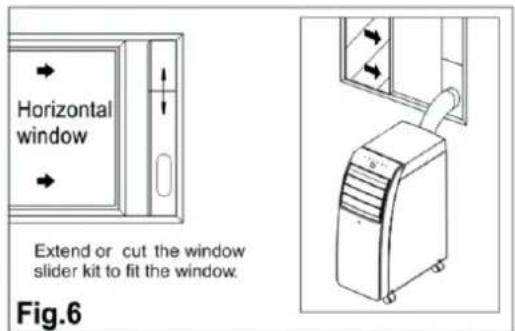
รูปที่ 5
รูปที่ 6
ดำเนื่อน
natural_image
Diagram of a vehicle with a diagonal line crossing over a curved pipe or duct, no text or symbols present.natural_image
Line drawing of hands holding a mobile phone with an arrow indicating the next hand (no text or symbols present)หมายเหตุ:
flowchart
graph LR
    A["Rectangular Frame"] --> B["Square with Dashed Arrow"]
    B --> C["Square with Left Arrow"]
    C --> D["Square with Right Arrow"]
    D --> E["Square with Left Arrow"]
รูปที่ 15
หมายเหตุ
natural_image
Illustration of a portable air conditioner unit with a checkmark symbol (no text or labels)รูปที่ 16

natural_image
Simple line drawing of a portable air conditioner next to a cross symbol and wavy base (no text or labels)รูปที่ 17
natural_image
Diagram of a door with a circular vent and attached fixtures, no visible text or symbols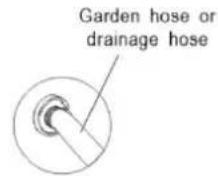
หมายเหตุ
natural_image
Simple line drawing of a vertical air conditioner unit with a curved ramp and a checkmark (no text or symbols)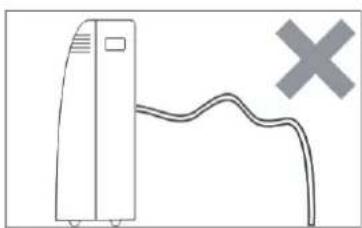
natural_image
Simple line drawing of a server unit connected to a cable with a cross symbol (no text or labels)การทำความสะอาด
natural_image
Illustration of a portable industrial machine with cooling fans and ventilation slots (no text or symbols visible)รูปที่ 18
natural_image
Diagram of a door with ventilation grille and mechanical components (no text or symbols)รูปที่ 19


Brand : Aconatic
Model : AN-PAC09A1
Category : Air conditioner