
F24E7000M - Television DEXP - Free user manual and instructions
Find the device manual for free F24E7000M DEXP in PDF.


Pick your language and provide your email: we'll send you a specifically translated version.
| Product Type | LED Television |
| Brand | DEXP |
| Model | F24E7000M |
| Screen Size | 24 inches (61 cm diagonal) |
| Display Resolution | HD (1366 x 768 pixels) |
| Backlight Type | LED |
| TV Tuner | DVB-T2, DVB-S2, DVB-C |
| Input Connectors | RF (T2/S2), VGA, PC Audio, Composite Video + L/R Audio, HDMI (2), USB |
| Output Connectors | Headphone 3.5mm, Coaxial Digital Audio |
| Power Supply | AC 100-240V, 50/60Hz |
| Power Consumption (max) | 30 W |
| Standby Power | < 0.5 W |
| Dimensions (W x H x D) without stand | 550 x 340 x 80 mm |
| Weight without stand | 3.2 kg |
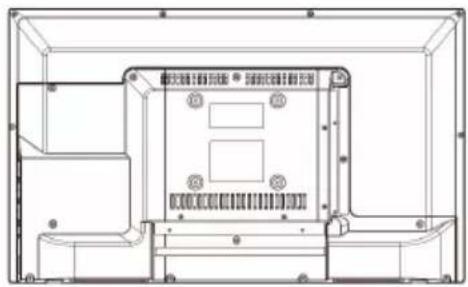
| VESA Mount | 100 x 100 mm |
| Energy Efficiency Class | A |
| Remote Control | Included (batteries not included) |
| Main Functions | Teletext, Sleep Timer, Parental Lock, Electronic Programme Guide (EPG), USB Media Playback |
| Cleaning Instructions | Wipe with a soft, dry cloth. Do not use chemical solvents. |
| Safety | Electrical hazard warning: do not open casing. Keep away from water and heat sources. |
| Spare Parts & Repairability | For spare parts and repairs, contact DEXP authorized service center. Repairability index: 6.5 / 10 |
Frequently Asked Questions - F24E7000M DEXP
How do I turn on the TV for the first time?
Connect the power cable and press the power button on the TV or remote. Follow the on-screen initial setup wizard to select language, country, and scan for channels.
Why is there no sound from the TV speakers?
Check that the volume is not muted or set too low. Ensure the audio output setting is set to TV speakers (not external audio). Also verify no headphones are plugged in.
How can I connect external devices like a gaming console?
Use an HDMI cable to connect the console to any HDMI port on the TV. Select the corresponding HDMI source using the Source button on the remote.
What should I do if the remote control stops working?
First, replace the batteries with new ones (AAA type). Check if there is an obstacle between the remote and the TV sensor. If still not working, try resetting the remote by removing batteries and pressing any button for 5 seconds.
How do I adjust the picture settings?
Press the Menu button on the remote, navigate to Picture settings. You can adjust brightness, contrast, color, sharpness, and select picture modes like Standard, Dynamic, Movie, or Game.
Can I mount the TV on a wall?
Yes, the TV is compatible with a VESA 100x100 mm wall mount. Use appropriate screws and ensure the wall can support the TV's weight. Always follow the wall mount instructions.
How do I scan for digital TV channels?
Go to Menu > Channel > Auto Tuning. Select Digital (DVB-T2) or Satellite (DVB-S2) depending on your antenna. The TV will automatically search and save available channels.
Why does the screen show 'No Signal'?
Ensure the correct input source is selected. Check that the connected device is powered on and the cable is securely attached. If using an antenna, verify the antenna is properly connected and positioned.
How do I reset the TV to factory settings?
Go to Menu > Settings > System > Reset. Enter the PIN (default: 0000) and confirm. This will erase all personal settings and channel lists.
What is the best way to clean the TV screen?
Use a soft, lint-free cloth slightly dampened with water. Gently wipe the screen in a circular motion. Never use abrasive cleaners, alcohol, or spray liquid directly on the screen.
User questions about F24E7000M DEXP
0 question about this device. Answer the ones you know or ask your own.
Ask a new question about this device
No questions yet. Be the first to ask one.
Download the instructions for your Television in PDF format for free! Find your manual F24E7000M - DEXP and take your electronic device back in hand. On this page are published all the documents necessary for the use of your device. F24E7000M by DEXP.
USER MANUAL F24E7000M DEXP
natural_image
Black triangular warning symbol with a white lightning bolt inside, indicating electrical hazard (no text)ВНИМАНИЕ
natural_image
Black triangular warning symbol with exclamation mark (no text or numbers)natural_image
Technical line drawing of a device casing with mounting brackets and internal components (no text or symbols)

natural_image
Technical line drawing of a mechanical enclosure or enclosure frame with mounting feet and internal components (no text or symbols)1
natural_image
Technical line drawing of a mechanical component with mounting holes and internal compartments (no text or symbols)2

3

natural_image
Front view of a flat-screen monitor with two labeled buttons (9 and 8) at the bottom, no text or symbols on the screen itself.
natural_image
Technical line drawing of a device chassis with mounting feet and internal components (no text or symbols)| Headphone | VGA | VIDEO | L AUDIO R | PC AUDIO | RF(S2) | RF(T2) | COAXIAL | |

natural_image
Hand pressing a button on a rectangular electronic device (no text or symbols visible)natural_image
Simple line drawing of a battery inside a tray with two cylindrical objects above it (no text or symbols)Основные операции
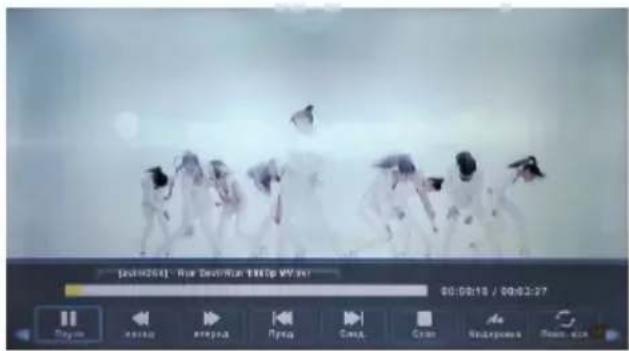
Table of contents
Click a title to access it
Manual assistant
Powered by Anthropic
Waiting for your message
Product information
Brand : DEXP
Model : F24E7000M
Category : Television