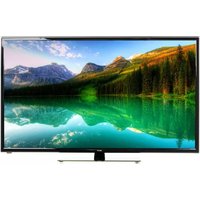
42A7000 - Television DEXP - Free user manual and instructions
Find the device manual for free 42A7000 DEXP in PDF.


Pick your language and provide your email: we'll send you a specifically translated version.
| Product Type | Television |
| Model | 42A7000 |
| Display Size | 42 inches (106.7 cm) |
| Display Resolution | 1920 x 1080 (Full HD) |
| Display Technology | LED |
| Aspect Ratio | 16:9 |
| Refresh Rate | 60 Hz |
| Audio Output | 2 x 8W |
| Connectivity | 2 x HDMI, 1 x USB, 1 x VGA, 1 x AV Composite, 1 x RF Input, 1 x Headphone Jack |
| Power Supply | AC 100-240V, 50/60Hz |
| Power Consumption (Typical) | 70W |
| Standby Power Consumption | <0.5W |
| Weight (with stand) | approx. 9 kg |
| Weight (without stand) | approx. 8 kg |
| Dimensions (with stand) | 953 x 585 x 210 mm |
| Dimensions (without stand) | 953 x 545 x 80 mm |
| Included Accessories | Remote control, stand base, screws, user manual |
| Safety Features | Child lock, VESA mount compatible (200x200 mm) |
| Certifications | CE, RoHS |
| Energy Class | A+ (EU) |
| Repairability | Spare parts available through authorized service centers; repair index: 6/10 |
| Maintenance | Clean with soft dry cloth; avoid liquid cleaners |
| Operating Temperature | 0°C to 40°C |
Frequently Asked Questions - 42A7000 DEXP
How do I connect external devices like a gaming console or Blu-ray player?
To connect external devices, use the HDMI ports on the back of the TV. Simply plug the HDMI cable from your device into one of the HDMI inputs, then select the corresponding source using the 'Input' button on the remote control.
How can I set up parental controls to restrict certain content?
Press the Menu button on the remote, navigate to Settings > Parental Control, and enable it. You will need to set a password. Then you can block specific channels or limit access based on ratings.
What should I do if the TV displays 'No Signal'?
First, check that the correct input source is selected (e.g., HDMI 1). Ensure the connected device is turned on. If using an antenna, verify the cable connection and run a channel scan from the menu.
How do I perform a factory reset?
Go to Settings > System > Factory Reset. Enter the password (default is 0000) and confirm. This will erase all personal settings and restore the TV to original settings.
How should I clean the TV screen?
Use a soft, dry microfiber cloth to gently wipe the screen. Do not use water, alcohol, or harsh chemicals, as they may damage the anti-glare coating.
Can I mount this TV on a wall?
Yes, the TV is VESA compatible with a pattern of 200x200 mm. Use a suitable wall mount kit and follow the instructions to securely attach the TV to the wall.
How do I update the firmware?
Check for updates by going to Settings > About > Software Update. If an update is available, follow the on-screen prompts. Alternatively, download the firmware from the DEXP support website onto a USB drive and install via the USB port.
What is the warranty period for this TV?
The DEXP 42A7000 typically comes with a 2-year warranty against manufacturing defects. Register your product on the DEXP website to activate the warranty.
How do I connect a soundbar or external audio system?
You can connect a soundbar using the HDMI ARC port (if available) or the optical audio output. For analog systems, use the headphone jack or AV audio outputs.
The remote control is not working. What can I do?
First, check the batteries and replace them if needed. Ensure there is no obstruction between the remote and the TV sensor. If it still doesn't work, try pairing the remote again by pressing and holding the 'Power' button for 5 seconds.
User questions about 42A7000 DEXP
0 question about this device. Answer the ones you know or ask your own.
Ask a new question about this device
No questions yet. Be the first to ask one.
Download the instructions for your Television in PDF format for free! Find your manual 42A7000 - DEXP and take your electronic device back in hand. On this page are published all the documents necessary for the use of your device. 42A7000 by DEXP.
USER MANUAL 42A7000 DEXP
natural_image
Symbolic illustration of a person climbing a ladder inside a circle with no text or symbolsnatural_image
Simple line drawing of a mechanical setup with a lever and base, no text or symbols presentnatural_image
Diagram of a mechanical device with a circular component and directional arrows indicating motion (no text or symbols)
natural_image
Line drawing of a table with a bracket and a magnified inset showing three circular components (no text or symbols)natural_image
Front view of a flat-screen computer monitor with blank screen area (no text or symbols)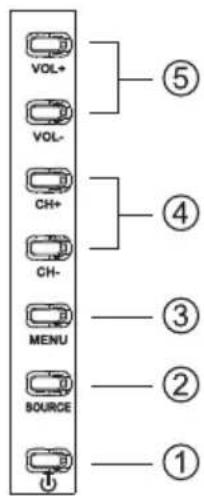

natural_image
Close-up of vibrant pink and white tulips against a clear blue sky (no text or symbols visible)Кнопки управления:
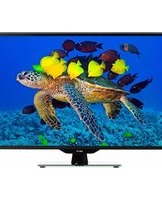
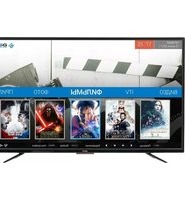

Table of contents
Click a title to access it
Manual assistant
Powered by Anthropic
Waiting for your message
Product information
Brand : DEXP
Model : 42A7000
Category : Television