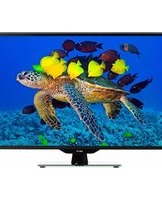
H32B3000E - Television DEXP - Free user manual and instructions
Find the device manual for free H32B3000E DEXP in PDF.


Pick your language and provide your email: we'll send you a specifically translated version.
| Product Type | LED Television |
| Brand | DEXP |
| Model | H32B3000E |
| Screen Size | 32 inches (80 cm) |
| Resolution | 1366 x 768 (HD Ready) |
| Dimensions (with stand) | Approx. 73.5 x 46.5 x 18 cm |
| Weight (with stand) | Approx. 3.8 kg |
| Power Consumption (typical) | 35 W |
| Standby Power Consumption | < 0.5 W |
| Input Voltage | AC 100-240V, 50/60Hz |
| Connectivity | 2x HDMI, 1x USB, 1x VGA, 1x AV, 1x RF, 1x Headphone |
| Sound Output | 2 x 6W |
| Main Functions | Teletext, Sleep Timer, Parental Lock, Auto Search, EPG |
| Cleaning and Maintenance | Use a soft dry cloth; avoid water or chemicals |
| Safety Precautions | Do not open back cover; keep away from heat sources; use proper ventilation |
| Spare Parts and Repairability | Contact DEXP support for genuine parts; repair by qualified personnel |
| General Information | VESA mount 100x100mm; wall mount not included |
Frequently Asked Questions - H32B3000E DEXP
How do I set up the TV for the first time?
Connect the power cord and antenna, then press the power button. Follow the on-screen instructions to select language, country, and auto-search for channels.
How can I connect external devices like a console or HDMI stick?
Use an HDMI cable to connect your device to any HDMI port on the TV. Press Source on the remote and select the corresponding HDMI input.
What should I do if the remote control does not work?
First, check the batteries and ensure they are inserted correctly. If still not working, try pointing the remote directly at the IR sensor, and remove any obstructions.
How do I adjust the picture settings?
Press the Menu button on the remote, navigate to Picture. Here you can adjust brightness, contrast, color, sharpness, and select picture modes.
Is this TV wall-mountable?
Yes, the TV supports VESA mount standard 100x100mm. Use a compatible wall mount kit and follow the instructions carefully. Ensure the wall can support the weight.
How do I update the software?
Software updates are applied automatically when available over the air. You can also check manually via Menu > Setup > Software Update (USB is not supported).
What audio outputs are available?
The TV has a headphone jack (3.5mm) and optical audio output for connecting to external speakers or soundbars.
How can I reset the TV to factory settings?
Press Menu, go to Setup > Reset (or similar), and confirm. This will erase all personal settings and channels.
Does the TV support USB playback?
Yes, insert a USB drive with media files (e.g., MP4, AVI, JPEG) and press Source to select USB. Use the remote to navigate and play files.
What should I do if there is no sound?
Check that the volume is not muted. Verify the audio output settings. If using external speakers, ensure they are properly connected. Try different channels or sources.
User questions about H32B3000E DEXP
0 question about this device. Answer the ones you know or ask your own.
Ask a new question about this device
No questions yet. Be the first to ask one.
Download the instructions for your Television in PDF format for free! Find your manual H32B3000E - DEXP and take your electronic device back in hand. On this page are published all the documents necessary for the use of your device. H32B3000E by DEXP.
USER MANUAL H32B3000E DEXP
natural_image
Top-down schematic of a computer monitor chassis showing internal components and ventilation slots (no text or labels)
natural_image
Top-down schematic of a device rear panel with labeled components (no text or symbols beyond basic layout)
flowchart
graph TD
    F["● F"] --> G["● G"]
    G --> H["● H"]
    H --> -["● -"]
    - --> F
    style F fill:#fff,stroke:#000
    style G fill:#fff,stroke:#000
    style H fill:#fff,stroke:#000
    style - fill:#fff,stroke:#000
    note right of F: Стена


natural_image
Simple line drawing of a mechanical setup with a pendulum and base, no text or symbols present

Описание функций
Меню изображения
Прочие функции

Table of contents
Click a title to access it
Manual assistant
Powered by Anthropic
Waiting for your message
Product information
Brand : DEXP
Model : H32B3000E
Category : Television