
H20D7200E - Television DEXP - Free user manual and instructions
Find the device manual for free H20D7200E DEXP in PDF.


Pick your language and provide your email: we'll send you a specifically translated version.
| Product Type | LED TV |
| Screen Size | 20 inches |
| Resolution | 1366 x 768 (HD Ready) |
| Refresh Rate | 60 Hz |
| Dimensions (without stand) | 47.5 x 28.5 x 7.5 cm (W x H x D) |
| Weight (without stand) | 3.2 kg |
| Power Consumption (typical) | 30 W |
| Standby Power | < 0.5 W |
| Power Supply | 100-240 V ~ 50/60 Hz |
| HDMI Inputs | 2 |
| USB Ports | 1 |
| RF Input | 1 |
| AV Input | 1 (composite) |
| Headphone Jack | 1 (3.5 mm) |
| Audio Output | Optical / Digital |
| Speaker Power | 2 x 3 W |
| VESA Mount | 100 x 100 mm |
| Operating Temperature | 0°C to 40°C |
| Remote Control | Included (batteries not included) |
| Warranty | 1 year |
Frequently Asked Questions - H20D7200E DEXP
How do I connect my DEXP H20D7200E TV to Wi-Fi?
This model does not have built-in Wi-Fi. Use an external streaming device connected via HDMI.
What is the screen size of the DEXP H20D7200E?
It is a 20-inch LED TV with a 1366 x 768 resolution.
How do I reset the TV to factory settings?
Go to Menu > Settings > System > Reset. Enter the PIN (default 0000) and confirm.
Does the TV support USB recording?
Yes, it supports PVR (Personal Video Recording) via USB. Insert a FAT32 formatted USB drive and press the Record button on the remote.
Why is there no picture but sound?
Check the input source. Try pressing the 'Source' button on the remote to cycle through HDMI, AV, etc.
How can I clean the TV screen?
Use a soft, dry microfiber cloth. Do not apply liquid directly. For stubborn stains, slightly dampen the cloth with water.
What type of remote control does this TV use?
It uses an infrared (IR) remote. Ensure there are no obstructions between the remote and the TV sensor.
Can I mount this TV on the wall?
Yes, it is VESA 100x100 mm compatible. Use appropriate screws and wall anchors.
How do I update the firmware?
This model does not support online updates. Check the DEXP support website for manual update instructions via USB.
What should I do if the TV does not turn on?
Check the power cable connection. Try a different power outlet. If the standby light is off, the internal fuse may be blown; contact support.
User questions about H20D7200E DEXP
0 question about this device. Answer the ones you know or ask your own.
Ask a new question about this device
No questions yet. Be the first to ask one.
Download the instructions for your Television in PDF format for free! Find your manual H20D7200E - DEXP and take your electronic device back in hand. On this page are published all the documents necessary for the use of your device. H20D7200E by DEXP.
USER MANUAL H20D7200E DEXP
natural_image
Black triangular warning symbol with a white lightning bolt inside, indicating electrical hazard (no text)ВНИМАНИЕ
natural_image
Black triangular warning symbol with exclamation mark (no text or numbers)natural_image
Line drawing of a TV set with a central door and side-mounted fans (no text or symbols)1

natural_image
Technical line drawing of a mechanical or electrical component with no visible text or symbols2

3

natural_image
Hand pressing a button on a rectangular device with a red arrow indicating left motion (no text or symbols)Основные операции
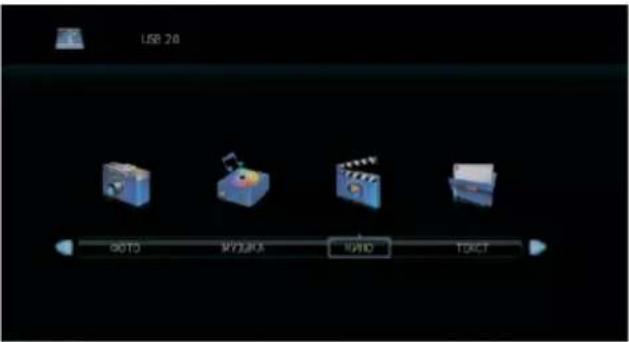

natural_image
Symbol of a trash bin crossed with diagonal lines, no text or labels present
Table of contents
Click a title to access it
Manual assistant
Powered by Anthropic
Waiting for your message
Product information
Brand : DEXP
Model : H20D7200E
Category : Television