
CA-15BT - Receiver Chord - Free user manual and instructions
Find the device manual for free CA-15BT Chord in PDF.


| Product Type | Acoustic Amplifier with Bluetooth |
| Brand | Chord |
| Model | CA-15BT |
| Power Supply | 230Vac, 50Hz (IEC) |
| Output Power | 15W rms |
| Speaker | 165mm (6.5") |
| Controls | Bass, Middle, Treble, Chorus, Volume, Bluetooth |
| Input | 6.3mm guitar jack |
| Output | 3.5mm headphones jack |
| Bluetooth | Built-in receiver, pairing name "CA-15BT" |
| Dimensions (WxDxH) | 310 x 295 x 180mm |
| Weight | 4.328 kg |
| Chorus Effect | On/off button with depth adjustment |
| Equalizer | 3-band (Bass, Middle, Treble) |
| Safety Features | Do not cover cooling vents; keep away from damp/dust |
| Cooling | Vents at rear |
| Fuse | Replace only with approved type; unplug before replacing |
| Disposal | Electrical waste; recycle per local guidelines |
| Compliance | CE, EU Declaration of Conformity |
| Intended Use | Practice, rehearsal, silent practice via headphones |
Frequently Asked Questions - CA-15BT Chord
User questions about CA-15BT Chord
0 question about this device. Answer the ones you know or ask your own.
Ask a new question about this device
Download the instructions for your Receiver in PDF format for free! Find your manual CA-15BT - Chord and take your electronic device back in hand. On this page are published all the documents necessary for the use of your device. CA-15BT by Chord.
USER MANUAL CA-15BT Chord
Acoustic Amplifier with Bluetooth®
Item ref: 173.012UK
User Manual
Caution: Please read this manual carefully before operating Damage caused by misuse is not covered by the warranty
Introduction
Thank you for choosing a Chord CA-15BT acoustic guitar amplifier.
Ideal for practice and rehearsal, this combo includes a Bluetooth receiver for playing along to tracks from a smart phone.
Please read this manual to gain the best results from your product and avoid damage through misuse.
Caution
Do not cover cooling vents at the rear of the amplifier. Keep away from damp or dusty environments. Check mains lead is in good condition and ensure mains outlet voltage is correct as indicated. Use only approved fuse rated as shown. Unplug from mains before replacing fuse. No user serviceable parts inside. Refer all servicing to qualified personnel.
Control panel

- 6.3mm guitar input jack
- BASS EQ control
- MIDDLE EQ control
- TREBLE EQ control
- CHORUS effect on/off button
- CHORUS depth adjustment
- VOLUME control
- Bluetooth on/off/pairing button
- 3.5mm headphones output
- POWER on/off switch
Operation
Connect your guitar to the input (1) via a 6.3mm jack lead.
If headphones are to be used for silent practice, connect these to the 3.5mm PHONES jack (9)
Turn the VOLUME control (7) fully down and all other controls to the vertical (12 o'clock) position. Connect to mains power using the supplied mains lead via the rear panel IEC connector and switch POWER on (10)
Gradually turn up the VOLUME control and play until sound is heard through the speaker. Increase VOLUME to the required level.
Adjust BASS, MIDDLE and TREBLE (2, 3, 4) controls to achieve the required tone character.
Pressing in the CHORUS ON/OFF button (5) engages the chorus effect, which thickens the sound with a swirling detune effect. Adjusting the CHORUS control (6) changes the depth of this effect.
For wireless playback of backing tracks from a smart phone, the CA-15BT has a built-in Bluetooth receiver. Press the BT button (8) in and the indicator will flash. In your phone menu, search for "CA-15BT" and select to pair. Once pairing is completed, the indicator will stay on constantly and any tracks played on the smart phone should be heard through the CA-15BT speaker. Once paired, the CA-15BT will connect to the paired smart phone automatically whenever Bluetooth is switched on.
Specifications
| Power supply | 230Vac, 50Hz (IEC) |
| Output | 15Wrms |
| Speaker | 165mm (6.5") |
| Controls | Bass, Middle, Treble, Chorus, Volume, BT |
| Connections | Guitar input, headphones out |
| Dimensions | 310 x 295 x 180mm |
| Weight | 4.328kg |


Disposal: The "Crossed Wheelie Bin" symbol on the product means that the product is classed as Electrical or Electronic equipment and should not be disposed with other household or commercial waste at the end of its useful life. The goods must be disposed of according to your local council guidelines.
Hereby, AVSL Group Ltd. declares that the radio equipment type 173.012UK is in compliance with Directive 2014/53/EU
The full text of the EU declaration of conformity is available at the following internet address: http://www.avsl.com/assets/exportdoc/1/7/173012UK%20CE.pdf
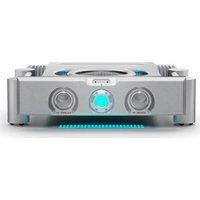
Brand : Chord
Model : CA-15BT
Category : Receiver