
WMS 97148 AWD3 - Washing machine LERAN - Free user manual and instructions
Find the device manual for free WMS 97148 AWD3 LERAN in PDF.


Pick your language and provide your email: we'll send you a specifically translated version.
| Product Type | Washing Machine |
| Brand | LERAN |
| Model | WMS 97148 AWD3 |
| Width | 60 cm |
| Depth | 60 cm |
| Height | 85 cm |
| Weight | 70 kg |
| Power Supply | 220-240 V, 50 Hz |
| Power Consumption | 2000 W |
| Energy Efficiency Class | A+++ |
| Wash Capacity | 9 kg |
| Spin Speed | 1400 rpm |
| Number of Programs | 15 |
| Noise Level (Wash) | 55 dB |
| Noise Level (Spin) | 75 dB |
| Water Consumption | 45 L per cycle |
| Annual Energy Consumption | 175 kWh |
| Annual Water Consumption | 9900 L |
| Display Type | LED |
| Delay Start | Up to 24 hours |
| Child Lock | Yes |
| Drum Cleaning | Drum Clean program |
| Filter Cleaning | Monthly recommended |
| Detergent Drawer Cleaning | Every 3 months |
Frequently Asked Questions - WMS 97148 AWD3 LERAN
How do I clean the drum of my LERAN WMS 97148 AWD3 washing machine?
Run an empty cycle at 90°C with a drum cleaning agent or a cup of white vinegar. This removes limescale and odors.
What should I do if the machine displays an error code?
Refer to the manual for specific codes. Common issues: water supply (check tap), drainage (clean filter), or door lock (ensure door closed).
How often should I clean the filter?
Clean the drain pump filter every 1-2 months or when you notice drainage problems. It is located at the bottom front.
What is the maximum spin speed and capacity?
The maximum spin speed is 1400 rpm and the wash capacity is 9 kg. Adjust according to fabric type.
Can I use the delay start function?
Yes, you can set a delay start up to 24 hours. Select the program, press delay, and choose hours.
How do I activate the child lock?
Press and hold the Child Lock button (usually indicated by a key icon) for 3 seconds until the symbol appears.
What is the energy consumption of this washing machine?
The annual energy consumption is 175 kWh based on 220 standard cycles. The energy class is A+++.
Why is my machine not spinning?
Check if the load is unbalanced (redistribute clothes), the drain filter is clogged, or the spin speed is set too low.
How do I clean the detergent drawer?
Remove the drawer by pressing the release clip. Wash with warm water and a brush every 3 months to prevent mold.
What should I do if the machine leaks water?
Check the water inlet hoses for cracks, ensure the drain hose is properly connected, and inspect the door seal for damage.
User questions about WMS 97148 AWD3 LERAN
0 question about this device. Answer the ones you know or ask your own.
Ask a new question about this device
No questions yet. Be the first to ask one.
Download the instructions for your Washing machine in PDF format for free! Find your manual WMS 97148 AWD3 - LERAN and take your electronic device back in hand. On this page are published all the documents necessary for the use of your device. WMS 97148 AWD3 by LERAN.
USER MANUAL WMS 97148 AWD3 LERAN
natural_image
Line drawing of two hands holding a transparent bag with liquid, no text or symbols presentnatural_image
Four identical gray spherical objects with radial slots, arranged in a 2x2 grid (no text or symbols)natural_image
Technical line drawing of a curved mechanical component (no text or symbols)natural_image
3D rendering of a black rectangular electronic component with metallic pins (no visible text or symbols)natural_image
Pure diagram of a U-shaped pipe with two connectors (no text or symbols)natural_image
Line drawing of a wrench handle with two hexagonal nuts (no text or symbols)Гаечный ключ
natural_image
Technical line drawing of a mechanical component with no visible text or symbols


natural_image
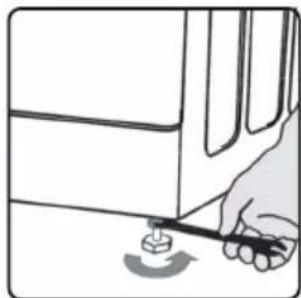
Illustration of hands using a tool to adjust a device with motion lines (no text or symbols)
natural_image
Illustration of a hand holding a ball with an arrow indicating motion (no text or symbols)natural_image
Diagram of a mechanical assembly with a wrench and nut, showing a rotating arrow (no text or symbols)
natural_image
Illustration of a hand using a tool to press or install a small component on a surface (no text or symbols visible)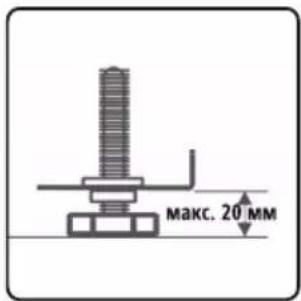
natural_image
Illustration of a hand using a stylus to interact with a tablet device (no text or symbols visible)

natural_image
Technical diagram of a mechanical or electronic component with no visible text, numbers, or symbols2
natural_image
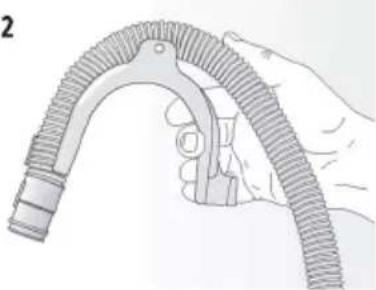
Illustration of a hand holding a flexible hose with threaded end (no text or symbols)
natural_image
Technical line drawing of a three-tiered industrial storage unit with no visible text or symbolsnatural_image
Illustration of a hand inserting a device into a multi-chamber container with arrows indicating action (no text or symbols)
natural_image
Technical line drawing of a multi-level industrial or laboratory apparatus with internal components (no text or symbols)natural_image
Simple line drawing of a hand pressing down on a small object near a vertical axis (no text or symbols)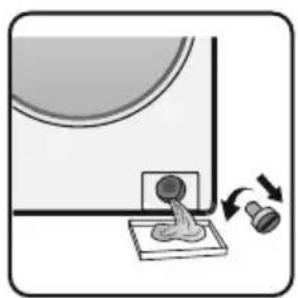
natural_image
Illustration of a mechanical device with a circular component and two rotating components (no text or symbols)
natural_image
Simple diagram showing a curved surface with an arrow and a circular object on a base (no text or symbols)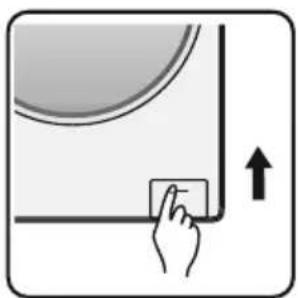
natural_image
Simple diagram showing a hand pressing a button on a curved surface with an upward arrow (no text or symbols)natural_image
Close-up of a metallic mechanical component with a cylindrical shaft and flange (no visible text or symbols)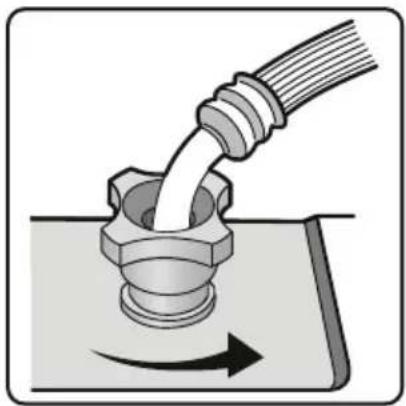
natural_image
Diagram of a pipe being inserted into a bolt, showing fluid flow direction (no text or symbols)
natural_image
Illustration of a pliers applying material to a bolted washer (no text or symbols)
natural_image
Illustration of two hands holding a small object with a dropper, no text or symbols present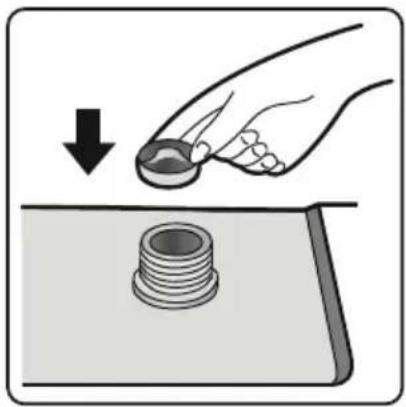
natural_image
Illustration of a hand pressing down on a mechanical component with a bolt, showing a downward arrow (no text or symbols)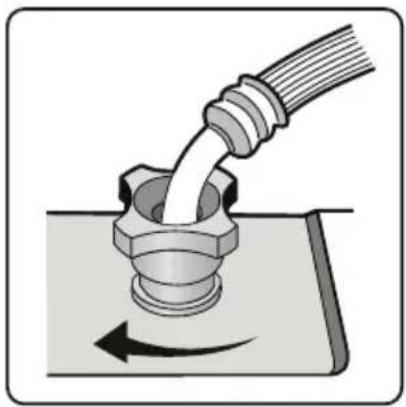
natural_image
Illustration of a pipe being inserted into a bolt, showing fluid flow direction (no text or symbols)Таблица неполадок
natural_image
Symbol of a trash bin crossed with a diagonal line and a black rectangular base (no text or numbers present)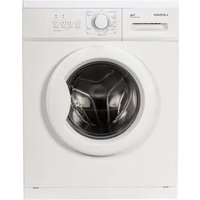

Table of contents
Click a title to access it
Manual assistant
Powered by Anthropic
Waiting for your message
Product information
Brand : LERAN
Model : WMS 97148 AWD3
Category : Washing machine