
ICC SH-21 - Microphone Techly - Free user manual and instructions
Find the device manual for free ICC SH-21 Techly in PDF.


| Product Type | USB Omnidirectional Microphone |
| Brand | Techly |
| Model | ICC SH-21 |
| Directivity | Omnidirectional (360°) |
| Connectivity | USB 2.0 (Plug and Play, driver-free) |
| Sensitivity | -40±3 dB |
| Frequency Range | 100 - 16000 Hz |
| Max SPL | 110 dB |
| Signal-to-Noise Ratio | >60 dB |
| Output Impedance | <680 Ohm |
| Input Voltage | 5V±5% (via USB) |
| Cable Length | Approx. 2 m (6.5 ft) |
| Dimensions (Item) | D70 mm x H15 mm |
| Weight | Approx. 160 g |
| Sound Pickup Range | Max 3 m (10 ft); recommended within 2 m (6.5 ft) |
| Material | Zinc Alloy + Metal Mesh Cover |
| System Requirements | Windows XP or above (7/8/10), Mac OS 7 or above |
| Mute Function | Available via MUTE button on ICC SH-22 model |
| Package Contents | USB Omnidirectional Microphone, User Manual |
| Cleaning and Maintenance | Wipe with a soft, dry cloth. Avoid water and high humidity. |
| Safety | Keep away from children, do not modify, avoid extreme temperatures. |
Frequently Asked Questions - ICC SH-21 Techly
User questions about ICC SH-21 Techly
0 question about this device. Answer the ones you know or ask your own.
Ask a new question about this device
Download the instructions for your Microphone in PDF format for free! Find your manual ICC SH-21 - Techly and take your electronic device back in hand. On this page are published all the documents necessary for the use of your device. ICC SH-21 by Techly.
USER MANUAL ICC SH-21 Techly
TECHly® The Modern IT brand
EN - 1
Dear customer
Thank you for purchasing this Techly product. For optimum performance and safety, please read these instructions carefully before connecting, operating or adjusting this product. Please keep this manual for future reference.
SAFETY PRECAUTIONS
- Your product is not a toy and is not meant for children, because it contains small parts which can be swallowed and can injure when used inappropriately!
- Please remove the packing materials, because children may cut themselves and there is a risk of swallowing and inhalation.
- Avoid places with high temperatures, humidity or water.
- Do not modify and alter the product and any accessories! Do not use any damaged parts.
INTRODUCTION
ICC SH-21 and ICC SH-22 are two USB 2.0 driver-free, Plug and Play, 360° omnidirectional microphone ideal for online meeting, business conference and negotiation, video/audio chat, Skype, gaming and more.
FEATURES
- USB free driver, Plug and Play, and the microphone can pick up sound from 360 degree omnidirectional.
- High Sensitivity, the microphone can catch the slightest signal and reproduce your voice vividly like talking face to face.
- Supreme performance, the microphone can pick up your voice from 10ft away, 10 times better than traditional ones. It is useful for online meeting, business conference and negotiation, video/audio chat, Skype, gaming and more.
WWW.TECHLY.COM
EN - 2

TECHly® The Modern IT brand
USB OMNIDIRECTIONAL MICROPHONE
U: M
PRODUCT SPECIFICATION
| Directivity Omnidirectional | |
| Material Zinc Alloy + Metal Mesh Cover | |
| Sensitivity -40± 3dB | |
| Output Impedance <680 Ohm | |
| Frequency Range 100-16000Hz | |
| Max SPL 110 dB | |
| S/N Ratio >60dB | |
| Input voltage 5V±5% | |
| Connectivity USB 2.0 | |
| Cable Length About 2 m/6,5 ft | |
| Item Weight | About 160g |
| Item dimensions | D70mm x H15mm |
| Sound Pickup Range | Max 3m/10ft, Recommend Within 2m/6,5ft |
| System Requirement | Windows XP or above (Windows Vista 7/8/10), Mac OS 7 or above |
F
1.
2.
3.
4.
P
U
M
HOW TO USE
- Plug the microphone into the USB input on your computer.
- Access the control panel, select the audio icon and click on the "Record" label and set the microphone (UM02 / iTalk02) as default. On devices with newer operating systems the microphone is detected and set as default automatically.
- In the audio control panel click on the microphone image, select the levels label and adjust the volume if necessary.
- The ICC SH-22 model can be temporarily disabled via the MUTE button.
1
(
WWW.TECHLY.COM

natural_image
Color swatch bar with grayscale gradient from black to white (no text or symbols)
AL JE
USB OMNIDIRECTIONAL MICROPHONE

TECHly® The Modern IT brand
EN - 3
FAQ
- Is this microphone compatible with Mac OS?
Yes, but it's required Mac OS 7 or above and a USB jack must be available. - Can I extend the connection distance with a USB extension cable?
This is not recommended. - I have plugged the microphone into my computer, but there is still no sound.
A. Please make sure the microphone is default device in the tab "recording" and adjust the volume of it or make sure it is not mute.
B. Please make sure the Mute Button is in "Off" status.
- Why can't you hear each other's voice?
This device is a microphone input device, without its own speaker. To hear the other party's voice, you need to plug in headphones or audio and other output devices.
PACKAGE INCLUDE
USB Omnidirectional Microphone ICC SH-21 or ICC SH-22, User Manual.
on 2) ne ct E
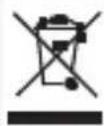
In accordance with the WEEE regulation, electrical and electronic equipment must not be disposed of with household waste. This product must be delivered to the collection points responsible for the disposal and recycling of electrical and electronic equipment. Contact the competent local authorities
for information on the correct disposal of this equipment.

With the CE sign, Techly ^® ensures that the product is conformed to the basic European standards and directives.
WWW.TECHLY.COM
IT-4

TECHly® The Modern IT brand
USB OMNIDIRECTIONAL MICROPHONE
U: M
Gentile Cliente
TECHly® The Modern IT brand
IT - 5
SPECIFICHE
| il |
| a, |
| na |
| a |
| ■ |
| i |
| o |
| to |
| e, |
| on |
| ■ |
| a |
| e, |
| e, |
| ■ |
| no |
| e |
| a |
| 13 |
| er |
| o/ |
TECHly® The Modern IT brand
USB OMNIDIRECTIONAL MICROPHONE
FAQ
All rights reserved. All trademarks and
trade names are those of their respective owners.
TECHLY® - Viale Europa 33 - 33077 Sacile (PN) - Italy
WWW.TECHLY.COM
Brand : Techly
Model : ICC SH-21
Category : Microphone