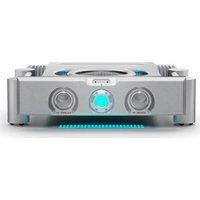
CAA-15 - Receiver Chord - Free user manual and instructions
Find the device manual for free CAA-15 Chord in PDF.


| Product Type | Audio/Video Receiver |
| Brand | Chord |
| Model | CAA-15 |
| Dimensions (W x H x D) | 17.3 x 6.1 x 14.2 inches |
| Weight | 11.5 lbs |
| Power Output | 100 W per channel (8 ohms, 20 Hz - 20 kHz, 0.08% THD) |
| Total Harmonic Distortion | 0.08% |
| Frequency Response | 20 Hz - 20 kHz ±0.5 dB |
| Inputs | 4 x HDMI, 2 x Optical, 2 x Coaxial, 1 x Phono (MM), 4 x RCA |
| Outputs | 1 x Subwoofer Pre-out, 1 x Headphone, 2 x Speaker (binding posts) |
| Supported Audio Formats | Dolby Atmos, DTS:X, PCM, AAC, MP3, FLAC |
| Wireless Connectivity | Bluetooth 5.0, Wi-Fi (802.11ac) |
| AM/FM Tuner | Yes, with 40 presets |
| Power Consumption | 500 W (Standby: 0.5 W) |
| Power Supply | AC 120V, 60 Hz |
| Main Functions | Surround sound decoding, room calibration, multi-zone audio, internet radio |
| Cleaning and Care | Wipe with a soft, dry cloth. Do not use solvents or abrasive cleaners. |
| Safety Features | Overload protection, short-circuit protection, thermal shutdown |
| Replaceable Parts | Power fuse, remote control batteries |
| Repairability | Serviceable by qualified technician; user-accessible fuse |
| Environmental Operating Temperature | 41°F to 95°F (5°C to 35°C) |
| Included Accessories | Remote control, AAA batteries, AM loop antenna, FM wire antenna, power cord, quick start guide |
Frequently Asked Questions - CAA-15 Chord
User questions about CAA-15 Chord
0 question about this device. Answer the ones you know or ask your own.
Ask a new question about this device
Download the instructions for your Receiver in PDF format for free! Find your manual CAA-15 - Chord and take your electronic device back in hand. On this page are published all the documents necessary for the use of your device. CAA-15 by Chord.
USER MANUAL CAA-15 Chord
- Guitar input - connect guitar via 6.3mm mono jack
- BASS EQ control - boost or cut low frequencies
- MIDDLE EQ control - boost or cut middle frequencies
- TREBLE EQ control - boost or cut high frequencies
- CHORUS ON/OFF - switch to enable chorus effect
- CHORUS control - control depth of chorus effect
- VOLUME control - master output volume control
- MP3 IN - connect playback source via 3.5mm stereo jack
- PHONES - connect headphones via 6.3mm stereo jack (mutes speaker)
- Power indicator - LED illuminates when power is on
- POWER switch - mains power on/off
Operation
Connect guitar to input (1) via a 6.3mm jack lead
If mp3 or other playback is to be used, connect this to the 3.5mm AUX IN connector (8)
If headphones are to be used for silent practice, connect these to the 6.3mm PHONES jack (9)
Turn the VOLUME control fully down and all other controls to the vertical (12 o'clock) position
Connect to mains using the supplied mains lead via the rear panel IEC connector and switch POWER on (11)
Gradually turn up the volume and play until sound is heard and increase to the required level
Adjust BASS, MIDDLE and TREBLE controls to achieve the required tone character
If "feedback" causes howling or squealing through the speaker, cutting certain EQ levels can help curtail this
It is advised to position the guitar facing away from the CAA-15 and not too close in order to avoid feedback
To give a special effect, the internal chorus can be engaged by pressing in the CHORUS ON/OFF switch (5)
Depth of this effect can be adjusted with the CHORUS control (6)
Turn down the VOLUME control before unplugging the guitar or switching off the CAA-15
Caution
Do not cover cooling vents at the rear of the amplifier. Keep away from damp or dusty environments
Check mains lead is in good condition and ensure mains outlet voltage is correct as indicated.
Use only approved fuse rated as shown. Unplug from mains before replacing fuse.
No user serviceable parts inside. Refer all servicing to qualified personnel


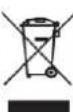
Disposal: The "Crossed Wheelie Bin" symbol on the product means that the product is classed as Electrical or Electronic equipment and should not be disposed with other household or commercial waste at the end of its useful life. The goods must be disposed of according to your local council guidelines.
Errors and omissions excepted. Copyright© 2021.
AVSL Group Ltd. Unit 2-4 Bridgewater Park, Taylor Rd. Manchester. M41 7JQ
AVSL (EUROPE) Ltd, Unit 3D North Point House, North Point Business Park, New Mallow Road, Cork, Ireland.