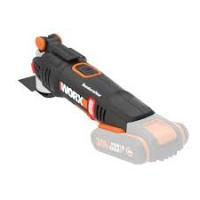
WX822L - Multifunction tool WORX - Free user manual and instructions
Find the device manual for free WX822L WORX in PDF.


Pick your language and provide your email: we'll send you a specifically translated version.
| Product Type | Oscillating Multifunction Tool |
| Brand | Worx |
| Model | WX822L |
| Power Source | 20V Lithium-ion battery (sold separately) |
| Oscillation Angle | 3.2° |
| No-Load Speed | 11,000 - 20,000 OPM (variable speed) |
| Weight | 1.5 lbs (0.68 kg) without battery |
| Dimensions | 12 x 4 x 4 inches (30 x 10 x 10 cm) |
| Accessories Included | Sanding pad, scraper blade, saw blade, hex key |
| Tool-Free Accessory Change | Yes |
| Variable Speed Dial | Yes, 6-speed settings |
| LED Work Light | Yes |
| Overmold Grip | Yes, for comfort and control |
| Lock-Off Switch | Yes, prevents accidental start |
| Motor Type | Brushless |
| Battery Compatibility | Worx PowerShare 20V batteries |
| Maintenance | Clean with dry cloth; store in dry, cool place |
| Repairability | User-replaceable accessories; motor sealed, service by professional |
| Warranty | 3-year limited warranty |
Frequently Asked Questions - WX822L WORX
What battery does the Worx WX822L use?
The Worx WX822L uses a 20V PowerShare lithium-ion battery (sold separately). It is compatible with all Worx 20V batteries.
How do I change accessories on the WX822L?
The WX822L features a tool-free accessory change system. Simply turn the lever on the side of the tool to release the accessory, then insert the new one and tighten the lever.
What is the oscillation angle of the WX822L?
The WX822L has an oscillation angle of 3.2°, which is standard for multi-tools and allows for precise cutting and sanding.
Can I use the WX822L for cutting wood?
Yes, the WX822L is suitable for cutting wood, drywall, plastic, and soft metals. Use the appropriate saw blade for the material.
How do I adjust the speed on the WX822L?
The speed is controlled by a variable speed dial on the tool. Rotate the dial to select from 6 speed settings ranging from 11,000 to 20,000 OPM.
Is the WX822L compatible with universal accessories?
The WX822L uses a standard oscillating tool interface (OIS). It is compatible with most universal accessories that have the same mount.
How do I clean and maintain the WX822L?
After use, wipe the tool with a dry cloth. Do not use water or solvents. Store in a dry, cool place. Check accessories for wear regularly.
What safety features does the WX822L have?
The tool includes a lock-off switch to prevent accidental starts, an overmold grip for secure handling, and a safety guard on some accessories.
Does the WX822L come with a warranty?
Yes, the Worx WX822L is covered by a 3-year limited warranty. Register your product on the Worx website for full coverage.
What accessories are included with the WX822L?
The tool typically includes a sanding pad, a scraper blade, a saw blade, and a hex key. Additional accessories can be purchased separately.
User questions about WX822L WORX
0 question about this device. Answer the ones you know or ask your own.
Ask a new question about this device
No questions yet. Be the first to ask one.
Download the instructions for your Multifunction tool in PDF format for free! Find your manual WX822L - WORX and take your electronic device back in hand. On this page are published all the documents necessary for the use of your device. WX822L by WORX.