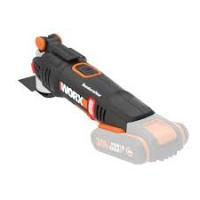
MakerX WX988 - Multifunction tool WORX - Free user manual and instructions
Find the device manual for free MakerX WX988 WORX in PDF.


Pick your language and provide your email: we'll send you a specifically translated version.
| Product Type | Cordless Oscillating Multi-Tool |
| Model | MakerX WX988 |
| Brand | Worx |
| Power Source | 20V Max Lithium-Ion Battery (Not Included) |
| Motor Type | Brushless |
| Variable Speed | 5,000 - 20,000 OPM |
| Oscillation Angle | 3.2° (Left/Right) |
| Blade Change System | Tool-Free Quick-Release |
| LED Light | Yes, Built-in |
| Dimensions (L x W x H) | 12.2 x 3.1 x 4.5 inches (31 x 8 x 11.5 cm) |
| Weight | 2.65 lbs (1.2 kg) without battery |
| Battery Compatibility | Worx WA3550 Series Batteries |
| Included Accessories | 3 Blades, Sanding Pad, Dust Extraction Adapter |
| Material | Aluminum Housing with Overmold Grip |
| Color | Black & Orange |
| Warranty | 3-Year Limited Warranty |
| Safety Features | Lock-On Switch, Overload Protection |
| Maintenance | Clean with dry cloth; avoid solvents |
| Repairability | Motor sealed; no user-serviceable parts |
Frequently Asked Questions - MakerX WX988 WORX
What battery does the Worx MakerX WX988 use?
The WX988 uses a 20V Max lithium-ion battery from the Worx WA3550 series (not included). It is compatible with all Worx 20V batteries.
Is the WX988 compatible with universal oscillating tool blades?
Yes, it uses the standard OIS (Oscillating Interface System) blade mount, so it accepts most universal blades with a 1.1-inch hole pattern.
What materials can I cut with this tool?
It can cut wood, drywall, plastic, soft metals, and plunge cut into materials. Use appropriate blades for each material.
Does it come with a carrying case?
No, the WX988 is typically sold as a bare tool without a case. Some kits may include a case; check the product listing.
How do I change the blade?
Press the blade release lever on the side, insert the new blade until it clicks, and release the lever. No tools required.
What is the noise level?
Typical noise level is around 85 dB(A). Always wear ear protection when operating.
Can I use it for sanding?
Yes, attach the included sanding pad and use hook-and-loop sandpaper. It is effective for detail sanding and flush sanding.
Is the tool brushless?
Yes, it features a brushless motor that provides longer runtime, more power, and zero maintenance compared to brushed motors.
What does the LED light do?
The built-in LED illuminates the work area, improving visibility in dark or confined spaces.
How do I clean the tool?
Use a dry cloth to wipe away dust and debris. Do not use water or harsh chemicals. Keep ventilation slots clean.
User questions about MakerX WX988 WORX
0 question about this device. Answer the ones you know or ask your own.
Ask a new question about this device
No questions yet. Be the first to ask one.
Download the instructions for your Multifunction tool in PDF format for free! Find your manual MakerX WX988 - WORX and take your electronic device back in hand. On this page are published all the documents necessary for the use of your device. MakerX WX988 by WORX.