
Buzz Off HE18 - Audio/video converter ROLLS - Free user manual and instructions
Find the device manual for free Buzz Off HE18 ROLLS in PDF.


| Type | Audio/video converter |
| Brand | Rolls |
| Model | Buzz Off HE18 |
| Input Connectors | Composite video (RCA), stereo audio (RCA L/R) |
| Output Connector | HDMI (Type A) |
| Supported Video Formats | NTSC, PAL |
| Output Resolution | 720p or 1080p (upscaled) |
| Power Supply | 5V DC via USB (cable included) |
| Power Consumption | 2.5W typical |
| Dimensions (W x D x H) | 4.5 x 2.5 x 1.0 inches |
| Weight | 4 oz (113 g) |
| Operating Temperature | 32°F to 104°F (0°C to 40°C) |
| Features | Automatic input detection, built-in scaling, audio embedding |
| LED Indicators | Power and signal status |
| Housing | Aluminum case with black finish |
| Mounting | Desktop or Velcro strip (not included) |
| Included Accessories | USB cable, quick start guide |
| Cleaning | Wipe with dry cloth; do not use liquids |
| Safety | Use only supplied power adapter; avoid moisture |
| Warranty | 1 year limited |
Frequently Asked Questions - Buzz Off HE18 ROLLS
User questions about Buzz Off HE18 ROLLS
0 question about this device. Answer the ones you know or ask your own.
Ask a new question about this device
Download the instructions for your Audio/video converter in PDF format for free! Find your manual Buzz Off HE18 - ROLLS and take your electronic device back in hand. On this page are published all the documents necessary for the use of your device. Buzz Off HE18 by ROLLS.
USER MANUAL Buzz Off HE18 ROLLS
Thank you for your purchase of the HE18 Buzz Off. If you've got hum or buzz in your audio signal, the HE18 is the solution you need. Almost all AC hum is caused by ground loops. These ground loops act like radio antennae, picking up hum and noise. The HE18 removes many causes of noise by eliminating the ground potential.
INSPECTION
- Unpack and Inspect the HE18 package
Your HE18 was carefully packed at the factory in a protective carton. Nonetheless, be sure to examine the unit and the carton for any signs of damage that may have occurred during shipping. If obvious physical damage is noticed, contact the carrier immediately to make a damage claim. We suggest saving the shipping carton and packing materials for safely transporting the unit in the future.
WARRANTY
For information on the Rolls One Year Limited Warranty, and to register this product, visit our website at www.rolls.com
DESCRIPTION
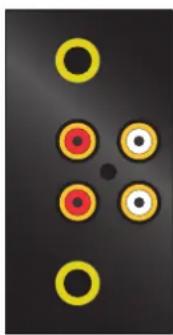
INPUT(S): 2 ea; 1/4" Tip-Ring-Sleeve jacks
2 ea; RCA jacks
OUTPUT(S): 2 ea; 1/4" Tip-Ring-Sleeve jacks 2 ea; RCA jacks
OPERATION
To insert the HE18 in a system with a buzz or hum, disconnect the device you suspect is causing the noise. Connect that device's Output to either of the Inputs (1/4" or RCA), and connect the HE18 Output(s) to the next device in the signal chain.
For example; if you've got a buzz in your video system, connect the HE18 between the video unit and amplifier to isolate the signals.
PLEASE NOTE: THE HE18 IS INTENDED TO RECEIVE LINE LEVEL (0db to +4 dB) SIGNALS. DO NOT CONNECT A MICROPHONE LEVEL SIGNAL OR A SPEAKER (POW-ERED) LEVEL SIGNAL TO THIS UNIT.
CONNECTING A SPEAKER LEVEL SIGNAL (ie. THE OUTPUT OF A POWER AMPLIFIER) WILL CAUSE PERMANENT DAMAGE TO THE HE18.
natural_image
Abstract diagram with six yellow circles and red centers on a dark background (no text or symbols)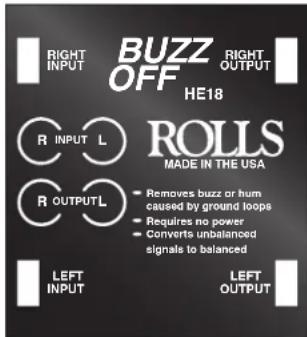

natural_image
Two yellow circles on a dark background, no text or symbols presentDIAGRAM
Max Out: Bal: +18 dB
Unbal: +12 dB
Max In: Bal: +22 dB
Unbal: +22 dB
Input Impedance: RCA: 10 k Ohm
1/4": 10 k Ohm balanced
Output Impedance: RCA: 10 k Ohm
1/4": 10 k Ohm balanced
THD: .05% @ 1 kHz
Weight: 1 lbs. (.45 Kg)
Size: 4.15" x 2.46" x 1.55"
SCHEMATIC
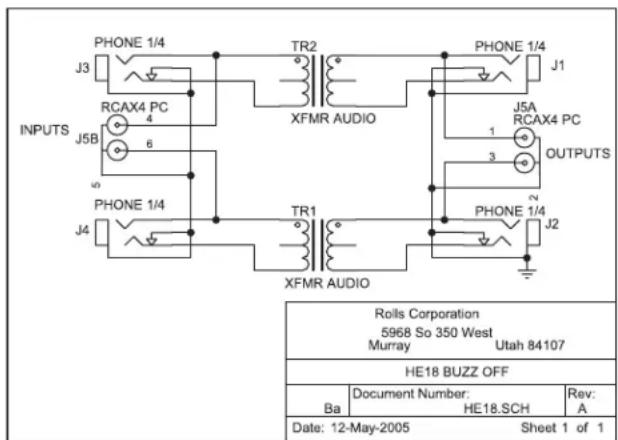
HE18 BUZZ OFF
ROLLS
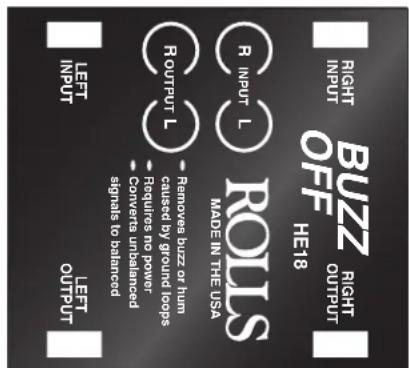
- Helps eliminate ground hum and buzz - Dual channel - No power required - completely passive - Converts balanced to unbalanced lines and vice versa
The HE18 helps remove hum and buzz from a balanced or unbalanced line. Perfect for musicians or audio professionals, the unit is safe and convenient to operate. Simply connect the offending line into the input, and connect the output to your next device.
HE18 Buzz Off
Brand : ROLLS
Model : Buzz Off HE18
Category : Audio/video converter