
SPI-50 - Cutting machine CUISINART - Free user manual and instructions
Find the device manual for free SPI-50 CUISINART in PDF.


| Product Type | Electric Food Slicer |
| Brand | Cuisinart |
| Model | SPI-50 |
| Dimensions (approx.) | 12.5 x 10 x 8.5 inches |
| Weight | 5.4 lbs |
| Power Supply | 120V, 60Hz, 120W |
| Blade Material | Stainless steel, non-stick coated |
| Blade Diameter | 7.5 inches |
| Adjustable Thickness | 0 to 15 mm |
| Food Carriage | Removable, with food pusher |
| Safety Features | Safety lock switch, non-slip feet, blade guard |
| Cleaning | Removable carriage and blade guard are dishwasher safe; blade can be wiped clean |
| Maintenance | Blade replacement available; lubricate carriage rails periodically |
| Spare Parts | Replacement blades, food pusher, carriage available |
| Warranty | Limited 1-year warranty |
| Manual Languages | English, Spanish, French, and more (free PDF download) |
Frequently Asked Questions - SPI-50 CUISINART
User questions about SPI-50 CUISINART
0 question about this device. Answer the ones you know or ask your own.
Ask a new question about this device
Download the instructions for your Cutting machine in PDF format for free! Find your manual SPI-50 - CUISINART and take your electronic device back in hand. On this page are published all the documents necessary for the use of your device. SPI-50 by CUISINART.
USER MANUAL SPI-50 CUISINART
INSTRUCTION AND RECIPE BOOKLET
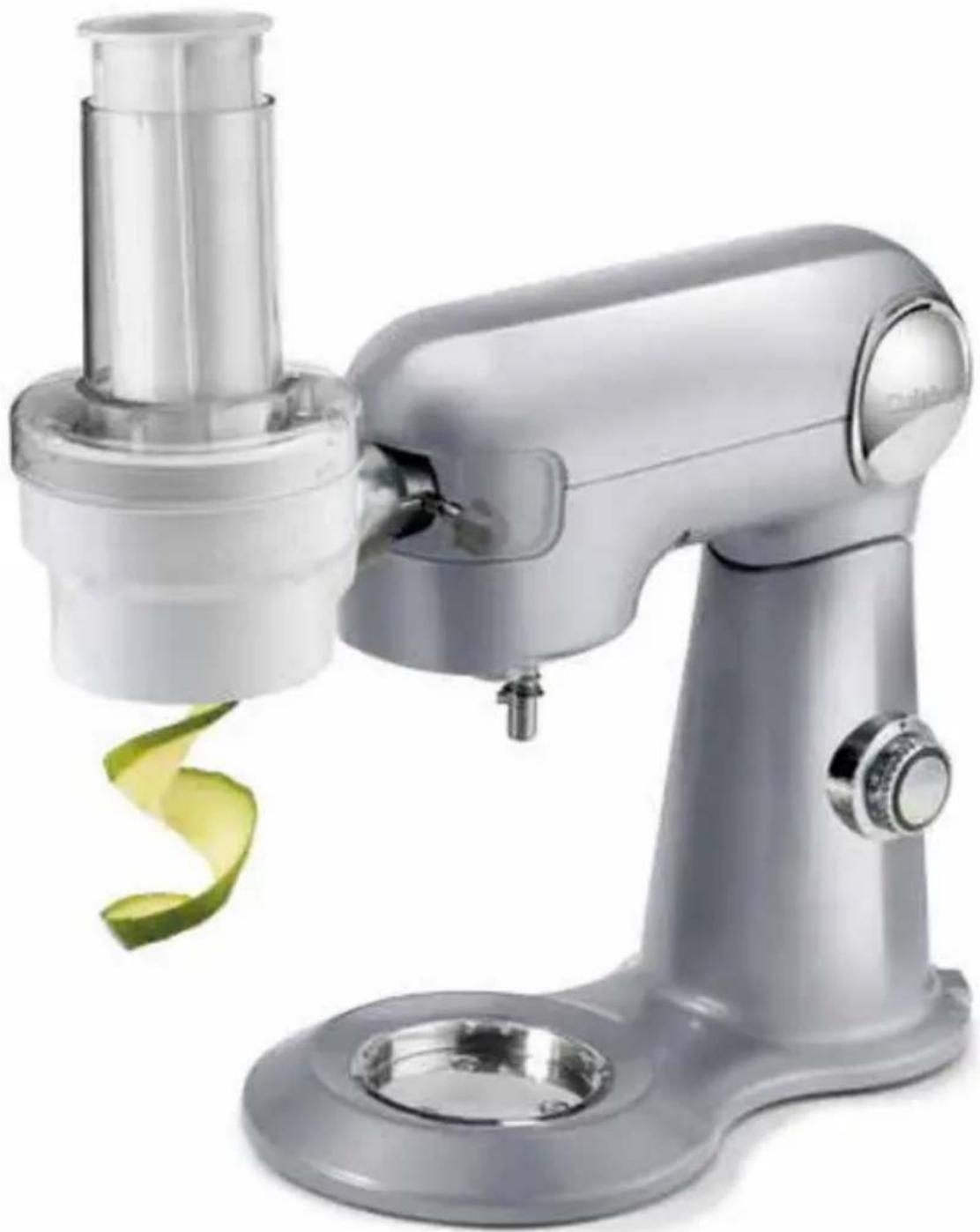
natural_image
Modern kitchen stand mixer with a green spiral blade and plastic housing (no text or symbols visible)PrepExpress™ Attachment
SPI-50
IMPORTANT SAFEGUARDS
When using electrical appliances, especially when children are present, basic safety precautions should always be taken, including the following:
- READ ALL INSTRUCTIONS BEFORE USING.
- Cutting Cones are sharp. Handle them carefully. Inspect blade prior to use for damage. Do not use blade if damaged.
- Switch off and unplug your Cuisinart® Stand Mixer before fitting or removing the PrepExpress™ Attachment, after use and before cleaning.
- Close supervision is necessary when any appliance is used by or near children or individuals with certain disabilities. Cuisinart does not recommend the use of this appliance by children or individuals with certain disabilities.
- Keep hands and other utensils away from Cutting Cones while processing food to prevent the possibility of severe personal injury or damage.
- Avoid coming into contact with moving parts. Never push food down Feed Tube by hand. Always use Pusher.
- Store Cutting Cones as you would sharp knives. Keep out of reach of children.
- The use of attachments not recommended or sold by Cuisinart may cause fire, electric shock or injury.
-
Be sure the Feed Tube is securely locked in place before operating.
-
Do not use more than one attachment at a time.
- Do not use the stand mixer or attachment if it is damaged or if the cord is damaged. Have it checked and serviced before resuming use.
- Do not use this attachment for anything other than its intended use.
- Do not use outdoors.
- To protect against the risk of electric shock, do not put the base power unit in water or other liquids.
- Do not let cord hang over edge of table or counter.
- Never leave your Spiralizer Attachment unattended while the stand mixer is running.
- The attachments are intended for use with the basic appliance SM-50.
- Do not operate your appliance in an appliance garage or under a wall cabinet. When storing in an appliance garage, always unplug the unit from the electrical outlet. Not doing so could create a risk of fire, especially if the appliance touches the walls of the garage or the door touches the unit as it closes.
SAVE THESE INSTRUCTIONS
Refer to stand mixer manual for stand mixer operating instructions.
IMPORTANT: Always unplug the Cuisinart® Stand Mixer from outlet when assembling and disassembling.
CONTENTS
Important Safeguards ...... 2
Unpacking Instructions......3
Parts and Features ....4
Accessories 5
Operating Instructions ...... 6
Cleaning, Storage and Maintenance 7
Tips and Hints 7
Warranty...... 8
Recipes 10
WARNING: RISK OF FIRE OR ELECTRIC SHOCK

The lightning flash with arrowhead symbol within an equilateral triangle is intended to alert the user to the presence of uninsulated, dangerous voltage within the product's enclosure that may be of sufficient magnitude to constitute a risk of fire or electric shock to persons.

The exclamation point within an equilateral triangle is intended to alert the user to the presence of important operating and maintenance (servicing) instructions in the literature accompanying the appliance.
UNPACKING INSTRUCTIONS
CAUTION: THE CUTTING CONES HAVE VERY SHARP EDGES.
To avoid injury when unpacking the parts, please follow these instructions.
- Place the box on a low table or floor next to the kitchen counter where you'll use the appliance. Be sure the box is right side up, then open the box.
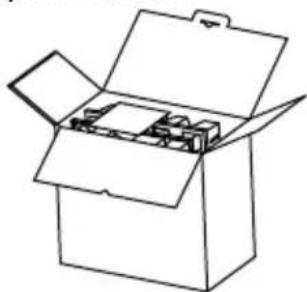
natural_image
Line drawing of an open box with lid and internal compartments (no text or symbols)- Remove the Instruction Book and the whole set pulp mold. (The cleaning brush and angled pusher are in the back of the set pulp mold.)
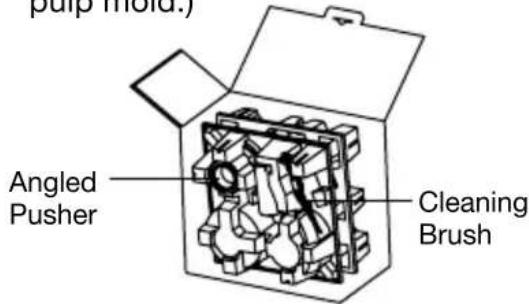
- Place the whole set pulp mold on a flat surface. Remove the Cleaning Brush, Angled Pusher and the upper pulp mold. Then take out the main body, Straight Pusher, Cutting Cones, Straight Feed Tube and Angled Feed Tube, in that order, from the bottom pulp mold.
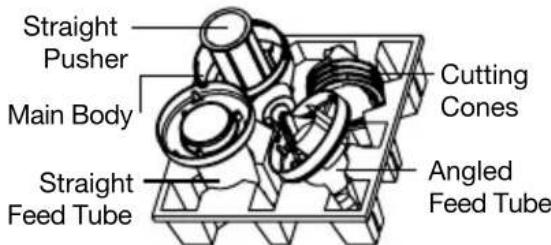
- Remove the packing materials and return to the box.
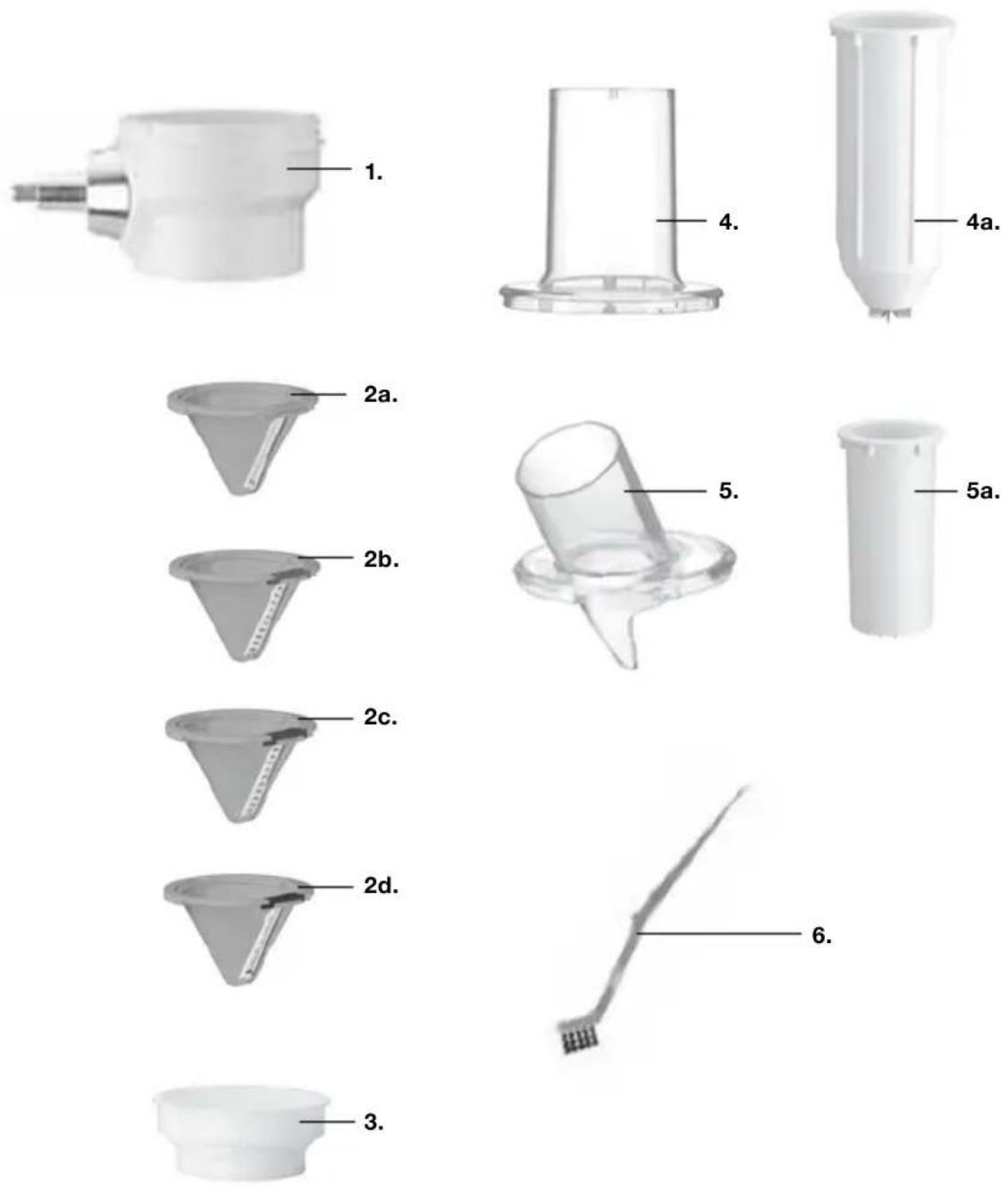
PARTS AND FEATURES
1. Base
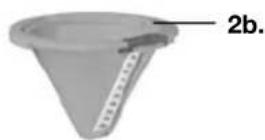
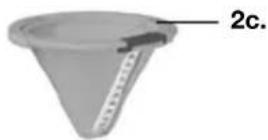
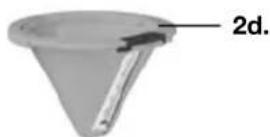
2.4 Cutting Cones
a. 2.5mm Slice/Ribbon (Green)
b. 3.0mm Crinkle Slice/Ribbon (Blue)
c. 3.0mm Thin Shred/Spaghetti (Maroon)
d. 9.0mm Wide Shred/Spaghetti (Black)
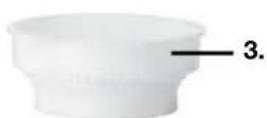
- Cutting Cone Holder
- Straight Feed Tube for spiralizing
a. Straight Feed Tube Pusher
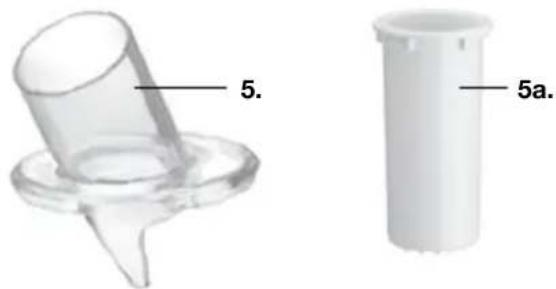
- Angled Feed Tube
for slicing and shredding
a. Angled Feed Tube Pusher
- Cleaning Brush
ACCESSORIES
| SELECT | ||
| CUTTING CONES |  Slicer/Shredder Slicer/Shredder |  Spiralizer Spiralizer |
| RESULTS | ||
 3.0mm Thin Shred/Spaghetti (Maroon) 3.0mm Thin Shred/Spaghetti (Maroon) | 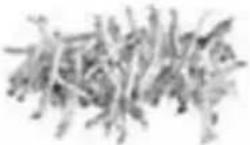 | 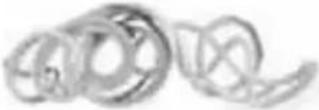 |
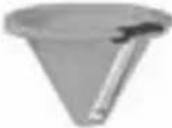 9.0mm Wide Shred/Spaghetti (Black) 9.0mm Wide Shred/Spaghetti (Black) | 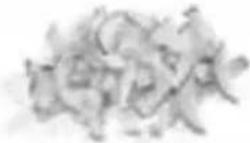 | 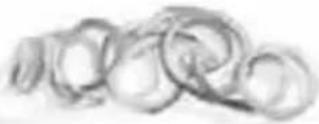 |
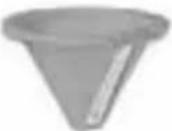 2.5mm Slice/Ribbon (Green) 2.5mm Slice/Ribbon (Green) |  | 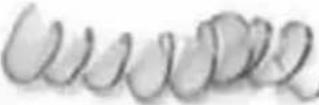 |
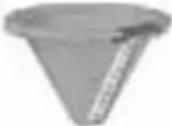 3.0mm Crinkle Slice/Ribbon (Blue) 3.0mm Crinkle Slice/Ribbon (Blue) | 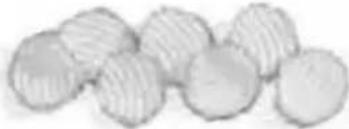 | 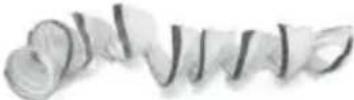 |
OPERATING INSTRUCTIONS
Attaching to Stand Mixer
- Make sure stand mixer is OFF.
- Gently pull port cover off front of mixer head to remove.
- Turn the stand mixer attachment knob counterclockwise until outlet opening is unobstructed.
- Insert the square metal end of the unit base into the opening.
Turn it back and forth slightly until
the knob slips into the notch and attachment locks into place.
- Turn the stand mixer attachment knob clockwise to secure attachment to mixer.
- Place Cutting Cone Holder on the base.
- Place a bowl under nozzle to catch processed food.
Spiralizing (Use Straight Feed Tube and Pusher)
- Properly insert desired Cutting Cone into Cutting Cone Holder.
natural_image
Close-up of a hand holding a small electronic device (no visible text or symbols)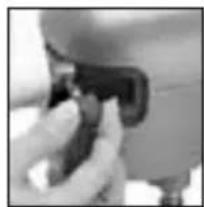
natural_image
Close-up of a hand pressing a button on a small electronic device (no visible text or symbols)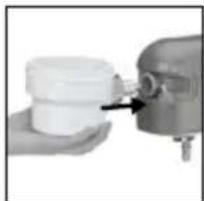
natural_image
Close-up of a hand holding a white plastic container with a mechanical component inserted (no visible text or symbols)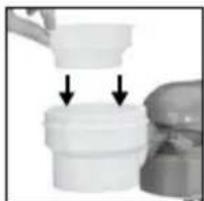
natural_image
Close-up of a white plastic container being lifted with two arrows indicating downward motion (no text or symbols visible)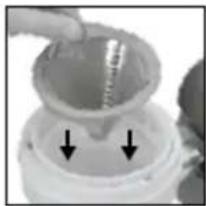
natural_image
Close-up of a hand holding a glass container with a droplet inside, and two arrows pointing to the bottom (no text or symbols visible)- Place Straight Feed Tube on unit and turn counterclockwise until it clicks to lock into place.
- Trim the edges of the fruit or vegetable to form a flat surface the width of the Feed
Tube. Firmly press the flat end of the item onto the prongs of the Pusher and insert it into the Feed Tube, or place food item directly into the Feed Tube.
- Be sure Pusher is pressed securely into fruit or vegetable in Feed Tube. Turn stand
mixer to speed setting 12.
Push down with even force to process; processed item will drop into the bowl.
When processing is complete, turn speed setting to 0.
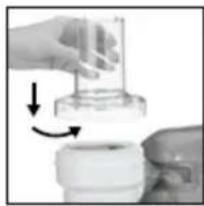
natural_image
Close-up of a hand holding a small transparent container with arrows indicating motion (no text or symbols visible)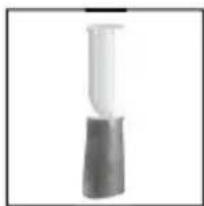
natural_image
Simple illustration of a laboratory pipette with a stopper (no text or symbols)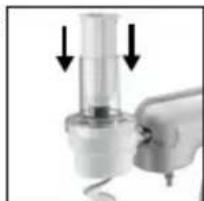
natural_image
Close-up of a hand holding a small cylindrical object with two downward arrows indicating motion or force (no text or symbols visible)Results:
Based on desired
Cutting Cone used.
2.5mm Slice/Ribbon (Green):
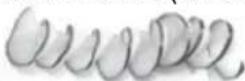
3.0mm Crinkle Slice/Ribbon (Blue):
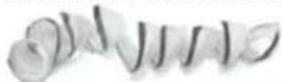
3.0mm Thin Shred/Spaghetti (Maroon)
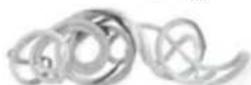
9.0mm Wide Shred/Spaghetti (Black):
Slicing and Shredding (Use Angled Feed Tube and Pusher)
- Properly insert desired Cutting Cone into Cutting Cone Holder.
natural_image
Close-up of a mechanical component with a curved pipe inserted into a container (no visible text or symbols)- Place Angled Feed Tube on unit and turn counter-clockwise until it clicks to lock into place. Feed Tube should be facing yo
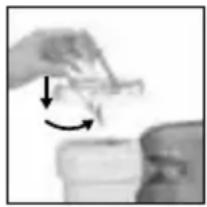
natural_image
Close-up of hands holding a small object with an arrow indicating rotation (no visible text or symbols)- Trim the edges of the fruit or vegetable to form a flat surface the width of the
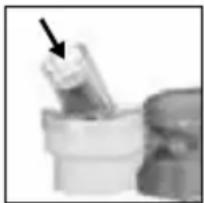
natural_image
Close-up of a hand holding a small object with an arrow pointing to it (no visible text or symbols)Feed Tube. Place food item directly into the Feed Tube.
- Turn stand mixer to speed setting 12. Push down with even force to process; items will
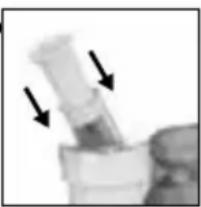
natural_image
Close-up of a laboratory pipette with two downward arrows indicating force or movement (no text or symbols visible)drop into the bowl. When processing is complete, turn stand mixer speed setting to 0.
Results:
Based on the Cutting Cone used.
2.5mm Slice/Ribbon (Green):
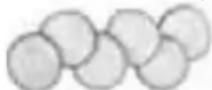
3.0mm Crinkle Slice/Ribbon (Blue):
3.0mm Thin Shred/Spaghetti (Maroon):
9.0mm Wide Shred/Spaghetti (Black):
CLEANING, STORAGE AND MAINTENANCE
- Unplug the power cord before cleaning. Do not put power cord, plug or stand mixer in water or other liquids.
- Clean all accessories after each use.
- Disassemble all the accessories attached: Feed Tubes, Cutting Cones and Cutting Cone Holder.
- Rinse under running water and remove food scraps with Cleaning Brush.
- All removable parts are top rack dishwasher safe.
- Wipe the outside surface of the motor unit with a damp cloth, then dry thoroughly.
CAUTION:
- Ensure that the stand mixer is unplugged when disassembling.
- The blades are sharp; please handle carefully when cleaning.
NOTE: Never immerse the stand mixer in water for cleaning.
Maintenance: Any other servicing should be performed by an authorized service representative.
Tips and Hints
- Choose vegetables and fruits that are firm and not overripe.
- Ingredients do not need to be cut to fit the height of the Feed Tube. Some ingredients, however, may need to be trimmed to fit the width of the Feed Tube.
- Sometimes, if ingredients are too wide to fit through the Straight Feed Tube for spiralizing, they can first be placed directly into the Cutting Cone before assembling the Feed Tube. If ingredient is still too wide to fit the Feed Tube, the sides may be pared down.
- Before spiralizing, slightly trim tops and bottoms of ingredients to form a flat surface. This will help secure the food to the Pusher.
- Make sure Pusher is firmly inserted into the desired ingredient before spiralizing.
- Put the narrowest end of the food into the Feed Tube first.
- Round items that fit the Straight Feed Tube spiralize best.
- Use consistent pressure when spiralizing/slicing/shredding to achieve the most even cuts. May need more force to press pusher when handling hard ingredients.
- Switching between spiralizing and slicing and shredding is easy—simply switch the Feed Tube.
- When continuously processing ingredients, remove the remaining scrap from the Cutting Cone before processing the next ingredient.
- If the machine runs for a long time (around 60 minutes) and shuts off, the unit may have overheated. Your machine has an overload protection device. It will shut down to protect the motor. Turn off and unplug
the unit, and let it rest for a few minutes. The machine will be recovered for use.
LIMITED 1-YEAR WARRANTY (U.S. AND CANADA ONLY)
This warranty is available to consumers only. You are a consumer if you own a Cuisinart® PrepExpress™ Spiralizer Attachment that was purchased at retail for personal, family or household use. Except as otherwise required under applicable law, this warranty is not available to retailers or other commercial purchasers or owners.
We warrant that your Cuisinart® PrepExpress™ Spiralizer Attachment will be free of defects in materials and workmanship under normal home use for 1 year from the date of original purchase.
We recommend that you visit our website, www.cuisinart.com for a fast, efficient way to complete your product registration. However, product registration does not eliminate the need for the consumer to maintain the original proof of purchase in order to obtain the warranty benefits. In the event that you do not have proof of purchase receipt, the purchase date for purposes of this warranty will be the date of manufacture.
If your Cuisinart® PrepExpress™ Spiralizer Attachment should prove to be defective within the warranty period, we will repair it, or if we think necessary, replace it. To obtain warranty service, simply call our toll-free number 1-800-726-0190 for additional information from our Consumer Service Representatives, or send the defective product to Consumer Service at Cuisinart, 7475 North Glen Harbor Blvd., Glendale, AZ 85307.
To facilitate the speed and accuracy of your return, please enclose \$10.00 for shipping and handling of the product.
Please pay by check or money order made payable to Cuisinart (California residents need only supply proof of purchase and should call 1-800-726-0190 for shipping instructions).
NOTE: For added protection and secure handling of any Cuisinart product that is being returned, we recommend you use a traceable, insured delivery service. Cuisinart cannot be held responsible for in-transit damage or for packages that are not delivered to us. Lost and/or damaged products are not covered under warranty. Please be sure to include your return address, daytime phone number, description of the product defect, product model number (located on bottom of product), original date of purchase and any other information pertinent to the product's return.
Your Cuisinart® PrepExpress™ Spiralizer Attachment has been manufactured to the strictest specifications and has been designed for use only in 120 volt outlets and only with authorized accessories and replacement parts. This warranty expressly excludes any defects or damages caused by attempted use of this unit with a converter, as well as use with accessories, replacement parts or repair service other than those authorized by Cuisinart. This warranty does not cover any damage caused by accident, misuse, shipment or other than ordinary household use. This warranty excludes all incidental or consequential damages. Some states do not allow the exclusion or limitation of these damages, so these exclusions may not apply to you. This warranty gives you specific legal rights, and you may also have other rights, which vary from state to state.
CALIFORNIA RESIDENTS ONLY
California law provides that for In-Warranty Service, California residents have the option of returning a nonconforming product (A) to the store where it was purchased or (B) to another retail store that sells Cuisinart products of the same type.
The retail store shall then, at its discretion, either repair the product, refer the consumer to an independent repair facility, replace the product, or refund the purchase price less the amount directly attributable to the consumer's prior usage of the product. If the above options do not result in the appropriate relief to the consumer, the consumer may then take the product to an independent repair facility if service or repair can be economically accomplished. Cuisinart and not the consumer will be responsible for the reasonable cost of such service, repair, replacement, or refund for nonconforming products under warranty.
California residents may also, according to their preference, return nonconforming products directly to Cuisinart for repair, or if necessary, replacement, by calling our Consumer Service Center toll-free at 1-800-726-0190.
Cuisinart will be responsible for the cost of the repair, replacement, and shipping and handling for such products under warranty.
BEFORE RETURNING YOUR CUISINART PRODUCT
If you are experiencing problems with your Cuisinart product, we suggest that you call our Consumer Service Center at 1-800-726-0190 before returning the product to be serviced. If servicing is needed, a Representative can confirm whether the product is under warranty and direct you to the nearest service location.
Important: If the nonconforming product is to be serviced by someone other than Cuisinart's Authorized Service Center, please remind the servicer to call our Consumer Service Center at 1-800-726-0190 to ensure that the problem is properly diagnosed, the product is serviced with the correct parts, and the product is still under warranty.
Recipe Tips and Hints
- The Cuisinart® PrepExpress™ Spiralizer Attachment allows you to prepare ingredients quickly and easily, whether you're cooking for one person or for a party. Plus, cleanup is a breeze. Just rinse the accessories when you're done and run them through the dishwasher.
- Most vegetables and some fruits can be prepped with the Cuisinart® PrepExpress™ Spiralizer Attachment. Recommended foods that can be used with all Cutting Cones include zucchini, summer squash, cucumbers, carrots, potatoes, sweet potatoes, beets, radishes, daikon and small apples.
- Larger items, such as butternut squash, may also be processed by trimming the sides or quartering to fit desired Feed Tube. (Keep in mind that round items spiralize best.)
- Some softer items may be sliced, such as firm plum
tomatoes, avocados and mangoes.
- Prepped foods can be enjoyed raw, pickled, sautéed, fried, roasted or mixed into recipes. They can be used as toppings, served as a side or main dish, or even as a garnish.
-
Other fun uses for the Cuisinart® PrepExpress™ include:
-
Making rose-like garnishes using radishes and the Slice/Ribbon Cone.
- Making cauliflower rice using cauliflower florets and the Thin Shred/Spaghetti Cone.
- Making pickled ginger for sushi using peeled, fresh ginger and the Slice/Ribbon Cone.
- Making homemade pickles using cucumbers and the Slice/Ribbon Cone or Crinkle/Ribbon Cone.
- For easy serving, use kitchen shears to cut spiralized food.
RECIPES
To help your Cuisinart® PrepExpress™ Spiralizer Attachment feel right at home in your kitchen, we've assembled a variety of delicious recipes to get you started, from quick and easy to more complex gourmet dishes.
Carrot and Parsnip Pancakes 11
Potato Chips 11
Summer Rolls 12
Mixed Beet Salad with Goat Cheese 13
Baked Zucchini Rosettes....13
"Pasta" Primavera 14
Fresh Summer "Spaghetti"......15
Apple Tartlets ....15
Cuisinart®
natural_image
Modern kitchen stand mixer with a green spiral blade and plastic housing (no text or symbols visible)Aditamento PrepExpress™
SPI-50
natural_image
Line drawing of an open box with lid and internal compartments (no text or symbols)natural_image
Close-up of a white mechanical component with a metallic tip and cylindrical body (no visible text or symbols)3. Portacono
natural_image
Two transparent plastic containers labeled 4 and 4a, shown side by side (no text or symbols on the containers themselves)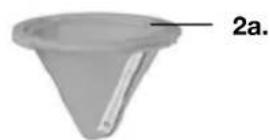
natural_image
Two 3D-rendered plastic objects: a conical cap and a cylindrical container, both with labeled parts (no text or symbols beyond labels)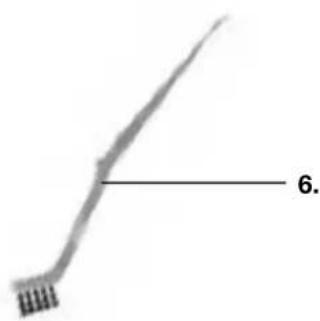
natural_image
Simple line drawing of a curved tool or tool with a labeled section '6.' (no text or symbols on the tool itself)ACCESORIOS
natural_image
Close-up of a hand holding a small object, possibly a device or tool, with no visible text or symbols.natural_image
Close-up of a hand pressing a small black object on a surface (no visible text or symbols)natural_image
Close-up of a hand using a tool to add a small component, no visible text or symbolsnatural_image
Close-up of a white plastic container being inserted into a cylindrical tank, with two arrows indicating the process (no text or symbols visible)natural_image
Close-up of a hand using a mechanical tool to apply liquid or oil, with arrows indicating direction (no text or symbols visible)natural_image
Close-up of a mechanical component with two arrows pointing to a textured surface (no visible text or symbols)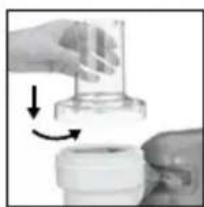
natural_image
Close-up of a hand holding a small transparent container with arrows indicating motion (no text or symbols visible)
natural_image
Simple illustration of a laboratory pipette with a stopper (no text or symbols)Resultados:
natural_image
Close-up of a glass container with liquid, possibly a lid or container (no visible text or symbols)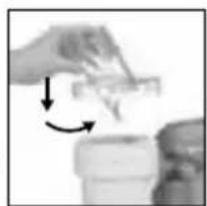
natural_image
Close-up of hands holding a small object with arrows indicating rotation or movement (no visible text or symbols)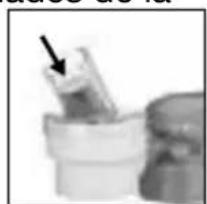
natural_image
Close-up of a mechanical component with a black arrow pointing to a small cylindrical part (no visible text or symbols)natural_image
Close-up of a hand holding a plastic object with two arrows pointing downward (no text or symbols visible)7475 North Glen Harbor Blvd., Glendale, AZ 85307.
- INSTRUCTION AND RECIPE BOOKLET
- PrepExpress™ Attachment
- IMPORTANT SAFEGUARDS
- SAVE THESE INSTRUCTIONS
- CONTENTS
- WARNING: RISK OF FIRE OR ELECTRIC SHOCK
- UNPACKING INSTRUCTIONS
- CAUTION: THE CUTTING CONES HAVE VERY SHARP EDGES.
- PARTS AND FEATURES
- Base
- Cutting Cones
- OPERATING INSTRUCTIONS
- Attaching to Stand Mixer
- Spiralizing (Use Straight Feed Tube and Pusher)
- Results:
- Slicing and Shredding (Use Angled Feed Tube and Pusher)
- CLEANING, STORAGE AND MAINTENANCE
- CAUTION:
- Tips and Hints
- LIMITED 1-YEAR WARRANTY (U.S. AND CANADA ONLY)
- CALIFORNIA RESIDENTS ONLY
- BEFORE RETURNING YOUR CUISINART PRODUCT
- Recipe Tips and Hints
- RECIPES
- Cuisinart®
- Aditamento PrepExpress™
- Portacono
- Resultados:
Brand : CUISINART
Model : SPI-50
Category : Cutting machine