LKBUBT14 - Keyboard Logik - Free user manual and instructions
Find the device manual for free LKBUBT14 Logik in PDF.


| Product Type | Wireless Keyboard |
| Brand | Logik |
| Model | LKBUBT14 |
| Connectivity | Bluetooth |
| Keyboard Layout | QWERTY |
| Number of Keys | 78 (compact) |
| Dimensions (W x D x H) | 28.5 x 12.5 x 1.5 cm |
| Weight | 340 g (including batteries) |
| Power Source | 2 x AAA batteries |
| Battery Life | Approximately 12 months (typical usage) |
| Compatible Systems | Windows, macOS, Android, iOS |
| Range | Up to 10 meters |
| Key Type | Membrane |
| Multimedia Keys | Fn shortcuts for media controls |
| Numpad | No |
| Color | Black |
| Included Accessories | USB receiver (nano), 2 AAA batteries |
| Cleaning Instructions | Wipe with a soft, damp cloth; do not use solvents. |
| Safety | Avoid liquid spills; do not disassemble. |
| Spare Parts | Not available; contact Logik support. |
| Repairability | Not user-serviceable; consult qualified technician. |
| Warranty | 1 year limited warranty |
Frequently Asked Questions - LKBUBT14 Logik
User questions about LKBUBT14 Logik
0 question about this device. Answer the ones you know or ask your own.
Ask a new question about this device
Download the instructions for your Keyboard in PDF format for free! Find your manual LKBUBT14 - Logik and take your electronic device back in hand. On this page are published all the documents necessary for the use of your device. LKBUBT14 by Logik.
USER MANUAL LKBUBT14 Logik
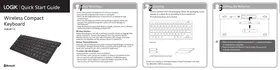
LOGIK | Quick Start Guide
Wireless Compact Keyboard
LKBUBT14

Bluetooth®
1 Safety Warnings
- Don't disassemble the keyboard or remove any parts.
- Don't put the keyboard into water or any liquid.
- Don't use the keyboard close to heat sources or expose to high temperatures.
- Don't use the k
- Don't use the keyboard where strong electromagnetic waves are present. Strong electromagnetic waves will cause damage to
the keyboard.
- Keep the keyboard away from direct sunlight, moisture, dirt or abrasive
chemical products (cleaning products etc).
Wireless Devices :
Before boarding any aircraft or packing a wireless device in luggage that will be loaded on the battery of the wireless device.
will be checked in, remove the batteries from the wireless device. Wireless devices can transmit radio frequency (RF) energy, whenever
Wireless devices can transmit radio frequency (RF) energy, whenever batteries are installed and the wireless device is turned on.
Battery-Powered Devices:
Improper use of batteries may result in battery fluid leakage, overheating,
or explosion. Released battery fluid is corrosive and may be toxic. It can cause skin and eye burns, and is harmful if swallowed.
cause skin and eye burns, and is harmful if swallowed.
To reduce the risk of injury:
- Keep batteries out of the reach of children.
- Do not heat, open, puncture, mutilate, or dispose of batteries in fire. - Do not mix new and old batteries or batteries of different types.
- Do not mix new and old batteries or batteries of different types. - Do not allow metal objects to touch the battery terminals on the
device; they can become hot and cause burns.
2 Unpacking
Remove all items from the packaging. Retain the packaging. If you
dispose of it, please do so according to local regulations.
The following items are included:
Keyboard
2x AAA Batteries Quick Start Guide

If items are missing or damaged, please contact Partmaster (UK only).
Tel: 0844 800 3456 for assistance.
Installing the Batteries


- Ensure the battery's polarities (+/-) match the battery compartment's polarities.
compartment's polarities.
• The power indicator will flash 5 times every 30 seconds to indicate low battery.
indicate low battery.
Switching On/Off
- Slide OFF/ON to ON. The power indicator will flash
ON/OFF Switch
green.
- To switch the keyboard off, slide OFF/ON to OFF.
The keyboard will automatically power down when it is
OFFON
idled for 5 minutes. To wake it up press any key.
Pairing the Keyboard
- Switch on new device, and activate the feature with
CONNECT Button
Bluetooth® technology.
- Switch the keyboard on. Press and hold CONNECT.
the power indicator will flashes green and red
alternatively. The keyboard is now in pairing mode.
- On your device, select the keyboard Bluetooth® name "LKBUBT14".
You may be asked to type in a code. Your keyboard is now paired
with your device. The power indicator will disappear.
- Press the CONNECT button on the back of the keyboard to allow
the keyboard to be discovered by your computer.
To disconnect the keyboard from the iPad, press CONNECT.
6 Function Key Access
There are 13 shortcut function keys*.
Access primary functions by pressing the keys. Access secondary
functions (different colour text), press Fn and the desired key together.
Key Function
| Backwards/skip music/media; hold to search | |
| Play/Pause music/media | |
| Forwards/skip music/media; hold to search | |
| Mute Sound | |
| Decrease volume | |
| Increase volume | |
| Name | Number Lock |
| Prt | Print Screen |
| Sys | System Request |
| Home | Go to beginning of line in some applications |
| End | Go to end of line in some applications |
| PgUp | Page Up |
| PgDn | Page Down |
* Not all functions are available, depending on your operating system
To access numeric pad, first enable NumLk function. Then
To access numeric pad, first enable NumLk function. Then press Fn and the desired numeric pad key.
7 Troubleshooting
Keyboard Not Working: 1. Keep other electrical devices at least 8 inches (20cm) away from the keyboard. 2. Re-connect the keyboard by switching it off and then on again. 3. Ensure your device's wireless function has been activated, so you can connect using Bluetooth® technology.


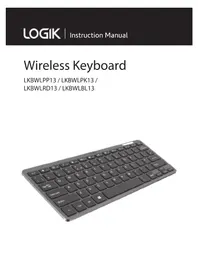
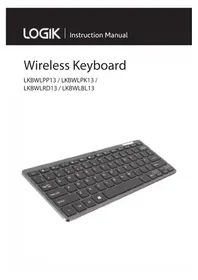
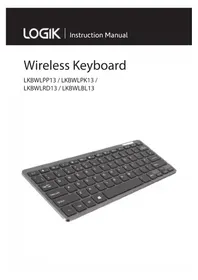

Brand : Logik
Model : LKBUBT14
Category : Keyboard