
Infiniti+ - Office Chair X Rocker - Free user manual and instructions
Find the device manual for free Infiniti+ X Rocker in PDF.


| Product Type | Office Chair |
| Brand | X Rocker |
| Model | Infiniti+ |
| Overall Dimensions (L x W x H) | Approx. 70 x 70 x 110-125 cm |
| Seat Dimensions (W x D) | Approx. 50 x 50 cm |
| Seat Height Range | 45 - 55 cm |
| Backrest Height | Approx. 65 cm |
| Weight Capacity | 120 kg |
| Net Weight | Approx. 15 kg |
| Upholstery Material | PU Leather with mesh back |
| Frame Material | Steel and molded foam |
| Base Material | Nylon five-star base |
| Caster Type | Nylon dual-wheel casters |
| Armrests | 3D adjustable (height, rotation, width) |
| Tilt Mechanism | Multi-lock synchro tilt with tension adjustment |
| Lumbar Support | Adjustable lumbar cushion |
| Headrest | Height and tilt adjustable |
| Gas Lift Class | Class 3 |
| Assembly Required | Yes |
| Care Instructions | Wipe with a damp cloth. Avoid abrasive cleaners. |
| Safety Standards | Complies with ANSI/BIFMA standards |
Frequently Asked Questions - Infiniti+ X Rocker
User questions about Infiniti+ X Rocker
0 question about this device. Answer the ones you know or ask your own.
Ask a new question about this device
Download the instructions for your Office Chair in PDF format for free! Find your manual Infiniti+ - X Rocker and take your electronic device back in hand. On this page are published all the documents necessary for the use of your device. Infiniti+ by X Rocker.
USER MANUAL Infiniti+ X Rocker
Wireless Pedestal Sound Rocker
User Manual Item no: 5106201
Need Help? Email: Support@x-rocker.co.uk Phone: 01274 683 109 www.x-rocker.co.uk
IMPORTANT: You must keep your original retail receipt as proof of purchase.

Rocker
Thank you for purchasing the X-Rocker Infiniti+! We know you will enjoy your X-Rocker experience as much as we do!
Get ready to experience sound as you never have before!

For technical support please visit our website: www.x-rocker.co.uk/support
X-Rocker Infiniti+ | Wireless DAC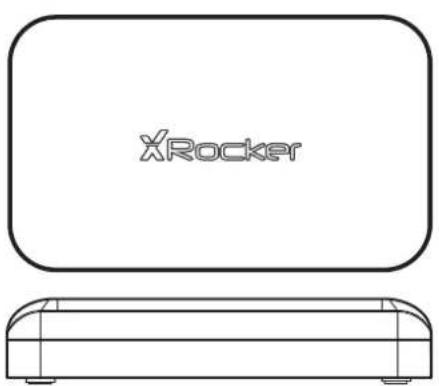 |
3.5mm Audio Cable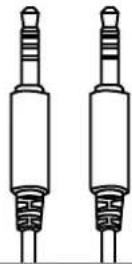 | Female 3.5mm to male RCA Phono Cable |
Main Power Adapter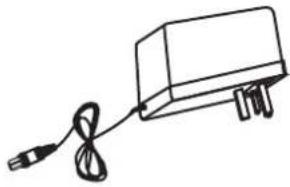 | USB to micro USB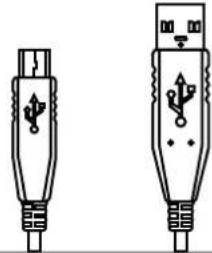 |
Optical Cable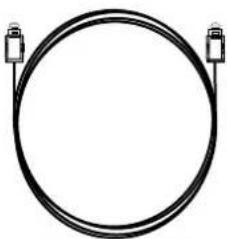 | RCA Connectors × 2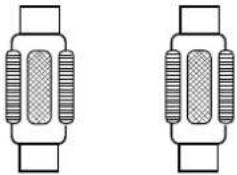 |
Table of Contents
About X-Rocker Infiniti+....1
Parts and Controls....2
Setup
Connect by USB (PS4™ Systems Only) 3-4
Connect by optical (PS4 ™ and PS4 ™ Pro only) .....5-6
Connect by optical (PS3 TM )......7-8
Bluetooth....9
Wired....10
Troubleshooting tips....11
Important health and safety information....12
Warranty....13
About the X-Rocker Infiniti+
This X-Rocker Infiniti + gaming chair has all of the best gaming features rolled into a single unit. Featuring all new technology such as the dual wireless control panel which connects to both the new digital wireless transmitter for PS3™, PS4™ and PS Vita gaming and Bluetooth for phone and tablet usage. The X-Rocker Genesis also features a 4.1 stereo surround speaker setup, vibration and super comfortable arm rests and faux leather padding.
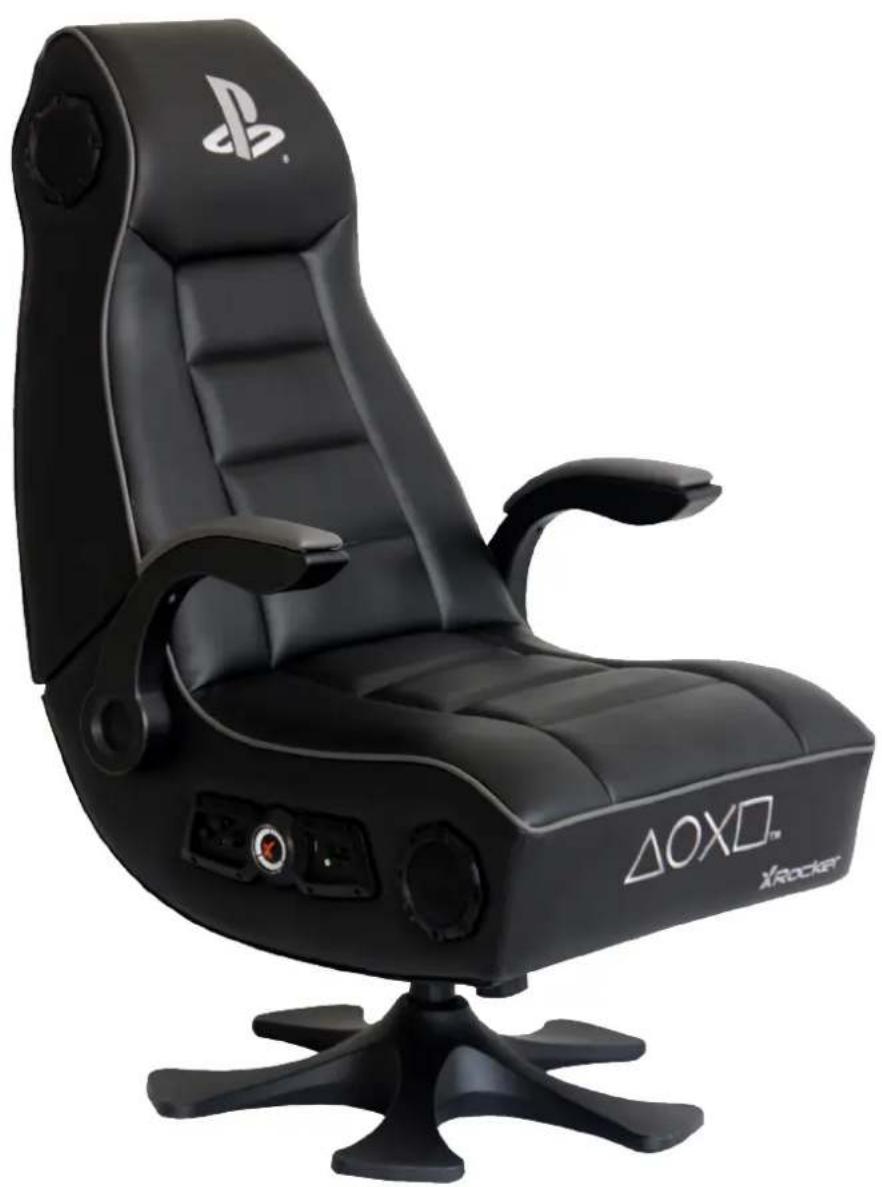
Dual Control Panel

Wireless DAC
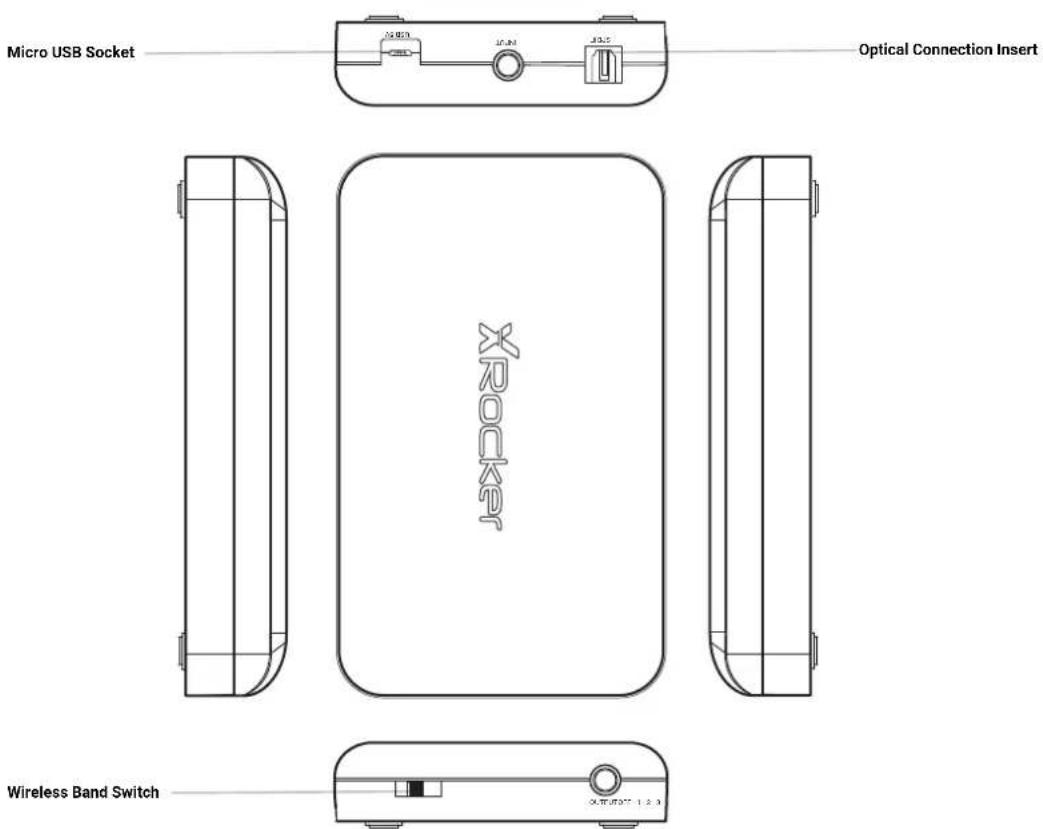
Support - Connect by USB (PS4™)
Step 1
Insert the micro USB cable into the X-Rocker DAC converter and the other end into one of the front USB ports on any PS4™ system.

Step 2
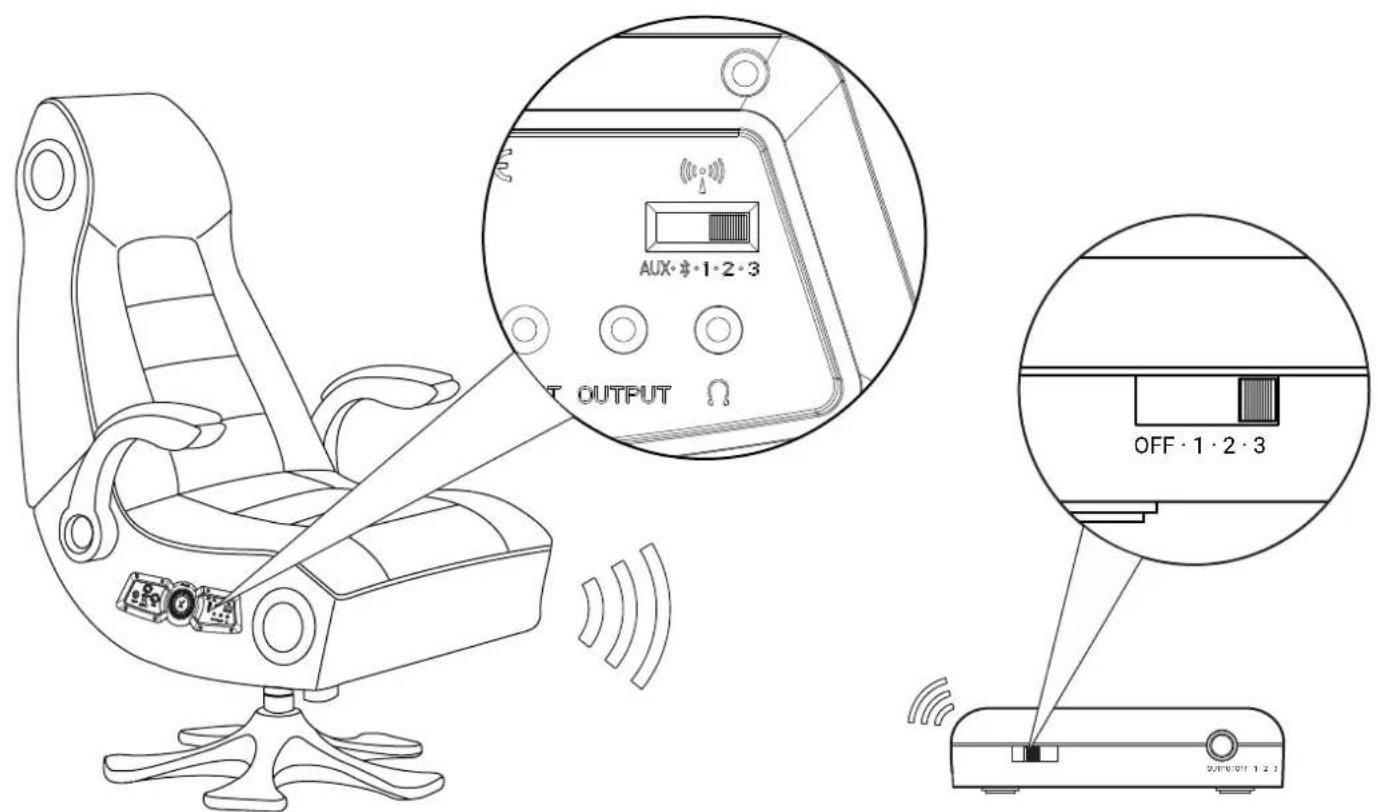
Select one of the wireless bands (1,2,3) on the wireless DAC and then switch to the corresponding band on the chair.
Support - Connect by USB (PS4™)
Step 3
On the main PS4 ™ menu screen select [Settings] > [Devices] > [Audio Devices] > [Output Device].
Step 4
Select [USB headphones] and change the setting in [Output to headphones] from [Chat audio] to [All Audio].
Save, exit and enjoy!
Support - Connect by optical (PS4™ and PS4™ Pro only)
Please note that the optical connection method is available for compatible PS4 ™ and PS4 ™ Pro systems only. For PS4 ™ models that do not feature an optical output source, for connections, please refer to Connect by USB on page 3.
Step 1
Make sure that the PS4 ™ system is switched OFF. Insert the micro USB cable into the X-Rocker DAC converter and the other end into one of the front USB ports on the PS4 ™ system.
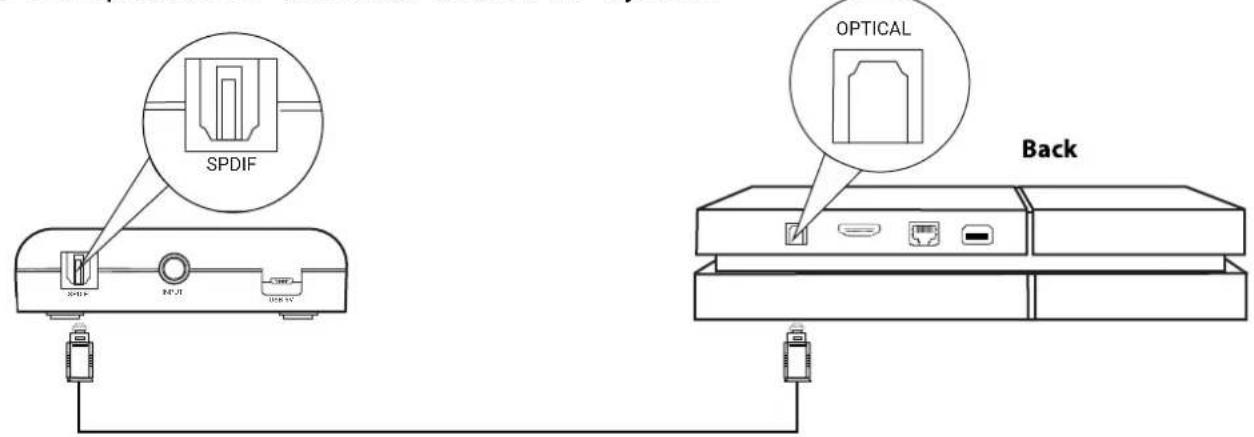
Remove the clear plastic covers from both ends of the optical cable.
Input one end of the optical cable into the X-Rocker Wireless DAC (Slot titled SPDIF) and the other into the Optical SPDIF connector on the PS4™ system.
Step 2
Turn the PS4 ™ system back on. Select one of the wireless bands (1,2,3) on the wireless DAC and then switch to the corresponding band on the chair.

Support - Connect by optical (PS4 TM and PS4 TM Pro only)
Step 3
On the main PS4™ menu screen select [Settings] > [Sound and Screen] > [Audio Output Settings] > [Primary Output Port] Change this to [Digital Optical] > choose [AAC].
Step 4
Go back to the Audio output menu, go to Audio format and make sure [Linear PCM] is ticked.
Save, exit and enjoy!
Support - Connect by optical (PS3 TM )
Step 1
Make sure that the PS3™ system is switched OFF. Insert the micro USB cable into the X-Rocker DAC converter and the other end into one of the front USB ports on the PS3™ system.
Remove the clear plastic covers from both ends of the optical cable.
Input one end of the optical cable into the X-Rocker Wireless DAC and the other into the SPDIF connector on the PS3™ system.

Step 2
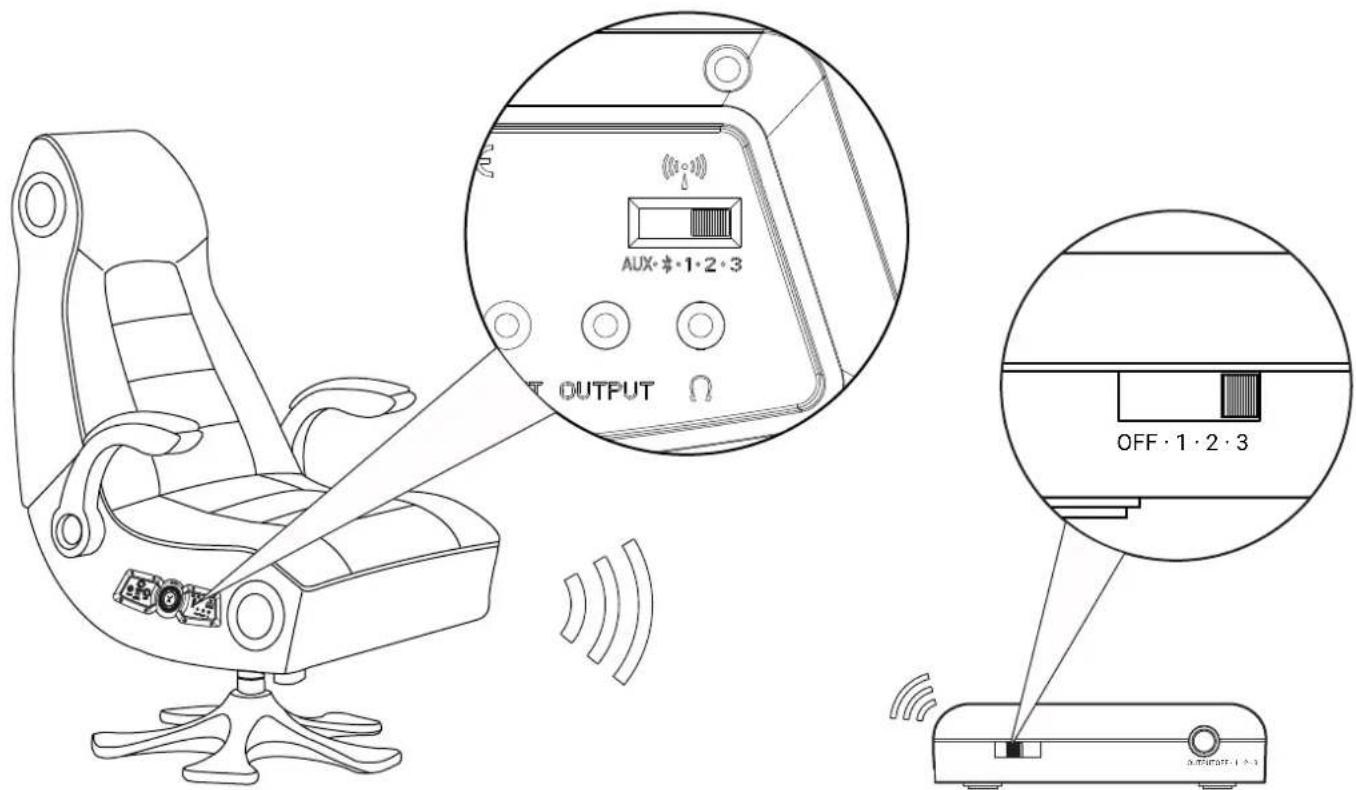
Turn the PS3™ system back on. Select one of the wireless bands (1,2,3) on the wireless DAC and then switch to the corresponding band on the chair.
Support - Connect by optical (PS3 TM )
Step 3
On the main PS3 ™ menu screen Select [Sound Settings] > [Audio Output Settings]
Step 4
On the next menu select [Optical Digital] then navigate to the end of the menu to save.
Enjoy!
Support - Bluetooth*
Step 1
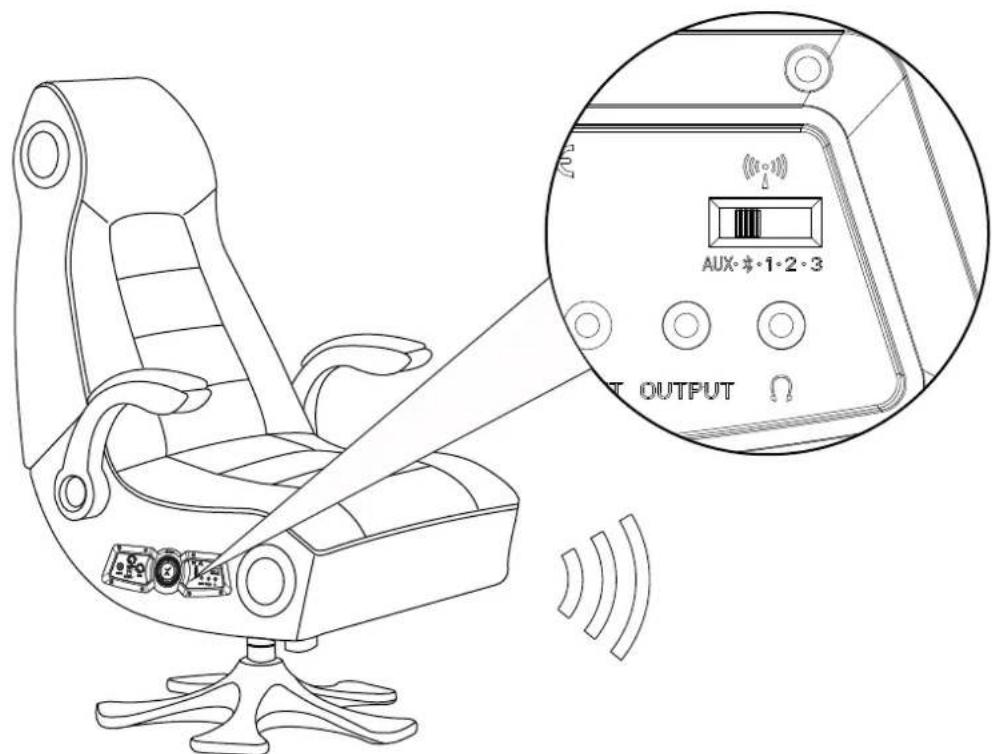
Switch the X-Rocker's wireless switch to the Bluetooth position.
Step 2
On the Audio output device go into its Bluetooth settings, turn Bluetooth on if it is not on already and search for XROCKER. Upon finding this, select the XROCKER option. If a passcode is required the four digit code will be '0000'.

Enjoy!
Step 1
Switch the X-Rocker's wireless switch to the 'AUX' position.

Step 2
Connect one end of the 3.5mm audio cable into the headphone socket on the chair then connect the other end to the headphone jack located on the PS Vita.

*The above steps can also be used to connect a Tablet, Phone, TV, Wireless DAC or MP3 player to the chair. Note: compatibility not tested nor endorsed by Sony Interactive Entertainment Europe.
| Issue | Problem |
| No power going to control panel | Make sure that the power cable is connected correctly.Make sure that the power supply at the power source is working correctly.With the chair turned to the ON position, give the power cable a slight wiggle in the port. If any lights flicker (or not) then please contact support (details below). |
| No sound | Review the connection methods on the previous page and try alternative connection methods if possible.Confirm that the device/system is correctly configured as per previous connection guide.Make sure that the wireless channel switcher is in the corresponding position that suits your connection method.(1,2,3 for wireless, B for Bluetooth and AUX for wired connections). |
| Wireless transmitter cuts out during gameplay/ No vibration or subwoofer sound via analogue connection | Please make sure that the volume of the source device is at a higher level to strengthen the wireless signal. |
| The cables connected to my X-Rocker have been broken accidentally | Please contact X-Rocker support(www.x-rocker.co.uk/support) regarding this issue. |
| Bluetooth is not pairing with my mobile phone/ tablet device | Turn the X-Rocker off and then make sure the X-Rocker is in Bluetooth mode. Press and hold the power button for five seconds to put the chair into pairing mode, this should now be discoverable.Your device may be blocking the X-Rocker from connecting by way of passkey, if this occurs then the passkey is '0000'.If this does not work straight away then please make sure that other nearby Bluetooth devices have been turned off.Please note that the connection for sound from a PlayStation® system is via the provided USB Wireless DAC and not via Bluetooth. |
| Interference over wireless connection | In this case, try another of the three wireless bands to isolate the signal. |
| Can I use more than one X-Rocker from a single sound source? | Yes, simply tune the second X-Rocker to the same wireless band as the first to achieve this for up to eight chairs. |
- Avoid immersing or allowing the X-Rocker to come into contact with liquids.
- Please consult X-Rocker Support before unscrewing any of the electrical components on the chair.
- Please be mindful of any cabling laid out between the X-Rocker and power source/ audio device.
- Please be mindful of cabling attached when moving/ swivelling the X-Rocker.
- If the cables or electrical equipment are broken then this may present a choking risk, please contact Support for replacements and dispose of these parts safely.
- Do not stand on the X-Rocker or exceed the 120kg weight limit via other means.
- Do not lean back on the chair to the point in which the pedestal would lift off the ground.
- X-Rocker armrests are designed for support and comfort during gameplay, please do not use these as support for getting in/ out of the chair.
- Playing audio for long periods at loud volumes may contribute to difficulties in hearing.
- Please be considerate to others when playing audio through the X-Rocker speakers at higher volumes.
Limited Warranty:
Ace Casual warrants this product against defects in material and workmanship for a period of 1 year from the date of purchase. This warranty is enforceable only by the original purchaser.
ALL DAMAGED OR MISSING PARTS MUST BE REPORTED WITHIN 14 DAYS OF PURCHASE. This warranty covers all defects in material and workmanship in this product, but DOES NOT COVER the following:
I. Damage, deterioration or malfunction resulting from:
a. Acts of God, accident, misuse, abuse, negligence, improper installation, maintenance or operation, or failure to follow the instructions contained in this owner's manual.
b. Any damage in the shipment of the product. (Claims must be presented to the carrier.)
c. Repair, attempted repair, or modifications by anyone other than the Ace Casual Service Center.
2. Any unit which has been modified or attempted to be modified or altered in any way whatsoever.
3. Normal wear and periodic maintenance.
4. Any unit used for industrial or commercial purposes (including rental).
5. Products sold AS IS or WITH ALL FAULTS, or consumables (such as fuses, batteries, etc).
6. Customer installation, set up adjustments, or signal reception problems.
7. Consequential loss or damage as a result of misuse of improper connections.
Ace Casual will repair or replace (at its discretion) units covered by this warranty without charge to the consumer for labor or materials. YOU ARE RESPONSIBLE FOR INITIAL SHIPPING CHARGES. However, we will pay the return shipping charges to any destination within the European Union if repairs are covered by the warranty.
REPAIR OR REPLACEMENT AS PROVIDED UNDER THIS WARRANTY IS THE EXCLUSIVE REMEDY OF THE CONSUMER. ACE BAYOU SHALL NOT BE LIABLE FOR ANY INCIDENTAL OR CONSEQUENTIAL DAMAGES FOR BREACH OF ANY EXPRESSED OR IMPLIED WARRANTY ON THIS PRODUCT. EXCEPT TO THE EXTENT PROHIBITED BY APPLICABLE LAW, ANY IMPLIED WARRANTIES, INCLUDING WARRANTIES OF MERCHANTABILITY AND FITNESS FOR A PARTICULAR PURPOSE, ARE LIMITED IN DURATION TO THE LENGTH OF THIS WARRANTY.
Operation is subject to the following two conditions:
- This device should not cause harmful interference.
- This device must accept any interference received, including interference that may cause undesired operation.
DO NOT SHIP ANYTHING TO US WITHOUT CONTACTING US FIRST. DO NOT SHIP ANY PARTS OR WHOLE UNITS TO THIS ADDRESS FOR REPAIR WITHOUT OUR PERMISSION.

Where you see the Crossed Out Wheelie Bin symbol it means that this product can be recycled and should not be disposed of in normal household rubbish. If you are in the EU, please take it to a collection point for the disposal of Waste Electrical and Electronic Equipment (WEEE) for recycling. For all other countries please adhere to local recycling laws for electrical and electronic equipment. The recycling and processing of Waste Electrical and Electronic Equipment will make a significant contribution towards helping protect the environment by reducing landfill waste.
Manufactured by: Ace Casual Corp.
1040 Higgs Road Lewisburg,TN 37091
www.acecasual.com
1.866.969.2603
Made in China
Licensed for sale in Europe. For use exclusively with
PlayStation(R)3, PlayStation(R) Vita and PlayStation(R)4. " ", "PlayStation",
"PS3", "PS4", and "PSVITA" are registered trademarks of
Sony Interactive Entertainment Europe. All rights reserved.
MP3 player compatibility not tested nor endorsed by
Sony Interactive Entertainment Inc. Please retain this packaging
for future reference.
UK based customer support: 01274 683 109
www.xrockernation.co.uk | service@xrockernation.co.uk
V1 07/16





- WIRELESS PEDESTAL SOUND ROCKER
- ROCKER
- TABLE OF CONTENTS
- SETUP
- ABOUT THE X-ROCKER INFINITI
- SUPPORT - CONNECT BY USB (PS4™)
- STEP 1
- STEP 2
- STEP 3
- STEP 4
- SUPPORT - CONNECT BY OPTICAL (PS4™ AND PS4™ PRO ONLY)
- SUPPORT - CONNECT BY OPTICAL (PS4 TM AND PS4 TM PRO ONLY)
- SUPPORT - CONNECT BY OPTICAL (PS3 TM )
- SUPPORT - BLUETOOTH
- LIMITED WARRANTY
- MANUFACTURED BY: ACE CASUAL CORP
Brand : X Rocker
Model : Infiniti+
Category : Office Chair