WK95BU - Refrigerator White Knight - Free user manual and instructions
Find the device manual for free WK95BU White Knight in PDF.


| Product Type | Fridge |
| Brand | White Knight |
| Model | WK95BU |
| Capacity | Approx. 95 liters |
| Dimensions (H x W x D) | Approx. 85 x 55 x 55 cm |
| Weight | Approx. 20 kg |
| Energy Class | E (or F) |
| Power Supply | 220-240V ~ 50Hz |
| Refrigerant | R600a (isobutane) |
| Climate Class | SN-ST |
| Noise Level | Approx. 42 dB |
| Main Functions | Adjustable thermostat, interior light, reversible door, egg tray, bottle storage |
| Defrost Type | Manual defrost |
| Maintenance & Cleaning | Clean with mild soap and water; defrost regularly; vacuum condenser coils yearly |
| Safety Features | Grounded plug, anti-tip bracket, child lock not available |
| Spare Parts Availability | Door seal, thermostat, shelves, light bulb (common parts) |
| Repairability | DIY-friendly for basic tasks; professional service recommended for compressor |
| General Information | Color: White, Warranty: 1 year (check manual) |
Frequently Asked Questions - WK95BU White Knight
User questions about WK95BU White Knight
0 question about this device. Answer the ones you know or ask your own.
Ask a new question about this device
Download the instructions for your Refrigerator in PDF format for free! Find your manual WK95BU - White Knight and take your electronic device back in hand. On this page are published all the documents necessary for the use of your device. WK95BU by White Knight.
USER MANUAL WK95BU White Knight
natural_image
Abstract geometric logo with a stylized sailboat inside a black circle (no text or symbols)White Knight
WK95BU
BUILT-UNDER
FREEZER
Instruction booklet
Index
BEFORE USING THE APPLIANCE 2
Safety Instructions 2
Recommendations .... 3
Switching On the Appliance 4
FOOD STORAGE IN THE APPLIANCE 6
CLEANING AND MAINTENANCE 7
Defrosting the Freezer 7
BEFORE CALLING YOUR AFTER SALES SERVICE 8
PARTS OF THE APPLIANCE AND THE COMPARTMENT .... 10
PART 1. BEFORE USING THE APPLIANCE
Safety Instructions
- This appliance contains the coolant isobutane R600a (see the Refrigerant specified on the rating plate). This natural gas is environmentally friendly but it is also combustible. When transporting and installing the unit care must be taken to ensure that none of the refrigeration circuit components become damaged. In the event of damage avoid naked flames or ignition sources and ventilate the room in which the unit is placed.
Warning: Keep ventilation openings in appliance enclosure, as per instructions for building in, clear of obstruction.
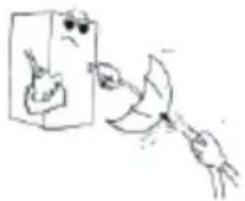
- Do not use mechanical devices or other artificial means to accelerate the defrosting process.
- Do not use electrical appliances inside the unit.
- If this unit is to replace an appliance with a lock; break or remove the lock as a safety measure before storing it, to protect against children from locking themselves inside.
- Old refrigerators and freezers contain insulation gases and refrigerant, which must be disposed of properly. Please take any old appliance to your local recycling site or contact your local authority for details of their waste disposal service. Please ensure that the pipe work of your old appliance does not get damaged prior to it being picked up by the relevant waste disposal service.
Important note:
Please read this booklet before installing and switching on this appliance. The manufacturer assumes no responsibility for incorrect installation and usage as described in this booklet.
Recommendations
- Do not damage the refrigerant circuit.
- Do not allow children to play with the appliance. Children must never sit in the drawers or hang from the door.
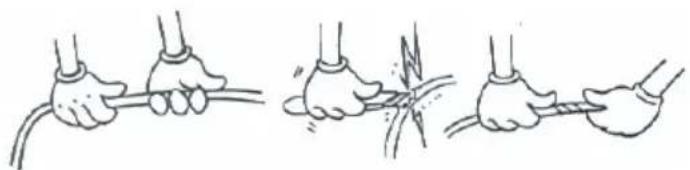
- Do not use adapters or extension leads, which could cause over-heating or burning.
- Do not use old, warped power supply cables.
natural_image
Illustration of three hands performing a rope knotting technique (no text or symbols present)- Do not twist and bend the cables, and keep them away from hot surfaces.
- Do not plug in the appliance with wet hands.
• After installation ensure that the power cable is not trapped underneath the appliance. - This appliance is not intended for use by persons (including children) with reduced physical, sensory or mental capabilities, or lack of experience and knowledge, unless they have been given supervision or instruction concerning use of the appliance by a person responsible for their safety. Children should be supervised to ensure that they don't play with the appliance.
- If the supply cord is damaged it must be replaced by the a service agent or suitably qualified person.
- Do not defrost the appliance with other electrical devices (e.g. hair dryer) or other artificial means.
- Do not operate any electrical appliances inside the appliance.
- Do not touch the cooling surfaces while the appliance is operating, especially with wet hands, because your skin may stick to cold surfaces.
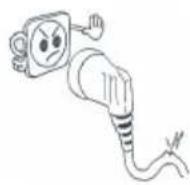
- The plug must be accessible after installation.
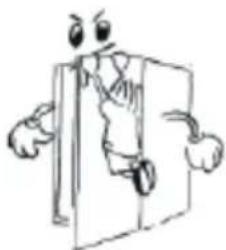
Warning: This appliance must be earthed.
natural_image
Cartoon illustration of a person standing next to a door, holding a document (no text or symbols present)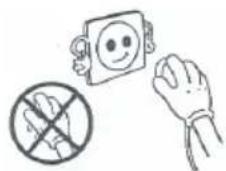

Switching On the Appliance
- Before switching on, place the appliance in an upright position and wait at least three hours without moving the appliance. This will give the refrigerant circuit time to settle and operate efficiently.
- Clean the appliance thoroughly, especially the interior, before use (See Cleaning and Maintenance).
• Installation of the appliance and electrical connections must be carried out by a qualified technician, in accordance with the Installation Manual and local regulations.
- The procedure for installing the appliance into the kitchen unit is given in the Installation Manual. This product is intended to be used in proper kitchen units only.
- The appliance must be connected with a properly installed, fused socket. The power supply (AC) and voltage at the socket must match with the details on the rating plate of the appliance. (this is located on the inside left of the appliance)
- Insert the plug into a socket with an efficient earth connection. If the socket has no earth contact or the plug does not match, we recommend that you call an authorized electrician for assistance.
natural_image
Cartoon illustration of a distressed container with arms and legs, showing a sad face (no text or symbols)
natural_image
Cartoon illustration of a smiling refrigerator with thumbs up and a mortar (no text or symbols)- The manufacturer is not responsible for failure to complete the earth connection as described in this booklet.
- There can be an odour when you first switch on the appliance. This will disappear once the appliance starts to cool.
The freezer thermostat automatically regulates the inside temperature of the compartments. By rotating the knob from position 1 to 5, colder temperatures can be obtained. "0" position shows that the thermostat is switched off and no cooling is available.
Freezer Thermostat Setting;
0 : The appliance is switched off.
1 - 2 : For short-term storage of food in the freezer compartment.
3 - 4 : For long-term storage of food in the freezer compartment.
5: For freezing fresh food.
SF : The compressor will start to run continuously with maximum performance. The freezer temperature will decrease and the appliance will switch to the lowest temperature. Place the food to be frozen quickly inside the freezer, preferably in the middle drawers. Once the food is frozen, you must set the thermostat knob to desired position.
Note 1; Observe that the orange lamp will light when the compressor runs. So when SF is active, the compressor will run continuously and the lamp will light continuously.
Note 2; The ambient temperature, temperature of the freshly stored food and how often the door is opened, affects the temperature in the freezer compartments. If required, change the temperature setting.
Display Panel
Compressor light : Lights orange, when the compressor runs. In SF mode , it will light continuously.
Power light: Lights green automatically, when the appliance is connected to the power supply.
Alarm light: Lights red, when the temperature rises to a critical point inside the freeze.
PART 3. FOOD STORAGE IN THE APPLIANCE
- The freezer is used for freezing fresh foods and for storing frozen foods for the period of time indicated on the packaging, and for making ice cubes.
- For freezing fresh food; wrap and seal fresh food properly, that is the packaging should be air tight and shouldn't leak. Special freezer bags, aluminum foil (heavy grade, in doubt double wrap), polythene bags and plastic containers are ideal.
- For optimum appliance performance to reach maximum freezing capacity, turn knob to the fast freeze (SF) position when placing fresh food in the freezer.
- After placing fresh food in the freezer, 24 hours on fast freeze function is generally sufficient after 24 hours, deactivate the fast freeze function.
- Attention; In order to save energy, When freezing small amounts of food, the fast freeze function can be deactivated.
- Do not allow the fresh food to be frozen to come into contact with the already frozen food.
- Always mark the date and the content on the pack and do not exceed the stated storage time.
- In case of a power failure or malfunction, the freezer compartment will maintain a sufficiently low temperature for food storage. However, avoid opening the freezer door to slow down the temperature rise within the freezer compartment.
- The maximum amount of fresh foods that can be loaded in the freezer within 24 hours is indicated on the name plate (see Freezing Capacity).
- Never place warm food in the freezer compartment.
- When purchasing and storing frozen food products; ensure that the packaging is not damaged.
- The storage time and the recommended temperature for storing frozen foods are indicated on the packaging. For storing and using, follow the manufacturer's instructions. If no information is provided, food should not be stored for more than 3 months.
- Place frozen food in the freezer compartment as soon as possible after buying it.
- Once the food is thawed, it must not be refrozen; you must cook it as quickly as possible in order to consume or to freeze once again.
- When making ice cubes, fill the ice tray with water and place the in freezer compartment. After the water completely turned into ice, you can twist the tray as shown below to the ice cube.

natural_image
Three hand-drawn illustrations showing a robotic arm, a mechanical component, and a crossed-out tool (no text or symbols)Storage: If you want to use the maximum net capacity, you can remove the drawers and store the items directly on the cooling tubes. This will enable you to make use of the entire volume of the compartment.
PART 4. CLEANING AND MAINTENANCE
- Disconnect the appliance from the power supply before cleaning.
- Do not pour water over the appliance.
natural_image
Simple line drawing of a hand holding a small object near a box, with no text or symbols present.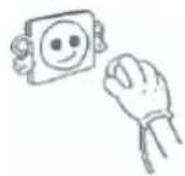
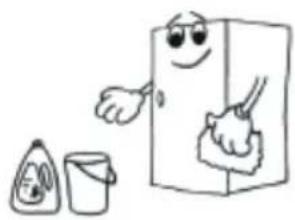
- Clean the accessories separately with soap and water. Do not put them in the dishwasher.
- Do not use abrasive products, detergents or soaps. After washing, rinse with clean water and dry carefully. When the cleaning operations have been completed, reconnect the plug with dry hands.
natural_image
Cartoon illustration of a refrigerator with a smiling face, accompanied by a cup and a teapot (no text or symbols)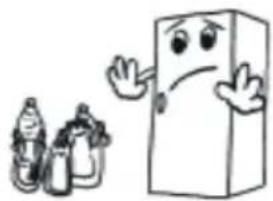
natural_image
Cartoon illustration of a smiling rectangular character with arms and legs, accompanied by two smaller bottles (no text or symbols)
natural_image
Cartoon illustration of a smiling refrigerator with thumbs up and a bowl of food (no text or symbols)Defrosting the Freezer
WARNING: Never use sharp metal tools, for this operation as they can damage the refrigeration circuit.
After a period of time, frost will build up in certain areas in the freezer compartment. The frost, accumulated in the freezer, should be removed periodically (use the plastic scraper if available).
Complete defrosting will become necessary if the frost layer exceeds 3-5 mm to maintain the efficiency of the freezer.
- The day before you defrost, set the thermostat dial to position "5" to freeze the foods completely.
- During defrosting, frozen foods should be wrapped in several layers of paper and kept in a cool place. The inevitable rise in temperature will shorten their storage life. Remember to use these foods within a relatively short period of time.
- Set the thermostat knob to position "0" and switch off the appliance.
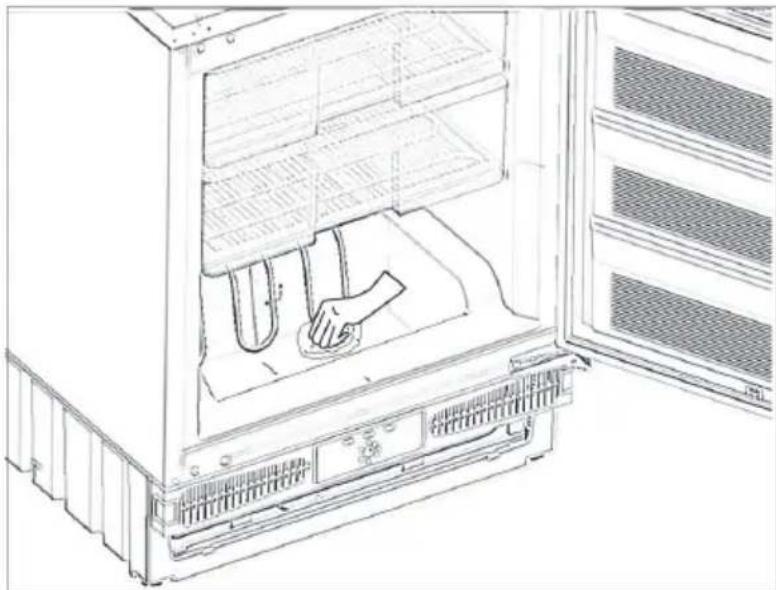
- Leave the door open to accelerate defrosting. Remove the defrost water from the compartment.
natural_image
Line drawing of a refrigerator interior showing the door, front panel, and side panel with a hand cleaning the interior (no text or symbols)If there is defrost water on the freezer floor, you can clear it away by using a sponge.
- Clean the interior by hand with lukewarm water and a little detergent. Never use abrasive products or aggressive cleaning agents.
- Dry the inside of the unit, plug on the mains, and set the thermostat knob to position "5". After 24 hours, reset the thermostat to the desired position.
PART 5. BEFORE CALLING YOUR AFTER SALES SERVICE
If your freezer is not working properly, it may be a minor problem, therefore check the following.
The appliance does not operate,
Check if;
• There is a power failure,
- The mains plug is not properly plugged in, or is loose
- The thermostat setting is on position "0",
- The socket is defective. To check this, plug in another appliance that you know which is working into the same socket.
The appliance performs poorly;
Check if;
- You have overloaded the appliance,
• The doors are not closed perfectly, - There are not enough ventilation ducts on the kitchen unit as mentioned in the Installation Manual.
If there is noise;
The cooling gas which circulates in the refrigerator circuit may make a slight noise (bubbling sound) even when the compressor is not running. Do not worry, this is quite normal. If these sounds are different check if;
- The appliance is installed firmly as described in the Installation Manual.
- The objects on the appliance are vibrating.
If your freezer is not cooling enough;
Your freezer is designed to operate in the ambient temperature intervals stated in the standards, according to the climate class stated in the information label. We do not recommend operating your freezer out of stated temperatures value limits in terms of cooling effectiveness.
| Climate Class | Ambient Temperature (°C) |
| T | Between 16 and 43 (°C) |
| ST | Between 16 and 38 (°C) |
| N | Between 16 and 32 (°C) |
| SN | Between 10 and 32 (°C) |
IMPORTANT NOTES:
- In case of a sudden power loss or disconnecting and reconnecting of the plug to the electrical socket, the compressor protective thermal element will be opened due to the pressure of the gas in the cooling system not yet being balanced. 4 or 5 minutes later, the appliance will start to operate; this is normal.
- If you won't be using your appliance for a significant period (such as a long holiday), please disconnect the plug from the socket. Defrost and clean the appliance as detailed in Part 4 of this document and leave the door open to prevent any humidification or odour formation.
- If there is still a problem with your appliance, although you have followed the instructions in this book, please contact your nearest authorized service centre.
Conformity Information
- Tropical Class is defined for the environment temperatures between 16^ and 43^ in accordance with the TS EN ISO 15502 Standards.
- The appliance is designed in compliance with the EN15502, IEC60335-1 / IEC60335-2-24, 2004/108/EC standards.
PARTS OF THE APPLIANCE AND THE COMPARTMENT
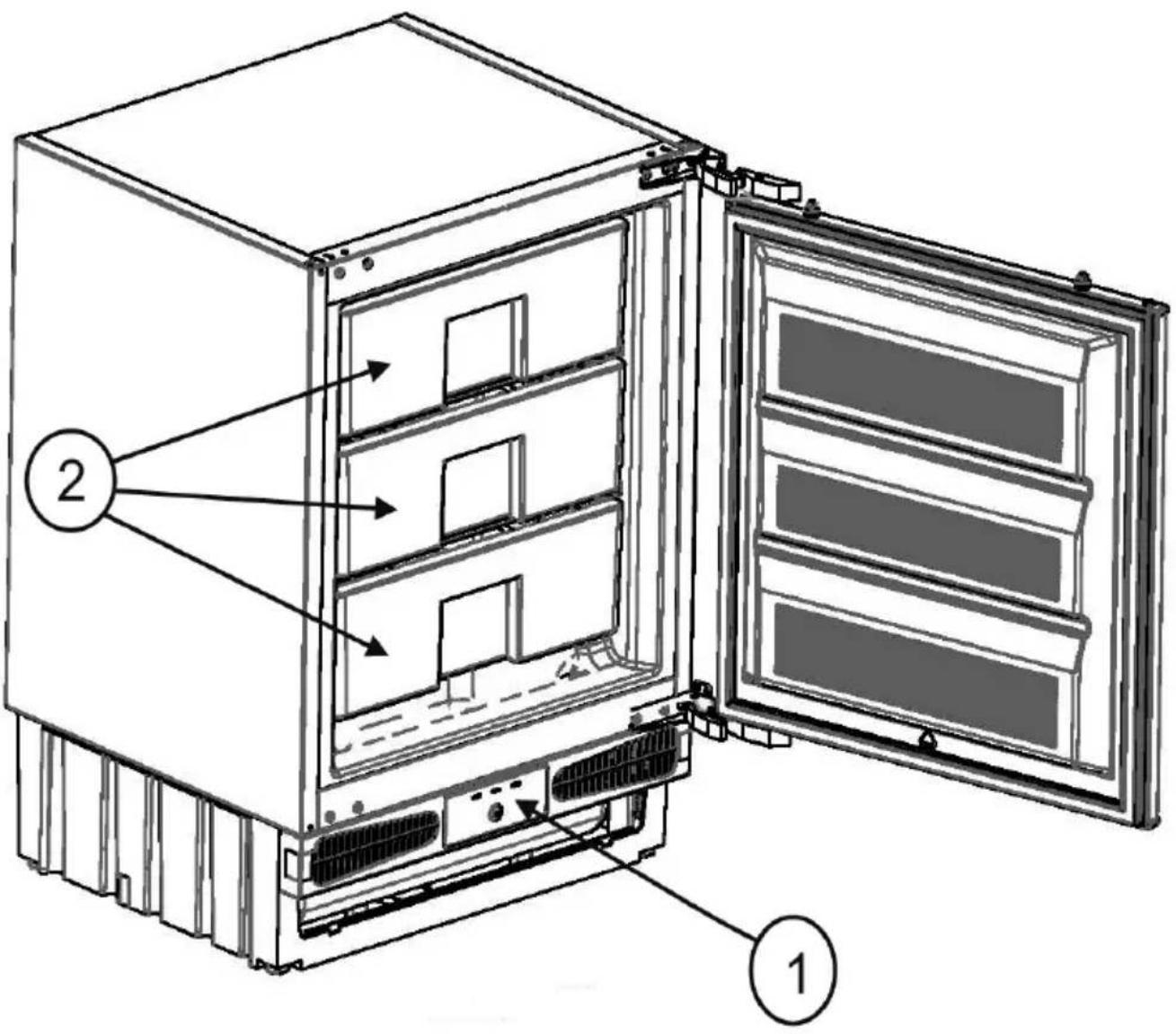
This presentation is only for information about the parts of the appliance. Parts may vary according to the appliance model.
1) THERMOSTAT DIAL
2) FREEZER DRAWERS
- White Knight
- WK95BU
- BUILT-UNDER
- FREEZER
- Index
- BEFORE USING THE APPLIANCE 2
- FOOD STORAGE IN THE APPLIANCE 6
- CLEANING AND MAINTENANCE 7
- BEFORE CALLING YOUR AFTER SALES SERVICE 8
- PARTS OF THE APPLIANCE AND THE COMPARTMENT .... 10
- PART 1. BEFORE USING THE APPLIANCE
- Safety Instructions
- Important note:
- Recommendations
- Switching On the Appliance
- Freezer Thermostat Setting;
- Display Panel
- PART 3. FOOD STORAGE IN THE APPLIANCE
- PART 4. CLEANING AND MAINTENANCE
- Defrosting the Freezer
- PART 5. BEFORE CALLING YOUR AFTER SALES SERVICE
- The appliance does not operate,
- Check if;
- The appliance performs poorly;
- If there is noise;
- If your freezer is not cooling enough;
- IMPORTANT NOTES:
- Conformity Information
- PARTS OF THE APPLIANCE AND THE COMPARTMENT
Brand : White Knight
Model : WK95BU
Category : Refrigerator