
Hermes M7 - Keyboard Gamdias - Free user manual and instructions
Find the device manual for free Hermes M7 Gamdias in PDF.


| Product Type | Mechanical Gaming Keyboard |
| Brand | Gamdias |
| Model | Hermes M7 |
| Connectivity | Wired (USB-C), 2.4G Wireless, Bluetooth 3.0/5.0 |
| Switch Type | Mechanical (Outemu or similar, hot-swappable not specified) |
| Backlight | RGB per-key lighting, multiple effects and colors |
| Onboard Hardware Monitor | Displays temperature, Caps Lock, battery status, and current monitoring hardware |
| Software | ZEUS CAST (for customizing lighting, monitoring, and settings) |
| Compatible Operating Systems | Windows XP / Vista / 7 / 8 / 10 / 11, macOS (via switch), Android/iOS (via Bluetooth) |
| Battery Type | Rechargeable lithium-ion (estimated 2000mAh) |
| Charging Time | Approximately 3-5 hours (estimated) |
| Charging Indicator | Low battery: blinking red; Charging: steady white; Full: white light off |
| Key Rollover | N-key rollover (typical for gaming keyboards) |
| Dimensions (W x D x H) | Approximately 365 x 135 x 40 mm (estimated compact 75% layout) |
| Weight | Approximately 800 g (estimated) |
| Cable Length | 1.5m USB-C to USB-A detachable cable |
| Included Accessories | Keycap/switch puller, USB-C to A cable, user manual |
| Multimedia Keys | FN combinations for volume, playback, lighting, calculator, etc. |
| Cleaning and Maintenance | Use a soft, dry cloth to clean the surface; avoid liquids; use keycap puller for deep cleaning |
Frequently Asked Questions - Hermes M7 Gamdias
User questions about Hermes M7 Gamdias
0 question about this device. Answer the ones you know or ask your own.
Ask a new question about this device
Download the instructions for your Keyboard in PDF format for free! Find your manual Hermes M7 - Gamdias and take your electronic device back in hand. On this page are published all the documents necessary for the use of your device. Hermes M7 by Gamdias.
USER MANUAL Hermes M7 Gamdias
HERMES | M7
Mechanical Gaming Keyboard
《English》
Thank you for purchasing the GAMDIAS™ HERMES M7 Hybrid mechanical keyboard. The HERMES M7 Hybrid focuses on providing a comfortable gaming experience. Its compact design combined with a hardware monitor screen makes it the perfect match for FPS gaming. The easy-to-use keyboard is versatile enough to suit every scenario, from gaming to work.
System Requirements
- Windows ® XP/ Vista / 7 / 8 / 10 / 11
- PC with USB ports
- Tablet / Smartphone device with BT connect function
Package Contents
• GAMDIAS™ HERMES M7 Hybrid Mechanical Gaming Keyboard
• 1.5m Tyer-C to A cable
• Keycap / Switch puller
Introduction to HERMES M7 Hybrid Key Combination
Reset to Default(Press for 3 seconds)

Volume Down

Previous Track
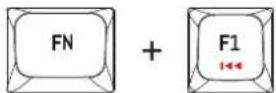
Volume Up
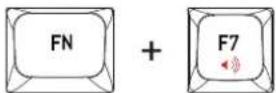
Play / Pause Track
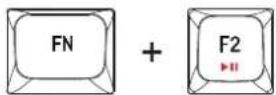
Keyboard Lock

Next Track

Stop Track
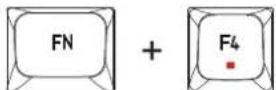
Mute

Switch Lightaing Effects

Switch Lighting Colors

Turn Off Lighting

Calculator

PrtSc

ScrLk
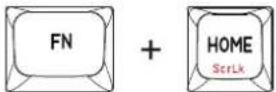
Pause

Win Lock
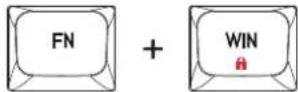
Brightness Increase

Brightness Decrease
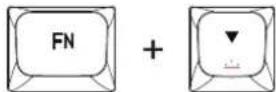
Lighting Effects Speed Increase

Lighting Effects Speed Decrease

BT Device 1

BT Device 2

BT Device 3

2.4G Dongle Reset(Press for 5 seconds)

Switch to Mac Setup

Switch to WIN Setup
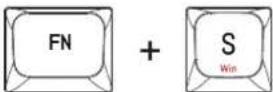
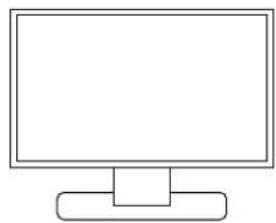
Connection Guide
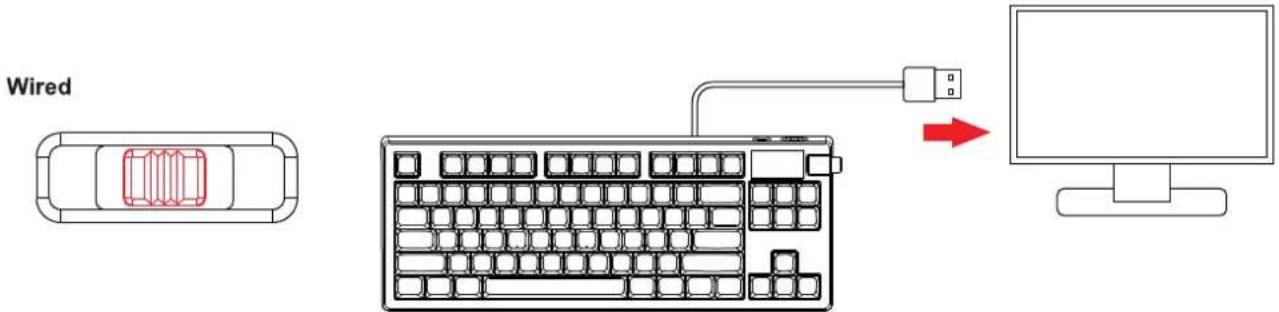
2.4G

natural_image
Diagram of a vehicle rear view with a red arrow indicating direction (no text or symbols)
natural_image
Line drawing of a standard computer keyboard with no text or symbols
natural_image
Simple line drawing of a computer monitor with a blank screen and support base (no text or symbols)Bluetooth

natural_image
Top-down diagram of a vehicle showing a rectangular object inside a rounded rectangle with a red arrow pointing downward (no text or symbols)- Switch the keyboard to BT mode
- Press FN+Q/W/E for 5 seconds(Q/W/E can store and switch between 3 different device)
Support 3BT device

- The selected Button will have a blinking green light on its backlight
Then switch on the BT for your device, and choose either "Hermes BT 3.0" or "Hermes BT 5.0" to connect
- Blinking green light will disappear if the connection is successful
Display Screen Guide
To switch the temperature scale and monitor the current hardware, please use our software ZEUS CAST and check if it is the latest version
2.2.9.4.

Temperature Display

Caps Lock

Current Monitoring Hardware
Battery Status
Charging guide

Low Battery
blinking Red light

Charging
Steady White light

Finish Charging
White light off

natural_image
Abstract geometric logo with interlocking black and gold shapes inside a golden triangle (no text or symbols)GAMDIAS
GRMING ART IN MOTION
Brand : Gamdias
Model : Hermes M7
Category : Keyboard