Hermes M5 - Keyboard Gamdias - Free user manual and instructions
Find the device manual for free Hermes M5 Gamdias in PDF.


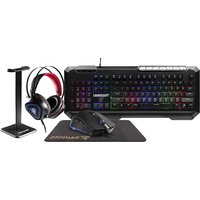
| Product Type | Gaming Keyboard |
| Brand | Gamdias |
| Model | Hermes M5 |
| Connectivity | Wired USB 2.0 |
| Switch Type | Mechanical (Outemu or similar) |
| Backlighting | RGB per-key |
| Layout | Full-size with numeric keypad |
| Dimensions (L x W x H) | Approx. 440 x 130 x 35 mm |
| Weight | Approx. 1.0 kg |
| Cable Length | 1.8 m braided |
| Power Source | USB bus-powered (5V, 500mA) |
| Key Rollover | Full N-key rollover |
| Anti-Ghosting | Yes |
| Programmable Keys | Yes, via software |
| Onboard Memory | Yes, for profiles |
| Media Controls | Dedicated buttons |
| Wrist Rest | Detachable |
| Operating System Support | Windows 7/8/10/11 |
| Maintenance | Clean with dry cloth; avoid liquids |
| Safety Precautions | Keep away from moisture; use on flat surface |
| Spare Parts Availability | Contact Gamdias support |
| Repairability | Limited; seek professional service |
Frequently Asked Questions - Hermes M5 Gamdias
User questions about Hermes M5 Gamdias
0 question about this device. Answer the ones you know or ask your own.
Ask a new question about this device
Download the instructions for your Keyboard in PDF format for free! Find your manual Hermes M5 - Gamdias and take your electronic device back in hand. On this page are published all the documents necessary for the use of your device. Hermes M5 by Gamdias.
USER MANUAL Hermes M5 Gamdias
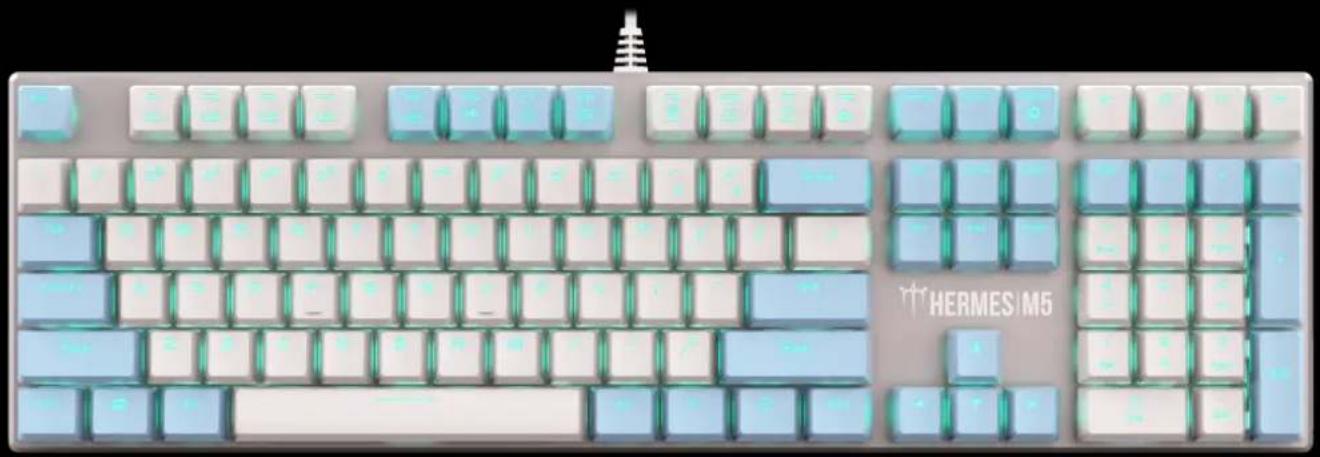
Mechanical Gaming Keyboard
natural_image
Top-down view of a modern computer keyboard with blue and white keys (no text or symbols visible)《English》
Thank you for purchasing the GAMDIAS™ HERMES M5 mechanical keyboard. The HERMES M5 focuses on the basic features users demand and applies this to the distinct design elements of the HERMES series. This easy-to-use keyboard allows for extended use and flexibility to give you optimal gaming performance.
System Requirements
- Windows ^ XP/ Vista / 7 / 8 / 10
- PC with USB ports
Package Contents
• GAMDIAS™ HERMES M5 Mechanical Keyboard
- Keycap puller
Introduction to HERMES M5 Keyboard Configuration
A. Four multimedia shortcut keys: decrease volume, open media player, play/pause, decrease volume

Six shortcut keys for switching among Six keyboard light effects.

B. Keyboard backlight brightness level adjustment: There are 5 phases for brightness level adjustment; OFF / 25% / 50% / 75% / 100%

C. FIVE PROGRAMMABLE LIGHTING EFFECTS
To start recording your customized lighting effect, press FN+F12 to turn off the LED effect on the keyboard. While Key F1-F5 glowing slowly, click any one of these F-keys+ the assigned keycaps. Then press FN+F12 to preserve the profile. By pressing FN+F1/F2/F3/F4/F5, the keyboard would present your own programmable lighting pattern.

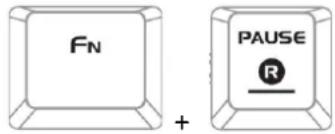
D. Restore default setting by pressing FN+PAUSE for 3 seconds. (Default model: Wave Effect)
Register your GAMDIAS™ HERMES M5 Mechanical Keyboard
Please visit www.GAMDIAS.com for online product registration
«Português»
natural_image
Abstract geometric logo design with interlocking black and gold shapes inside a golden triangle (no text or symbols)GAMDIAS
GAMING ART IN MOTION

Brand : Gamdias
Model : Hermes M5
Category : Keyboard