
MP-F56 - Portable audio player MPMAN - Free user manual and instructions
Find the device manual for free MP-F56 MPMAN in PDF.


User questions about MP-F56 MPMAN
0 question about this device. Answer the ones you know or ask your own.
Ask a new question about this device
Download the instructions for your Portable audio player in PDF format for free! Find your manual MP-F56 - MPMAN and take your electronic device back in hand. On this page are published all the documents necessary for the use of your device. MP-F56 by MPMAN.
USER MANUAL MP-F56 MPMAN
Stereo MP3/WMA Player
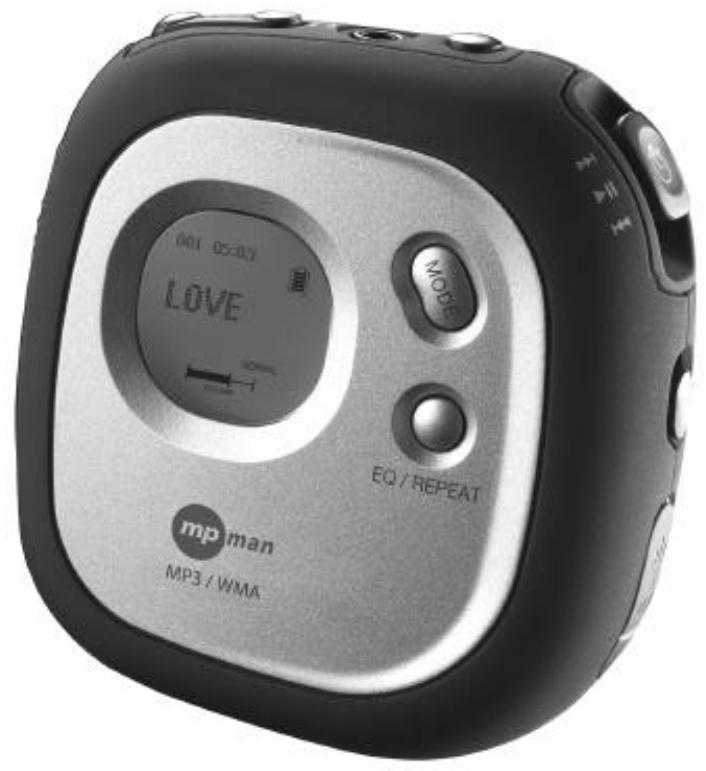
Before operating this product, please read these instructions completely.
PRECAUTIONS
COPYRIGHT:
- Distributing copies of MP3 or WMA tracks without permission is a violation of international copyright laws.
SAFETY:
Vibration experienced during walking or exercising will not affect the player. However, dropping the player or dropping a heavy object on the player may result in damage or sound distortion.
Avoid spilling any liquid onto or into the player.
- Do not leave the player in a location near heat sources; in a location subject to direct sunlight, excessive dust, sand, moisture, rain or mechanical shock; on an unlevel surface; or in a car with the windows closed during periods of excessive heat.
ROAD SAFETY:
- Do not use headphones while driving, cycling or operating any motorized vehicle. It may create a traffic hazard and it is illegal in some areas. It can be potentially dangerous to play your headset at a high volume while walking, especially at pedestrian crossings. You should exercise extreme caution or discontinue use in potentially hazardous situations.
Dear Customer:
Selecting fine audio equipment such as the unit you've just purchased is only the start of your musical enjoyment. Now it's time to consider how you can maximize the fun and excitement your equipment offers. This manufacturer and the Electronic Industries Association's Consumer Electronics Group want you to get the most out of your equipment by playing it at a safe level. One that lets the sound come through loud and clear without annoying blaring or distortion and, most importantly, without affecting your sensitive hearing. Sound can be deceiving. Over time your hearing "comfort level" adapts to higher volumes of sound. So what sounds "normal" can actually be loud and harmful to your hearing. Guard against this by setting your equipment at a safe level BEFORE your hearing adapts.
To establish a safe level:
Start your volume control at a low setting.
Slowly increase the sound until you can hear it comfortably and clearly, and without distortion.
Once you have established a comfortable sound level:
Set the dial and leave it there.
Taking a minute to do this now will help to prevent hearing damage or loss in the future. After all, we want you listening for a lifetime.
We Want You Listening For A Lifetime
Use wisely, your new sound equipment will provide a lifetime of fun and enjoyment. Since hearing damage from loud noise is often undetectable until it is too late, this manufacturer and the Electronic Industries Association's Consumer Electronics Group recommend you avoid prolonged exposure to excessive noise. This list of sound levels is included for your protection.
Decibel Level
Example
30
Quiet library, soft whispers
40
Living room, refrigerator, bedroom away from traffic
50
Light traffic, normal conversation, quiet office
60
Air conditioner at 20 feet, sewing machine
70
Vacuum cleaner, hair dryer, noisy restaurant
80
Average city traffic, garbage disposals, alarm clock at two feet
THE FOLLOWING NOISES CAN BE DANGEROUS UNDER CONSTANT EXPOSURE:
90
Subway, motorcycle, truck traffic, lawn mower
100
Garbage truck, chain saw, pneumatic drill
120
Rock band concert in front of speakers, thunderclap
140
Gunshot blast, jet engine
180
Rocket launching pad
Information courtesy of the Deafness Research Foundation.

LOCATION OF CONTROLS
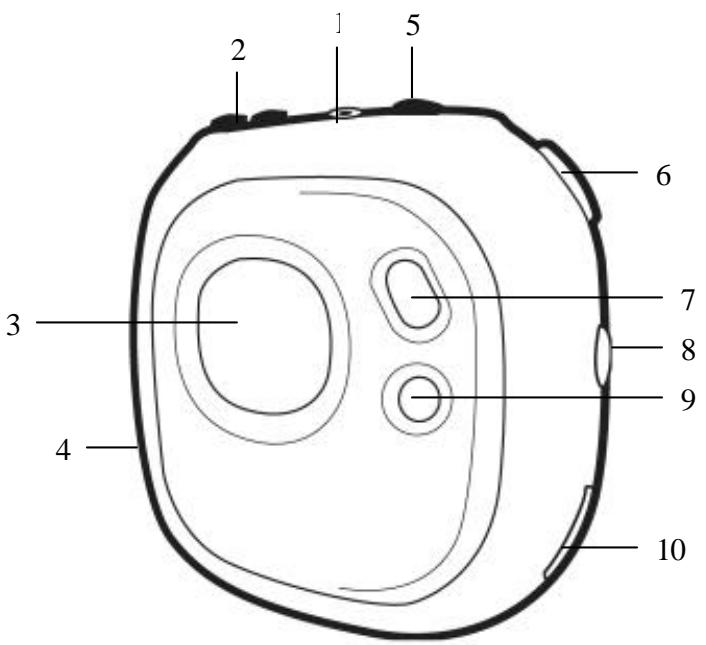
- Headphone Jack
- VOLUME + / Buttons
- Display
- Battery Compartment and SD/MMC Memory Card Slot (Side of Unit)
- Power On-Off / Stop Button
- Function Switch (Play, Pause, Skip + / )
- MODE Button (Main Menu / Setting)
- LOCK Switch
- EQ/REPEATButton
- USB Jack
BATTERY INSTALLATION
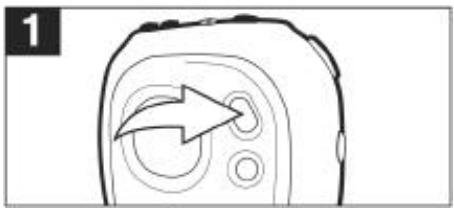
When the bars in the battery indicator (in the display) become low (see figure 1), replace the battery as follows.
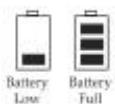
Figure 1
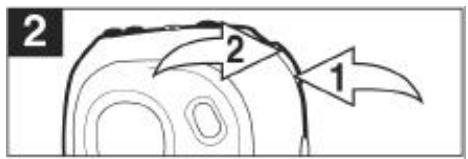
- Open the battery door by sliding it towards the bottom of the unit as shown in figure 2.
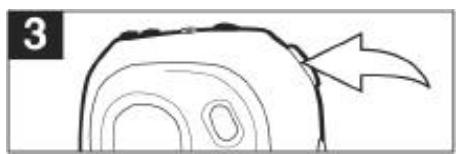
- Flip the battery plate upward and insert one (1) "AAA" cell battery (included) as shown in figure 3. Alkaline batteries are recommended for the longest playing time.
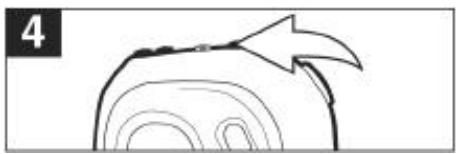
- Flip the battery plate to its original position as shown in figure 4 and slide the battery door back on.
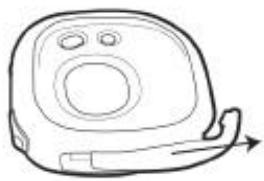
Figure2
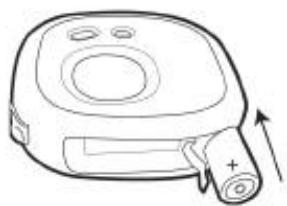
Figure 3
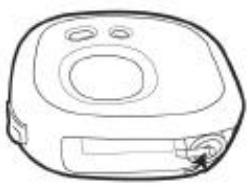
Figure 4
BATTERY PRECAUTIONS
Follow these precautions when using batteries in this device:
- Use only the size and type of batteries specified.
- Be sure to follow the correct polarity when installing the battery as indicated. Reversed batteries may cause damage to the device.
- If the device is not to be used for a long period of time, remove the battery to prevent damage or injury from possible battery leakage.
- Do not try to recharge batteries not intended to be recharged; they can overheat and rupture. (Follow battery manufacturer's directions.)
INSTALLATION (CONTINUED)
ARM STRAP
- Insert the arm strap into the slot on the rear of the unit and pull through.
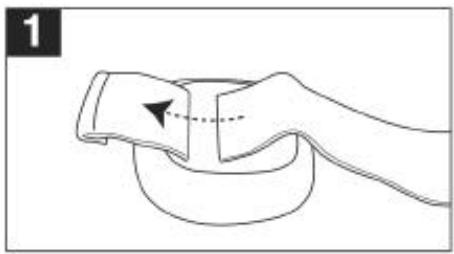
- Pull the arm strap and insert it into the buckle.
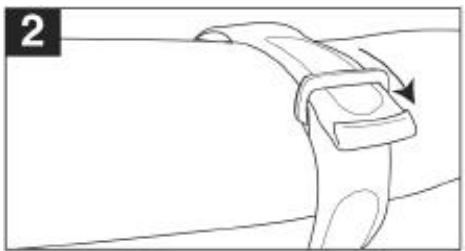
- Pull the strap and fold over, then fasten the velcro.
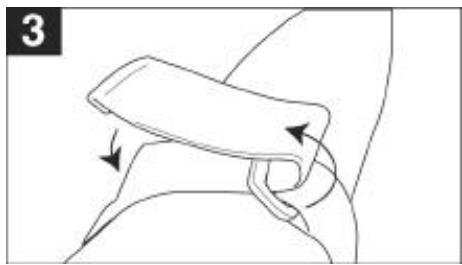
HEADPHONE JACK:
Turn on the unit and set the volume to low. Insert the headphone's plug into the Headphone jack.
DOWNLOADING AND TRANSFERRING FILES
TO INSTALL THE “DIGITAL AUDIO PLAYER” CD SOFTWARE
For Windows 98SE:
The USB mass storage function will not be activated without driver installation. To activate the USB mass storage function, please use the installation CD-ROM to install the driver.
For Windows ME, Windows 2000 or Windows XP:
Windows will automatically detect the audio player without installing the CD software when the USB cable is connected.
For Macintosh OSX:
Macintosh OSX will automatically detect the audio player without installing the CD software. Do not install the software when using a Macintosh.
If you are connecting your player to your computer for the first time, please follow these instructions:
Procedure to Install Player Driver (For Win 98SE only)
- Insert the Installation CD-ROM into the CD Drive; the auto-run program will start to install the host driver automatically.
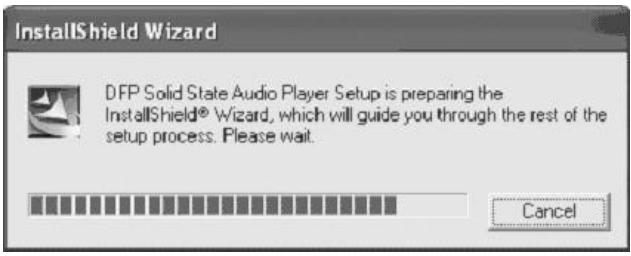
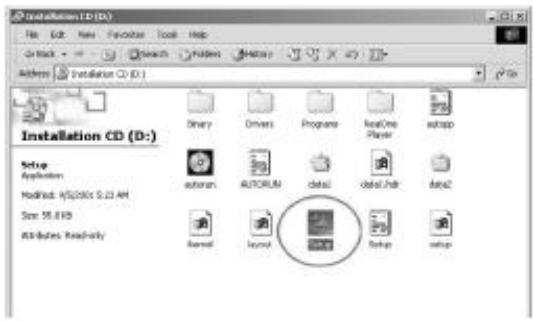
NOTE: If the setup does not start automatically, double click "Setup.exe" in the installation CD to run the Host Driver installation.
DOWNSLOADING AND TRANSFERRING FILES (CONTINUED)
- Follow the on screen instructions to install the host driver.
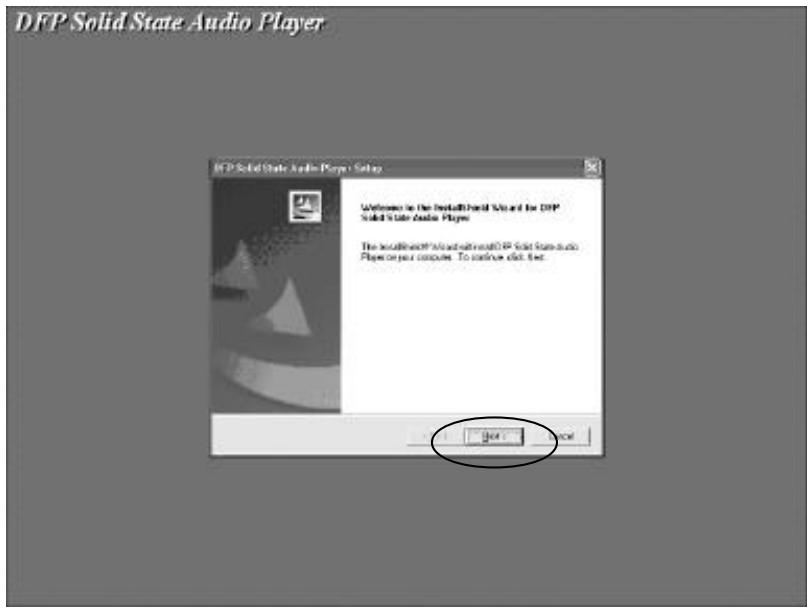
DOWNSLOADING AND TRANSFERRING FILES (CONTINUED)
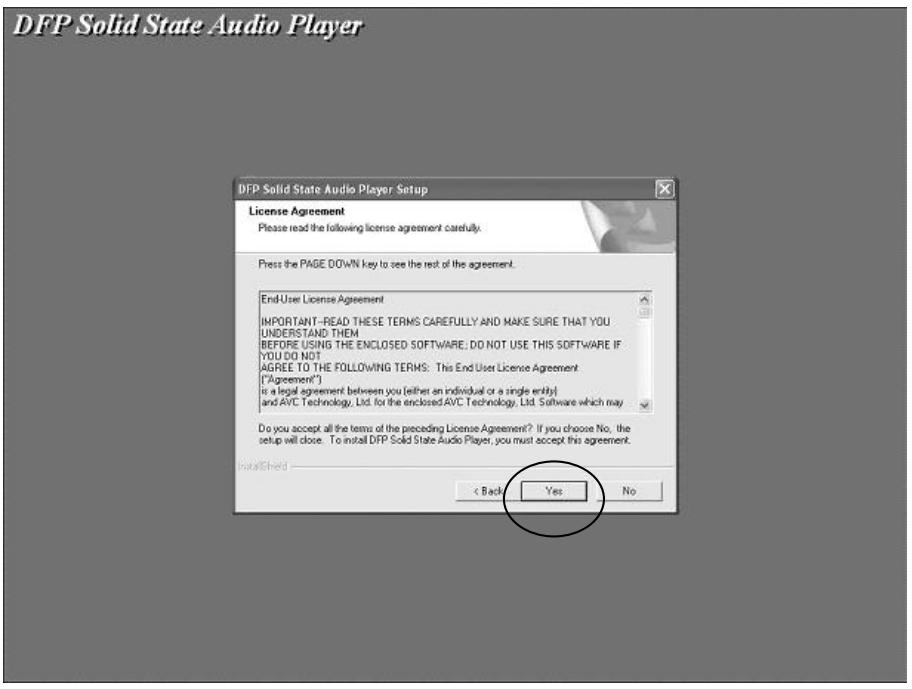
- Install the host driver under the directory as prompted.
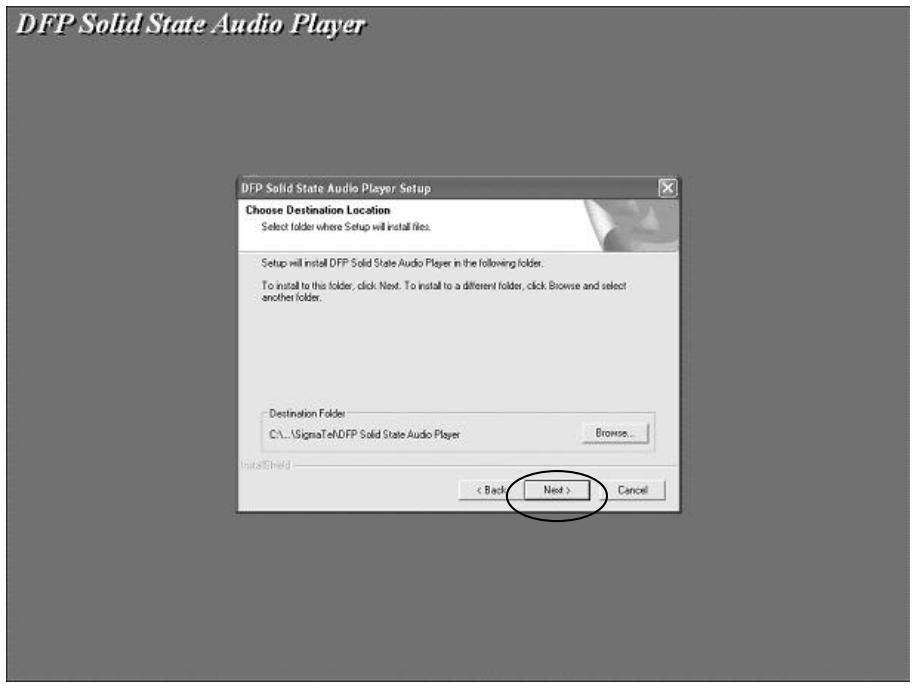
Warning: DO NOT change the installation path. Otherwise, the host driver cannot run properly.
DOWNSLOADING AND TRANSFERRING FILES (CONTINUED)
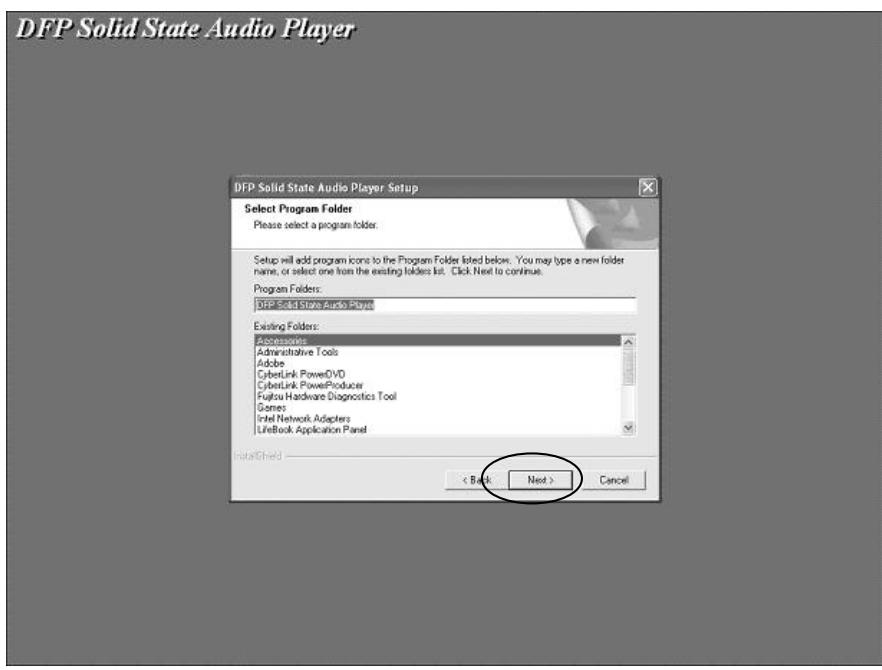
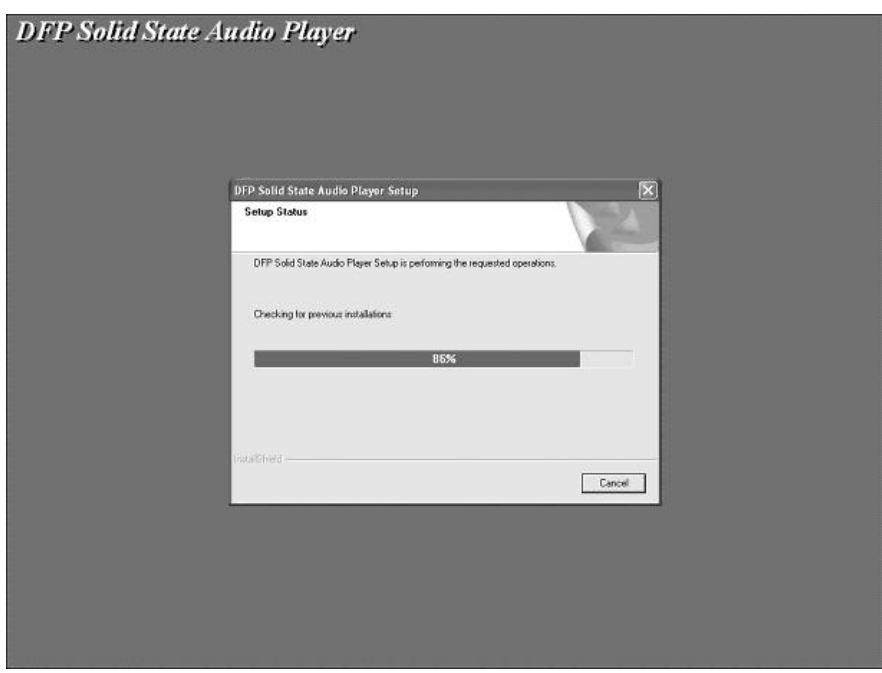
DOWNSLOADING AND TRANSFERRING FILES (CONTINUED)
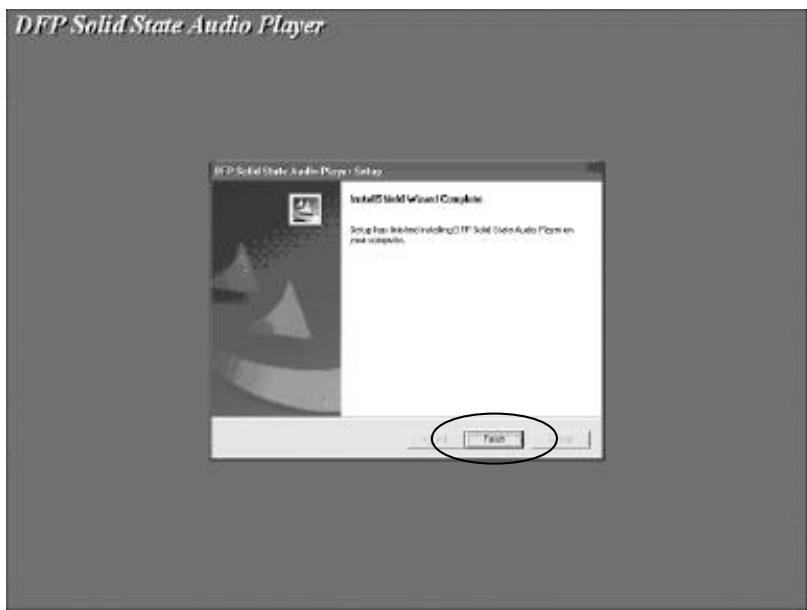
- After successfully installing the host driver, Click FINISH to restart the computer.
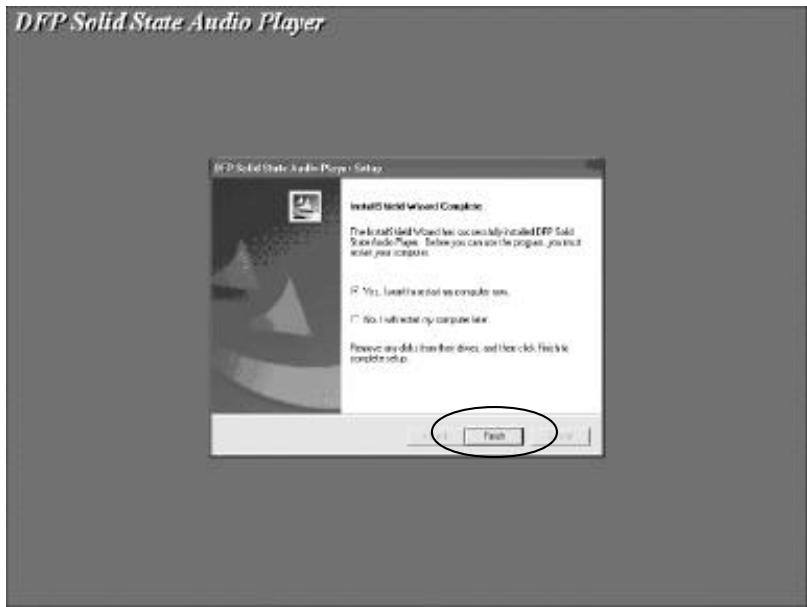
- When the installation has completed, the new program will be added to Programs.
DOWNSLOADING AND TRANSFERRING FILES (CONTINUED)
TRANSFERRING FILES
You can download MP3 files from the internet or use encoding software to convert music that you have on an audio CD into MP3 formats. Once these files are stored on your computer you can easily copy them to your MP-F56.
Connect the computer to your MP-F56 player using the supplied USB cable.
Press the POWER button to turn the unit on; the following will be displayed in the LCD screen of your MP-F56:
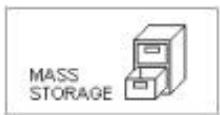
A "Removable Disk" window will automatically pop up on your computer screen. If a SD/MMC memory card has been inserted (see page 14) another folder will appear on your computer screen to represent the card.
To add more files and songs to your player simply drag and drop MP3, WMA or WAV files from anywhere on your computer into the "Removable Disk" window.
When you are finished, see the Safely Remove Hardware procedure before disconnecting the MP-F56.
DOWNSLOADING AND TRANSFERRING FILES (CONTINUED)
SAFELY REMOVING YOUR PLAYER FROM THE COMPUTER
NOTE: To avoid damage to your player or data loss, always follow the procedure listed below before disconnecting the USB cable from your computer or disconnecting the player from the USB cable.
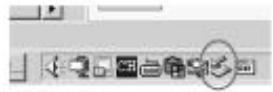
Using your mouse, double click the "Safely Remove Hardware" icon on the task bar.
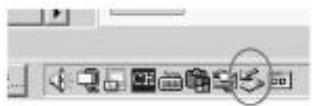
From the "Safely Remove Hardware" window, select "USB Mass Storage Device" and click the "Stop" button. The "Stop a Hardware Device" window will pop up as shown:

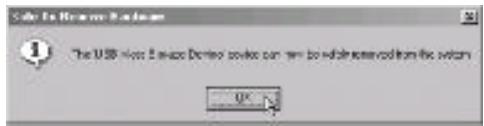
Click "OK". When the "Safe to Remove Hardware" window is displayed, you may remove the player from the USB cable or remove the USB cable from the computer.
DOWNSLOADING AND TRANSFERRING FILES (CONTINUED)
EXTERNAL MEMORY CARD
TO AVOID DAMAGE, make sure the unit is off before inserting or removing the card.
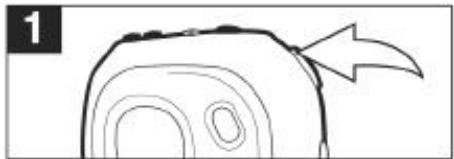
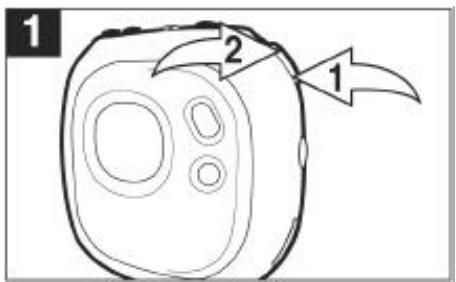
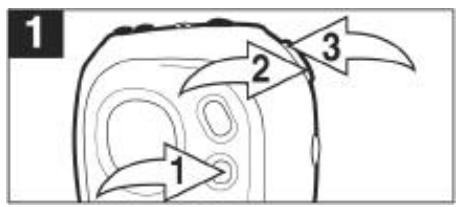
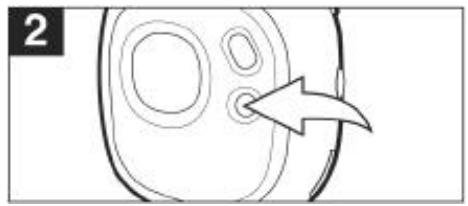
- Open the battery compartment door by sliding it towards the bottom of the unit, as shown in figure 1.
- Insert a SD/MMC memory card (not included) up to 512MB, facing up as shown in figure 2.
- Connect the USB cable as described previously.
- Drag MP3 and WMA files into the new folder. The memory card indicator will appear at the bottom left corner on the display.
- To remove the SD/MMC memory card, push the edge of the card as shown in figure 3, then the card will spring out. Carefully remove the card.
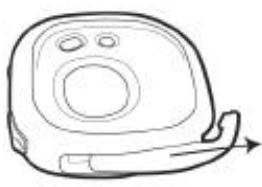
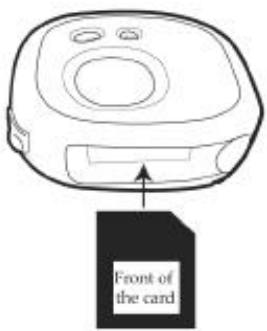
Figure 1
Figure 2
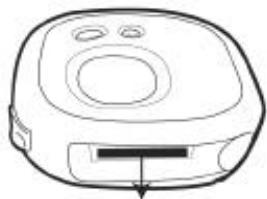
Figure 3
OPERATION
TURING THE POWER ON
Turn the unit on by pressing the Power button; the MPMan start screen will appear in the display temporarily. To turn the unit off, press and hold the Power button; “Holding to Power Off” will appear in the display. When the unit turns off, release the Power button.
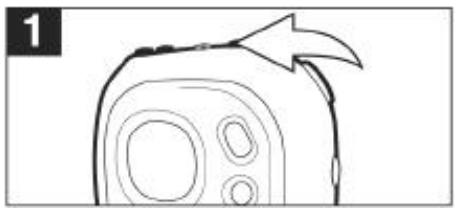
LOCK SWITCH
Slide the LOCK switch to the Lock (down) position; the lock indicator will appear in the display and no buttons will be able to be pressed. This is useful when you do not want the track changed by accidentally pressing a button. Slide the LOCK switch to the Unlock (up) position to cancel the Lock function.
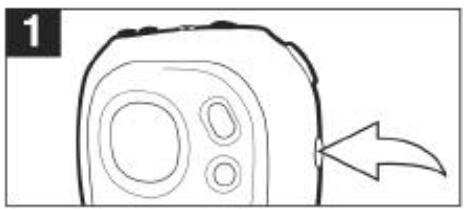
EQ
While playing MP3s, press and hold the EQ/REPEAT button until the EQ display text becomes highlighted. Then, repeatedly press the EQ/REPEAT button to select the desired EQ setting: NORM (Normal), ROCK, UBAS (Ultra Bass), JAZZ, CLAS (Classical) or POP. Wait two seconds and the unit will exit EQ setting mode.
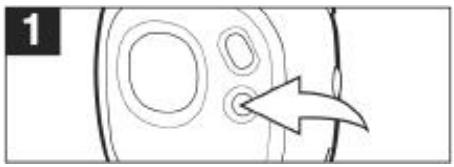
NOTES:
If you attempt to turn the power on while the LOCK switch is in the Lock (down) position, the unit will show "HOLD" and then turn off.
The EQ feature is only available when playing MP3/WMA files.
OPERATION (CONTINUED)
TO LISTEN TO MP3s/WMAs
Turn the unit on by pressing the Power button; the MPMan start screen will appear in the display temporarily. Press the Function switch to the Play/Pause position to start playing the MP3/WMA files. The MP3 information will scroll across the display, the Bit rate and EQ setting will alternate at the bottom of the display and the song number and timer will appear at the top of the display.
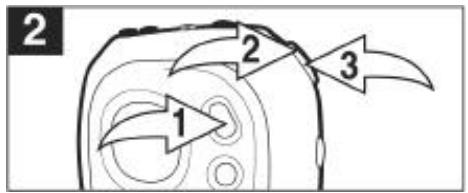
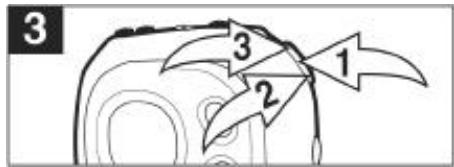
If the unit is in the Stop Watch mode, press the MODE button ①; the Main menu will appear in the display. Within six seconds, push the function switch towards ② until MUSIC PLAYER is selected, then press the Function switch ③ to select it.
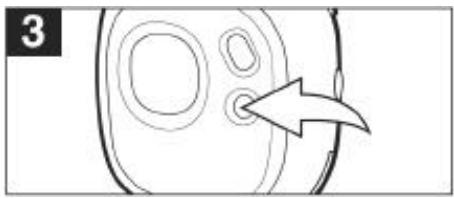
While playing MP3s, press and hold the EQ/REPEAT button until the EQ display text becomes highlighted. Then, repeatedly press the EQ/REPEAT button to select the desired EQ SETTING: NORM (Normal), ROCK, UBAS (Ultra Bass), JAZZ, CLAS (Classical) or POP. Wait two seconds and the unit will exit EQ setting mode.
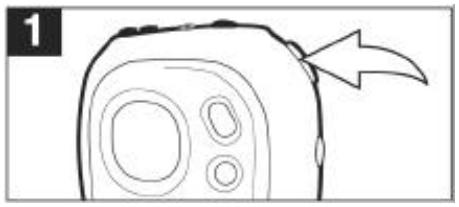
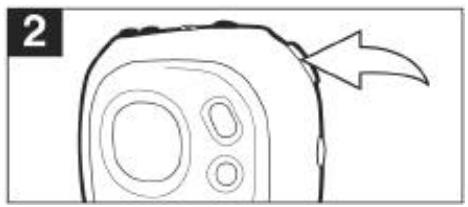
Press the VOLUME + ① to increase the volume or the VOLUME - ② to decrease the volume.
CONTINUED ON THE NEXT Page
OPERATION (CONTINUED)
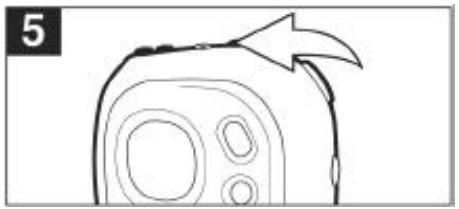
Press the Power button to stop MP3/WMA playback.
NOTE:
See pages 7 through 14 for information on uploading MP3 and WMA files to this unit.
TO PAUSE PLAYBACK
During playback, if you wish to pause the file momentarily, push the Function switch; playback will pause and the timer will stop counting.
Push the Function switch again to resume playback; the sound will return and the timer will start counting again.
OPERATION (CONTINUED)
FORWARD/REVERSE SKIP
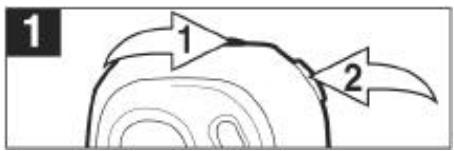
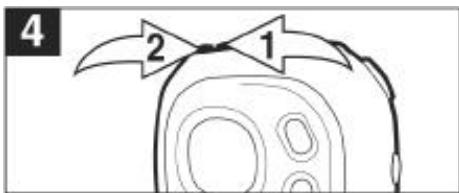
During playback, push the Function switch towards to advance the player to the beginning of the next file. Push the Function switch towards repeatedly to advance the player to higher-numbered files.
During playback, push the Function switch towards to move the player back to the beginning of the currently playing file. Push the Function switch towards repeatedly to move the player back to lower numbered files.

HIGH-SPEED MUSIC SEARCH
During playback, push and hold the Function switch towards 串 1 or 串 2 to move the player forward or backward within a file to locate a specific musical passage. The player will move forward or backward at high speed as long as the Function switch is held. When you release the Function switch, normal playback will resume.
OPERATION (CONTINUED)
REPEAT PLAYBACK OF A FILE
To repeat a single file, press the EQ/REPEAT BUTTON ① once while playing a file, “_1” will appear in the display. Press the Skip/Search ② or ③ button to select the specific track that you wish to repeat.
The specific track you selected will be repeated continuously. To cancel Repeat playback, press the EQ/REPEAT button until the Mode indicator disappears.
REPEAT PLAYBACK OF ALL FILES
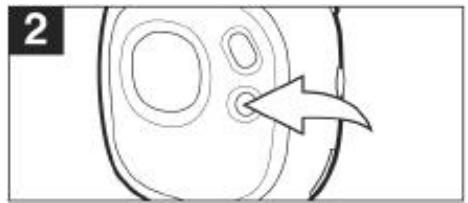
To repeat all files, press the EQ/REPEAT button twice while playing a file; “ A^* ” will appear in the display.
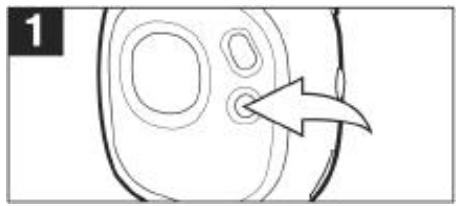
All tracks on the disc will be repeated continuously. To cancel Repeat playback, press the EQ/REPEAT button until the Mode indicator disappears.
OPERATION (CONTINUED)
TO RANDOMLY PLAY ALL THE FILES AND THEN STOP
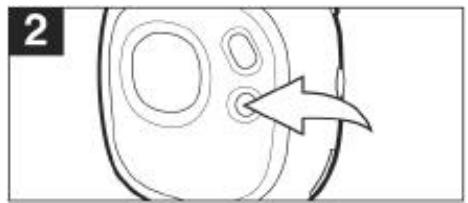
To randomly play all the files and then stop, press the EQ/REPEAT button three times while playing a file, "s" will appear in the display.
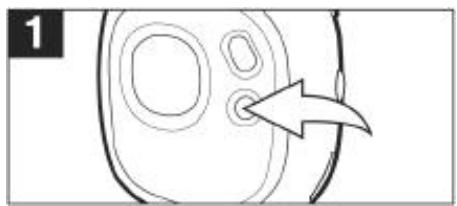
The unit will play all the tracks in random order. When all the tracks have been played, the unit will stop. To cancel Random playback, press the EQ/REPEAT button until the Mode indicator disappears.
TO RANDOMLY PLAY ALL THE FILES CONTINUOUSLY
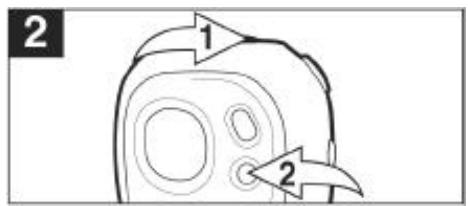
To randomly play all the files continuously, press the EQ/repeat button four times while playing a file; “ ” will appear in the display.
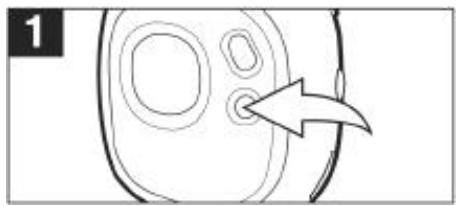
The unit will play all the tracks in random order until the Power button ① is pressed (to stop playback). To cancel Random playback, press the EQ/REPEAT button ② until the Mode indicator disappears.
OPERATION (CONTINUED)
USING THE STOP WATCH
Turn the unit on by pressing the Power button; the MPMan start screen will appear in the display temporarily.
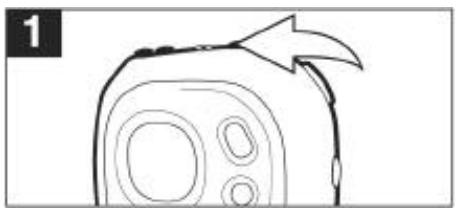
Press the MODE button ① ; the Main menu will appear in the display. Within six seconds, push the Function switch towards ② until STOP WATCH is selected, then press the Function switch ③ to select it.
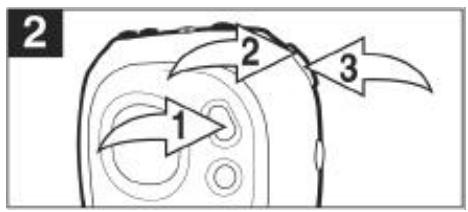
Press the Function switch to start the timer; the timer will then start counting up. Press the Function switch to stop the timer; the timer will then stop counting. Press the Function switch to start the timer up again.
Press the Power button to reset the timer to "00:00:000".
NOTES:
The MP3WMA files can still be played back while using the stop watch. When listening to MP3WMAs, follow steps 2 through 4 above to operate the stop watch
- Totum off MP3WMA playback when in the Stop watch mode, you need to turn off the unit or change the unit back to MP3 mode.
OPERATION (CONTINUED)
TOCHANGETHE SETTINGS
Press and hold the MODE button until the Setting menu appears in the display.
Within six seconds, select one of the settings by pushing the Function switch towards 串 1 or 串 2
CONTRAST: Adjust the contrast.
EQUALIZER: Select the EQ setting.
PLAY TIMER: Set Elapsed or Remaining Time, which will appear when playing a file.
LIGHT TIMER: Set the time the backlight will remain on after activated.
Push the Function switch ① to select the setting; the respective menu will appear. Adjust the setting by pushing the Function switch towards or . When the desired setting is done, push the Function switch ① again to confirm.
TROUBLESHOOTING GUIDE
If you experience a problem with this unit, check the chart below before calling for service.
| SYMPTOM | CAUSE | SOLUTION |
| Unit will not turn on. | Dead battery, or not installed properly. | Replace battery and install properly. |
| LOCK switch is in the Lock (down) position. | Slide switch to the Unlock (up) position. | |
| No sound. | Headphones are not inserted. | Insert headphones. |
| Volume is set too low. | Raise the Volume using the VOLUME + button. | |
| The MP3 or WMA files are corrupted. | Download uncorrupted files. | |
| Download Failure. | Damaged USB cable. | Replace cable. |
| The computer is not recognizing the MP-F56. | The MP-F56 is turned off. | Turn the MP-F56 on. |
| The USB cable is not securely connected. | Make sure USB cable is securely connected. | |
| Driver is not installed or computer is not compatible. | Install driver and/or see page 7 through 14 for compatibility. |
TROUBLESHOOTING GUIDE (CONTINUED)
There are rare instances when after downloading the firmware the player will not turn on; in these cases the unit will need to be reset. To reset the unit, perform the following steps:
- Click on the START button of your computer.
- Select PROGRAM.
- Select MPMan Solid State Digital Audio Player.
- Click Firmware Download.
- The Firmware Download Screen will appear with the following message: Searching for devices connected to the system.
- Open the battery compartment on the player and lift the positive connector from the positive end of the battery.
- Connect the USB cable to your computer and the other end to the MP-F56.
- Connect the positive connector back on the battery.
- Press and hold the POWER button for about 10 seconds; the dialog box will begin to load.
- Release the button and the update screen will appear.
- Tick "Format Data Area" box. If a dialog box appears on the screen, select YES for updating and Formatting the unit (this will delete all the files in the unit) or select NO for updating the unit without formatting the unit. Click on Start to initiate the loading of the firmware.
- When the loading is complete, click on CLOSE, and the unit is now fully functional.
SPECIFICATIONS
AUDIO
Frequency Range. 20Hz-20KHz
Headphone Output. 20mW, 16ohm (max volume)
S/N Ratio. 85dB (MP3)
FILE SUPPORT
File Type............MPEG 1/2/2.5 Layer 3, WMA
Bit Rate. 8kbps-320Kbps
Tag Info............ID3 Tag
GENERAL
Dimensions. 0.95 x 2.5 x 2.75 inches
Weight. 35g (without battery)
LCD Full Graphics with Backlight
Language............English
Battery . 1 x AAA size Alkaline
USB Cable USB 1.1
Built in Memory. 128MB
External Memory........SD or MMC
Maximum Play Time...........................Approx 10 hours (128Kbps, MP3)
Supported OS.......Win ME, Win 2000, Win XP, Mac OSX
Firmware Upgrade......Yes (except Win 98 or Mac)
Operating Temperature. -5 to 40
Specifications are subject to change without notice.
CE WARNINGS

The exclamation point within the triangle is a warning sign alerting the user of important instructions accompanying the product.

This unit must not be exposed to moisture or rain.

Ensure all connections are properly made before operating the unit.

This unit should be positioned so that it is properly ventilated. Avoid placing it, for example, close to curtains, on the carpet or in a built-in installation such as a bookcase.

Do not expose this unit to direct sunlight or heat radiating sources.

Make sure all batteries are inserted according to the proper polarity. Do not mix old batteries with new ones.

If the unit is not used for a long period of time (more than 1 month), remove all batteries from their compartment to avoid possible leaking.
150A-MP-000