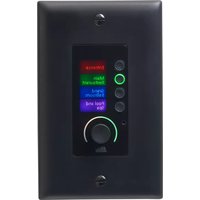
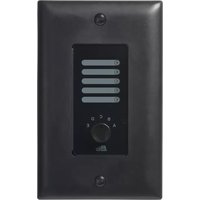
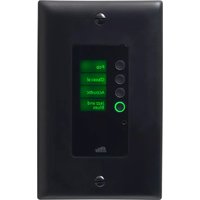
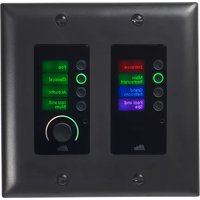
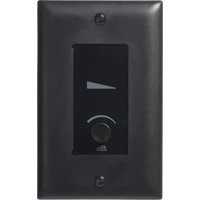
Soundweb London BLU-DA - Controller BSS Audio - Free user manual and instructions
Find the device manual for free Soundweb London BLU-DA BSS Audio in PDF.


Pick your language and provide your email: we'll send you a specifically translated version.
| Product Type | Digital Audio Controller / DSP Processor |
| Brand | BSS Audio |
| Model | Soundweb London BLU-DA |
| Dimensions (W x D x H) | 19" x 1.75" x 10" (rack mount, 1U) |
| Weight | Approx. 7.5 lbs (3.4 kg) |
| Power Supply | 100-240 VAC, 50/60 Hz, 35W max |
| Audio Inputs/Outputs | 8 analog inputs, 8 analog outputs (balanced) |
| Digital Audio | Supports AES/EBU and CobraNet (optional) |
| DSP Processing | Advanced mixing, routing, EQ, dynamics, delays |
| Control Interfaces | Ethernet (TCP/IP), RS-232, GPI/O |
| Software | BSS London Architect for configuration |
| Sample Rate | 48 kHz or 96 kHz selectable |
| Frequency Response | 20 Hz - 20 kHz (+/-0.5 dB) |
| Dynamic Range | > 115 dB |
| Latency | 1.5 ms (typical) |
| Cooling | Fanless (convection cooled) |
| Operating Temperature | 0°C to 40°C (32°F to 104°F) |
| Compliance | CE, FCC, RoHS |
| Mounting | 19-inch rack mount (1U) |
| Warranty | 5 years (limited) |
| Maintenance | Keep clean with dry cloth; no user-serviceable parts |
| Safety | Do not expose to moisture; disconnect power before cleaning |
Frequently Asked Questions - Soundweb London BLU-DA BSS Audio
How do I connect the BLU-DA to my network?
Use a standard Ethernet cable to connect the rear panel Ethernet port to your network switch. Ensure your computer running London Architect is on the same subnet.
What software is required to configure the device?
BSS London Architect software is used for all configuration, design, and control of the BLU-DA. It is available for free from the BSS Audio website.
Can the BLU-DA handle both analog and digital audio?
Yes, the BLU-DA has 8 analog inputs and 8 analog outputs, plus optional digital audio via CobraNet or AES/EBU expansion cards.
How do I update the firmware?
Firmware updates are performed through London Architect software. Connect to the device, go to the Device menu, and select 'Firmware Update'. Follow the on-screen instructions.
What is the power consumption of the BLU-DA?
The typical power consumption is 35 watts at nominal line voltage. It accepts 100-240 VAC, 50/60 Hz.
How can I reset the device to factory defaults?
Press and hold the reset button on the front panel (using a paperclip) for 5 seconds. The device will reboot with default settings.
Is the BLU-DA compatible with Dante?
The BLU-DA does not natively support Dante, but it can integrate via optional CobraNet cards. For Dante, consider other Soundweb London models.
What is the maximum number of audio channels?
Analog: 8 inputs and 8 outputs. With CobraNet, you can add up to 32 channels of digital audio (16 in/16 out) depending on configuration.
How do I clean the device?
Disconnect power and wipe the exterior with a dry, soft cloth. Do not use liquids or sprays. Ensure vents are free from dust.
What are the dimensions for rack mounting?
The BLU-DA occupies 1U (1.75 inches high) in a standard 19-inch rack. Depth is about 10 inches (254 mm) behind the mounting ears.
User questions about Soundweb London BLU-DA BSS Audio
0 question about this device. Answer the ones you know or ask your own.
Ask a new question about this device
No questions yet. Be the first to ask one.
Download the instructions for your Controller in PDF format for free! Find your manual Soundweb London BLU-DA - BSS Audio and take your electronic device back in hand. On this page are published all the documents necessary for the use of your device. Soundweb London BLU-DA by BSS Audio.