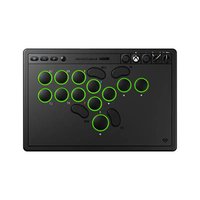
N30 - Controller 8BitDo - Free user manual and instructions
Find the device manual for free N30 8BitDo in PDF.


Pick your language and provide your email: we'll send you a specifically translated version.
| Product Type | Wireless Game Controller |
| Brand | 8BitDo |
| Model | N30 |
| Dimensions | Approx. 144 x 103 x 37 mm (5.7 x 4.1 x 1.5 in) |
| Weight | Approx. 230 g (8.1 oz) |
| Power Source | Built-in rechargeable lithium-ion battery (480 mAh) |
| Charging Port | USB-C |
| Battery Life | Up to 18 hours of playtime |
| Connectivity | Bluetooth 5.0 |
| Compatible Platforms | Nintendo Switch, Windows, Android, macOS, Steam Deck |
| Buttons | D-pad, A/B/X/Y, L/R/ZL/ZR, Start, Select, Home, Turbo |
| Special Features | Ultra-D-pad, adjustable turbo function, vibration support, motion controls |
| Design | Classic NES/SNES inspired retro aesthetic |
| Construction Material | ABS plastic with rubberized grips |
| Temperature Range | 0°C to 40°C (32°F to 104°F) for operation |
| Connectivity Range | Up to 10 meters (33 ft) without obstacles |
| Indicator | LED for pairing and battery status |
| Package Includes | 1x N30 Controller, 1x USB-C charging cable, 1x User Manual |
| Warranty | 1 year limited warranty |
| Care & Cleaning | Wipe with a dry, soft cloth. Do not use solvents. Store in a cool, dry place. |
| Repairability | Repairable design with screws; spare parts available through 8BitDo or aftermarket |
Frequently Asked Questions - N30 8BitDo
How do I pair the 8BitDo N30 controller with my Nintendo Switch?
Put the controller into pairing mode by holding the Y + Start buttons until the LED blinks rapidly. On your Switch, go to Controllers > Change Grip/Order, and select the controller when it appears.
Can the N30 controller be used on PC?
Yes, it supports Windows via Bluetooth or USB-C. For best compatibility, use XInput mode (hold X + Start to power on in XInput mode).
How long does the battery last?
The built-in 480 mAh battery provides up to 18 hours of continuous gameplay on a full charge. Charging time is approximately 2-3 hours.
What is the 'Ultra-D-pad' feature?
The Ultra-D-pad is a patented design that reduces false diagonals and improves accuracy for retro games. It can be swapped between a cross shape and a disc shape.
Does it have motion controls?
Yes, the N30 controller includes six-axis gyro sensors for motion controls, compatible with Nintendo Switch games like Splatoon or Zelda.
How do I charge the controller?
Connect the included USB-C cable to the controller and a power source (USB port on PC, Switch dock, or a USB charger). The LED will turn solid when charging and turn off when fully charged.
Can I use the controller on Android?
Yes, it works with Android devices via Bluetooth in D-input mode (hold B + Start to power on) or via USB-OTG cable.
What is the warranty coverage?
The controller comes with a 1-year limited warranty against manufacturing defects. For support, contact 8BitDo customer service.
Is the controller compatible with the Steam Deck?
Yes, it pairs via Bluetooth and works in XInput mode. You may need to configure button mapping in Steam's controller settings for optimal use.
How do I reset the controller if it stops responding?
Press and hold the pairing button (small hole on the back) for 3 seconds with a paperclip, or remove and reconnect the battery if it's a removable battery model.
User questions about N30 8BitDo
0 question about this device. Answer the ones you know or ask your own.
Ask a new question about this device
No questions yet. Be the first to ask one.
Download the instructions for your Controller in PDF format for free! Find your manual N30 - 8BitDo and take your electronic device back in hand. On this page are published all the documents necessary for the use of your device. N30 by 8BitDo.
USER MANUAL N30 8BitDo
| 8BitDo | 8BitDo |
| N30 Wireless Charger for Mobile – instruction manual N30手机无线充电器 — 使用说明 | |
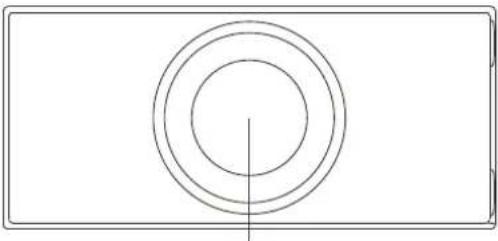 charging area charging area status LED Type - C• once the power is on, the product will be ready to use after the white LED has blinked three times• the power adapter is not included status LED Type - C• once the power is on, the product will be ready to use after the white LED has blinked three times• the power adapter is not included | 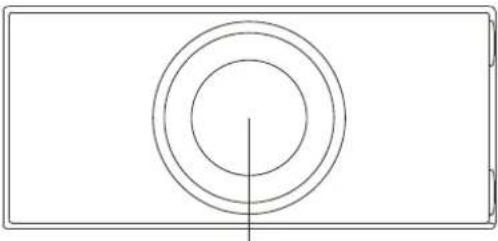 充电区域 充电区域 *连接电源后LED灯闪烁三次,即可开始正常工作。*包装内不含电源适配器。 *连接电源后LED灯闪烁三次,即可开始正常工作。*包装内不含电源适配器。 |
Power Supplystatus –standby / Fully chargedchargingabnormal charging  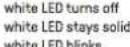 • for fast and safe charging, using a QC 2.0 or PD3.0 Wall charger is highly recommended. Other power adapters may not work well with this device• incompatible phone, power adapter, metal or abnormal temperature may cause abnormal chargingattentions1 – keep the charge away from water or other liquids2 – do not place cards equipped with a magnetic strip or chip (such as ID and ATM cards) close to the charger, as it may cause extreme heat that may burn or damage the device3 – wall charger and USB cable (both support QC2.0 or PD3.0) are required for fast charging.4 – it would not charge if the thickness of phone case is more than 4mm (0.15 inch)5 – turn off the high power-consumption applications to prevent from overheating or slowing down the charging speed6 – if there are medical devices (such as pacemakers, hearing aids, cochlear implants, etc.) nearby, please consult the medical device manufacturer to ensure that they will not cause interference7 – it is recommended for use in temperatures between 0°C and 35°C • for fast and safe charging, using a QC 2.0 or PD3.0 Wall charger is highly recommended. Other power adapters may not work well with this device• incompatible phone, power adapter, metal or abnormal temperature may cause abnormal chargingattentions1 – keep the charge away from water or other liquids2 – do not place cards equipped with a magnetic strip or chip (such as ID and ATM cards) close to the charger, as it may cause extreme heat that may burn or damage the device3 – wall charger and USB cable (both support QC2.0 or PD3.0) are required for fast charging.4 – it would not charge if the thickness of phone case is more than 4mm (0.15 inch)5 – turn off the high power-consumption applications to prevent from overheating or slowing down the charging speed6 – if there are medical devices (such as pacemakers, hearing aids, cochlear implants, etc.) nearby, please consult the medical device manufacturer to ensure that they will not cause interference7 – it is recommended for use in temperatures between 0°C and 35°C | 电源工作状态待机/充电结束正在充电充电异常   LED 内障*为保证充电效果和安全,请使用QC 3.0或PD 2.0的电源适配器,其他电源适配器可能无法正常工作。*充电异常LED闪烁包含:不支持的设备、有金属异物、温度过高、电压不足等。注意事项1.请使用时远离水或其他液体以免出现故障。2.请勿将无线充电器靠近银行卡(或带有磁条的其他卡片),切勿将其他金属物品置于无线充电器上,以免造成损坏。3.快充需要使用QC/PD电源适配器,以及支持快充的USB线。4.手机壳厚度超过4mm时,无线充电器可能无法感应到手机。5.充电过程中请尽量关闭大量耗电的应用程序,以免设备温度过高无法正常充电或充电速度减缓。6.如果附近有医疗器械(如起搏器、助听器、人工耳蜗植入等),请咨询医疗器械制造商,以确保它们不会造成干扰。7.建议在0°C至35°C的温度下使用。 LED 内障*为保证充电效果和安全,请使用QC 3.0或PD 2.0的电源适配器,其他电源适配器可能无法正常工作。*充电异常LED闪烁包含:不支持的设备、有金属异物、温度过高、电压不足等。注意事项1.请使用时远离水或其他液体以免出现故障。2.请勿将无线充电器靠近银行卡(或带有磁条的其他卡片),切勿将其他金属物品置于无线充电器上,以免造成损坏。3.快充需要使用QC/PD电源适配器,以及支持快充的USB线。4.手机壳厚度超过4mm时,无线充电器可能无法感应到手机。5.充电过程中请尽量关闭大量耗电的应用程序,以免设备温度过高无法正常充电或充电速度减缓。6.如果附近有医疗器械(如起搏器、助听器、人工耳蜗植入等),请咨询医疗器械制造商,以确保它们不会造成干扰。7.建议在0°C至35°C的温度下使用。 |
support❖please visit support.8bitdo.com for further information & additional support.  | 技术支持❖*若要进一步了解此产品的更多功能,请前往support.8bitdo.cn了解详细信息。 |