
Quick Fire Stealth SGK-4000 - Keyboard CM Storm - Free user manual and instructions
Find the device manual for free Quick Fire Stealth SGK-4000 CM Storm in PDF.


| Product Type | Mechanical Gaming Keyboard |
| Brand | CM Storm |
| Model | Quick Fire Stealth SGK-4000 |
| Switch Type | CHERRY MX (Gold Plated) |
| Key Lifespan | Over 50 million keystrokes |
| Connectivity | USB / PS/2 (with included adapter) |
| Cable Length | 1.8 m (braided) |
| Compatibility | PC with USB or PS/2 port |
| Operating Systems | Windows XP/Vista/7/8 |
| Multimedia Keys | Yes, via FN + F5-F12 |
| Windows Key Lock | Yes, via FN + F9 |
| Repeat Rate Adjustment | FN + F1-F4 (1x to 8x) in PS/2 mode |
| Package Contents | Keyboard, Quick Start Guide, Keycap Puller, Extra Keycaps, Braided USB Cable, PS/2 Adapter |
| Warranty | 2 years limited manufacturer warranty |
| Dimensions (Approx.) | 440 x 140 x 30 mm |
| Weight (Approx.) | 1.2 kg |
| Power Supply | USB bus powered |
| Keycap Material | ABS (replaceable) |
| LED Backlight | None (stealth model) |
| Special Features | Stealth keycaps (side-printed legends) |
| Certifications | CE, FCC |
| Country of Origin | China |
Frequently Asked Questions - Quick Fire Stealth SGK-4000 CM Storm
User questions about Quick Fire Stealth SGK-4000 CM Storm
0 question about this device. Answer the ones you know or ask your own.
Ask a new question about this device
Download the instructions for your Keyboard in PDF format for free! Find your manual Quick Fire Stealth SGK-4000 - CM Storm and take your electronic device back in hand. On this page are published all the documents necessary for the use of your device. Quick Fire Stealth SGK-4000 by CM Storm.
USER MANUAL Quick Fire Stealth SGK-4000 CM Storm
Thank you for purchasing Quick Fire Stealth!
A rugged gaming keyboard using the highest grade gold plated mechanical switches (CHERRY MX) rated for over 50 million keystrokes.
Using Your CM Storm Quick Fire Stealth Keyboard
Accessing Advanced Functions
Just like on a Laptop, pressing the FN key at the same time as any of the F1-F12 keys enables a second function programmed to this key.
Repeat rate
In PS/2 mode FN + F1-F4 key combos adjust the key repeat rate from 1x (slow) to 8x (fast) which lets you issue commands faster in some games

Media Keys
FN + F5-F12 key combos work like multimedia keys and let you control your favorite media player as well as your speaker/headset volume

Windows Key Lock
FN + F9 disables/enables the Windows keys so you don't get kicked out of a gaming session by accident

Package Content:
- Quick Fire Stealth Mechanical Gaming Keyboard
- Quick Start Guide
- Keycap puller and extra keycaps
- 1.8 m braided USB Cable and PS/2 adapter
System Requirements
PC or PC compatible device with a USB or PS/2 port
Windows® XP/Vista/7/8
Warranty
2 years limited manufacturer warranty
Damages as a result of removing keycaps improperly are not covered by the warranty
Technical Support
Free technical support and FAQs can be found on www.cmstorm.com
For free live-chat support visit www.coolermaster.com/livehelp
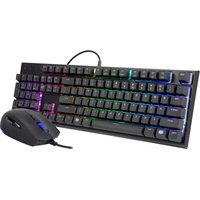


Brand : CM Storm
Model : Quick Fire Stealth SGK-4000
Category : Keyboard