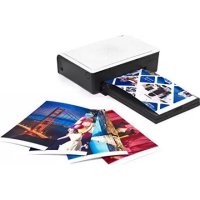
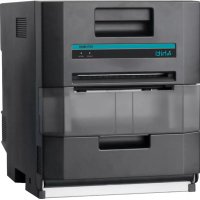
Prinhome P461C - Printer HITI - Free user manual and instructions
Find the device manual for free Prinhome P461C HITI in PDF.


Pick your language and provide your email: we'll send you a specifically translated version.
| Product Type | Dye-sublimation photo printer |
| Dimensions (W x D x H) | 190 x 130 x 70 mm |
| Weight | Approx. 1.2 kg |
| Power Supply | 100-240V AC, 50/60 Hz |
| Print Technology | Dye-sublimation with YMCO ribbon |
| Print Resolution | 300 x 300 dpi |
| Print Speed | Approx. 60 seconds per 4x6 inch print |
| Supported Media | 4 x 6 inch (100 x 150 mm) photo paper |
| Paper Input Capacity | 50 sheets |
| Connectivity | Wi-Fi (802.11 b/g/n), USB 2.0 |
| Direct Printing | From smartphones (iOS/Android) via app |
| Memory Card Support | SD, SDHC, SDXC, MicroSD (with adapter) |
| Operating Temperature | 5°C to 40°C |
| Humidity Range | 20% to 80% RH (non-condensing) |
| Color Depth | 16.7 million colors (24-bit) |
| Maintenance | Clean print head with included cleaner; replace ribbon and paper as needed |
| Safety Features | Overheat protection; auto power-off after idle |
| Spare Parts Available | Paper tray, ribbon cartridge, power adapter |
| Repairability | User-replaceable consumables; professional service for hardware issues |
| General Information | Compact design for home and small office use; supports PictBridge |
Frequently Asked Questions - Prinhome P461C HITI
How do I connect the Prinhome P461C to my smartphone?
Download the HiTi Photo Printer app from the App Store or Google Play. Ensure the printer is powered on and Wi-Fi is enabled. The app will guide you through the connection process via Wi-Fi Direct or your home network.
What type of paper and ink does this printer use?
The printer uses 4x6 inch (100x150 mm) photo paper and YMCO (Yellow, Magenta, Cyan, Overcoat) ribbon cartridges. These are sold as a set. Do not use other paper types.
How do I load paper and ribbon?
Open the top cover. Insert the paper tray with the photo paper facing up. Install the ribbon cartridge by matching the color tabs. Close the cover until it clicks. The printer will automatically detect the media.
Why is the printer not printing?
Check that the printer is powered on and connected. Ensure paper and ribbon are properly loaded. Verify there are no error lights. Restart both the printer and your device. If the issue persists, consult the manual's troubleshooting section.
How do I clean the print head?
Use the cleaning sheet provided with your ribbon cartridge. Insert it into the paper tray and select the cleaning function from the printer menu or app. Do not use liquid cleaners.
Can I print from a computer?
Yes, connect the printer via USB to a Windows or Mac computer. Install the driver from the official HiTi website. You can also print via Wi-Fi if the computer is on the same network.
What does the blinking lights mean?
A solid green light indicates ready. Blinking green means printing or processing. Blinking red indicates an error (paper jam, no ribbon, etc.). Refer to the manual for a full list of error codes.
How many photos can I print with one ribbon?
Each ribbon cartridge prints approximately 50 photos (4x6 inch). The exact number may vary slightly depending on usage.
Is the printer compatible with third-party paper or ink?
For best quality and to avoid damage, use only genuine HiTi paper and ribbon cartridges. Third-party supplies may cause poor print quality or printer malfunction.
How do I update the printer firmware?
Download the latest firmware from the HiTi support page. Transfer it to an SD card, insert it into the printer, and follow the on-screen instructions. Alternatively, the app may offer wireless updates.
User questions about Prinhome P461C HITI
0 question about this device. Answer the ones you know or ask your own.
Ask a new question about this device
No questions yet. Be the first to ask one.
Download the instructions for your Printer in PDF format for free! Find your manual Prinhome P461C - HITI and take your electronic device back in hand. On this page are published all the documents necessary for the use of your device. Prinhome P461C by HITI.