
DO7111S - Iron press DOMO - Free user manual and instructions
Find the device manual for free DO7111S DOMO in PDF.


| Brand | Domo |
| Model | DO7111S |
| Product type | Ironing press / Steam station |
| Power supply | 220-240 V, 50-60 Hz |
| Power | 2400 W |
| Water tank capacity | 1.5 L |
| Temperature range | 70 °C - 225 °C |
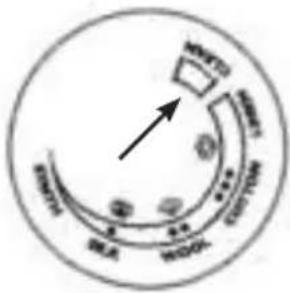
| Temperature setting | Rotary selector with positions for synthetic/silk (●), wool (●●), cotton/linen (●●●), max |
| Ironing functions | Dry ironing, continuous steam (via button on handle), steam jet (via button at top of handle) |
| Automatic shut-off | Yes, after 10 minutes of inactivity (standby then shutdown) |
| Self-cleaning function | Yes, with indicator light showing descaling need |
| Safety | Thermal insulation pads, automatic shut-off, overheat protection |
| Recommended water type | Tap water or a 50/50 mix of tap water and demineralized water (if water is hard). Do not use softened or pure demineralized water. |
| Soleplate | Ironing soleplate (material not specified) |
| Cleaning and maintenance | Clean the soleplate with a damp cloth or non-abrasive detergent; upper part with a soft damp cloth; pads with a dry cloth |
| Warranty | 2 years (accessories 6 months) |
| Weight | Approximately 3.5 kg (estimate) |
| Dimensions (L x W x H) | Approximately 35 x 25 x 30 cm (estimate) |
Frequently Asked Questions - DO7111S DOMO
User questions about DO7111S DOMO
0 question about this device. Answer the ones you know or ask your own.
Ask a new question about this device
Download the instructions for your Iron press in PDF format for free! Find your manual DO7111S - DOMO and take your electronic device back in hand. On this page are published all the documents necessary for the use of your device. DO7111S by DOMO.
USER MANUAL DO7111S DOMO
natural_image
Close-up of a steam iron with a glossy, reflective body and head cover (no visible text or symbols)DO7111S
| Handleiding Strijkijzer met stoomgenerator |
| Mode d'emploi Fer à repasser avec centrale vapeur |
| Gebrauchsanleitung Bügeleisen mit dampfgenerator |
| Instruction booklet Iron with steam generator |
| Manual de instrucciones Plancha con Generador de vapor |
| Istruzioni per l'uso Ferro da stiro con caldaia a vapore |
| Návod k použití Žehlička s parním generátorem |
| Návod na použitie Žehlička s parným generátorom |
natural_image
Two symbolic icons: a warning triangle with an exclamation mark and an open book (no text or labels)MILIEURICHTLIJNEN
natural_image
Recycling symbol with three chasing arrows forming a triangle (no text or labels)AVANT LA PREMIÈRE UTILISATION
REPASSAGE À LA VAPEUR
natural_image
Recycling symbol icon with three chasing arrows forming a triangle (no text or labels)MIT DAMPF BÜGELN
ENTSORGEN
natural_image
Recycling symbol icon with three chasing arrows forming a triangle (no text or labels)All of our products are always submitted to a strict quality control before they are sold to you.
Should you nevertheless experience problems with your device, we sincerely regret this. In that case, we kindly request you to contact our customer service.
Our staff will gladly assist you.

+32 14 21 71 91

info@linea2000.be
Monday – Thursday: 8.30 – 12.00 and 13.00 – 17.00
Friday: 8.30 - 12.00 and 13.00 - 16.30
This appliance has a two year warranty period. During this period the manufacturer is responsible for any failures that are the direct result of construction failure. When these failures occur the appliance will be repaired or replaced if necessary. The warranty will not be valid when the damage to the appliance is caused by wrong use, not following the instructions or repairs executed by a third party. The guarantee is issued with the original till receipt. All parts, which are subject to wear, are excluded from the warranty. If your device breaks down within the 2-year warranty period, you can return the device together with your receipt to the shop where you purchased it.
The guarantee on accessories and components that are liable to wear-and-tear is only 6 months.
The guarantee and responsibility of the supplier and manufacturer lapse automatically in the following cases:
- If the instructions in this manual have not been followed.
· In case of incorrect connection, e.g., electrical voltage that is too high.
· In case of incorrect, rough or abnormal use.
· In case of insufficient or incorrect maintenance.
· In case of repairs or alterations to the device by the consumer or non-authorised third parties. - If the customer used parts or accessories that are not recommended or provided by the supplier / manufacturer.
SAFETY INSTRUCTIONS
When using electrical appliances, basic safety precautions should always be taken, including the following:
- Read all instructions carefully. Keep this manual for future reference.
- Make sure all packaging materials and promotional stickers have been removed before using the appliance for the first time. Make sure children cannot play with the packaging materials.
· This appliance is intended to be used in household and similar applications such as:
- staff kitchen areas in shops, offices and other working environments;
- farm houses;
· by clients in hotels, motels and other residential type environments; - bed and breakfast type environments.
· Children should be supervised to ensure that they do not play with the appliance.
· This appliance can be used by children aged from 16 years and above and persons with reduced physical, sensory or mental capabilities or lack of experience and knowledge if they have been given
supervision or instruction concerning use of the appliance in a safe way and understand the hazards involved. Children shall not play with the appliance. Cleaning and user maintenance shall not be made by children unless they are older than 16 and supervised.
- Keep the appliance and its cord out of reach of children younger than 16 years.
- The appliance must be disconnected from its power source when not in use, during service and when replacing parts. Allow to cool before putting on or taking off parts, and before cleaning the appliance.
- If the supply cord is damaged, it must be replaced by the manufacturer, its service agent or similarly qualified persons in order to avoid a hazard.
- CAUTION: In order to avoid a hazard this appliance must not be supplied through an external switching device, such as a timer, or connected to a circuit that is regularly switched on and off by the utility.
-
The iron must not be left unattended while it is connected to the supply mains.
-
The filling aperture must not be opened during use. Follow the instructions of this booklet for safe refilling.
The iron must be used and rested on a flat, stable surface and resistant to heat and hot steam. - The iron is not to be used if it has been dropped, if there are visible signs of damage or if it is leaking. Do not operate this appliance with a damaged cord or plug or in the event the appliance malfunctions or has been damaged in any manner. Return the appliance to the DOMO Service Department or its service agent for examination, repair, or electrical or mechanical adjustment. Do not try to repair the appliance yourself.
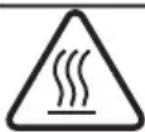
The surface(s) marked with this symbol are liable to get hot during use. It is advised not to touch the surfaces of the appliance other than the handles to avoid burns.
- Do not use or store this appliance outdoors.
- Do not move the iron while in use or when still hot. Allow to cool before moving the iron or before maintenance.
- Do not use this appliance for other than intended use.
- Do not fill the water reservoir with any other liquid than water.
- Do not use the steam function of the iron without water in the reservoir. This might cause damage to the iron.
- Check carefully that the voltage and frequency of the power net match the indications on the rating label of the appliance.
- The plug must be plugged into an appropriate outlet that is installed and grounded in accordance with all local standards and requirements.
- Only use the utensils delivered with the appliance.
• To protect against electrical shock or burns, do not immerse unit, cord, or plug in water or other liquid.
· Do not operate the appliance with wet hands.
- Unwrap the cord completely to prevent overheating of the cord.
- Do not let the power supply cord touch hot surfaces.
- Only fill the water reservoir with no other liquid than water.
- Make sure the appliance is correctly assembled, then plug the cord in the wall outlet. To disconnect, turn controls to "OFF" or "o" position, then remove the plug from the wall. Never pull the cord or appliance to remove the plug from the socket.
- Make sure the appliance has cooled down before opening the boiler for cleaning. Make sure the bolt of the boiler is correctly and well fixed onto the appliance after maintenance.
- Failure to maintain this appliance in a clean condition could adversely affect the life of the appliance and possibly result in a hazardous situation.
- Any injury or damage caused by failure to comply with these rules are at your own risk. Neither the manufacturer, importer, or the supplier may be held liable.
SAVE THESE INSTRUCTIONS FOR FUTURE REFERENCE
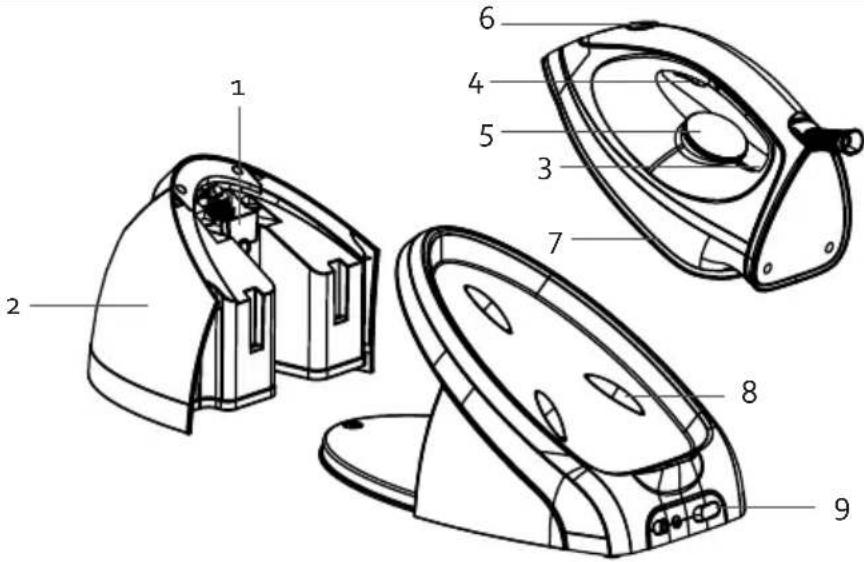
PARTS
- Filling opening
- Water tank
- Temperature indication light
- Steam release button
- Temperature dial
- Steam button with self-cleaning function and indicator light
- Soleplate
- Thermal insulation pads
- On/off button
BEFORE THE FIRST USE
- Remove any stickers or protective foil from the soleplate.
- Heat up the iron until the maximum temperature and iron on a damp cloth during a couple of minutes to remove any possible residues from the soleplate.
CAUTION:
- Appliances are tested following production. It is thus perfectly normal if droplets of condensation have formed in the water tank.
- During the first use it is normal that a specific odeur escapes from the appliance. This odeur will disappear after a while.
- Some particles may come out of the soleplate during the first use. This is normal. The particles are harmless and will disappear after a while.
- When turning on the appliance, the steam generator may produce a pumping sound. This is normal. This sound indicates that water is pumped into the steam generator.
- While the soleplate is heating up, some steam will be released automatically. This is also normal and will last for about 3 seconds.
USE
This steam generator offers 2 options: dry ironing or steam ironing. Follow the instructions below. Also carefully read the ironing tips at the end of this section before using the appliance.
DRY IRONING
- Place the iron on the thermal insulation pads of the steam generator.
- Put the plug into the outlet and press the on/off button. The temperature indicator light will start flashing.
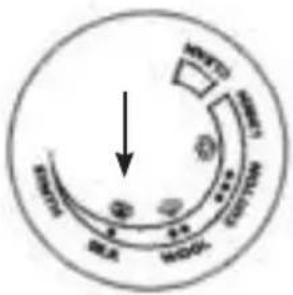
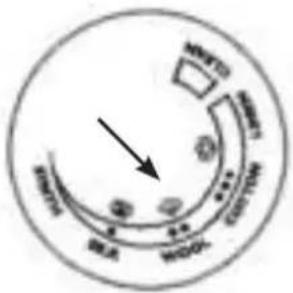
- Select the desired temperature with the temperature dial, according to the kind of fabric that needs to be ironed. The temperature indication light will start flashing and the iron will start warming up.
- When the temperature indication light stays on, the selected temperature has been reached. You can now start ironing.
Caution: Never touch the hot soleplate!
STEAM IRONING
Caution: do not plug in the appliance yet at this point.
- Fill the water tank with water. Make sure that you do not exceed the maximum level (1,5 L). Use only mains water or 50 % mains water and 50 % de-mineralised water if you have hard water.
-
Replace the water reservoir in the appliance. You will hear a click when the reservoir is correctly positioned in the appliance. If the reservoir is not correctly positioned in the appliance, it will not work.
-
Place the iron on the thermal insulation cushions. Put the plug into the outlet and press the on/off button. Set the temperature dial to the desired temperature, according to the kind of fabric. The temperature indicator light will start flashing.
-
When the temperature indication light stays on, the appliance has reached the right temperature.
-
To iron with steam, press the steam button on the inside of the iron's handle. A continuous flow of steam will come out of the sole. When you release the button, you will iron dry, without steam.
-
Use a steam boost to get rid of stubborn wrinkles. To do so, press the steam button at the top of the iron's handle.
Please note:
· Do not touch the hot sole of the iron!
· Never aim steam at people!
- After ironing, place the iron on the thermal insulation pads. Press the power button and the appliance will turn off. The temperature indicator light will now go out. Pull the plug out of the socket. Allow the appliance to cool down completely.
If you do not use the appliance for 10 minutes, the temperature indicator light will flash. If you press a button within those 10 minutes, the iron will stay at the right temperature. Otherwise, the appliance will switch to sleep mode. If you still haven't made any adjustments after 10 minutes in sleep mode, the appliance will automatically turn itself off. This is a safety feature in case you forget to turn off the iron. You can switch the appliance back on using the on/off button.
IRONING TABLE
Use the dial to select the correct temperature for the correct material.
| Symbol Fabric Temperature dial | ||
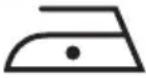 | synthetic fabric/silk | 70<T<120°C ● |
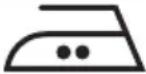 | wool | 100<T<160°C ●● |
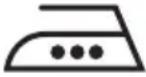 | cotton linnen | 140<T<210°C ●●● 170<T<225°C MAX |
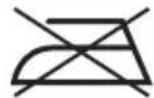
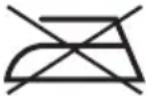 | This symbol means that the article can not be ironed! | |
IRONING TIPS
- Always check first if there is a label on the garment with instructions for ironing. If this is the case, then always follow these instructions.
- The iron heats up faster than it cools down. Therefore, always iron the garments that require the lowest temperature first, like synthetic fabrics.
-
If a fabric contains several types of fibres, always choose the lowest temperature to iron the combination of these fibres.
-
Silk and other shiny fabrics should be ironed inside-out.
- Velvet and other fabrics that easily become shiny should be ironing with slight pressure, in one direction. Always keep the iron moving.
- Never iron over zippers or other metal objects in a garment. This can damage the soleplate. Always iron around such objects.
Caution: if you iron woollen fabrics, the fabric may become shiny. That is why you should turn the garment inside-out for ironing.
CLEANING AND MAINTENANCE
- Unplug the appliance and let it cool down before cleaning it.
Wipe residues from the soleplate with a damp cloth or with a non-abrasive (liquid) cleaner.
Caution: Do not use any chemical, steel, wooden or abrasive cleaners to scrape the soleplate.
- Clean the upper part of the iron with a soft, damp cloth.
· Wipe the water drops on the steam generator and the thermal insulation pads with a dry cloth. - When not using the steam generator for a long time, pour out the water from the water tank and place the iron on the thermal insulation pads to store the appliance.
CAUTION: Only use tap water (or 50% tap water and 50% demineralized water in case of hard water) in your steam generator. Careful: De-scaled or de-mineralised water must never be used on its own, but must be combined with tap water. In case of use of a "softener" and/or perfumed water, brown stains could emerge, which would cause damage to the steam chamber.
SELF-CLEANING FUNCTION
After a few hours of ironing, the self-cleaning function's indicator light will start flashing. This means you need to clean the iron.
-
Hold the iron above a sink or place it on an oven rack in the sink. Attention: you may not leave the iron on the base.
-
Turn the temperature dial to 'CLEAN'. Hold down the Steam Jet and Steam Buttons simultaneously for a few seconds to start cleaning. The temperature indicator light will flash during the descaling process.
-
The pump will allow water to flow through the iron, cleaning it itself. This will take about one minute.
-
If the appliance has been cleaned sufficiently, the appliance will turn of automatically.
ENVIRONMENTAL GUIDELINES
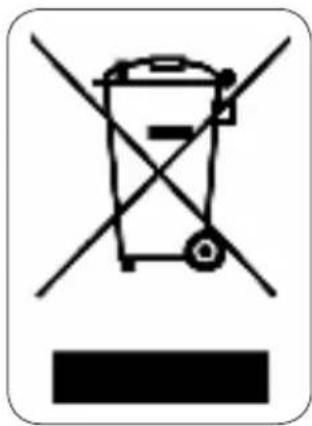
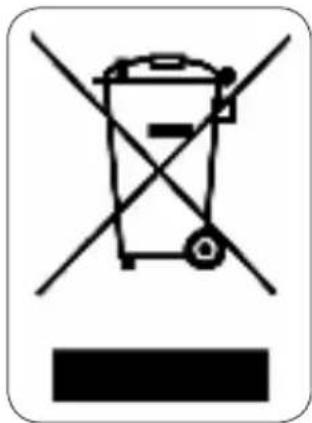
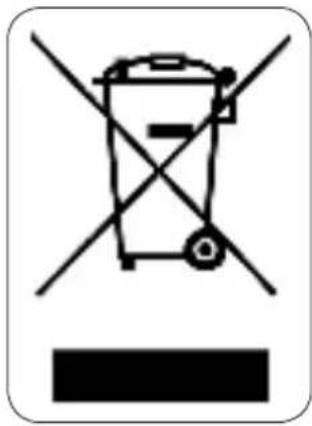
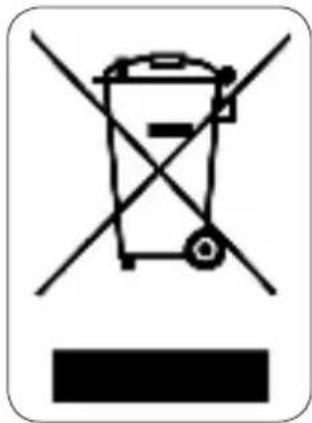
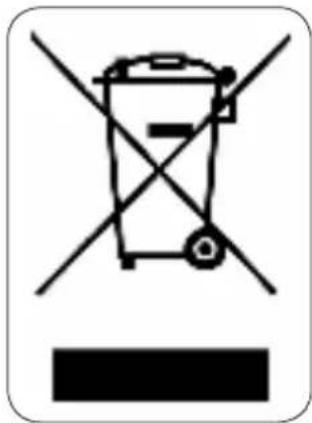
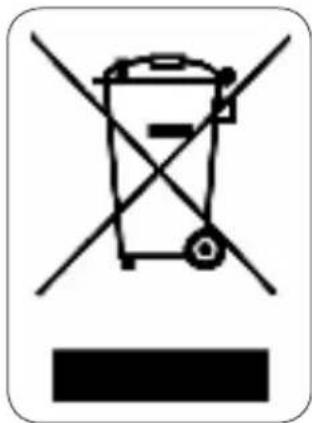
This symbol on the product or on its packaging indicates that this product may not be treated as household waste. Instead it must be brought to the applicable collection point for recycling of electrical and electronic equipment. By ensuring this product is disposed of correctly, you will help prevent potential negative consequences for the environment and human health, which could otherwise be caused by inappropriate waste handling of this product. For more detailed information about recycling of this product, please contact your local city office, your household waste disposal service or the shop where you purchased the product.
natural_image
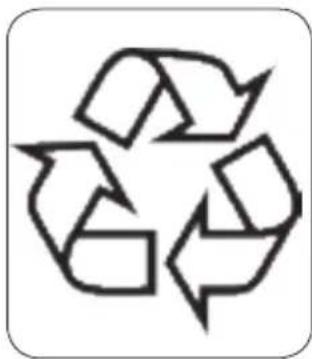
Recycling symbol with three chasing arrows forming a triangle (no text or labels)The packaging is recyclable. Please treat the packaging ecologically.
GARANTIA
PLANCHADO A VAPOR
natural_image
Recycling symbol with three chasing arrows forming a triangle (no text or labels)PRIMA DELL'USO
MISURE AMBIENTALI
natural_image
Recycling symbol with three chasing arrows forming a triangle (no text or labels)PŘED PRVNÍM POUŽITÍM
OHLED NA ŽÍVOTNÍ PROSTŘEDÍ
natural_image
Recycling symbol with three chasing arrows forming a triangle (no text or labels)PRED PRVÝM POUŽITÍM
OHŁAD NA ŽIVOTNÉ PROSTREDIE
natural_image
Recycling symbol with three chasing arrows forming a triangle (no text or labels)natural_image
Four-panel image showing different food items: milk bottles, sliced food pieces, a glass mug with black handle, and a bowl of dark liquid (no text or symbols visible)of scan hier:
ou scannez ici:
oder hier scannen:
or scan here:

- MILIEURICHTLIJNEN
- AVANT LA PREMIÈRE UTILISATION
- REPASSAGE À LA VAPEUR
- MIT DAMPF BÜGELN
- ENTSORGEN
- SAFETY INSTRUCTIONS
- PARTS
- BEFORE THE FIRST USE
- CAUTION:
- USE
- DRY IRONING
- STEAM IRONING
- IRONING TABLE
- IRONING TIPS
- CLEANING AND MAINTENANCE
- SELF-CLEANING FUNCTION
- ENVIRONMENTAL GUIDELINES
- GARANTIA
- PLANCHADO A VAPOR
- PRIMA DELL'USO
- MISURE AMBIENTALI
- PŘED PRVNÍM POUŽITÍM
- OHLED NA ŽÍVOTNÍ PROSTŘEDÍ
- PRED PRVÝM POUŽITÍM
- OHŁAD NA ŽIVOTNÉ PROSTREDIE
Brand : DOMO
Model : DO7111S
Category : Iron press