DKS-3002 - Uncategorized Yamato - Free user manual and instructions
Find the device manual for free DKS-3002 Yamato in PDF.


| Product Type | Digital Kitchen Scale |
| Brand | Yamato |
| Model | DKS-3002 |
| Dimensions (L x W x H) | 20 cm x 15 cm x 2 cm |
| Weight | 300 g |
| Power Supply | 2 x AAA batteries (1.5V) |
| Display | LCD, 4-digit, backlit |
| Measurement Range | 1 g to 5000 g |
| Accuracy | ±1 g |
| Units | g, kg, lb, oz, ml (water) |
| Functions | Tare, Auto-Off, Overload Indicator, Low Battery Indicator |
| Platform Material | Tempered Glass |
| Housing Material | ABS Plastic |
| Cleaning | Wipe with damp cloth, do not immerse |
| Safety Features | Overload protection, Auto power-off after 2 minutes |
| Spare Parts / Repairability | Battery compartment accessible; scale not user-serviceable internally |
| General Information | Designed for household kitchen use. Do not use for commercial purposes. |
Frequently Asked Questions - DKS-3002 Yamato
User questions about DKS-3002 Yamato
0 question about this device. Answer the ones you know or ask your own.
Ask a new question about this device
Download the instructions for your Uncategorized in PDF format for free! Find your manual DKS-3002 - Yamato and take your electronic device back in hand. On this page are published all the documents necessary for the use of your device. DKS-3002 by Yamato.
USER MANUAL DKS-3002 Yamato
Operation ManualDKS:-
DIGITAL SCALES

Yamato
www.YamatoCorp.com
YAMATO CORPORATION
1775 S. Murray Blvd.
Colorado Springs, CO 80915 USA
Tel(719)591-1500 Fax(719)591-1045
YAMATO TECH CORPORATION
112-19425 Langley By-Pass
Surrey, B.C. V3S 6K1 Canada
Tel(604)533-2338 Fax(604)533-0827
YCO-1039-02-02
INSTRUCTIONS FOR USE
POWER
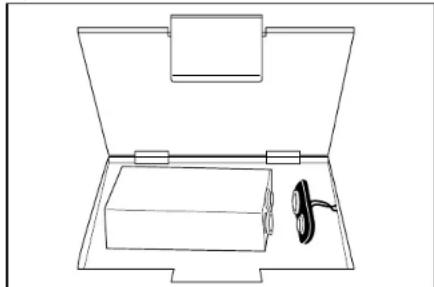
The DKS-3002 can be powered by a 9 volt alkaline transistor battery or by an optional AC adaptor. Plug the AC adaptor into a wall outlet and insert the plug into the jack in the back of the scale, or remove the cover on the underside of the scale and push the connector firmly onto the battery terminals. Replace the cover.
natural_image
Line drawing of an open toolbox with a pair of scissors placed inside (no text or symbols)TO SWITCH ON
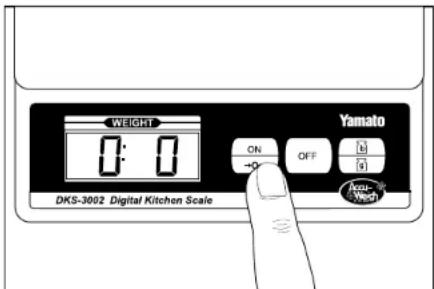
Place the scale on a flat, stable surface. Press the ON/ZERO key once (quite firmly) in the center. The display will show "8888" and then "0.0".
DKS-3002
Operation ManualDKS-
CLEANING AND CARE
- If the scale is not being used for a long period of time, remove the battery. Remove dead batteries immediately.
- Clean the scale with a damp cloth, do not immerse the scale in water, or use chemical or abrasive cleaning agents.
- All plastic parts should be cleaned immediately after contact with fats, spices, vinegar, or strongly flavored or colored foods. Avoid contact with acids such as citrus fruit juices.
- Avoid placing your scale directly next to a microwave oven if both will be used at the same time. Some microwave ovens emit interference which, at close range, can cause the display of the scale to fluctuate.
TECHNICAL SPECIFICATIONS
Power Supply:
One alkaline 9 V battery or an optional AC adaptor
Capacities and Divisions
0 lb to 4 lb x 0.1 oz
0 g to 1 kg x 1 g and 1 kg to 2 kg x 2 g
Accuracy:
To within +/- one increment or 1% of applied load
Maximum Tare:
15.9 oz or 999 g
Dimensions:
Scale - 6 5/8" x 5 7/8" x 1 1/2"
Platform - 4 3/4" x 5 7/8"
MINOR TROUBLE SHOOTING
- Is the scale level?
Make sure that all the feet are resting firmly on the supporting surface and that the surface is level.
- Is the scale turned on?
If the scale does not work at all, depress the ON/Zero key. Repeat once or twice. The scale will automatically turn off if not used for two minutes (thirty seconds with a zero reading) to preserve battery life.
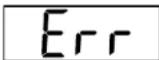
- "Err" indication?
When the weight of the scale platform exceeds 105% of the capacity of the scale, "Err" will appear on the digital display, Reduce the load.
-
Is movement of the scale platform restricted in any way? Make sure that no foreign objects are wedged between the platform and the scale body. Verify that the platform is no rubbing against any surrounding objects.
-
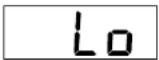
"Lo" indication?
Remove the battery cover and install a new 9 volt alkaline battery.
If these actions fail to correct the problem, the scale needs to be serviced by a qualified technician.
DKS-3002
Operation ManualDKS-
INSTRUCTIONS FOR USE
TO SELECT WEIGHT UNITS
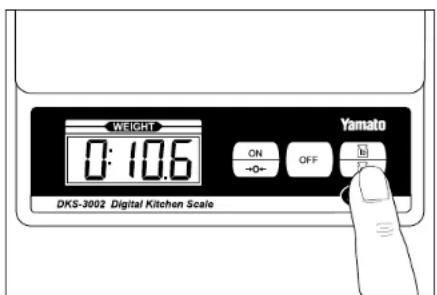
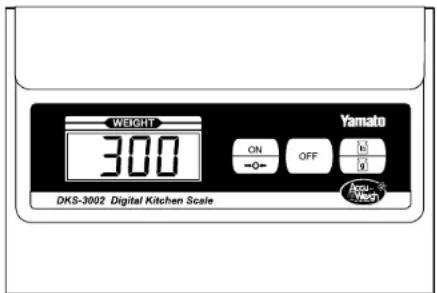
Press the LB/G key to convert between kg-g and lb-oz units. This can be done at any time during weighing.

INSTRUCTIONS FOR USE
USING A BOWL
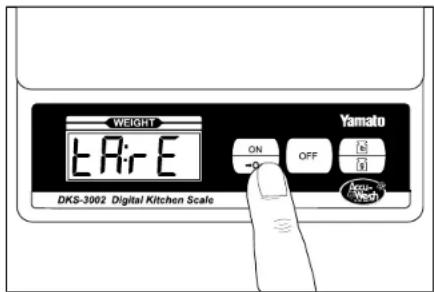
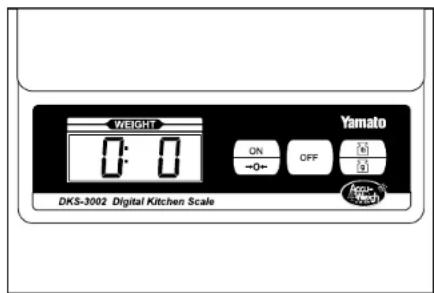
This scale may be used with any bowl or container, but the combined weight of the bowl and the substance being weighed must not exceed the full capacity, 4 lb or 2 kg, of the scale. Place the bowl on the platform then press the ON/ZERO key. The scale will display "0.0" or "0", and be ready to weigh.

DKS-3002
Operation ManualDKS-
INSTRUCTIONS FOR USE
MINUS READINGS
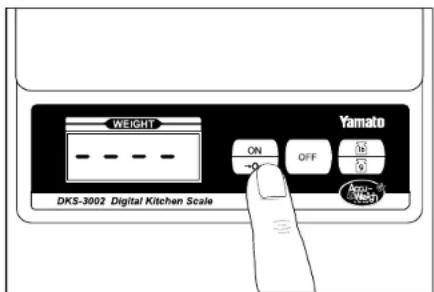
"----" indicates a minus reading of less than 1 lb or 999 g. For example, if the scale is set to zero with a bowl on the platform that wieghs 1 lb 4.0 oz and then the bowl is removed, the display will show "----". To reset to zero, either place the bowl back on the scale or press the ON/ZERO key.
TO SWITCH OFF
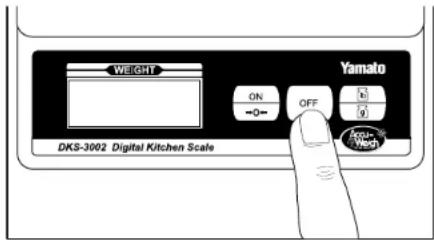
Press the OFF button once to switch off. Switching your scale off immediately after use will increase the battery life. An automatic off will operate after the display has been showing zero continuously for 30 seconds, or after a stable weight reading has been displayed continuously for two minutes.
Brand : Yamato
Model : DKS-3002
Category : Uncategorized