DP-6700 - Uncategorized Yamato - Free user manual and instructions
Find the device manual for free DP-6700 Yamato in PDF.


| Product Type | Digital Platform Scale |
| Model | DP-6700 |
| Brand | Yamato |
| Weighing System | Strain-gauge load cell |
| Platform Dimensions | 500 mm x 350 mm (standard); 350 mm x 350 mm (table top) |
| Overall Dimensions (Standard) | 350 W x 605 D x 795-802 H mm |
| Overall Dimensions (Table Top) | 350 W x 605 D x 556-664 H mm |
| Weight | Approx. 13 kg (including batteries) |
| Capacity Options | 30 kg x 0.01 kg, 60 kg x 0.02 kg, 150 kg x 0.05 kg (also available in lb/oz) |
| Maximum Tare | Up to capacity |
| Display | 7-segment LCD, 5 digits (23.5 x 45.0 mm), 3-color LED judgment lamp |
| Power Supply | 6 VDC (4 D-size batteries) or optional AC adaptor |
| Power Consumption | Max 0.12 W (battery); up to 12 W (AC adaptor) |
| Auto-off Timer | Programmable: off, 5, 10, 15, 30, or 60 minutes of inactivity (battery only) |
| Waterproof Rating | IP65 (protection against water jets) |
| Material | Stainless steel SUS304 (upper housing and pan) |
| Operating Temperature | -10 °C to +40 °C |
| Operating Humidity | 30% to 85% RH (non-condensing) |
| Functions | Tare (net weighing), unit toggle (kg/lb/oz), fixed weighing (packing), check weighing (over/under), grading (up to 15 ranks), counting, addition (total) |
| Additional Features | Operator lock-out, communication methods (Bluetooth, RS232C, USB, etc.), audible grading |
| Accessories Included | Operation manual, AC adaptor (optional), battery lid for AC adaptor |
| Cleaning and Maintenance | Wipe with soft cloth; use neutral detergent or alcohol (max 80%) for disinfection; do not submerge |
| Safety Precautions | Do not use on unstable surfaces; do not disassemble; avoid liquids and sharp objects; use specified batteries only |
Frequently Asked Questions - DP-6700 Yamato
User questions about DP-6700 Yamato
0 question about this device. Answer the ones you know or ask your own.
Ask a new question about this device
Download the instructions for your Uncategorized in PDF format for free! Find your manual DP-6700 - Yamato and take your electronic device back in hand. On this page are published all the documents necessary for the use of your device. DP-6700 by Yamato.
USER MANUAL DP-6700 Yamato
DP-6700 Operation Manual
Digital Platform Scale
(US Version)
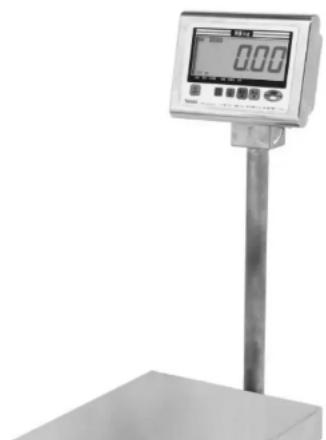
DP-6700 Operation Manual
Preface
Thank you for having purchased the DP-6700.
This innovative scale is useful in a wide range of commercial activities at factories and general stores as well as in the fishery, grocery and agricultural industries.
This scale features many functions.
Please read carefully this Operation Manual and take advantage of the descriptions in it to use Yamato's DP-6700 in the optimum condition for the longest life.
DP-6700 Operation Manual
Table of Contents
| Safety Precautions | 1 |
| Instructions and Directions for Use | 3 |
| Functions | 5 |
| Prodcut Package 6 | |
| Name of Parts 6 | |
| To Keep the Scale Working Efficiently | 7 |
| Installation 8 | |
| Display and Keyboard 11 | |
| Changing Units 12 | |
| Basic Operation 12 | |
| Net Weighing (Tare Operation) 13 | |
| User Parameter 14 | |
| How to Change User Parameter 17 | |
| Addition 18 |
DP-6700 Operation Manual
Safety Precautions
Read carefully SAFETY PRECAUTIONS before use, and follow all the instructions.
SAFETY PRECAUTIONS are designed for protecting users, other people and assets from physical and financial damages by your safety practices.
This OPERATION MANUAL should be kept for the entrie service life of the product. The hazardous levels and descriptions are defined as follows:

Danger
: Denotes where mishandling without compliance with this sign has a potential risk of suffering death or serious injury.

Warning
: Denotes where mishandling without compliance with this sign has a potential risk of suffering injury or damage on the property.

Caution
: Denotes a potential risk that may result in injury or damage on the equipment if operated without compliance with this sign.

Inhibition
: Denotes what is inhibited

Compulsion : Indicates an action that must always be performed.
NOTE: Prior to use, read carefully the following descriptions of Danger, Warning and Caution to understand and comply with them.
Safety Precautions

anger

To avoid Electrical Shock
DP-6700 Operation Manual
Safety Precautions

Varning

o not Use on Unstable Surface:
An inclined equipment may fall down and cause an unexpected accident. When the equipment is used on a table, special care is required for securing the safe operation.

Do not Hold the Platform Cover when Carrying. The cover may detach from the body and the main body may fall off and injurie the foot.

o Not Put Fingers into Openings or Holes of Scale:
This may cause you to be injured or the equipment to be damaged.

o Not Touch Liquid from Damaged Display with the Mouth
The liquid is toxic. Special care is required to avoid any accidental contact with the mouth.

o Not Use Batteries Other than Specified:
Broken batteries of leakage may result in fire, injury or taint damage.

- Not Heat Batteries or Put in Fire or Water:
Other wise, batteries may burst.

et Batteries Correctly as Instructed for Polarity:
Otherwise, batteries may leak or burst.

o Not Lick Batteries or Put in the Mouth:
DP-6700 Operation Manual
Instructions and Directions for Use
Causes of Malfunction
- Do not press the display and keys with the tip of the fingernail or anything sharp.
- Make sure to hold the equipment from the bottom with both hands when it is carried or moved.
- Do not apply excessive shock or vibration.
- Do not drop anything or jump on the equipment. It should be also avoided to drop down the equipment. If you drop the scale or have a strong impact on it, turn the power off immediately.
(Disconnect the plug from the outlet if operating with AC adaptor.) if you operate continuously the scale as it is, it may cause fire, electrical shock or scale's malfunction. Contact the nearest sales and service representative. - Do not apply thinner, benzene or alcohol for wiping.
- No disassemble or remodel is allowed. The inner components may injure your hands and other parts
- Do not give water directly without the platform cover.
Causes of failure in weighing
- Avoid using the equipment in any place close to fire and steam, or under direct sunlight and wind blow from the air conditioner.
-
The equipment should not be located close to the equipment that generates vibration, excessive impact or strong electromagnetic waves. (microwave oven, cellular phone, etc.)
-
Use the equipment on a horizontal and stable table or floor that is robust enough to support the load
-
Use the equipment at the specified operation environment (working temperature: -10C and +40C, 30% RH to 85% RH) and avoid the following cases, where condensation is liable to generate.
1) Long operation or storage in humid environment
2) Rapid temperature change even under less humid condition
3) Operation under such environment as chill from refrigerator, steam or vapor
- Do not spray alcohol chlorine or other chemicals directly on the load cell.
Drv batteries
DP-6700 Operation Manual
Instructions and Directions for Use
- This is an electronic precision equipment. Do not store it in the place where vibration and/or shock can be expected.
Disposal
- When the equipment is disposed of:
The equipment must be disposed of as an industrial waste (nonflammable waste). Make sure to observe the local regulations when disposing.
- When used batteries are disposed of:
Cover the electric poles with scotch tape before disposing (to avoid hazardous short circuit). Make sure to observe the local regulations when disposing.
Daily Checkup at Start Time
Prior to operation, conduct a daily checkup and weight test to secure the correct measurement that is required by the Weights and Measures Law.
Others
-
The contents of this operation manual are subject to change without notice.
-
The configurations and specifications of the equipment are subject to change with out notice. Please note that some descriptions on the manual may be different from the configurations and specifications of the devices and parts, due to the change of the optional devices and parts connected to the scale.
-
Please contact our local dealer when there are any suggestions about the contents of this manual
-
All images preinstalled in the scale are protected by copyright. Even if by any chance you are entered the writer's claim for compensation, we cannot assume responsibility for the troubles.
DP-6700 Operation Manual
Functions
The DP-6700 has the following functions. Use these functions in accordance with your purpose.
| Function / Application How to use the function Page | ||
| Tare WeighingYou want to display the weight of items or an empty container as "0". | One-touch tare is available withkey. | 13 |
| Auto-off TimerYou want to shut down the scale automatically when operating by batteries. | The scale is set to shut down for 15 minutes after no use before shipment. The settings can be changed following instructions on "Parameter Setting" | 17 |
| Addition (Total) It is possible to add weighing resultwith Key operation or automatically.You can conform the total weight and the total number of times. | 18 | |
| Fixed Weighing (Packing)When packing items, you want to improve productivity cutting loss. | Max. 99 items data can be registered. Call up the desired data and the target weight is shown in minus at the initial stage. | 25-27 |
| Check Weighing (over/under)You want to know in which ranges the weighing items lie such as under weight, acceptable weight and over weight for the target weight. | The upper and lower limit of max. 99 items can be registered. Call up the desired item and you can grasp the current weight is under weight, acceptable weight or over weight for the target weight intuitively with signal lamp. | 28-30 |
DP-6700 Operation Manual
Product Package
| Accessories | Main Body | Options |
| ● Operation Manual  |  | ● AC Adaptor  ● Battery lid for AC adaptor  |
Name of Parts
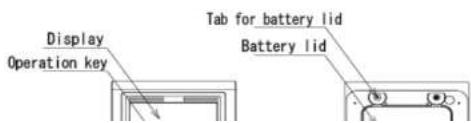
DP-6700 Operation Manual
To Keep The Scale Working Efficiently
- This waterproof digital scale is graded as IP65. IP65 is the grade of protection against a water jet directed at the enclosure from any direction and DP-6700 may work even in humid and messy circumstances. Never wash the whole scale submerging in water.
* IP Standards
They are a code indicating the level of waterproof and dustproof performance defined on the basis of JIS (Japanese Industrial Standards) C0920 and IEC (International Electrotechnical Commission) 529. They are widely applicable around the world. - When washing the whole scale, apply clean water and then wipe it with a dry clean cloth. Do not apply seawater, dirty water and water including impurity, all of which can be cause of trouble.
- If the scale becomes dirty, wipe it with a soft cloth. Do not use a scourer, scrub brush and so on.
- When washing the whole scale with a neutral detergent, apply a little neutral detergent to a sponge and wipe them. Make sure to rinse them in clean water and wupe it thoroughly with a dry cloth.
- When disinfecting the complete scale with alcohol, apply solution whose alcohol concentration is 80% or below. Rinse the plastic part and front mask in clean water.
- Do not loosen any screws. Do not disassemble or modify the scale. If you disassemble it by mistake, make sure to contact your dealer.
- Do not drop the scale or hit against something hard such as a table.
- Do not open the battery lid in an extremely dust, sandy, or messy environment. Any adhesive on the sealing packing may affect on the water-proof feature.
DP-6700 Operation Manual
Installation 1
How to assemble the scale

Inserting the pole into the pole bracket, extending a slack in the cable and taking care not to damage the cable.
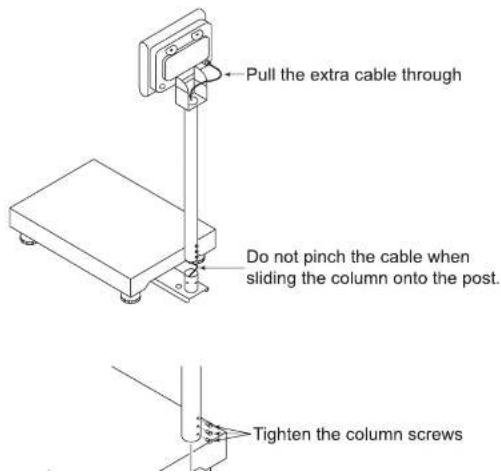
DP-6700 Operation Manual
Installation 2
How to set the batteries
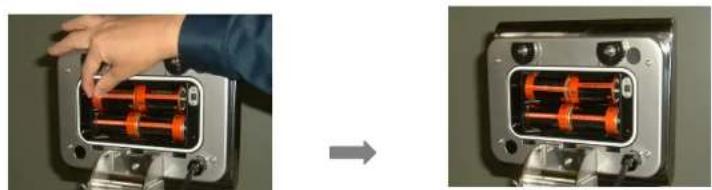
- Turn both tabs on the back of the indicator counter-clockwise (180 degrees) and remove the battery lid. When there is water drops around the back of the indicator, wipe the indicator down thoroughly with a dry cloth.
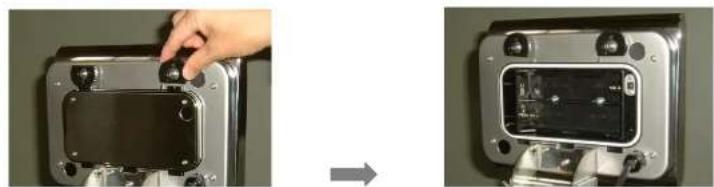
natural_image
Two-panel image showing a hand adjusting a device component, before and after assembly (no text or symbols visible)- Install 4 x UM-1 batteries in the battery box. Replace all 4 batteries with all new ones at once. Do not use alkaline batteries and manganes batteries in mixing.
natural_image
Two views of a mechanical device showing internal components before and after assembly (no text or symbols visible)DP-6700 Operation Manual
How to set the AC adaptor (optional)
Note: The waterproof is not effective when using the AC adaptor.
Use a deducted AC adaptor:
It would be cause of trouble if you apply a different one.
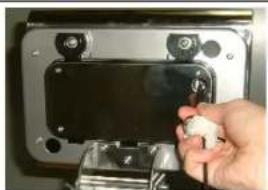
Insert firmly into the AC jack through a hole on the battery lid.
To avoid leakage problem, remove batteries when the scale is being operated by the AC adaptor.
natural_image
Hand placing a small white object into a metallic device housing (no visible text or symbols)Place the scale
Make sure that the scale is placed on a leveled surface, or a correct measurement cannot be attained. Make sure that the scale is not shaky, which also results in an incorrect measurement.
Do not place the scale on an inclined surface (if the inclination is beyond the adjustable range by the leveler.)
The bottom of the scale is equipped with 4 leveling legs with which the scale is adjusted to be on the level. Turn the leveling legs until the bubble locates at the center of the benchmark circle. It is recommended that the adjustment should be conducted on a flat surface. Make sure that all the 4 legs equally touch the floor.


DP-6700 Operation Manual
Display and Keyboard
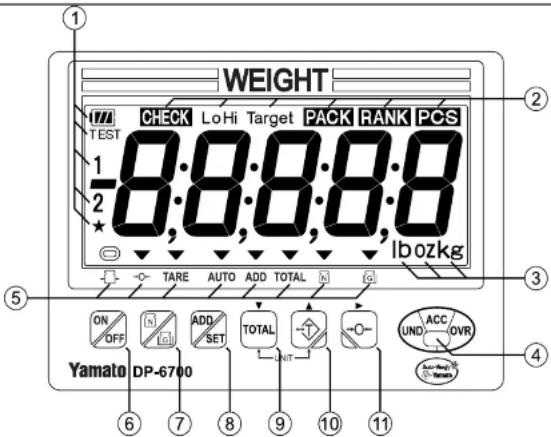
Judgment Lamp (Lights or is flickering at multi-function mode)
• Red: Light will flicker when the weight is lighter than the target weight
- Blue: Lights when the weight is in acceptable range
- Yellow: Light will flicker when the weight is heavier than the target weight
Grading mode:
Blue for Rank #1 (also for rank #8 & 15)
Light Blue for Rank #3 (also for rank #10)
Purple for Rank #5 (also for rank #12)
White for Rank #7 (also for rank #14)
Green for Rank #2 (also for rank #9)
Red for Rank # 4 (also for rank #11)
Yellow for Rank #6 (also for rank #13)
No light for "out of range"
DP-6700 Operation Manual
Changing Units
To switch between kilogram, pound, ounce and pound/ounce units; press the TOTAL and keys at the same time. (lb/oz unit is not legal-for-trade unit.)
Basic Operation
| Operation Display | ||
| 1 | Press to turn on the scale. The display shows zero after all the indicators blinks. | 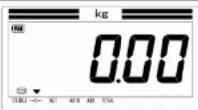 |
| 2 When zero does not appear since the zero point is not correctly recognized:Press zero appears on the display. | 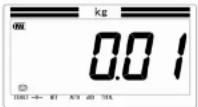 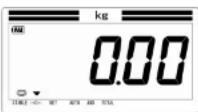 | |
| 3 Place the item(s) on the platform. The display shows the weight of the item. The stable indicator is lit when the weight becomes stable. | 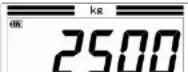 | |
DP-6700 Operation Manual
Netweighing (Tare Operation)
Net weighing displays the weight of an item without the weight of its container. The weight of the container is tared off. The total gross weight should never exceed the capacity of the scale. This can damage the load cell.
| Operation Display | ||
| 1 Place an empty container on the platform. The weight of the container (e.g. 2k) is shown on the display | 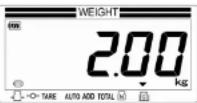 | |
| 2 | Press after the stable indicator is lit. The TARE and NET indicators are lit and the display shows zero. | 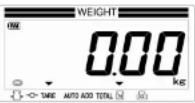 |
| 3 Start weighingPlace the item(s) in the container on the platform. The display shows the net weight of the item(e.g. 15kg).To display the gross weight, press the gross weight indicator will light up instead of net indicator, and the display weight will be the gross weight of the contrainer and the items. Press again to the net weight. | 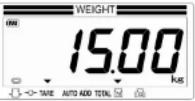 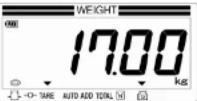 | |
| 4 Cancellation of tare |  | |
DP-6700 Operation Manual
User Parameter
The DP-6700 has 4 functions that can be used in accordance with the application. Set the user parameter to fit an external environment according to the user parameter list before using the scale.
| No. Item Value Function | ||
| 01 Function select 000: | 001:002:003:004: | Functions disabled.Packing enabled.Checkweighing enabledGrading enabled.Counting |
| 02 Number of Grading Ranks 000: | 000-015: | Suspend Functions006 (Default) |
| 03 Buzzer*Valid at packing & checkweighing | 000:001:002:003:004: | No Sound (Default)Beep at under weightBeep at acceptable weightBeep at over weightBeep at uner & over weight |
| 04 Judgment for Grading (LED) Judgment for Checkingweighing (Buzzer) #3 = 0 | 000:001: | Judgment even at instabilityJudgment even at stability only |
| 05 Auto-off timer*Only for Battery Operation | 000:001:002:003:004:005: | No Auto-off5 Minutes after no use10 Minutes after no use15 Minutes after no use(Default)30 Minutes after no use60 Minutes after no use |
| 07 Flicker of weight display 000: | 001:002:003:004:005: | No flicker (Default)Flicker at under weightFlicker at acceptable weightFlicker at over weightFlicker at under and over weightFlickers according to the parameter #03 settings |
08 Grading Method 200
Additive (Normal) grading
DP-6700 Operation Manual
User Parameter
| 13 Communication Method 000: | Bluetooth wireless communicationZBee wireless communicationRS232C OutputUSB MemoryBluetooth wireless printerAddition (No communication)(Default)Audible Grading | |
| 001: | ||
| 002: | ||
| 003: | ||
| 004: | ||
| 005: | ||
| 006: | ||
| 14 Communication Data 000: | Net weight once (Default)Net, tare and gross weight onceNet and tare weight once | |
| 001: | ||
| 002: | ||
| 15 Communication Speed*Valid at # 13 = 002 | 000: | 9600 bps (Default) |
| 001: | 2400 bps | |
| 002: | 4800 bps | |
| 003: | 9600 bps | |
| 004: | 19200 bps | |
| 005: | 38400 bps | |
| 16 Character Length*Valid at #13 = 002 | 000: | 8 Bits (Default)7 Bits |
| 001: | ||
| 17 Parity*Valid at #13 = 002 | 000: | No parity (Default)Odd parityEven parity |
| 001: | ||
| 002: | ||
| 18 Stop bit*Valid at #13 = 002 | 000: | 1 Bit2 Bits |
| 001: | ||
| 19 Print 000: | No designation (Default)Only total weight is printed | |
| 001: | ||
| 23 Send display during transfer 000: | 001-008: | No functionDisplaying "Send" for the designated time 001 (Default) |
| 24 Unit at power on*Valid at #41 = 002 | 000: | kg(g)lboz |
| 001: | ||
| 002: |
DP-6700 Operation Manual
User Parameter
| F2 TPS-503 Printing | 000:001:002:003: | InvalidPrint: Left-alignedPrint: CenteringPrint: ASCII Output | |
| F3 Access to multi-function configuration 000: | 001: | InvalidValid | |
Explanation of Each User Parameter
Parameter # 01: Function Select
The DP-6700 has fixed weighing function, Check weighing function, Grading function and Counting function. Choose the desired function for your purpose at parameter # 01.
Note) When changing the function, all setting values for the previous function will be cleared.
Parameter # 02: Number of Grading Ranks
At grading function, the restriction of number of grading rank can increase the registered items numbers. Set the value with the greatest number of ranks in your handling items. The relation between rank numbers and items numbers that can be registered at maximum is as follows.
Grading Function
| No. of Rank Max. Item No. No. of | Rank Max. Item No. No. of Rank Max. Item No. | |||
| 02 66 items | 07 24 items 12 | 15 items | ||
| 03 49 items | 08 22 items 13 | 14 items | ||
| 04 39 items | 09 19 items 14 | 13 items | ||
| 05 33 items | 10 18 items 15 | 12 items | ||
| 06 28 items | 11 | 16 items | ||
DP-6700 Operation Manual
How to change user parameter
1) How to change the setting of Auto-off Timer (Parameter No. 05)
e.g.) Change the setting value at Parameter No. 05 from 003 (15 min. after no use) to 005 (60 min. after no use)
| Operation Display | ||
| 1 | Press to turn on the scale. |  |
| 2 | While pressing press to enter the parameter setting mode. | 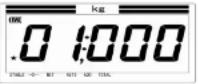 |
| 3 | Press to move the parameter No. from 01 to 05.Note) When passing by "05", keep pressing until looping back to "05". | 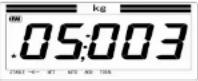 |
| 4 | Press to change the value to "005"Note) key: move the value forward (+1)key: move the value backward (-1) | 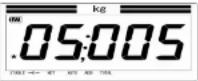 |
| 5 | Press to store the setting value. The display goes to the next parameter. | 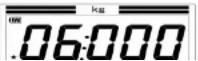 |
DP-6700 Operation Manual
Addition
Each weighing result can be accumulated and the total weight can be confirmed on the display. User parameter # 11 shall be set in advance.
| Operation Display | ||
| 1 | Press to turn on the scale. | 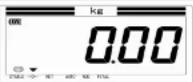 |
| 2 | While pressing, press to enter the parameter settings mode. | 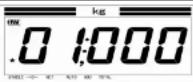 |
| 3 | Press to move the parameter No. from 01 to 11Note) When passing by "11", keep pressing until looping back to "11". | 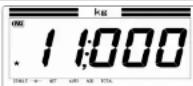 |
| 4 | Press to change the value to "003"Note) Key: move the value forward (+1)Key: move the value backward (-1)001 Automatic sending/addition at being stable002 Automatic sending/addition after removal003 Manual sending/addition by ADD key (Default)006 Sending/addition at being acceptable wieghtNote) 006 is valid only at fixed weighing or check | 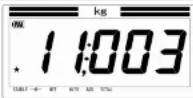 |
DP-6700 Operation Manual
Addition
Manual addition
| Operation Display | ||
| 1 Place an item on the platformThe weight (19kg in this case) is displayed. | 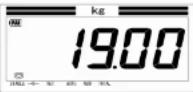 | |
| 2 | After the stable indicator is lit, press [IMAGE]The display shows "Send" message and then the ADD indicator is lit. | 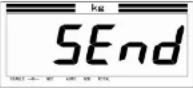 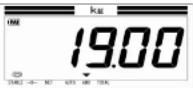 |
Automatic addition
| 1 | Auto indicator is lit in automatic addition mode.Place an item on the platform.The weight (19kg in this case) is displayed and the ADD indicator is lit. |
Change-over between manual and automatic addition
DP-6700 Operation Manual
Addition
Total weight
| Operation Display | ||
| 1 Confirm nothing on the platform | 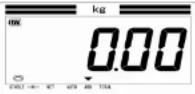 | |
| 2 | Hold down for a few seconds until the display changes. The lower five digits value with two decimals (456.78kg) us shown | 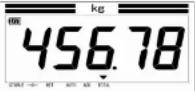 |
| 3 | Press again.The upper five digits value (123) is shown.As the result of 2. and 3. the total weight is 123456.78kg. | 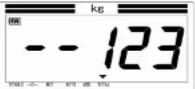 |
| 4 | Press agian.Then the cycles of weighing (670) is shown.In this case, 670 cycles of weighing makes up the total weight of 123456.78kg. | 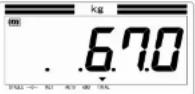 |
Initialization of total weight
| Operation Display | ||
| 1 Confirm nothing on the platform. Remove if any. | kg | |

DP-6700 Operation Manual
Multi-Function
The DP-6700 is equipped with unique functions that are useful for speeding up your work with the signal I light and buzzer. The unique functions are as follows.
Fixed weighing (Packing) function
| Application Packing | items to the large weight |
| How to weigh Store | the target weight of the items on the scale and display the target weight with a negative number. When the weight reaches the target, the display shows 0. |
| Features 1) Storing | the target weight avoids man-caused errors.2) Signal light (3 colors) boosts process yield. |
| Stored values 1) Target weight2) Allowable excess weight | |
| Registered item No. | Maximum 99 items |
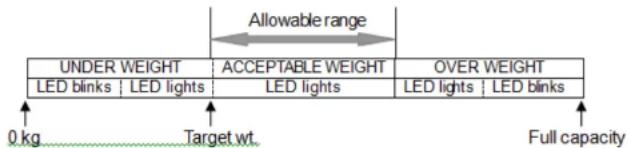
Checkweighing (Over/Under) Function
Application Checking the weight with 3 color LED
DP-6700 Operation Manual
Multi-Function
Grading Function
| Application Sorting | Items up to 15 ranks |
| How to weigh Store | the lower limit of each rank of the items on the scale and display the rank of the item based on the stored lower limits. |
| Features 1) Stating | the rank in figures instead of the weighing value avoids man-caused errors.2) Stating the rank in figures speeds up the sorting work |
| Stored values 1) The lower limit of each rank2) The upper limit of the upper rank | |
| Registered item No. | In case of sorting items to 2 ranks, max. 66 items are availableIn case of sorting items to 15 ranks, max. 12 items are available |
e.g.) Sorting the item to 2 ranks.

Counting Function
| Application Piece counting work | |
| How to count The average piece weight can be calculated from 10,20,50,100 or 200 samples |
DP-6700 Operation Manual
Function Selection
| Operation Display | ||
| 1 | While pressing, press to enter the user parameter setting mode.The judgment lamp becomes blue and the user parameter setting mode appears. | 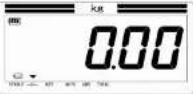 |
| 2 | Press to select the designated function and then press to store the setting.000: Suspends functions (default)001: Fixed weighing002: Check weighing003: Grading004: Counting | 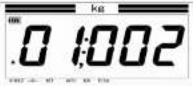 The parameter changes to # 02 when is pressed. The parameter changes to # 02 when is pressed. |
| 3 (Only when "003: Grading" is selected)Press times to move to the parameter # 08 and choose additive grading (000) or subtractive grading (001) with then press to store the setting. | 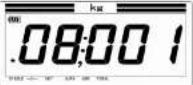 | |
| 4 | Press while to turn the power off | |
"Clear display"
| Operation Display |
DP-6700 Operation Manual
Operator's Lock-out
The operator's lock-out feature can prevent an operator from access to packing, check weighing, and grading configuration. The setting procedure is as below.
| Operation Display | ||
| 1 | While pressing, press to enter the user parameter setting mode.The judgment lamp becomes blue and the user parameter setting mode appears. | 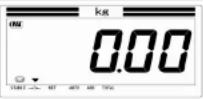 |
| 2 | Press move to the parameter # F3 and set "Operator's lock valid" to 001with Then press to store the setting.The operator cannot access to Packing, Check weighing and Grading configuration | 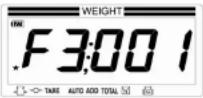 |
| 3 | Press while to turn the power off. |
DP-6700 Operation Manual
Fixed Weighing (Packing) Function
Pre-setting
| Operation Display | ||
| 1 | Pressto turn on the scale | 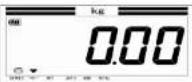 |
| 2 | While pressingto enter the user parameter setting mode | 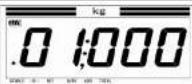 |
| 3 Set the value 001 (Fixed weighing function) by pressingorTOTAL | 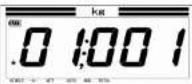 | |
| 4 | Press twice. The display goes to the parameter # 03 (Buzzer setting). If you would like to sound the beep at acceptable weight, enter "003" by pressing.000 No sound001 Beep at under weight002 Beep at over weight003 Beep at acceptable weight004 Beep at under & over weight | 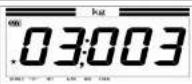 |
DP-6700 Operation Manual
Fixed Weighing (Packing) Function
Setup
Note) The registered data of each item can be stored even if the scale is turned off.
e.g) Set the target weight of the item No. 03 at 10kg and the allowable range at +1.5kg
| Operation Display | ||
| 1 | Pressto turn on the scale | 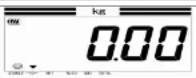 |
| 2 | Confirm platform is empty, and then pressbriefly.The display switches to the screen to choose the item No. | 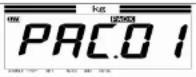 PACK blinks PACK blinks |
| 3 | Chose the item number by pressinge.g.) Item No. = 03 | 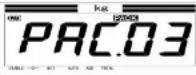 |
| 4 | After the item number setting, pressthe judgment lamp becomes blue and the target weight setting stage appears. | 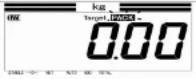 |
| 5 | Enter the target weight by pressingPressingChanges the digit.PressingChanges the value backwards (-1) | 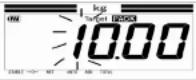 |
DP-6700 Operation Manual
Fixed Weighing (Packing) Function
Operation
e.g) Recall the Item No. 3 (the target weight = 10kg, the allowable range = 1.5kg)
| Operation Display | ||
| 1 | Press turn on the scale. | 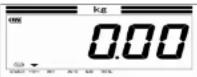 |
| 2 | Press briefly to recall the stored function.PACKblinks. | 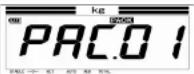 |
| 3 | Chose the item number by pressing e.g.) Items No. = 3 | 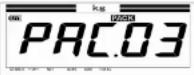 |
| 4 | Press to start the fixed weighing.e.g.) Target weight = 10kg, the allowable range = 1.5kg | 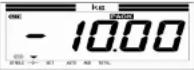 |
| 5 Place the container if necessary.Press The weight of container is deducted and the NET indicator is lit. | 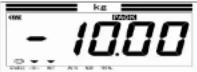 | |
| 6 Place the item on the platform. The display shows the weight to the target weight as a negative number. The red judgment lamp lights up or blinks when the weight is | 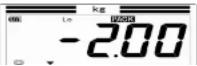 | |
DP-6700 Operation Manual
Checkweighing Function
Pre-setting
| Operation Display | ||
| 1 | Press turn on the scale | 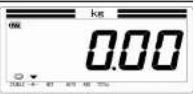 |
| 2 | While pressing press to enter the user parameter setting mode. | 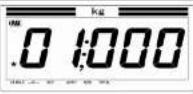 |
| 3 | Set the desired value 002 by pressing TOTAL | 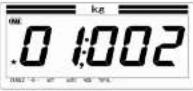 |
| 4 | Press twice. The display goes to the parameter # 03 (Buzzer setting). If you would like to sound the beep at acceptable weight, enter "003" by pressing TOTAL000 No sound001 Beep at under weight002 Beep at over weight003 Beep at acceptable weight004 Beep at under & over weight | 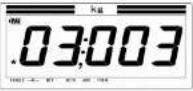 |
DP-6700 Operation Manual
Checkweighing Function
Setup
Note) The registered data of each item are stored even if the scale is turned off.
e.g.) Set the acceptable weight of the Item No. 02 at 10kg to 11kg
| Operation Display | ||
| 1 | Pressto turn on the scale. | 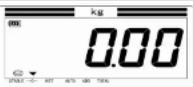 |
| 2 | Confirm the platform is empty, and then press briefly.The display switches to Over/Under setting stage. | 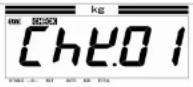 |
| 3 | Pressor to chose the item number 02.TOTALmoves the value backward (-1)moves the value forward (+1) | 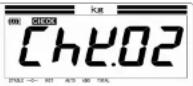 |
| 4 | Pressstore the setting value.The blue judgment lamp lights or blinks and the display switches to the lower-limit setting stage. | 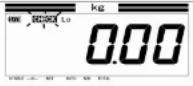 |
| 5 | To set the lower limit, pressto shift the digit ready for an entry. Press, or to set the value (e.g. 40.00Hz). Note) The figure does not blink and can not be | 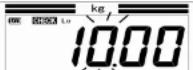 |
DP-6700 Operation Manual
Checkweighing Function
Operation
e.g.) Recall the Item No. 02 (the lower limit 10.00kg and the upper limit: 11.00kg).
| Operation Display | ||
| 1 | Press to turn on the scale. | 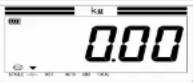 |
| 2 | Press briefly to recall the stored function.Press to choose your desired item No.(e.g. Item No. 02) | 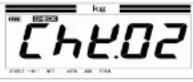 Check blinks Check blinks |
| 3 | Press to start the check weighing operation. | 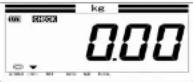 |
| 4 | Place an empty container on the platform and pressThe NET indicator lights up and the display shows the net weight. | 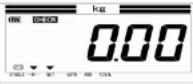 |
| 5 | Place the item(s) on the platform. When the net weight is short against the acceptable weight (10.0kg to 11.00kg),the red judgment lamp lights or blinks. | 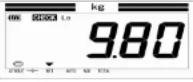 |
6 When the not weight is in the range of acceptable weight
DP-6700 Operation Manual
Grading Function
Pre-setting
Operation Display
1
Press to turn on the scale
2
While pressing, press to enter the user parameter setting mode.
3 Set the parameter #01 at 003 (Grading function) by
pressing or .
4
Press to go to the next parameter 02.
Set the desired value by pressing or
When sorting the items to 2 ranks, set the value 002. In
this case, the setting of max. 66 items can be registered.
The numbers of stored items are as below
| Value | 002 | 003 | 004 | 005 | 006 | 007 | 008 | 009 | 010 | 011 | 012 | 013 | 014 | 015 |
| No. of ranks | 2 | 3 | 4 | 5 | 6 | 7 | 8 | 9 | 10 | 11 | 12 | 13 | 14 | 15 |
| No. of items | 66 | 49 | 39 | 33 | 28 | 24 | 22 | 19 | 18 | 16 | 15 | 14 | 13 | 12 |
DP-6700 Operation Manual
Grading Function
Setup
Setup the lower limit of each rank and the upper limit of the upper rank. When sorting items to 2 ranks, it is necessary to input the 3 set-points.
Note) The registered data of each item are stored even if the scale is turned off.
e.g.) Sort the Item No. 5 to 2 ranks. Rank 1 = 1.00kg to 1.99kg, Rank 2 = 2.00kg to 2.99 kg
| Operation Display | ||
| 1 | Pressto turn on the scale | 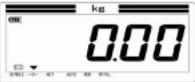 |
| 2 | Confirm the platform is empty, and then press briefly.The display switches to the rank setting stage. | 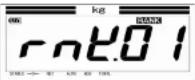 |
| 3 | Pressorto chose the item numbere.g.) Item No. = 5TOTALmoves the value backward (-1).moves the value forward (+1).Pressto store the setting value. | 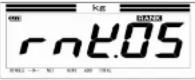 |
| 4 | Pressagain to go to the setting stage for rank 1. | 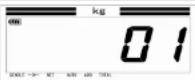 |
DP-6700 Operation Manual
Grading Function
| 7 | Press shift the digit and set the lower limit of rank 2 by pressing e.g.) When set the rank 2 at 2.00kg to 2.99kg, set the lower limit at 2.00.Press to move to the stage changes for "out of range" | 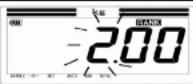 |
| 8 | Press again to set the out of rank.The display goes to the lower-setting screen of "out of rank 2". | 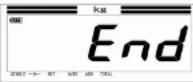 |
| 9 | Press to shift the digit and set the lower limit of out of rank 2 by pressing e.g.) When set out of the rank 2 at 3.00kg or more, set the upper limit at 300. | 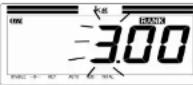 |
| 10 | Press to save the setting value and return to the set-up screen. | 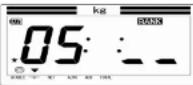 |
Color Judgment
| Rank 1 Blue (Rank 8 & 15 the same color) | |
| Rank 2 Green (Rank 9 the same color) | |
| Rank 3 Light Blue (Rank 9 the same color) |
DP-6700 Operation Manual
Grading Function
Operation (Additive grading or Subtractive grading)
e.g.) Set the parameter No. 8 at 000 (additive grading) or 001 (subtractive grading) in advance, referring to page 29 section 6.
Recall the Item No. 5 sorted to 2 ranks (Rank 1 = 1.00kg to 1.99kg, Rank 2 = 2.00kg to 2.99kg) and start the grading operation.
| Operation Display | ||
| 1 | Press to turn on the scale | 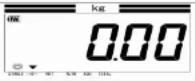 |
| 2 | Press briefly to recall the stored function. The display switches to the screen for the Grading Function. Press to chose the saved item number. e.g.) Item No. = 5 | 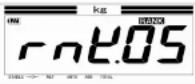 |
| 3 | Press to start the grading operation. If you want to tare, place an empty container on the pan and press | 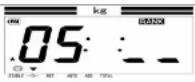 |
| 4 Place the item on the pan. The display shows the rank of the item. e.g.) When the net weight of the item is 2.50kg, the rank shows "02". Note) In case of subtractive grading, the rank shows "02" after removing the item from the pan. | 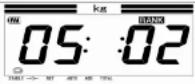 | |
| 5 If the next weight is lighter then Rank 1, the display does | ||
DP-6700 Operation Manual
Counting Function
Pre-setting
| Operation Display | ||
| 1 | Press to turn on the scale. | 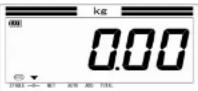 |
| 2 | While pressing press to enter the user parameter setting mode.Set the parameter # 01 at 004 (Counting function) by pressing [ ] . [ TOTAL ] | 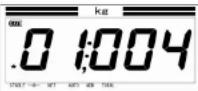 |
Setup
Calculate the average unit weight from 100 samples.
| Operation Display | ||
| 1 | Press turn on the scale.Press again to go to the setting stage of sampling number. | 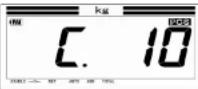 |
| 2 | Press to set the sampling number at 100.moves the number 10 20 50 100 200 moves the number 200 100 50 20 10 | 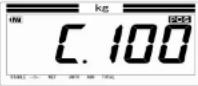 |
DP-6700 Operation Manual
Counting Function
Operation
e.g.) Do counting work based on the unit weight calculation from 100 samples.
| Operation Display | ||
| 1 | Press to turn on the scale. The judgment lamp lights in blue. Press again after confirming sample quantity is 100. The judgment lamp lights in red when no stored unit weight exists. | 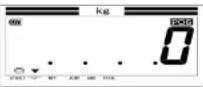 |
| 2 Place the items on the pan.The counting starts and the display shows quantity calculated by the total weight and unit weight.e.g.) Quantity = 670 pieces | 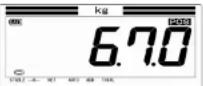 | |
| 3 | Press to go to normal weighing mode after removing anything from the platform and the zero indicator is lit.Under the condition that the zero indicator is unlit, it is not possible to change to normal weighing mode.Press again to the counting mode. | 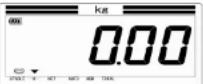 |
DP-6700 Operation Manual
Error Messages
The scale automatically checks up various functions. When one of the following error messages appears on the display, follow the troubleshooting instruction.
Contact the dealer from which the product was purchased, if other messages than the following appear, or an error is not recovered after following the troubleshooting.
| Display Cause Troubleshooting | ||
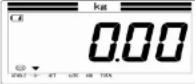 Low Battery Low Battery | Batteries are almost running out. | Replace all of the batteries with new ones.*Avoid mixing up Magnesium batteries. |
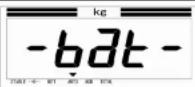 Battery shutoff Battery shutoff | Batteries are running out | Replace all of the batteries with new ones. |
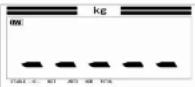 The weight below zero The weight below zero | This message appears when the weighed value is less than - 5 divisions. | Press [the stainless steel platform cover has been removed, set it on the scale again. |
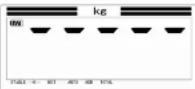 The overloading The overloading | This message appears when the weighed value is over +6 divisions than the scale capacity. | When the item is removed, the display returns to the weighing screen. Make sure to use the scale within the capacity. |
DP-6700 Operation Manual
Error Messages
| Display Cause Troubleshooting | ||
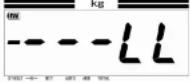 The initial error (B) The initial error (B) | Turned on the scale while a foreign material was stuck between the main body and the platform cover. | Check if a foreign material is not stuck or does not contact the platform cover. Then press. When the scale does not return to normal, contact the dealer from which the scale was purchased for troubleshooting. |
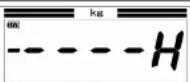 The initial error (C) The initial error (C) | Pressed while a heavy item was on the platform during the operation. | The weight of the item is beyond the level where is operative. Remove the item from the platform, and then press |
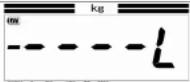 The initial error (D) The initial error (D) | Turned on the scale while the item was left on the platform. Remove the item and press | Make sure that nothing is left on the platform and turn on the scale again. |
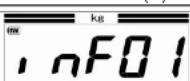 The data overflow error The data overflow error | the stored data exceeds the memory capacity. | Clear the stored data by sending out. |
 | A roll paper is not set or | Make sure that a roll paper is set |
DP-6700 Operation Manual
Error Messages
| Display Cause Troubleshooting | ||
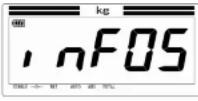 The total overflow The total overflow | The accumulated weight or count exceeds the memory capacity. | Reset the total weight and total count after confirming their data |
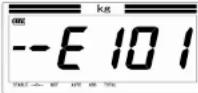 Trouble in electronic circuit Trouble in electronic circuit | This message appears when a trouble was detected in the electronic circuit. | Turn off the scale and reapply the power after a brief interval. When the scale does not return to normal, contact the dealer. |
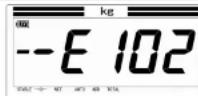 Trouble in electronic circuit Trouble in electronic circuit | This message appears when a trouble was detected in the electronic circuit. | Turn off the scale and reapply the power after a brief interval. When the scale does not return to normal, contact the dealer. |
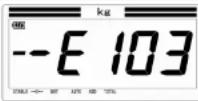 Calibration error Calibration error | The weights used for the calibration may be incorrect | Re-calibrate the scale with the proper weights. When the scale does not return to normal, contact the dealer. |
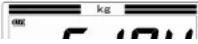 | This message appears when a trouble was de- | Turn off the scale and reapply the power after a brief interval. When |
DP-6700 Operation Manual
Error Messages
| Display Cause Troubleshooting | ||
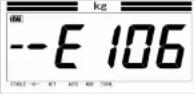 Trouble in electronic circuit Trouble in electronic circuit | This message appears when a trouble was detected in the electronic circuit. | Turn off the scale and reapply the power after a brief interval. When the scale does not return to normal, contact the dealer. |
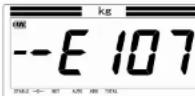 Trouble in electronic circuit Trouble in electronic circuit | This message appears when a trouble was detected in the electronic circuit. | Turn off the scale and reapply the power after a brief interval.When the scale does not return to normal, contact the dealer. |
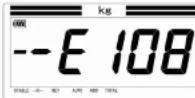 Trouble in electronic circuit Trouble in electronic circuit | This message appears when a trouble was detected in the electronic circuit. | Turn off the scale and reapply the power after a brief interval.When the scale does not return to normal, contact the dealer. |
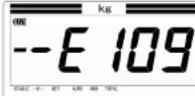 Trouble in electronic circuit Trouble in electronic circuit | This message appears when a trouble was detected in the electronic circuit. | Turn off the scale and reapply the power after a brief interval.When the scale does not return to normal, contact the dealer. |
 | The bluetooth program | Make sure that the program and write up on the right side of the |
DP-6700 Operation Manual
Error Messages
| Display Cause Troubleshooting | ||
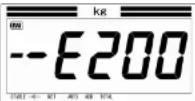 Trouble in electronic circuit Trouble in electronic circuit | This message appears when a trouble was detected in the electronic circuit. | Turn off the scale and reapply the power after a brief interval.When the scale does not return to normal, contact the dealer. |
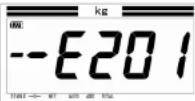 Trouble in electronic circuit Trouble in electronic circuit | This message appears when a trouble was detected in the electronic circuit. | Turn off the scale and reapply the power after a brief interval.When the scale does not return to normal, contact the dealer. |
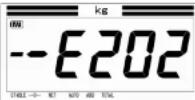 Trouble in electronic circuit Trouble in electronic circuit | This message appears when a trouble was detected in the electronic circuit. | Turn off the scale and reapply the power after a brief interval.When the scale does not return to normal, contact the dealer. |
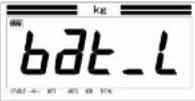 Printer error Printer error | The battery of the wireless printer is running out | Charge the battery with the dedicated AC adaptor. |
DP-6700 Operation Manual
Specifications
The appearance and specifications are subject to change without notice for improvement.
- Name of the scale (Model): DP-6700
- Weighing system: Strain-gauge load cell
-
Dimensions of the platform: 500W mm x 350D mm (DP-6700 standard)
350W mm x 350D mm (DP-6700 Table Top) -
Capacity and Increment
| Model DP-6700-60 DP-6700-150 DP-6700-300 DP-6700-60 | Table-top | |||
| Capacity and Divisions | 30 kg x 0.01 kg60 lb x 0.02 lb960 oz x 0.5 oz60 lb x 0.5 oz | 60 kg x 0.02 kg150 lb x 0.05 lb2400 oz x 1 oz150 lb x 1 oz | 150 kg x 0.05 kg300 lb x 0.1 lb4800 oz x 2 oz300 lb x 2 oz | 30 kg x 0.01 kg60 lb x 0.02 lb960 oz x 0.5 oz60 lb x 0.5 oz |
Maximum Tare Up to capacity
- Display
Main display: Liquid crystal display tube 7 segments LCD
Weight display: Max. 5 Digits
23.5 (w) × 45.0 (h) mm
Auxiliary judgment display 3 color LED
Indicator
Stable indicator Indicates the weight reading has stabilized.
Battery status Indicates approximate remaining battery capacity in thirds
Center of Zero indicator Indicates the scale is at zero gross load.
Net weight indicator Indicates the displayed weight is a net weight
Auto indicator Indicates at automatic adding mode
Add indicator Indicates during adding operation
DP-6700 Operation Manual
Specifications
- Functions
| Zero Reset Reset the zero point | |
| Tare (Net Weighing) One-touch tare | |
| Auto-off timer Power off automatically after the setting time passes at battery operation | |
| Unit Toggle Press the Total and Tare keys simultaneously to toggle the units | |
| Auxiliary judgment LED shows the weighing status at multi-functions | |
| Operator's lock-out Prevents operator access to checkweighing, packing and grading configuration | |
| Fixed weighing function Max. 99 items can be registered | |
| Check weighing function Max. 99 items can be registered | |
| Grading function Max. 15 ranks at 12 items or max. 2 ranks at 66 items can be registered | |
| Counting function Piece count can be calculated | |
8. Appearance
Outside dimensions 350 W x 605 D x 795 - 802 H mm (DP-6700 standard)
350 W x 605 D x 556 - 664 H mm (DP-6700 Table-top)
Weight Approx. 13 kg (including batteries)
Materail Stainless steel SUS304 (Upper housing and Pan)
- Waterproof classification IP65
- Range of operating temp. -10 °C to +40 °C
- Range of operating humidity 30% R.H to 80% R.H (no condensation)
- Power supply 6VDC (4"D" size batteries) or AC adaptor
Power consumption May 0 12W
DP-6700 Operation Manual
Specifications
Outside Dimensions (DP-6700 standard)
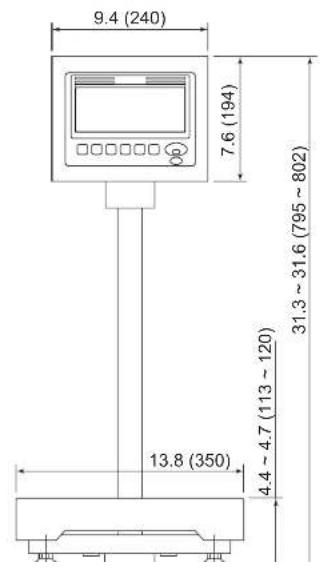
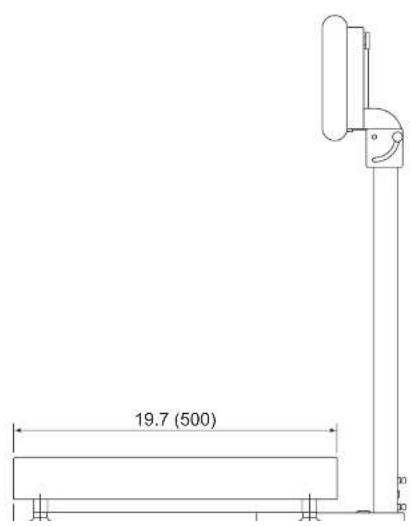
- DP-6700 Operation Manual
- Preface
- Safety Precautions
- Varning
- Instructions and Directions for Use
- Causes of Malfunction
- Causes of failure in weighing
- Disposal
- Daily Checkup at Start Time
- Others
- Functions
- Product Package
- To Keep The Scale Working Efficiently
- Installation 1
- Installation 2
- How to set the AC adaptor (optional)
- Place the scale
- Changing Units
- Netweighing (Tare Operation)
- User Parameter
- Explanation of Each User Parameter
- Parameter # 01: Function Select
- Parameter # 02: Number of Grading Ranks
- How to change user parameter
- Addition
- Multi-Function
- Operator's Lock-out
- Fixed Weighing (Packing) Function
- Checkweighing Function
- Grading Function
- Counting Function
- Error Messages
- Specifications
- Appearance
Brand : Yamato
Model : DP-6700
Category : Uncategorized