DSR-400 - Uncategorized Yamato - Free user manual and instructions
Find the device manual for free DSR-400 Yamato in PDF.


| Product Type | Digital Satellite Receiver |
| Brand | Yamato |
| Model | DSR-400 |
| Dimensions (W x D x H) | 200 x 150 x 40 mm |
| Weight | 0.5 kg |
| Power Supply | 12V DC, 0.5A |
| Power Consumption | 6W (max) |
| Video Output | Composite (RCA), HDMI |
| Audio Output | Stereo RCA, Optical |
| Tuner Type | DVB-S/S2 |
| Frequency Range | 950–2150 MHz |
| Channel Search | Automatic and manual |
| Remote Control | Infrared, included |
| Display | LED indicator |
| Storage | No internal storage (non-PVR) |
| Connectivity | RF In, Loop Out, USB (for updates) |
| Parental Control | Channel lock |
| Language Support | Multiple languages |
| Maintenance | Wipe with dry cloth, avoid liquids |
| Safety | Keep ventilated, unplug during storms |
| Repairability | Spare parts available via service center |
| Included Accessories | Remote control, power adapter, user manual |
Frequently Asked Questions - DSR-400 Yamato
User questions about DSR-400 Yamato
0 question about this device. Answer the ones you know or ask your own.
Ask a new question about this device
Download the instructions for your Uncategorized in PDF format for free! Find your manual DSR-400 - Yamato and take your electronic device back in hand. On this page are published all the documents necessary for the use of your device. DSR-400 by Yamato.
USER MANUAL DSR-400 Yamato
DSR-400 Operation Manual
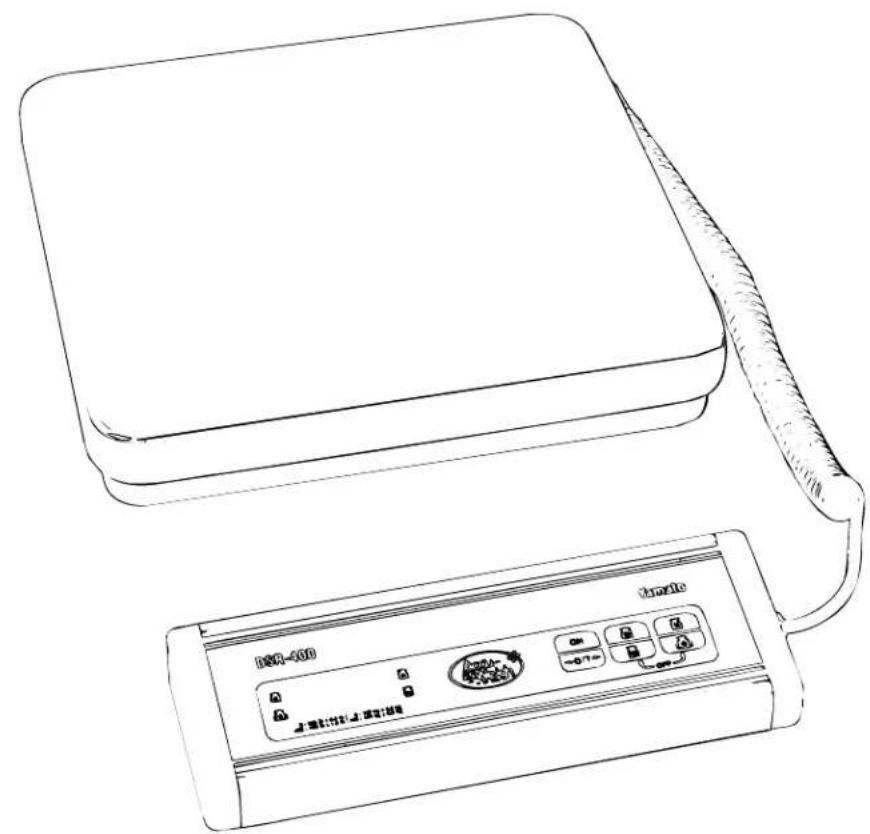
natural_image
Line drawing of a portable electronic device with a coiled cable and a control panel (no text or symbols visible)DSR-400 Operation Manual
Table of Contents
I. Introduction 1
II. Specifications 1
III. Operation 1
A. Control Panel 1
B. Power 2
C. Turning the Scale On and Off 2
D. Zero the Display 2
E. Unit Selection 2
F. Weighing ____ 3
- Basic Weighing ____ 3
- Net Weighing 3
- Batch Weighing 4
V. Troubleshooting and Error Messages ____4
SAFETY INSTRUCTIONS
Before using the scale, carefully read, understand, and follow the "Safety Instructions" described in this manual. Observe the advice given in the "Operations" section to ensure proper operation. Keep this operation manual handy for reference.
1) This scale is not an explosion-proof model. Do not use the scale in an atmosphere containing flammable gases or explosive fumes. A fire or an explosion can result.
2) Do not operate the scale if there is smoke or a burnt smell coming from the scale. Remove the batteries or unplug the AC adaptor immediately. After making sure that there is no danger, consult your dealer. Never try to repair the scale by yourself.
3) Never step on or sit on the scale. Not only will the scale be damaged, but you may also be injured.
4) Place the item to be weighed in the center of the platform. Items placed on the edge of the platform may fall off and cause injury.
5) When weighing a heavy, large or unbalanced item, make sure the item is stable on the platform, otherwise, an accident may occur.
6) When carrying or moving the scale, be sure to hold it by the bottom of the base with both hands. If you hold it by the platform, the platform or the platform support may become detached causing the scale to fall. This will damage the scale. The platform is designed for easy removal and clean-up.
7) Do not insert your finger into the gap or holes in the scale. You may be injured.
8) The DSR-400 uses a liquid crystal display. If the LCD breaks and the liquid leaks from the LCD, do not touch it with your fingers. The liquid is toxic if ingested. Be especially careful around small children.
To prevent damage to the scale
1) Do not push the indicator or keys with sharp objects. They may break or puncture the switch membrane panel.
2) Use the specified power supply and choose a suitable environment. If you do not, the weight readings may be inaccurate and the scale may be damaged.
3) The scale is a sensitive weighing instrument, avoid physical shocks. If you drop something on the scale, step on the platform, or drop it, the scale may be damaged and lose accuracy.
4) If the scale becomes dirty, wipe it with a soft cloth. For stubborn stains, apply a little neutral detergent and then wipe the scale with a dry cloth. Do not use thinner, benzene, hot water, or chemical agents, all of which can cause deformation, discoloration, or deterioration of the scale.
5) Never remove the case. The fine adjustment section may be damaged and you may be injured by sharp edges on the internal parts.
6) Do not place the scale upside down except when replacing the batteries.
7) When a low battery condition occurs, replace all of the batteries. When installing the batteries, install them according to the polarity markings in the case (+,-). If the scale will not be used for a long period, remove the batteries.
To keep the scale working efficiently
1) Place the scale on a flat stable surface that will support the scale and the load.
2) Do not place the scale in an area exposed to direct sunlight or to wind currents from an air conditioner, otherwise, the weights will not be accurate.
3) Do not place the scale near machines that create vibrations or electromagnetic disturbance, such as microwave ovens, portable phones, or large motors. This will affect the accuracy.
4) The operating temperature range is from -5C to +104C ( 32^ to 104^ ). Do not subject the scale to sudden temperature changes; allow the scale to adjust to the new temperature before use.
5) This scale is not waterproof or dustproof. Do not expose the scale to splashing water. Do not install the scale in an extremely humid or dusty environment.
6) If the scale is sealed, do not break the seal. If you break the seal, the scale will not be considered legal for trade. In this case, contact your dealer.
7) Do not disassemble or modify the scale, you will void the warranty.
DSR-400 Operation Manual
I Introduction
It only takes a few minutes to learn how to use your new Yamato scale. Please read the following instructions carefully. They will assist you in understanding the various controls and operation of the Yamato DSR-400.
II Specifications
Weighing system: Strain-gauge load cell
Capacity: 400 lb x 0.5 lb, 100 kg x 0.2 kg
Taring Range: Full scale
Platform: 12" (304 mm) W x 12.25" (310 mm) D x 2.25" (57 mm) H, stainless steel
Weight display: Single face display
Type: 7 segment LCD
Character size, etc.: 0.2" (6 mm) (W) x 0.5" (13 mm) (H), 4 digits
Power supply: 9V DC (the scale requires six "AA" size batteries) or AC input (when using the AC adaptor.) *
Operating temperature: 32°F to 104°F (0 C to 40 C)
III Operation
III.A Control Panel
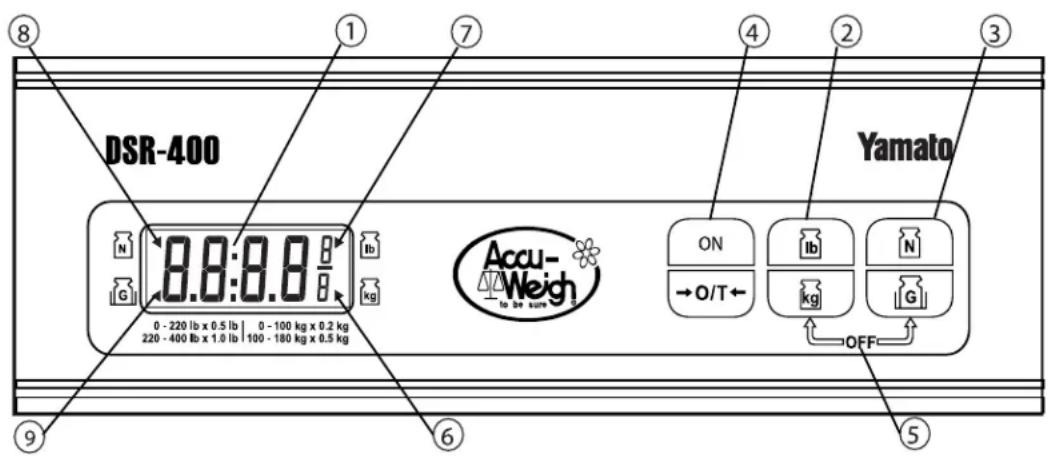
1) LCD Display
2) Unit Selection Key
3) Net / Gross Key
4) ON/ZERO Key TARE
5) OFF Keys
6) Kilogram Mode Indicator
7) Pound Mode Indicator
8) Net Weight Indicator
9) Gross Weight Indicator
Displays weight reading and error messages.
Press to toggle between lb / kg indications.
Press to toggle between Net / Gross weight.
Turns the power on, and zeroes the display.
Tares off the weight on the scale platform.
To turn scale off, simultaneously press
key, wait 1 second and release the other key.
Indicates the displayed weight is in kilograms.
Indicates the displayed weight is in decimal pounds.
Indicates the displayed weight is a net weight.
Indicates the displayed weight is a gross weight
DSR-400 Operation Manual
| III Operation | |
| III.B Power | |
| The DSR-400 can use either six “AA” batteries or the in- cluded AC adapter. To use the AC adapter, connect the adapter plug into the jack on the same side of the DSR base as the indicator cord. Then plug the adapter into a standard 115V AC outlet. | 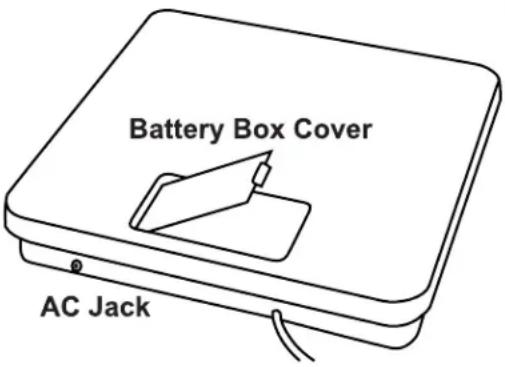 |
| To install batteries, remove the scale platform from the base, press in the battery box cover latching tab and lift the cover. Place six “AA” batteries into the battery box according to the polarity markings in the case (+,-). Replace the battery cover box and the scale platform. | |
| III.C Turning the Scale On and Off | |
| Remove everything from the platform surface and press the###key. The display will briefly display four eights. After approximately three seconds, the display will automati-cally set to zero. | 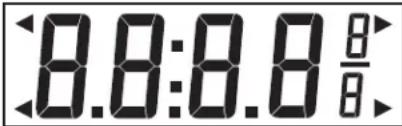 |
| Press###keys simultaneously, release one key, the display will go off, release the other key. The scale can be programmed to automatically shut off after being idle for two minutes, or the auto-off can be disabled. See the technical manual to change this feature. | |
| III.D Zero the Display | |
| The scale will automatically zero when turned on. If a value is displayed when the platform is empty, press the###key to zero the display. The maximum zero range during power up is approximately full scale. | 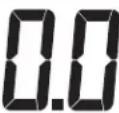 |
| III.E Unit Selection | |
| The DSR-400 has both decimal pound and kilogram display capability. The current mode of the scale is indicated by the arrow heads in the LCD display. To toggle between the two modes, press the###key. | |
DSR-400 Operation Manual
| III Operation | |
| III.F Weighing | |
| III.F.1 Basic Weighing | |
| 1) Begin with no load on the scale and the display reading zero. Press the ON-0T+ key to turn the scale on. If the scale is already on, press the ON-0T+ key to reset the display to zero. | 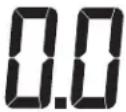 |
| 2) Place the item(s) to be weighed on the scale platform. To toggle between the net and gross weights, press the ☑ key. | 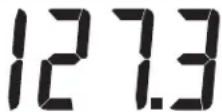 |
| III.F.2 Net Weighing (with automatic tare) | |
| 1) Begin with no load on the scale and the display reading zero. | 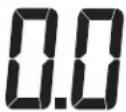 |
| 2) Place an empty container on the scale platform, wait for the indication to stabilize and press the ON-0T+ key. The weight of the container will automatically be deducted, the display will read zero. | 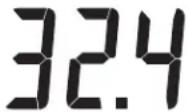 |
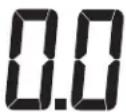 | |
| 3) Place the item(s) to be weighed in the container. The weight displayed will be the net weight. | 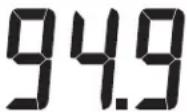 |
| 4) To toggle between the net and gross weights, press the ☑ key. | 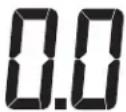 |
| 5) To remove the tare and return to gross weighing, remove all items from the platform and press the ON-0T+ key. | |
DSR-400 Operation Manual
III.F.3Batch Weighing (separate weighing of several items)
- Remove any load from scale platform.
- Press +0/T key to turn scale on.
- If scale is already on, press the 0/T key to reset the display to zero.
- Place the container on the platform and press the key. The weight of the container (tare weight) will be deducted and the display will show zero.
- Place the first item in the container until the desired weight is reached. Press the key.
- Place the second item in the container until the desired weight is reached. Press the key. Repeat steps 3 and 4 as necessary.
V Troubleshooting and Error Messages
| Problem | Possible Cause | Solution |
| The display continues to show all 8s after the scale is turned on. | Vibration or an unstable position or platform. | Remove source of vibration or place scale on stable platform. |
| The scale will not power on. | AC adapter malfunction.Power board malfunction.CPU board malfunction. | Replace adapter.Replace power board.Replace CPU board. |
| The keyboard does not function. | Keyboard connector loose spacecraft connector damaged spacecraft damaged.CPU board malfunction. | Firmly insert connector.Replace connector.Replace keyboard.Replace CPU board. |
| The displayed weight fluctuates excessively. | Weighing assembly in contact with wires or case.Load cell connector loose or damaged.Power board malfunction.CPU board malfunction. | Reposition wires or case.Reconnect or replace the load cell connector.Replace power board.Replace CPU board. |
Brand : Yamato
Model : DSR-400
Category : Uncategorized