Teamcom - Uncategorized Crystal Video - Free user manual and instructions
Find the device manual for free Teamcom Crystal Video in PDF.


User questions about Teamcom Crystal Video
0 question about this device. Answer the ones you know or ask your own.
Ask a new question about this device
Download the instructions for your Uncategorized in PDF format for free! Find your manual Teamcom - Crystal Video and take your electronic device back in hand. On this page are published all the documents necessary for the use of your device. Teamcom by Crystal Video.
USER MANUAL Teamcom Crystal Video
EU Environmental Protection
Waste electrical products should not be disposed of with household waste. Please recycle where facilities exist. Check with you local authority or retailer for recycling advice.

TEAMCOM
Full-Duplex Wireless Intercom System
SHENZHEN CRYSTAL VIDEO TECHNOLOGY CO.,LTD
ADD: Unit 05-06, Floor 24, Changhong Science & Technology Mansion, Keji 12th Road South, High-tech Industrial Park, Nanshan District, Shenzhen, P.R., China
Post code: 518057
www.cy-hd.com
Tel: +86-755-29977913
E-mail: Sales@cv-hd.com
Facebook: crystalvideowireless Instagram: cvwtechnology
USER MANUAL
This user manual applies to:
TEAMCOM 7156
Version:1.0
Important Information
Please read this user manual carefully before using this product. In accordance with the safety precautions and operating instructions listed on this user manual, please use the product in a correct way. It does not apply in cases as follows:
- Repair or product modification have been executed by unqualified personnel.
- The damage is caused by accidents including but not limited to lightning, fire, exposed to rain or water, and moisture.
- Don't use provided CVW power adapter.
- The model label on the product has been modified or removed by unqualified personnel.
Safety Precaution
| To avoid electric shock, do not remove or open the cover. No user-serviceable parts are inside, please contact original factory for maintenance. | |
 | The high temperature in the process of operating the device may cause the high risk of scalding. |
 | Please use our standard power adapter. As for the detailed information, please refer to the rated voltage shown on the CVW power adapter. |
 | Handle with care! |
Danger: Be careful with electricity
- When connecting to any devices, please turn off the product before any operation.
- Power outlet: To avoid electric shock or fire, short circuit, please make sure that the input voltage of adapter is AC110V-220V.
● Lightning: Unplug the product if it has not been used for a time or in lightning weather.
Warning
- This product should not be exposed to dripping or splashing. Please keep any liquid thing off the product.
- To avoid electric shock, please do not stick anything on the air vent of product; do not remove the cover or put the object like pins, steel wire into the gap of the air vent.
- Ventilation: Please do not block the air vents on the receiver/transmitter or place any object on top of them.
- Water Exposure: To avoid electric shock or fire, please do not expose the receiver/transmitter to rain or moisture.
- We assume no responsibility for any damage or result caused by not using original adapters.
Special Notice
- This product operates at 5GHz band, when it's in the complex environment, its transmission capability may be affected by metals, walls, or crowd etc.
- This product has been tested and manufactured to comply with international electrical safety regulations, however, there may be noise caused by the interference with other equipment in rare cases. If the interference is happened, please keep a certain distance away from other equipment.
- The product is susceptible to interference from 5GHz internet (LAN) or other wireless devices.
- Please do not deploy the transmitter and receiver on metal cages or shelves, or it may affect the wireless communication.
- The product is equipped with data transmission encryption functionality, but it still should be pay attention to remain vigilant against deliberate signal interception. Please refrain from utilizing it for confidential or crucial communications.
- The system requires approximately 30 seconds to initialize, during which the media receiving end will be inactive.
- Please note that different software versions and functionalities are not interchangeable or replaceable.
CONTENTS
Cautions 01
Product Overview 02
Product Highlights 02
Packing List 03
Ports and Buttons 04
Display 05
NFC Pairing 06
Grouping Mode 08
Product Pairing 09
Product Specifications 12
Cautions
Thank you for choosing CVW professional full-duplex wireless intercom system. Before using this product, please read carefully the following cautions:
* Avoid prolonged exposure to the direct sunlight or use this product in dusty environments.
* Be sure to use the product within the temperature and humidity range.
* Do not expose this product to violent vibration, or strong magnetic fields.
* Do not contact conductive materials with the interior of the product.
* Do not dissemble the product enclosure without the guidance.
* Make sure the output voltage and current of the TYPE-C adapter meet the product specifications before charging.
* Make sure the battery has been installed before using.
About the User Manual
This manual includes the product's specifications and a detailed introduction to its troubleshooting. Before using this product, please carefully read this manual. If you have any question or concern while using this product, please contact us or our dealers as soon as possible.
Product Overview
TEAMCOM is a full-duplex wireless intercom system that supports two power supply options: Type-C and EN-EL23 batteries. This system operates on DECT 6.0 wireless network technology, enabling simultaneous communication with one host and four subunits.
Product Highlights
■ Long-distance real-time full-duplex:
Host to subunit: In long-distance mode, the range is ≥ 350 meters Unit to headset: Range is ≥ 20 meters
■ Supports one-to-four communication:
The product supports one host and four subunits. There are three groups (A, B, and C) available for flexible group creation and switching.
|Packing List
The product package includes the following items:
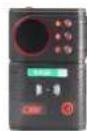
Host x1
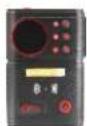
Subunit x4
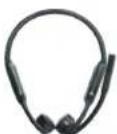
Headset x5

Battery x10
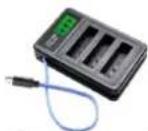
Battery Charger x2
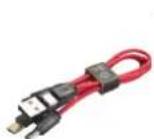
1-to-4 USB
Type-C Charging
Cable x1
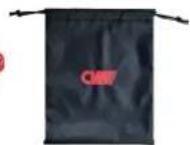
Headset Storage
Bag x5
Warranty Card x1
User Manual x1
If any of the items listed above are missing or if the product is damaged, please do not use it. Contact the seller or distributor for help.
Ports and Buttons
TX:7156
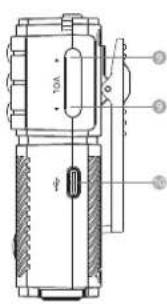
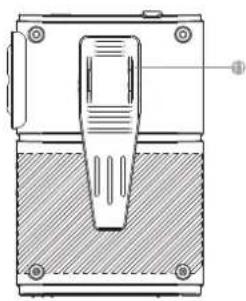
natural_image
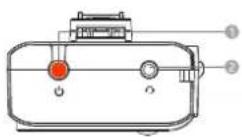
Technical line drawing of a mechanical component with a central pin and base (no text or symbols)1 Power Button
② 3.5mm Headset Jack
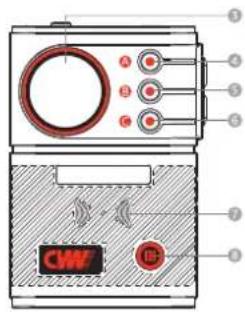
③ Display
4 A/ALL/Down
5 B/Confirm/Menu
6 C/Return
7 NFC Reader
8 NFC pairing
9 VOL+/-
10 TYPE-C Power Supply
11 Back Clip
Ports and Buttons
Host-
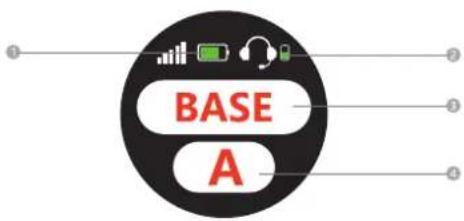
① Battery Status
② Headset Battery Status
3 Host ID
4 Group ID
Subunit
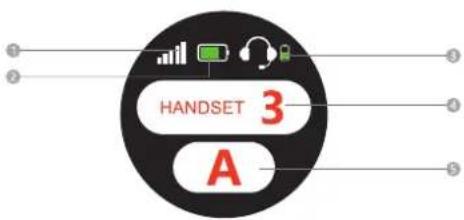
① Signal
② Battery Status
3 Headset Battery Status
4 Subunit ID
5 Group ID
04
05
NFC Pairing
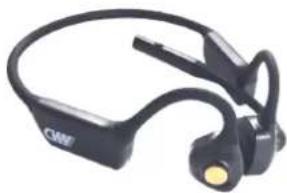
- Ensure the headset is turned on. (as shown below).
natural_image
Black and white photo of a CME-branded earband headset (no text or symbols visible)- Press and hold the NFC pairing button on the host for 5 seconds until "NFC ON" appears on the display. Touch the NFC area of the headset to the NFC reader area of the host as indicated. Wait for 1-3 seconds for the host and headset to pair automatically (as shown below).
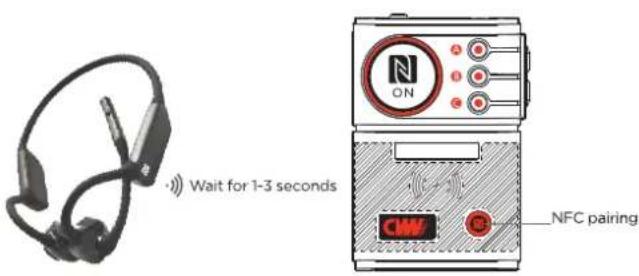
- The headset will indicate "Pairing Successful", and the host will display the green text "NFC Successful" to show that the pairing is complete (as shown below).
- The headset's blue light will remain on, indicating successful pairing.
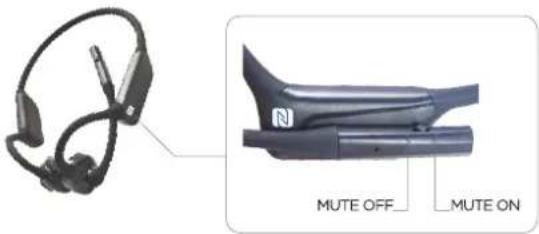
MUTE Function
Switch the button to "MUTE OFF" to enable the headset's microphone function.
Switch the button to "MUTE ON" to mute the headset's microphone.
When the button is toggled, the headset will receive a corresponding voice prompt.

Grouping Mode
Press the "ABC Button" to switch freely between Group A, Group B, and Group C.
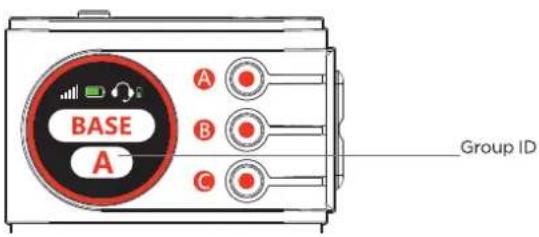
Members of Group A can only communicate with other members of Group A.
Members of Group B can only communicate with other members of Group B.
Members of Group C can only communicate with other members of Group C.
Press the "Button A" twice on the host, you can switch to the ALL group.
The host can communicate with all subunits simultaneously.
Product Pairing
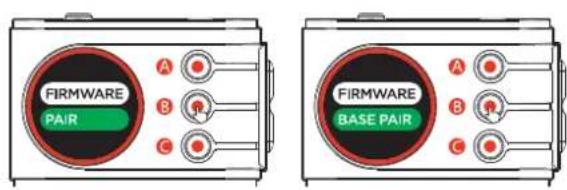
- Press and hold the "B button" for 10 seconds to enter the secondary menu. In the menu, the host will display "PAIR" and the subunit will display "BASE PAIR" (as shown below).
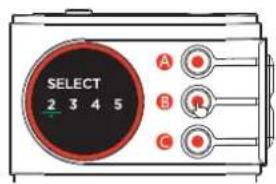
- Select the desired subunit number on the host (as shown below).
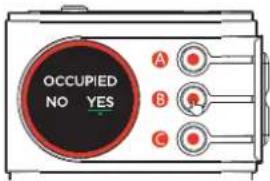
- If the selected subunit number is in use and you need to override, select "YES" and press the B button to start pairing. To avoid overriding, select "NO" and press the B button to return to the subunit number selection display and choose another subunit number (as shown below).
- Press B button to enter pairing (as shown below).
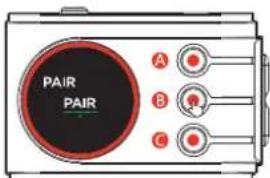
- Once pairing is successful, the display will show "SUCCESS". If a pairing failure message appears, repeat the previous steps. After successful pairing, press the C button to return to the main interface (as shown below).
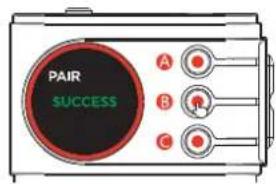
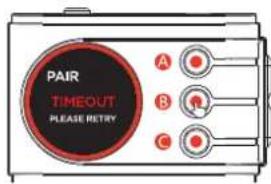
Note: Subunit number displayed in gray indicates that a subunit is currently online under this subunit number. If you select this subunit number for pairing, the system will issue an occupancy warning. To proceed with pairing forcefully, you must shut down the corresponding subunit. This subunit will then need to be paired again.
Product Specifications
| Item | Parameters |
| Transmission Distance | 350 meters |
| Frequency | 1.9GHz (DECT) |
| Modulation Mode | GFSK |
| RF Power | <22dBm |
| Receive Sensitivity | ≤-95dBm |
| Battery Capacity | 1750mAh, removable |
| Battery Endurance | Host: ≥7h; Subunit: ≥10h |
| Charging Time | ≤3.5h, charge the battery through the charger. |
| Bluetooth Protocol | 5.1 |
| Bluetooth Transmission Distance | 20m (LoS) |
| Power Input | Type-C, SV/2A, no charge over 6V |
| Power bank, DC charger plug, PD charger plug, PC | |
| Power Output | Type-C, SV/0.1A, this power output is only used to charge and power the headset. |
| Audio Output | 3.5mm headset jack |
| Software Function | Type-C, Type-C audio capturing for PC. |
| Working Temperature | -10~50°C |
| ESD Protection | Contact discharge 4kv, air discharge 6k |