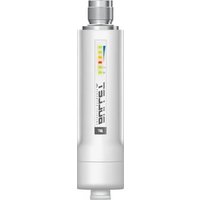
INS-3AF-I-G - Network card / adapter Ubiquiti Networks - Free user manual and instructions
Find the device manual for free INS-3AF-I-G Ubiquiti Networks in PDF.


Pick your language and provide your email: we'll send you a specifically translated version.
| Product Type | PoE Injector / Network Adapter |
| Brand | Ubiquiti Networks |
| Model | INS-3AF-I-G |
| Ethernet Ports | 1 x RJ45 10/100/1000 Mbps (Data In), 1 x RJ45 10/100/1000 Mbps (PoE Out) |
| Power Input | 48V DC, 0.5A (from included power adapter) |
| Power Output | 48V DC, 0.5A (15.4W), 802.3af compliant |
| Dimensions | Approx. 80 x 52 x 30 mm |
| Weight | Approx. 100 g |
| LED Indicators | Power (green), PoE Active (amber) |
| Operating Temperature | 0°C to 40°C |
| Safety Features | Overcurrent protection, short circuit protection |
| Maintenance | Clean with dry cloth; do not use liquids |
| Reparability | No user-serviceable parts; contact support |
| Package Contents | PoE Injector, Power Adapter, Quick Start Guide |
| Certifications | CE, FCC |
| Additional Features | Plug-and-play, no configuration required |
Frequently Asked Questions - INS-3AF-I-G Ubiquiti Networks
What is the Ubiquiti INS-3AF-I-G?
It is a Gigabit Power over Ethernet (PoE) injector compliant with IEEE 802.3af, providing up to 15.4W of power to compatible devices through an Ethernet cable.
What devices are compatible with this PoE injector?
It works with any 802.3af-compliant device, such as Ubiquiti airMax, UniFi access points, and IP cameras, as well as many third-party PoE devices.
Does the INS-3AF-I-G support PoE+ (802.3at)?
No, it only supports 802.3af with a maximum power output of 15.4W. For higher power requirements, use a PoE+ injector.
How do I install the INS-3AF-I-G?
Connect your non-PoE switch to the 'Data In' port using an Ethernet cable. Connect the 'Data & PoE Out' port to your PoE device. Finally, plug the included power adapter into the injector.
What is the maximum cable length supported?
The maximum distance for reliable PoE and data transmission is 100 meters (328 feet) over Cat5e or better cabling.
Can this injector be used outdoors?
The INS-3AF-I-G is designed for indoor use only. For outdoor installations, place it in a weatherproof enclosure.
What do the LED indicators mean?
A solid green LED indicates power is supplied to the injector. An amber LED lights up when PoE output is active and delivering power to the connected device.
Is a power adapter included with the injector?
Yes, the package includes a 48V DC power adapter specifically designed for this injector.
Does the injector support Gigabit Ethernet speeds?
Yes, it supports 10/100/1000 Mbps (Gigabit) data rates on both ports.
What should I do if the PoE device is not receiving power?
Check that the power adapter is securely connected and the outlet is working. Verify the Ethernet cable is not damaged and the device is 802.3af compliant. Try resetting the injector by unplugging and reconnecting power.
User questions about INS-3AF-I-G Ubiquiti Networks
0 question about this device. Answer the ones you know or ask your own.
Ask a new question about this device
No questions yet. Be the first to ask one.
Download the instructions for your Network card / adapter in PDF format for free! Find your manual INS-3AF-I-G - Ubiquiti Networks and take your electronic device back in hand. On this page are published all the documents necessary for the use of your device. INS-3AF-I-G by Ubiquiti Networks.